
పరిచయం
Ourlife AI Translation Earbuds A38 are designed to facilitate real-time communication across language barriers. These earbuds offer advanced features including 144 language support, offline translation capabilities, Bluetooth 5.4 connectivity, and extended battery life. They function as a 3-in-1 device, combining translation, music playback, and call functionality. This manual provides essential information for setting up, operating, maintaining, and troubleshooting your earbuds.
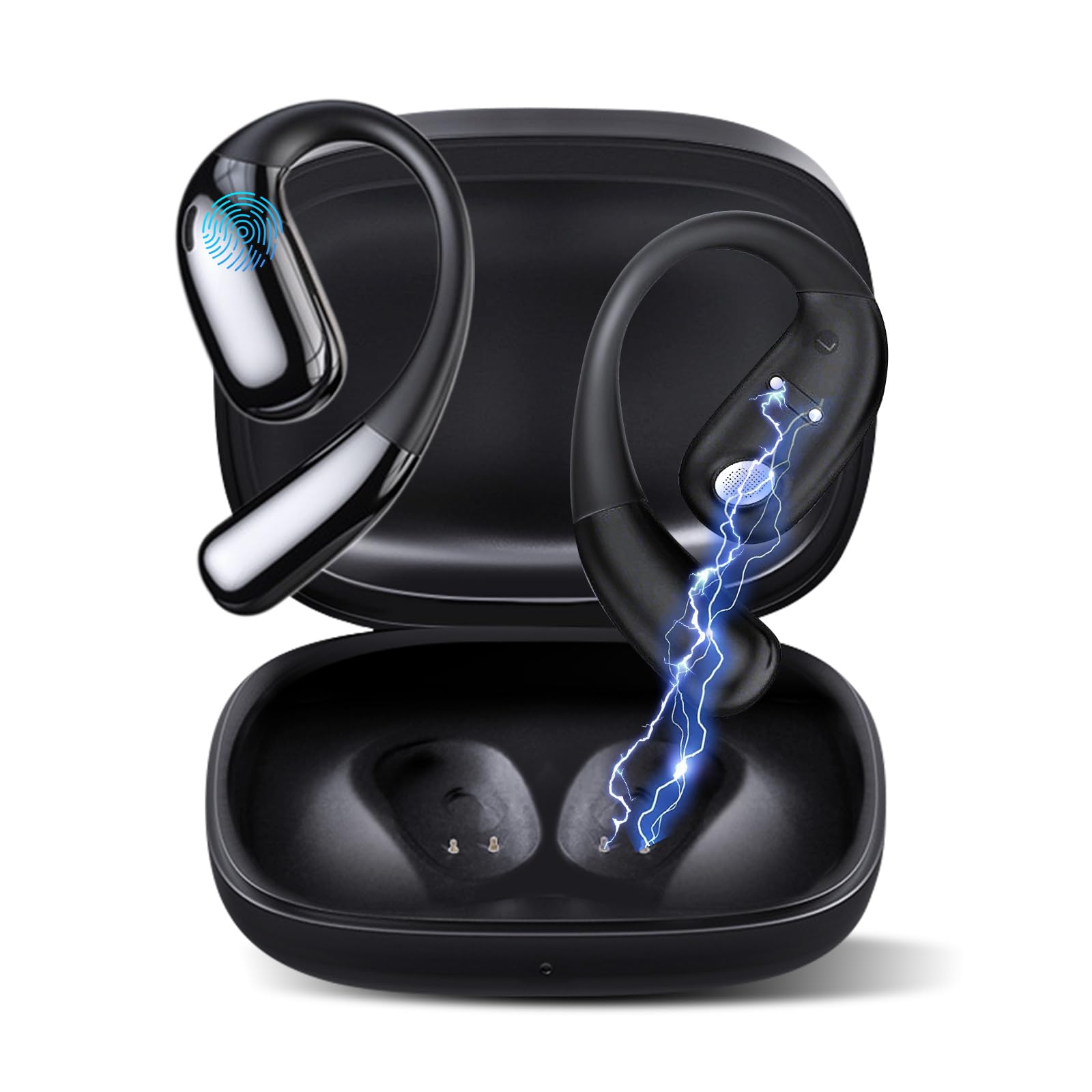
చిత్రం 1: Ourlife AI Translation Earbuds A38 in use, highlighting key features.
పెట్టెలో ఏముంది
దయచేసి మీ ప్యాకేజీలో అన్ని అంశాలు ఉన్నాయని ధృవీకరించండి:
- 2 x Translation Earbuds (Left and Right)
- 1 x ఛార్జింగ్ కేస్
- 1 x USB టైప్-C ఛార్జింగ్ కేబుల్
- 1 x వినియోగదారు మాన్యువల్
ఉత్పత్తి ముగిసిందిview

Figure 2: Earbuds and charging case, illustrating 144 language support.

Figure 3: Offline translation in action, showing two users communicating.

Figure 4: Technical features and design elements of the earbuds.

Figure 5: The 'One Click' app interface and 3-in-1 functionality.

Figure 6: Ergonomic clip-on-ear design for comfort and stability.

Figure 7: Real-time translation capabilities with high accuracy.
సెటప్
1. ఇయర్బడ్లు మరియు కేస్ను ఛార్జ్ చేయడం
- ఛార్జింగ్ కేస్లో ఇయర్బడ్లను ఉంచండి.
- USB టైప్-C ఛార్జింగ్ కేబుల్ను కేస్లోని ఛార్జింగ్ పోర్ట్కు మరియు పవర్ సోర్స్కు కనెక్ట్ చేయండి.
- The indicator lights on the case will show charging status. A full charge typically takes 1.5 hours.
2. Downloading the 'One Click' App
- Scan the QR code provided in the quick start guide or search for "One Click" in your device's app store (iOS or Android).
- మీ స్మార్ట్ఫోన్లో అప్లికేషన్ను ఇన్స్టాల్ చేయండి.
3. మీ స్మార్ట్ఫోన్తో జత చేయడం
- ఇయర్బడ్లు ఛార్జ్ అయ్యాయని మరియు ఛార్జింగ్ కేస్ లోపల ఉన్నాయని నిర్ధారించుకోండి.
- Open the charging case lid. The earbuds will enter pairing mode.
- మీ స్మార్ట్ఫోన్లో బ్లూటూత్ని ప్రారంభించండి.
- In your phone's Bluetooth settings, select "Ourlife A38" from the list of available devices.
- Once paired, open the "One Click" app. The app will guide you through connecting the earbuds within the application.
4. ప్రారంభ యాప్ సెటప్
- Follow the on-screen instructions in the "One Click" app to select your native language and the target language for translation.
- Familiarize yourself with the different translation modes available.
ఆపరేటింగ్ సూచనలు
అనువాద మోడ్లు
Ourlife A38 earbuds support various translation modes via the "One Click" app:
- ఉచిత టాక్ మోడ్: Allows for natural, continuous conversation where the app automatically detects and translates spoken languages.
- టచ్ మోడ్: Tap an earbud to speak, and the app translates. Tap again to end your turn. This is ideal for turn-based conversations.
- స్పీకర్ మోడ్: One person wears an earbud, and the other speaks into the phone's microphone. Translations are played through the earbud and the phone's speaker.
- ఆడియో ట్రాన్స్క్రిప్షన్: Transcribes and translates spoken audio in real-time, useful for meetings or lectures.
- ఫోటో అనువాదం: Use your phone's camera through the app to translate text from images.
- ఆఫ్లైన్ మోడ్: For supported languages (Chinese, English, Japanese, Korean, Russian, German, French, Spanish), offline translation packages can be purchased within the app for use without an internet connection.
Music Playback and Calls
The earbuds also function as standard Bluetooth headphones:
- సంగీతాన్ని ప్లే చేస్తోంది: Once paired, open your music application on your smartphone. Audio will play through the earbuds.
- కాల్స్ చేయడం/స్వీకరించడం: When a call comes in, the earbuds will ring. Tap the touchpad on either earbud to answer or end a call.
- టచ్ప్యాడ్ నియంత్రణలు: The earbuds feature touchpad controls for functions such as play/pause, skip tracks, answer/end calls, and activate voice assistant. Refer to the app or quick start guide for specific gestures.
నిర్వహణ
క్లీనింగ్
- ఇయర్బడ్లు మరియు ఛార్జింగ్ కేసును మృదువైన, పొడి, మెత్తటి బట్టతో సున్నితంగా తుడవండి.
- రాపిడి క్లీనర్లు, ఆల్కహాల్ లేదా రసాయన ద్రావకాలను ఉపయోగించవద్దు.
- ఏదైనా రంధ్రాలలోకి తేమ రాకుండా చూసుకోండి.
బ్యాటరీ సంరక్షణ మరియు నిల్వ
- Charge the earbuds and case regularly, even if not in frequent use, to maintain battery health.
- పరికరాన్ని ప్రత్యక్ష సూర్యకాంతి మరియు తీవ్రమైన ఉష్ణోగ్రతలు లేకుండా చల్లని, పొడి ప్రదేశంలో నిల్వ చేయండి.
- Avoid fully depleting the battery for extended periods.
ట్రబుల్షూటింగ్
| సమస్య | సాధ్యమైన కారణం | పరిష్కారం |
|---|---|---|
| ఇయర్బడ్లు జత చేయడం లేదు | Bluetooth off, earbuds not in pairing mode, low battery | Ensure Bluetooth is on. Place earbuds in case, close, then open lid to re-enter pairing mode. Charge earbuds and case. |
| No sound during translation/music | Volume too low, not connected to app, incorrect language settings | Increase phone volume. Verify earbuds are connected in the 'One Click' app. Check language settings in the app. |
| Translation inaccuracy or delay | Poor internet connection, background noise, speaking too fast | Ensure stable internet connection. Speak clearly and at a moderate pace. Reduce background noise. |
| App not recognizing earbuds | App glitch, Bluetooth connection issue | Close and restart the 'One Click' app. Disconnect and re-pair Bluetooth. Restart your smartphone. |
| ఇయర్బడ్లు ఛార్జ్ కావడం లేదు | Cable issue, dirty charging contacts, faulty power source | Try a different USB-C cable and power adapter. Clean charging contacts on earbuds and case with a dry cotton swab. |
స్పెసిఫికేషన్లు
| ఫీచర్ | వివరాలు |
|---|---|
| బ్రాండ్ | Ourlఅయితే |
| మోడల్ పేరు | A38 |
| కనెక్టివిటీ టెక్నాలజీ | బ్లూటూత్ 5.4 |
| అనుకూల పరికరాలు | స్మార్ట్ఫోన్ (ఆండ్రాయిడ్, iOS) |
| ప్రత్యేక లక్షణాలు | AI-Powered Real-Time Translation, 144 Languages (74 languages + 70 accents), Offline Mode (8 languages available for purchase), Intelligent Noise Cancellation, 3D Spatial Audio, Quick Charge, Ergonomic Clip-on Design |
| బ్యాటరీ లైఫ్ (ఇయర్బడ్స్) | ఒక్కో ఛార్జీకి 7 గంటల వరకు |
| మొత్తం ప్లేటైమ్ (ఛార్జింగ్ కేసుతో) | 60 గంటల వరకు |
| ఛార్జింగ్ సమయం | సుమారు 1.5 గంటలు |
| ఛార్జింగ్ పోర్ట్ | USB టైప్-C |
| కంట్రోలర్ రకం | టచ్ప్యాడ్ నియంత్రణ |
| సెన్సార్ టెక్నాలజీ | నాయిస్ క్యాన్సిలింగ్ |
| మెటీరియల్ | High-Grade ABS+PC |
వారంటీ మరియు మద్దతు
వారంటీ సమాచారం
Ourlife AI Translation Earbuds A38 come with a limited warranty. Please refer to the warranty card included in your product packaging or visit the official Ourlఅయితే webవివరణాత్మక నిబంధనలు మరియు షరతుల కోసం సైట్.
కస్టమర్ మద్దతు
For technical assistance, troubleshooting, or further inquiries, please visit the official Ourlఅయితే website or contact their customer support team. You can find more information and contact details at the Ourlఅమెజాన్లో ife స్టోర్.