
1. పరిచయం మరియు ఓవర్view
Thank you for choosing the TUNISE M38 Portable Wearable Belt Waist Fan. This versatile device is designed to provide personal cooling, act as a portable power bank, and offer an emergency flashlight, making it an ideal companion for various outdoor activities, travel, and daily use. Its robust design and multiple functionalities ensure comfort and convenience wherever you go.
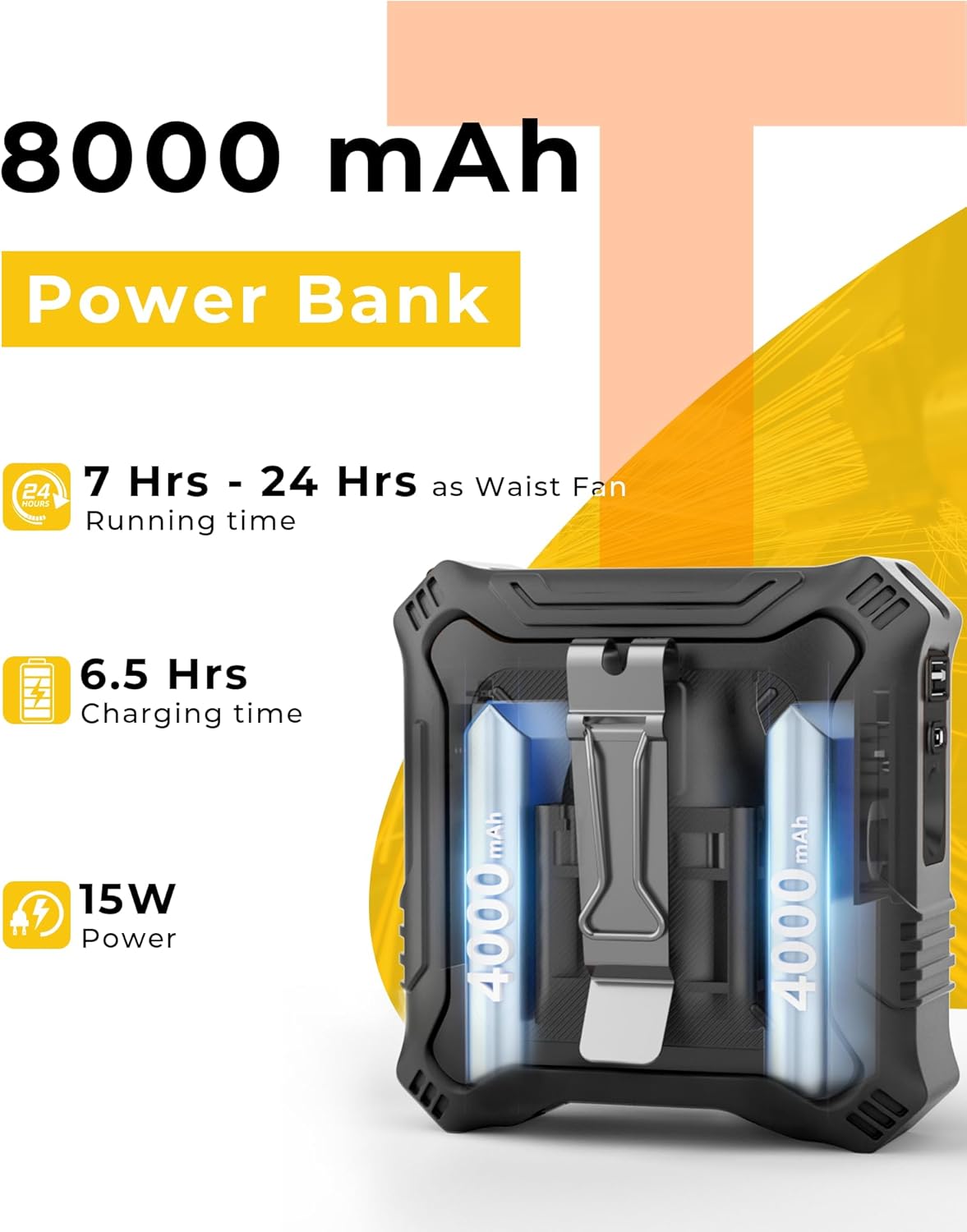
Image: The TUNISE M38 Portable Wearable Belt Waist Fan in black, showcasing దాని కాంపాక్ట్ మరియు కఠినమైన డిజైన్.
2. ఉత్పత్తి లక్షణాలు
- All-in-One Versatility: Functions as a neck fan, waist fan, desk fan, shirt fan, or belt fan, suitable for summer activities and outdoor adventures.
- దీర్ఘకాలం ఉండే 8000mAh బ్యాటరీ: Equipped with a rechargeable 8000mAh battery, providing up to 24 hours of operation on a single charge. UL certified for safety.
- Powerful 5-Speed Fan: Features a high-speed brushless motor with 5 adjustable speed settings (7000-14600 RPM) for powerful airflow. An adjustable air outlet allows for precise positioning and direction of the breeze.
- పోర్టబుల్ పవర్ బ్యాంక్: Includes USB-C and USB-A ports for convenient charging of mobile devices, ensuring you stay powered up anywhere.
- Durable & Safe Design: Constructed with a protective silicone outer shell for shock, drop, and sweat resistance. Anti-slip manganese steel clips prevent rust and ensure a secure grip. Built-in LED light with SOS flashing function for added safety.
3. ప్యాకేజీ విషయాలు
అన్ని అంశాలు ఉన్నాయని నిర్ధారించుకోవడానికి దయచేసి ప్యాకేజీని తనిఖీ చేయండి:
- 1 x TUNISE M38 Portable Waist Fan
- 1 x లాన్యార్డ్
- 1 x USB Charging Cable (USB-A to USB-C)
- 1 x ఇన్స్ట్రక్షన్ మాన్యువల్

Image: Visual representation of the items included in the TUNISE M38 Portable Waist Fan package, including the fan, lanyard, charging cable, and manual.
4. సెటప్
4.1 ప్రారంభ ఛార్జింగ్
Before first use, fully charge the fan. Connect the provided USB charging cable to the fan's USB-C input port and a compatible 5V/2A USB power adapter (not included), laptop, or power bank. The LED display will show the charging percentage. A full charge typically takes approximately 6.5 hours.

Image: The fan connected to a wall adapter via its USB-C port for charging.
4.2 Attaching Lanyard and Clips
- లాన్యార్డ్: Attach the lanyard to the designated loop on the top of the fan for neck-wearing.
- బెల్ట్ క్లిప్లు: The fan features dual-sided manganese steel clips for secure attachment to your belt, waistband, or pants.
5. ఆపరేటింగ్ సూచనలు
5.1 Power On/Off and Fan Speed Adjustment
- పవర్ ఆన్: Short press the power button once to turn on the fan at Speed 1.
- వేగాన్ని సర్దుబాటు చేయండి: Continue short pressing the power button to cycle through speeds 2, 3, 4, and 5.
- పవర్ ఆఫ్: After Speed 5, short press the power button again to turn the fan off.

Image: The fan's LED display showing current fan speed (Gear) and remaining battery percentage.
5.2 Using the Power Bank Function
The fan can act as a power bank to charge your mobile devices.
- Connect your device's charging cable to either the USB-A or USB-C output port on the fan.
- The fan will automatically begin charging your device.

Image: The TUNISE M38 fan highlighting its 8000mAh power bank capacity and charging capabilities.
5.3 ఫ్లాష్లైట్ని ఉపయోగించడం
The fan includes a built-in LED flashlight with two settings.
- స్థిరమైన కాంతి: Long press the flashlight button (often located near the power button) to turn on the constant light.
- SOS ఫ్లాషింగ్: Long press the flashlight button again to activate the SOS flashing mode.
- ఆఫ్ చేయండి: Long press the flashlight button a third time to turn off the light.

Image: The TUNISE M38 fan demonstrating its constant and blinking SOS signal light functions.
5.4 ధరించడం మరియు ప్లేస్మెంట్ ఎంపికలు
- Waist Fan: Use the dual-sided clips to securely attach the fan to your belt or waistband, directing airflow upwards into your shirt.
- మెడ ఫ్యాన్: Attach the lanyard and wear the fan around your neck for hands-free cooling.
- డెస్క్ ఫ్యాన్: Utilize the integrated kickstand (if available) or position the fan on a flat surface for desktop use.

Image: The TUNISE M38 fan shown in various configurations: clipped to a waist, used as a desk fan, and worn around the neck.
6. నిర్వహణ
- శుభ్రపరచడం: Use a soft, dry cloth to wipe the fan's exterior. Do not use harsh chemicals or immerse the fan in water.
- నిల్వ: Store the fan in a cool, dry place when not in use. Ensure it is fully charged before long-term storage to preserve battery life.
- బ్యాటరీ సంరక్షణ: To maximize battery lifespan, avoid completely draining the battery frequently. Recharge when the battery level is low.
7. ట్రబుల్షూటింగ్
- ఫ్యాన్ ఆన్ చేయడం లేదు: Ensure the battery is charged. If the battery is low, connect the fan to a power source using the provided USB cable.
- బలహీనమైన గాలి ప్రవాహం: Check the fan speed setting and adjust to a higher level if needed. Ensure the air inlet/outlet is not obstructed.
- Device Not Charging (Power Bank Function): Verify that your device's charging cable is properly connected to the fan's output port. Ensure the fan has sufficient battery charge.
- ఫ్లాష్లైట్ పనిచేయడం లేదు: Long press the flashlight button to activate it. If it still doesn't work, ensure the fan has sufficient battery charge.
8. స్పెసిఫికేషన్లు
| ఫీచర్ | స్పెసిఫికేషన్ |
|---|---|
| బ్రాండ్ | ట్యూనిస్ |
| మోడల్ పేరు | M38 |
| రంగు | నలుపు |
| ఎలక్ట్రిక్ ఫ్యాన్ డిజైన్ | ధరించగలిగే అభిమాని |
| శక్తి మూలం | బ్యాటరీ ఆధారితమైనది |
| బ్యాటరీ కెపాసిటీ | 8000mAh (2 x 12V batteries included) |
| శక్తి స్థాయిల సంఖ్య | 5 |
| గరిష్ట వేగం | 14600 RPM |
| వాట్tage | 15 వాట్స్ |
| ఉత్పత్తి కొలతలు | 6"డి x 2.5"వా x 8.6"హ |
| వస్తువు బరువు | 13.7 ఔన్సులు |
| నియంత్రణ పద్ధతి | టచ్ |
| ఇండోర్/అవుట్డోర్ వినియోగం | అవుట్డోర్ |
| ప్రత్యేక ఫీచర్ | Portable, Power Bank, Flashlight |
9. అధికారిక ఉత్పత్తి వీడియోలు
వీడియో: ఒక ఓవర్view of the TUNISE Waist Fan, demonstrating its features and design.
Video: A quick start guide for the Portable Waist Fan, showing how to operate its basic functions.
10. వారంటీ మరియు మద్దతు
For warranty information and customer support, please refer to the contact details provided on the product packaging or visit the official TUNISE webసైట్. ఏవైనా వారంటీ క్లెయిమ్ల కోసం మీ కొనుగోలు రసీదును ఉంచండి.


