
పరిచయం
This manual provides detailed instructions for setting up, operating, and maintaining your Incase Bluetooth Mouse, designed by Microsoft. Please read this guide thoroughly to ensure optimal performance and longevity of your device.
ఉత్పత్తి ముగిసిందిview
కీ ఫీచర్లు
- Compact and modern design for comfortable use by both right and left-handed users.
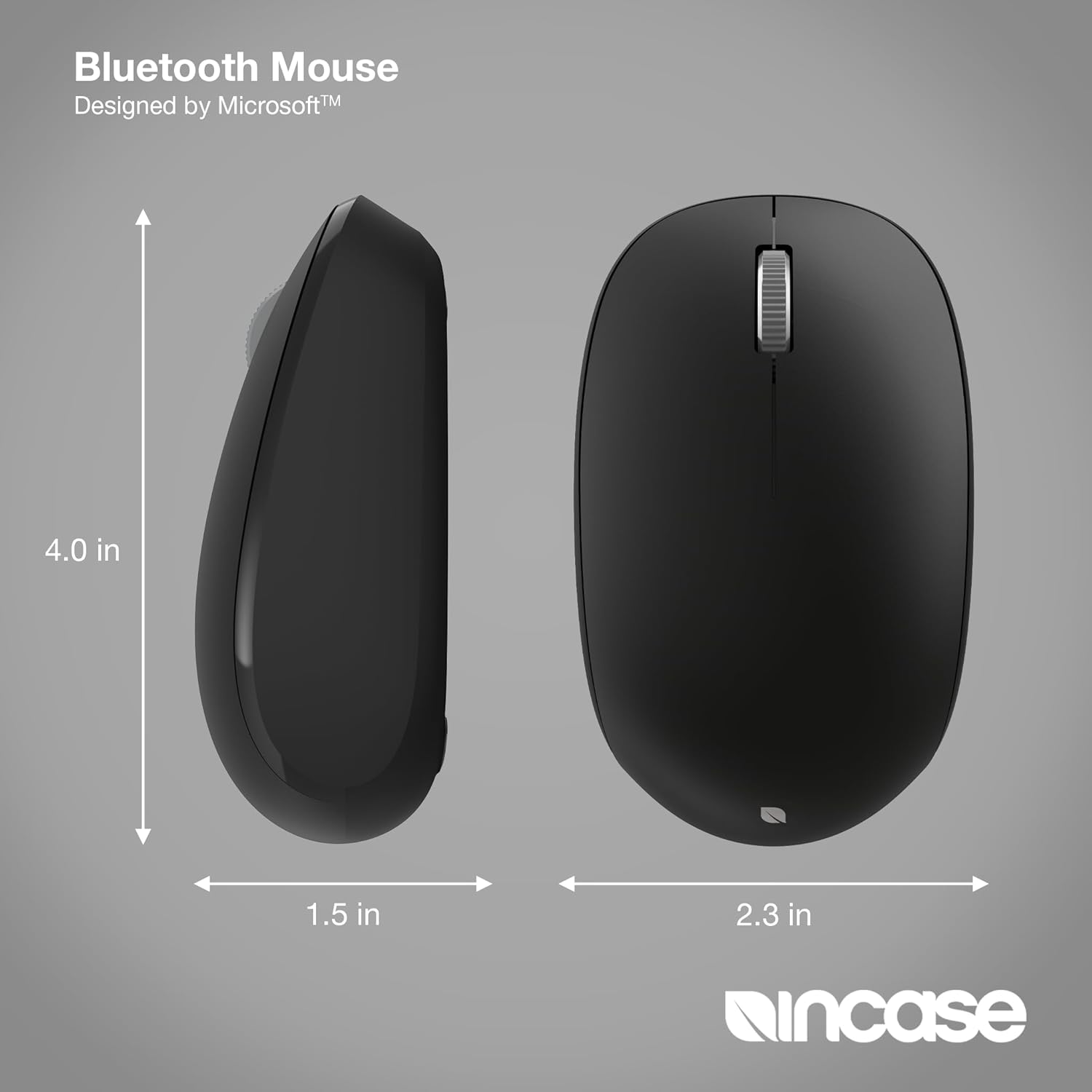
- Smooth and precise tracking with a 4-way scroll wheel.
- Wireless Bluetooth 5.0 LE connectivity for Windows 11/10 and Mac.
- Up to 12 months of battery life.
- Four functional buttons: left click, right click, scroll wheel, and power.
భాగాలు
- Incase Bluetooth Mouse
- 1 AA బ్యాటరీ (ముందే ఇన్స్టాల్ చేయబడింది)

సెటప్
బ్యాటరీ సంస్థాపన
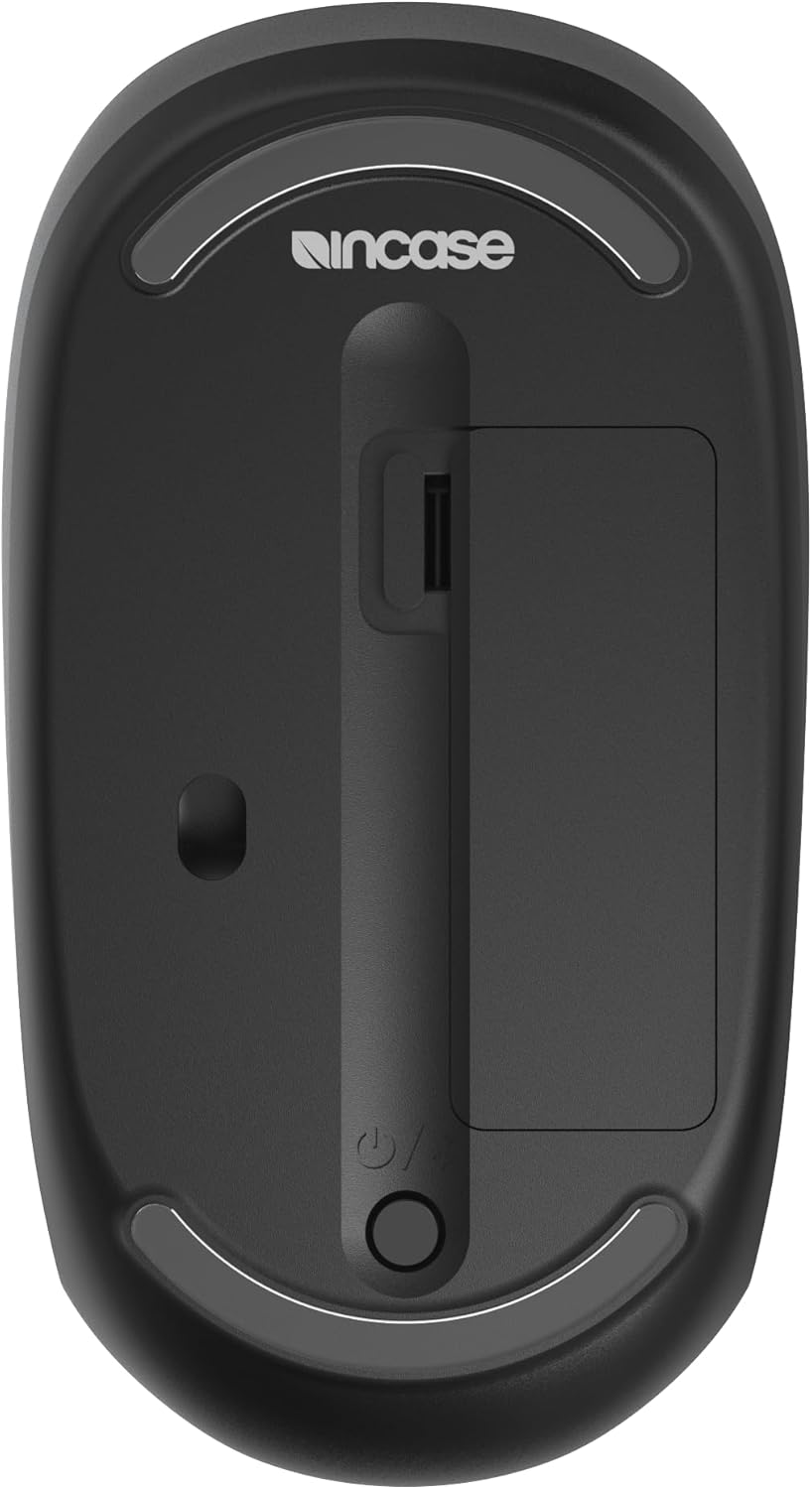
- మౌస్ దిగువ భాగంలో బ్యాటరీ కంపార్ట్మెంట్ను గుర్తించండి.
- Remove the protective pull tab if present.
- Ensure the included AA battery is correctly inserted with the positive (+) and negative (-) terminals aligned.
- బ్యాటరీ కంపార్ట్మెంట్ కవర్ను మూసివేయండి.
బ్లూటూత్ పెయిరింగ్
- దిగువన ఉన్న పవర్ స్విచ్ని ఉపయోగించి మౌస్ను ఆన్ చేయండి.
- Press and hold the Bluetooth pairing button (often integrated with the power button or a separate small button) until the LED indicator starts blinking, indicating pairing mode.
- On your computer (Windows 11/10 or Mac), navigate to Bluetooth settings.
- Select "Add a device" or "Bluetooth & other devices."
- Choose "Bluetooth" and select "Incase Bluetooth Mouse" from the list of available devices.
- Follow any on-screen prompts to complete the pairing process. The LED indicator on the mouse will turn solid when successfully paired.
ఆపరేటింగ్ సూచనలు
ప్రాథమిక విధులు
- ఎడమ క్లిక్ చేయండి: ప్రాథమిక చర్యల కోసం ఎడమ బటన్ను నొక్కండి.
- కుడి క్లిక్ చేయండి: ద్వితీయ చర్యలు లేదా సందర్భ మెనుల కోసం కుడి బటన్ను నొక్కండి.
- స్క్రోల్ వీల్: Roll the wheel up or down to scroll vertically.
- 4-మార్గం స్క్రోలింగ్: The scroll wheel also supports horizontal scrolling. Tilt the scroll wheel left or right to scroll horizontally in compatible applications.
కంఫర్ట్ మరియు ఎర్గోనామిక్స్
The mouse is designed for comfortable use by both right-handed and left-handed users due to its symmetrical and compact form factor.
నిర్వహణ
క్లీనింగ్
- మెత్తని, మెత్తని బట్టను తేలికగా ఉపయోగించండి డిampened with water or a mild cleaning solution to clean the mouse surface.
- రాపిడి క్లీనర్లు లేదా ద్రావణాలను ఉపయోగించడం మానుకోండి.
- Ensure no liquid enters the mouse.
బ్యాటరీ భర్తీ
- When the mouse performance degrades or the battery indicator (if present) signals low power, replace the AA battery.
- మౌస్ దిగువ భాగంలో బ్యాటరీ కంపార్ట్మెంట్ను తెరవండి.
- Remove the old battery and insert a new AA battery, observing the correct polarity (+/-).
- కంపార్ట్మెంట్ను సురక్షితంగా మూసివేయండి.
ట్రబుల్షూటింగ్
మౌస్ కనెక్ట్ కావడం లేదు/జత చేయడం లేదు
- మౌస్ ఆన్ చేయబడిందని మరియు బ్యాటరీ తగినంత ఛార్జ్ కలిగి ఉందని నిర్ధారించుకోండి.
- Verify Bluetooth is enabled on your computer.
- Place the mouse in pairing mode by pressing and holding the pairing button.
- Remove the mouse from your computer's Bluetooth device list and attempt to pair again.
- మీ కంప్యూటర్ మరియు మౌస్ను పునఃప్రారంభించండి.
అనియత కర్సర్ కదలిక
- మౌస్ అడుగున ఉన్న ఆప్టికల్ సెన్సార్ను మృదువైన, పొడి వస్త్రంతో శుభ్రం చేయండి.
- మీరు మౌస్ను తగిన ఉపరితలంపై ఉపయోగిస్తున్నారని నిర్ధారించుకోండి. అధిక ప్రతిబింబం లేదా పారదర్శక ఉపరితలాలను నివారించండి.
- బ్యాటరీ స్థాయిని తనిఖీ చేయండి మరియు తక్కువగా ఉంటే మార్చండి.
స్పెసిఫికేషన్లు
| ఉత్పత్తి కొలతలు | 4.1 x 2.3 x 0.04 అంగుళాలు |
| వస్తువు బరువు | 4.8 ఔన్సులు |
| అంశం మోడల్ సంఖ్య | KTF-00013 |
| బ్యాటరీలు | 1 AA బ్యాటరీ (చేర్చబడింది) |
| కనెక్టివిటీ టెక్నాలజీ | బ్లూటూత్ 5.0 LE |
| మూవ్మెంట్ డిటెక్షన్ టెక్నాలజీ | ఆప్టికల్ |
| ప్రత్యేక లక్షణాలు | 4-Way Scrolling, Fast Tracking Sensor, Lightweight, Portable, Wireless |
| తయారీదారు | ఒకవేళ |
వారంటీ మరియు మద్దతు
The Incase Bluetooth Mouse comes with a 1-సంవత్సరం పరిమిత వారంటీ. For warranty claims or technical support, please refer to the contact information provided with your purchase or visit the official Incase support webసైట్.