
Docooler NPT69542448697367MU
Docooler BT-Controller for Motorcycle, Handlebar Remote Control
వినియోగదారు మాన్యువల్
పరిచయం
This manual provides detailed instructions for the proper use and maintenance of your Docooler BT-Controller. Please read this manual thoroughly before using the device to ensure optimal performance and safety. This device is designed for convenient control of calls and music while riding motorcycles, electric bicycles, or standard bicycles.

Image: The Docooler BT-Controller, a compact black device with illuminated blue buttons for call, volume, power, and voice assistant functions.
సెటప్
ప్యాకేజీ విషయాలు
Before proceeding, please verify that all items are present in the package:
- 1 x Wireless Key Controller (DX1 device)
- 1 x ఛార్జింగ్ కేబుల్
- 1 x Fixed Mounting Bracket
- 1 x వినియోగదారు మాన్యువల్

Image: The components included in the product package: the DX1 device, fixed fittings (mounting bracket), charging cable, and manual.
పరికరాన్ని ఛార్జ్ చేస్తోంది
The device is powered by a built-in 90 mAh lithium battery. For first use, or if the battery is low, charge the device using the provided charging cable.
- Connect the charging cable to the charging port on the controller.
- Connect the other end of the cable to a standard USB power source (e.g., computer USB port, USB wall adapter).
- The charging indicator (red) will illuminate during charging.
- A full charge takes approximately 1 hour. The indicator light will change or turn off once charging is complete.

Image: An illustration showing the battery performance of the controller, indicating a standby time of 30 days, duration of use of 22 days, and a charging time of 1 hour.
సంస్థాపన
The controller is designed for easy installation on various handlebars of motorcycles, electric bicycles, and standard bicycles.
- Select a suitable position on your handlebar that allows for easy access to the buttons without obstructing your view లేదా నియంత్రణ.
- Use the fixed mounting bracket to secure the controller firmly to the handlebar. Ensure it is tight enough to prevent movement during riding.

Image: The Docooler BT-Controller securely mounted on a motorcycle handlebar, positioned for easy access by the rider's thumb.
బ్లూటూత్ పెయిరింగ్
The device uses BT 5.4 technology for a stable and fast connection to your smartphone.
- మీ స్మార్ట్ఫోన్ బ్లూటూత్ ప్రారంభించబడిందని నిర్ధారించుకోండి.
- Turn on the Docooler BT-Controller by pressing and holding the Power On/Off button (center button with power icon) until the BT indicator (blue) starts flashing, indicating it's in pairing mode.
- మీ స్మార్ట్ఫోన్లో, అందుబాటులో ఉన్న బ్లూటూత్ పరికరాల కోసం శోధించండి.
- Select "DX1" or a similar name from the list of found devices to initiate pairing.
- Once paired, the blue BT indicator light will become solid, indicating a successful connection.
ఆపరేటింగ్ సూచనలు
The Docooler BT-Controller features intuitive buttons for managing calls, music, and voice assistant functions.

Image: A diagram illustrating the function of each button on the Docooler BT-Controller, including call, volume, power/play/pause, and voice assistant controls.
బటన్ విధులు పూర్తయ్యాయిview
- Call Button (Top, Phone Icon): ఫోన్ కాల్స్ నిర్వహిస్తుంది.
- Volume Down / Previous Song Button (Left, Minus Icon): Decreases volume or skips to the previous track.
- Power On/Off / Play/Pause Button (Center, Power Icon): Powers the device on/off and controls music playback.
- Volume Up / Next Song Button (Right, Plus Icon): వాల్యూమ్ పెంచుతుంది లేదా తదుపరి ట్రాక్కి వెళుతుంది.
- Voice Assistant Button (Bottom, Microphone Icon): Activates the smartphone's voice assistant.
కాల్ నిర్వహణ
Effortlessly manage your calls while riding:
- Accept/Hang Up: కాల్ బటన్ను చిన్నగా నొక్కండి.
- చివరి నంబర్ని మళ్లీ డయల్ చేయండి: Double-click the Call button.
- ఇన్కమింగ్ కాల్ను తిరస్కరించండి: Long press the Call button.

Image: An illustration demonstrating the one-touch operation for wireless calls, showing how short press, double-click, and long press actions on the call button correspond to answering/hanging up, redialing, and rejecting calls, respectively.
సంగీత నియంత్రణ
Control your music playback with ease:
- ప్లే/పాజ్: Short press the Power On/Off / Play/Pause button.
- తదుపరి ట్రాక్: Short press the Volume Up / Next Song button.
- మునుపటి ట్రాక్: Short press the Volume Down / Previous Song button.
- ధ్వని పెంచు: Long press the Volume Up / Next Song button.
- వాల్యూమ్ డౌన్: Long press the Volume Down / Previous Song button.
వాయిస్ అసిస్టెంట్
Enjoy hands-free functionality for calls and music with simple voice commands:
- వాయిస్ అసిస్టెంట్ను సక్రియం చేయండి: వాయిస్ అసిస్టెంట్ బటన్ను షార్ట్ ప్రెస్ చేయండి.
Once activated, you can issue commands such as "Play music" or "Open navigation" to your smartphone's voice assistant.

Image: An illustration showing the intelligent voice assistant operation, where a short press of the microphone button activates the voice assistant, allowing commands like "play music" or "open navigation."
నిర్వహణ
క్లీనింగ్
To maintain the device's appearance and functionality, clean it regularly:
- నియంత్రిక యొక్క ఉపరితలాన్ని తుడవడానికి మృదువైన, పొడి వస్త్రాన్ని ఉపయోగించండి.
- మొండి ధూళికి, కొద్దిగా dampen గుడ్డను నీటితో తడిపివేయండి. కఠినమైన రసాయనాలు లేదా రాపిడి క్లీనర్లను ఉపయోగించకుండా ఉండండి.
నీటి నిరోధకత
The Docooler BT-Controller features an IPX6 waterproof design, meaning it is protected against powerful water jets. This makes it suitable for use in various weather conditions, including rainy days.
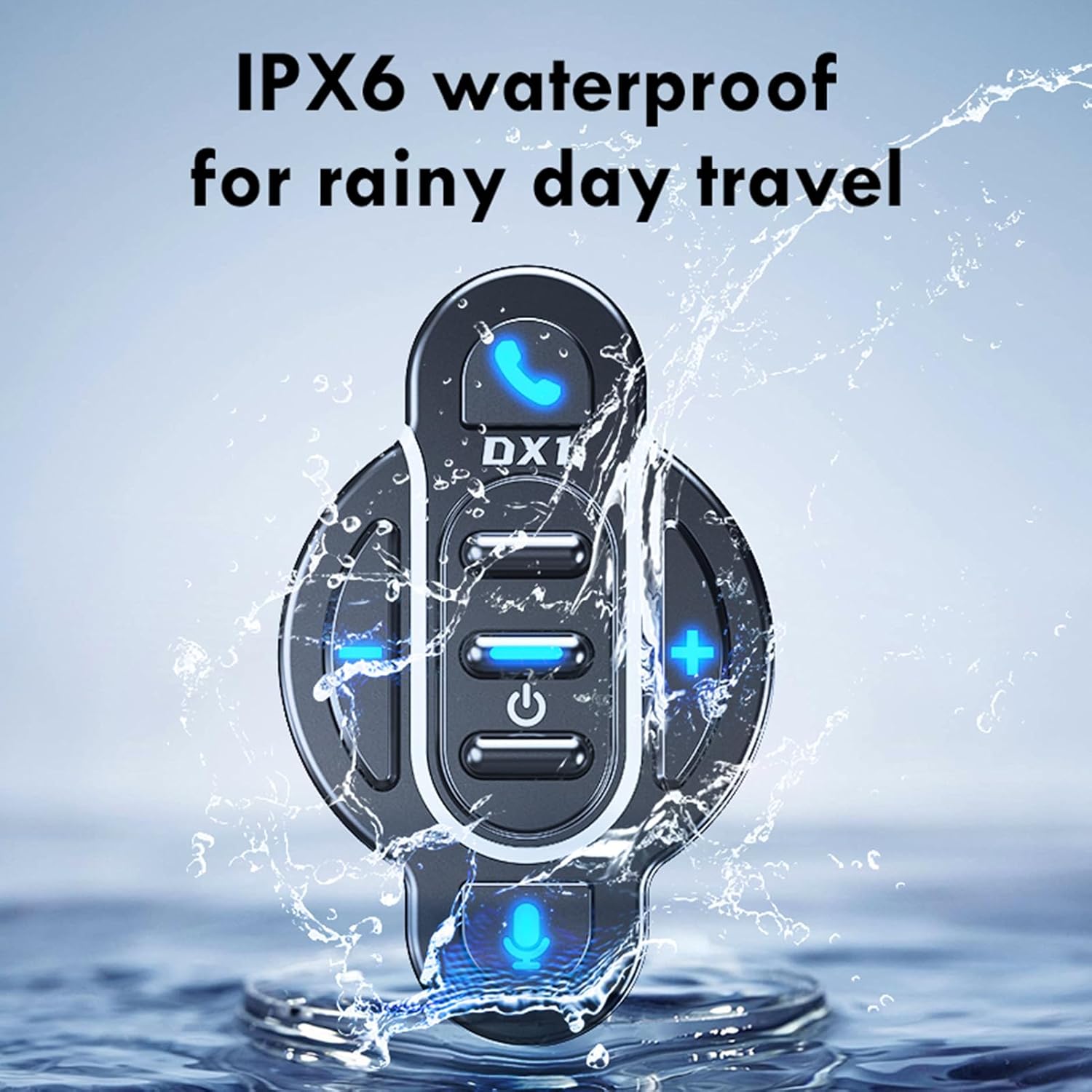
Image: The Docooler BT-Controller being splashed with water, illustrating its IPX6 waterproof rating for use in rainy conditions.
While the device is water-resistant, avoid submerging it in water or exposing it to high-pressure water streams for extended periods.
నిల్వ
ఎక్కువసేపు ఉపయోగంలో లేనప్పుడు, పరికరాన్ని ప్రత్యక్ష సూర్యకాంతి మరియు తీవ్రమైన ఉష్ణోగ్రతలకు దూరంగా చల్లని, పొడి ప్రదేశంలో నిల్వ చేయండి.
ట్రబుల్షూటింగ్
If you encounter issues with your Docooler BT-Controller, refer to the following common problems and solutions:
| సమస్య | సాధ్యమైన కారణం | పరిష్కారం |
|---|---|---|
| పరికరం ఆన్ చేయదు. | బ్యాటరీ క్షీణించింది. | Charge the device for at least 1 hour. |
| స్మార్ట్ఫోన్తో జత చేయడం సాధ్యం కాదు. | Bluetooth is off on smartphone; device not in pairing mode; too far from smartphone. | Ensure smartphone Bluetooth is on. Put controller in pairing mode (flashing blue light). Move device closer to smartphone (within 10 meters). |
| No sound or control response. | Device not connected; volume too low; app issue. | Verify Bluetooth connection. Increase volume on both controller and smartphone. Restart music/call app. |
| బటన్లు స్పందించడం లేదు. | Device frozen; low battery. | Try turning the device off and on again. Charge the device. |
If the problem persists after trying these solutions, please contact Docooler customer support for further assistance.
స్పెసిఫికేషన్లు
| ఫీచర్ | వివరాలు |
|---|---|
| BT వెర్షన్ | 5.4 |
| ప్రసార పరిధి | 10 మీటర్లు (అడ్డంకులు లేకుండా) |
| బ్యాటరీ రకం | అంతర్నిర్మిత 3.7V పాలిమర్ లిథియం బ్యాటరీ |
| బ్యాటరీ కెపాసిటీ | 90 mAh |
| ఆపరేటింగ్ సమయం | సుమారుగా. 22 రోజుల |
| స్టాండ్బై సమయం | సుమారుగా. 30 రోజుల |
| ఛార్జింగ్ సమయం | సుమారు 1 గంట |
| జలనిరోధిత రేటింగ్ | IPX6 |
| రంగు | నలుపు |
| అంశం పరిమాణం | సుమారు. 5.5 x 3.5 x 3 సెం.మీ. |
| వస్తువు బరువు | సుమారు 20 గ్రాములు |
| బటన్ల సంఖ్య | 8 |
| గరిష్టంగా మద్దతు ఉన్న పరికరాలు | 1 |
| మోడల్ సంఖ్య | NPT6954248697367MU |
వారంటీ మరియు మద్దతు
Specific warranty information for this product is not provided in this manual. For details regarding warranty coverage, returns, or technical support, please refer to the product packaging, the retailer's website where you purchased the device, or contact Docooler customer service directly.
For the latest support information and frequently asked questions, please visit the official Docooler webసైట్ లేదా వారి మద్దతు ఛానెల్లను సంప్రదించండి.
Ask a question about this manual
Ask about setup, troubleshooting, compatibility, parts, safety, or missing instructions. Manuals+ will review the question and use this page’s manual context to help answer it.