
పరిచయం
ధన్యవాదాలు, ధన్యవాదాలు.asing the 4DRC G2 Foam Remote Control Airplane. This manual provides essential information for the safe operation, setup, and maintenance of your new RC airplane. Please read it thoroughly before first use to ensure proper function and to maximize your flying experience.
ప్యాకేజీ విషయాలు
మీ ప్యాకేజీలో అన్ని అంశాలు ఉన్నాయని ధృవీకరించండి:
- RC Airplane (G2 Model)
- రిమోట్ కంట్రోల్
- 3 x Rechargeable 3.7V 350 mAh Batteries
- USB ఛార్జింగ్ కేబుల్
- విడి ప్రొపెల్లర్లు
- ఉత్పత్తి మాన్యువల్ (ఈ పత్రం)
సెటప్
1. Charging the Aircraft Batteries
The 4DRC G2 airplane uses 3.7V 350 mAh rechargeable Lithium-Ion batteries. Ensure all batteries are fully charged before use.
- Connect the provided USB charging cable to a USB power source (e.g., computer USB port, USB wall adapter).
- ఛార్జింగ్ కేబుల్కు బ్యాటరీని కనెక్ట్ చేయండి.
- The indicator light on the charger will show the charging status (refer to charger instructions for specific light patterns).
- Once fully charged, disconnect the battery from the charger. Charging time is approximately 60-90 minutes per battery.
జాగ్రత్త:
- బ్యాటరీలను ఓవర్ఛార్జ్ చేయవద్దు.
- ఛార్జింగ్ బ్యాటరీలను గమనించకుండా వదిలివేయవద్దు.
- అందించిన ఛార్జింగ్ కేబుల్ను మాత్రమే ఉపయోగించండి.
2. Installing Aircraft Batteries
The aircraft is designed for easy battery installation.
- Locate the battery compartment on the top of the aircraft.
- Insert a fully charged 3.7V 350 mAh battery into the compartment.
- Connect the battery plug to the aircraft's power connector.
- బ్యాటరీ కంపార్ట్మెంట్ కవర్ను సురక్షితంగా మూసివేయండి.
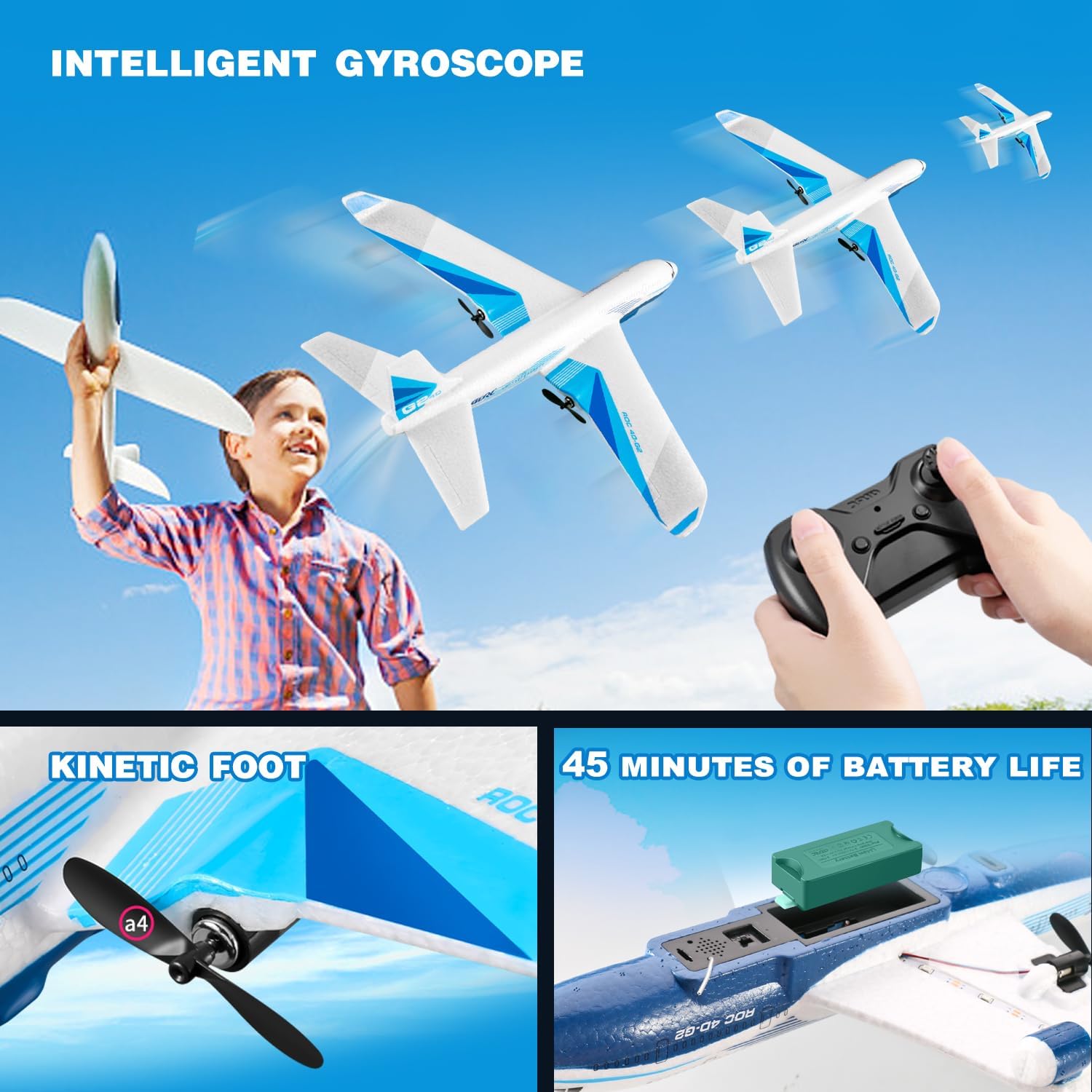
Figure 1: The 4DRC G2 airplane with a view of the battery compartment and propeller. Each battery provides approximately 15 minutes of flight time.
3. రిమోట్ కంట్రోల్ బ్యాటరీలను ఇన్స్టాల్ చేయడం
The remote control requires 3 C batteries (included).
- రిమోట్ కంట్రోల్ వెనుక బ్యాటరీ కంపార్ట్మెంట్ను తెరవండి.
- Insert 3 C batteries, ensuring correct polarity (+/-).
- బ్యాటరీ కంపార్ట్మెంట్ కవర్ను మూసివేయండి.
4. ఎయిర్క్రాఫ్ట్ అసెంబ్లీ
The 4DRC G2 airplane comes pre-assembled. No additional assembly is required.
5. Pairing the Remote Control with the Aircraft
- Place the aircraft on a flat surface.
- Turn on the aircraft by connecting the battery. The aircraft's LED lights will flash.
- రిమోట్ కంట్రోల్ ఆన్ చేయండి.
- Push the throttle lever (left stick) all the way up, then all the way down. The remote will beep, and the aircraft's LED lights will become solid, indicating successful pairing.
ఆపరేటింగ్ సూచనలు
1. విమాన పర్యావరణం
The 4DRC G2 is designed for outdoor use. Choose an open area free from obstacles, people, and animals. Avoid flying in strong winds or rain.
2. ప్రాథమిక నియంత్రణలు
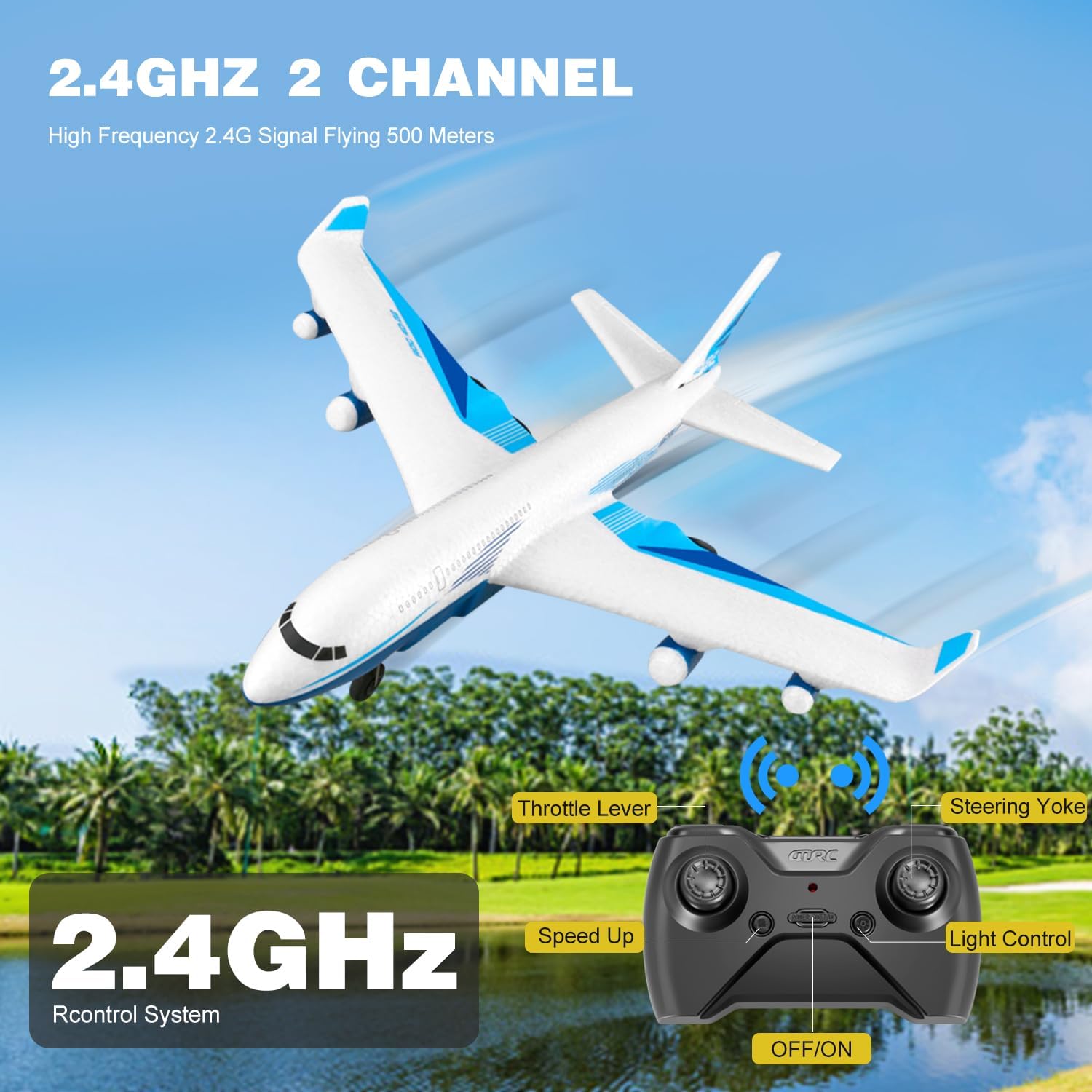
Figure 2: Remote control layout with labeled functions.
- Throttle Lever (Left Stick): Controls altitude. Push up to ascend, pull down to descend.
- Steering Yoke (Right Stick): Controls direction. Push left/right for turns, push up/down for pitch control.
- స్పీడ్ అప్ బటన్: Adjusts flight speed. The aircraft offers multiple speed modes.
- కాంతి నియంత్రణ బటన్: LED లైట్లను ఆన్/ఆఫ్ టోగుల్ చేస్తుంది.
- వన్-కీ టేకాఫ్/ల్యాండింగ్ బటన్: ఆటోమేటిక్ టేకాఫ్ లేదా ల్యాండింగ్ను ప్రారంభిస్తుంది.
3. టేకాఫ్ విధానాలు
- మాన్యువల్ టేకాఫ్: Hold the aircraft and gently throw it forward into the wind while simultaneously pushing the throttle lever up.
- Glide Takeoff: For experienced users, the aircraft can be launched with a gentle forward toss and minimal throttle, allowing it to glide before engaging full power.
- వన్-కీ టేకాఫ్: After pairing, press the one-key takeoff button. The aircraft will automatically ascend to a stable height.
4. Flight Modes and Features
- Diverse Flight Modes: The G2 supports various maneuvers including ascending, descending, turning left/right, and adjusting speed.
- 3-యాక్సిస్ గైరోస్కోప్: Ensures stable and smooth flights, making it easier for beginners to control.
- 3 స్పీడ్ మోడ్లు: Adjust the speed to match your skill level and flying conditions.
- 3D ఫ్లిప్లు: Press the 3D flip button (refer to remote diagram if available) and move the right stick in a desired direction to perform acrobatic flips.
- LED లైట్లు: Bright LEDs enhance visibility and add excitement during evening flights.

Figure 3: The 4DRC G2 airplane with its LED lights active, suitable for night flying.

Figure 4: Diagram demonstrating the 3D flip capability of the G2 airplane.
5. Landing Procedures
- మాన్యువల్ ల్యాండింగ్: Gently reduce the throttle and guide the aircraft to a soft landing.
- వన్-కీ ల్యాండింగ్: Press the one-key landing button. The aircraft will automatically descend and land.
6. వీడియో ప్రదర్శన
Video 1: Official demonstration of the 4DRC G2 Remote Control Airplane in flight, showcasinదాని స్థిరత్వం మరియు యుక్తి.
నిర్వహణ
- శుభ్రపరచడం: Wipe the aircraft with a soft, dry cloth after each use to remove dirt or debris. Avoid using water or harsh chemicals.
- ప్రొపెల్లర్ తనిఖీ: Regularly check propellers for damage. Replace any bent or broken propellers with spares to ensure optimal flight performance.
- బ్యాటరీ సంరక్షణ: Store batteries in a cool, dry place. Do not store fully charged or fully depleted batteries for extended periods. Charge them to about 50% for long-term storage.
- EPP Foam: The aircraft is made of durable EPP foam, designed to withstand minor impacts. In case of damage, use appropriate foam-safe adhesive for repairs.
ట్రబుల్షూటింగ్
| సమస్య | సాధ్యమైన కారణం | పరిష్కారం |
|---|---|---|
| Aircraft does not respond to remote. | Not paired; low remote battery; aircraft battery disconnected. | Re-pair the aircraft and remote; replace remote batteries; ensure aircraft battery is connected. |
| Aircraft does not take off or flies erratically. | Low aircraft battery; damaged propeller; strong wind; incorrect trim settings. | Charge aircraft battery; replace damaged propellers; fly in calm conditions; adjust trim on remote. |
| చిన్న విమాన సమయం. | బ్యాటరీ పూర్తిగా ఛార్జ్ కాలేదు; పాత బ్యాటరీ. | Ensure batteries are fully charged; consider replacing old batteries. |
| LED లైట్లు పనిచేయడం లేదు. | Lights turned off; wiring issue. | Press the light control button on the remote; inspect wiring for damage. |
స్పెసిఫికేషన్లు
| ఫీచర్ | వివరాలు |
|---|---|
| బ్రాండ్ | 4 డిఆర్సి |
| మోడల్ పేరు | G2 |
| మోడల్ సంఖ్య | HC-US8 |
| మెటీరియల్ రకం | Electronic Components, EPP Plastic |
| శక్తి మూలం | బ్యాటరీ ఆధారితమైనది |
| ఎయిర్క్రాఫ్ట్ బ్యాటరీ | 3 x 3.7V 350 mAh Lithium-Ion (included) |
| రిమోట్ కంట్రోల్ బ్యాటరీ | 3 x C batteries (included) |
| విమాన సమయం | Approx. 15 minutes per battery (45 minutes total with 3 batteries) |
| రిమోట్ కంట్రోల్ ఫ్రీక్వెన్సీ | 2.4GHz |
| నియంత్రణ పరిధి | 656 అడుగుల (200 మీటర్లు) వరకు |
| గరిష్ట వేగం | 25 rph (rotations per hour, likely intended as MPH or KPH, but using provided data) |
| గైరోస్కోప్ | 3-అక్షం |
| ఇండోర్/అవుట్డోర్ వినియోగం | అవుట్డోర్ |
| అంశం కొలతలు | 9 x 9 x 3 అంగుళాలు |
| రంగు | తెలుపు |
వారంటీ మరియు మద్దతు
This product is covered by a standard return policy. For specific warranty details, please refer to the purchase platform or contact the seller directly. For technical support or inquiries, please visit the official 4DRC webసైట్ లేదా వారి కస్టమర్ సేవా విభాగాన్ని సంప్రదించండి.
You can find more information about 4DRC products and support at the 4DRC Store on Amazon.