1. పరిచయం
Thank you for choosing the Generic A30C Mini Portable LED Projector. This manual provides essential information for the safe and efficient operation of your device. Please read it thoroughly before use and retain it for future reference.
The A30C projector is designed to deliver a high-definition viewing experience in a compact and portable form factor, suitable for various entertainment and presentation needs.
2. భద్రతా సమాచారం
- l ఉన్నప్పుడు ప్రొజెక్టర్ లెన్స్లోకి నేరుగా చూడకండిamp ప్రకాశవంతమైన కాంతి కంటికి హాని కలిగించవచ్చు కాబట్టి, ఆన్లో ఉంది.
- Ensure proper ventilation around the projector to prevent overheating. Do not block ventilation openings.
- ప్రొజెక్టర్ను నీరు, తేమ మరియు మండే పదార్థాల నుండి దూరంగా ఉంచండి.
- ప్రొజెక్టర్తో సరఫరా చేయబడిన పవర్ అడాప్టర్ను మాత్రమే ఉపయోగించండి.
- Do not attempt to disassemble or repair the projector yourself. Contact qualified service personnel for assistance.
- ప్రొజెక్టర్ పడిపోకుండా ఉండటానికి స్థిరమైన, స్థాయి ఉపరితలంపై ఉంచండి.
3. ప్యాకేజీ విషయాలు
దయచేసి అన్ని అంశాలు ఉన్నాయో లేదో తనిఖీ చేయండి:
- Generic A30C Mini Portable LED Projector
- పవర్ అడాప్టర్
- రిమోట్ కంట్రోల్ (బ్యాటరీలు చేర్చబడలేదు)
- HDMI కేబుల్
- వినియోగదారు మాన్యువల్ (ఈ పత్రం)
4. ఉత్పత్తి ముగిసిందిview
ప్రొజెక్టర్ యొక్క భాగాలు మరియు పోర్టులతో మిమ్మల్ని మీరు పరిచయం చేసుకోండి.

చిత్రం 4.1: ముందు view of the Generic A30C Mini Portable LED Projector. This image displays the compact black projector with its lens emitting a blue light, indicating operation. Control buttons are visible on the top surface.
4.1 టాప్ ప్యానెల్ నియంత్రణలు
- పవర్ బటన్: ప్రొజెక్టర్ను ఆన్/ఆఫ్ చేస్తుంది.
- నావిగేషన్ బటన్లు: Up, Down, Left, Right for menu navigation.
- సరే/ఎంటర్ బటన్: ఎంపికలను నిర్ధారిస్తుంది.
- వెనుక బటన్: మునుపటి మెనూకు తిరిగి వస్తుంది.
4.2 Rear/Side Panel Ports
- HDMI పోర్ట్: Connects to devices like laptops, gaming consoles, or Blu-ray players.
- USB పోర్ట్: మీడియా ప్లేబ్యాక్ కోసం USB ఫ్లాష్ డ్రైవ్లకు కనెక్ట్ అవుతుంది.
- SD కార్డ్ స్లాట్: Inserts SD cards for media playback.
- ఆడియో జాక్ (3.5mm): Connects to external speakers or headphones.
- DC పవర్ ఇన్పుట్: పవర్ అడాప్టర్ను కనెక్ట్ చేస్తుంది.
5. సెటప్
5.1 పవర్ కనెక్షన్
- Connect the power adapter to the DC Power Input port on the projector.
- Plug the power adapter into a wall outlet. The power indicator light on the projector will illuminate.
5.2 Initial Placement and Focus
- Place the projector on a stable surface, facing the projection screen or a plain wall.
- Turn on the projector by pressing the Power button.
- Adjust the focus ring (usually located near the lens) until the projected image is clear and sharp.

Image 5.1: Guide for optimal projection distance and screen size. This diagram illustrates various projection distances (e.g., 1m, 2m, 3m) and their corresponding screen sizes (e.g., 33", 66", 100", 150", 200", 300"). A recommended distance of 1.5m to 3m is highlighted for best viewing.
Refer to Image 5.1 for guidance on projection distance and screen size. For optimal viewing, a projection distance between 1.5 meters and 3 meters is recommended.
6. ప్రొజెక్టర్ను ఆపరేట్ చేయడం
6.1 ఇన్పుట్ పరికరాలను కనెక్ట్ చేయడం
ప్రొజెక్టర్ బహుళ ఇన్పుట్ మూలాలకు మద్దతు ఇస్తుంది:
- HDMI: Connect an HDMI cable from your device (laptop, game console, etc.) to the projector's HDMI port.
- USB: Insert a USB flash drive into the USB port. The projector will typically detect it automatically or allow selection from the input menu.
- SD కార్డ్: Insert an SD card into the SD card slot. Similar to USB, it should be detectable via the input menu.

Image 6.1: Illustration of the projector's connectivity options. This image shows the projector connected to mobile devices via both WiFi Wireless Connection (for Android and iOS) and USB Cable Wired Connection, demonstrating its versatility in source input.
6.2 Screen Mirroring (Wireless/Wired)
The A30C projector supports screen mirroring from Android and iOS devices.
- Wireless Connection (WiFi):
- మీ మొబైల్ పరికరం మరియు ప్రొజెక్టర్ ఒకే Wi-Fi నెట్వర్క్కి కనెక్ట్ అయ్యాయని నిర్ధారించుకోండి.
- Select the "Screen Mirroring" or "Wireless Display" option on the projector's main menu.
- On your mobile device, activate screen mirroring (e.g., "Smart View" on Android, "Screen Mirroring" on iOS) and select the projector from the list of available devices.
- USB Cable Wired Connection:
- Connect your mobile device to the projector's USB port using a compatible USB cable.
- Follow any on-screen prompts on your mobile device or the projector to establish the connection.
6.3 మెనూ నావిగేషన్
Use the navigation buttons on the projector's top panel or the remote control to navigate the on-screen menu. The OK/Enter button confirms selections, and the Back button returns to the previous screen.
6.4 ఆడియో అవుట్పుట్
The projector has a built-in speaker. For enhanced audio, connect external speakers or headphones to the 3.5mm audio jack.
7. నిర్వహణ
7.1 లెన్స్ శుభ్రపరచడం
ఆప్టికల్ ఉపరితలాల కోసం ప్రత్యేకంగా రూపొందించిన మృదువైన, మెత్తటి రహిత వస్త్రంతో ప్రొజెక్టర్ లెన్స్ను సున్నితంగా తుడవండి. రాపిడి క్లీనర్లను లేదా అధిక శక్తిని ఉపయోగించవద్దు.
7.2 ప్రొజెక్టర్ బాడీని శుభ్రపరచడం
ప్రొజెక్టర్ యొక్క బాహ్య భాగాన్ని శుభ్రం చేయడానికి మృదువైన, పొడి వస్త్రాన్ని ఉపయోగించండి. మొండి గుర్తుల కోసం, కొద్దిగా damp cloth can be used, followed by a dry cloth. Avoid using harsh chemicals.
7.3 నిల్వ
When not in use, store the projector in a cool, dry place, away from direct sunlight and extreme temperatures. It is advisable to use the original packaging or a protective case to prevent dust accumulation and damage.
8. ట్రబుల్షూటింగ్
| సమస్య | సాధ్యమైన కారణం | పరిష్కారం |
|---|---|---|
| శక్తి లేదు | పవర్ కేబుల్ కనెక్ట్ కాలేదు; పవర్ అవుట్లెట్ లోపభూయిష్టంగా ఉంది. | పవర్ కేబుల్ కనెక్షన్ను తనిఖీ చేయండి; వేరే అవుట్లెట్ను ప్రయత్నించండి. |
| చిత్రం లేదు | Input source not selected; cable loose; device not outputting signal. | Select correct input source; check cable connections; ensure source device is on and outputting. |
| చిత్రం అస్పష్టంగా ఉంది | Focus not adjusted; projector too far/close. | Adjust the focus ring; reposition the projector. |
| శబ్దం లేదు | Volume too low; external speakers not connected; source device volume low. | Increase projector volume; connect external speakers; check source device volume. |
| వేడెక్కడం హెచ్చరిక | Ventilation blocked; prolonged use. | Ensure clear ventilation; turn off and let cool down. |
9. స్పెసిఫికేషన్లు
The following are the technical specifications for the Generic A30C Mini Portable LED Projector:
- బ్రాండ్: సాధారణమైనది
- మోడల్: A30C
- ఇమేజింగ్ సిస్టమ్: LCD
- కాంతి మూలం: LED
- ప్రదర్శన రిజల్యూషన్: 1280 x 720 pixels (Supports up to 1920 x 1080 pixels)
- కనెక్టివిటీ టెక్నాలజీ: Bluetooth, HDMI, USB, SD Card
- ప్రత్యేక ఫీచర్: Compact, Portable
- సిఫార్సు చేసిన ఉపయోగాలు: ఇండోర్
- రంగు: నలుపు
- వస్తువు బరువు: 14.1 ఔన్సులు (సుమారు 400 గ్రాములు)
- ఉత్పత్తి కొలతలు: 6.3 x 4.72 x 2.16 అంగుళాలు (సుమారు 16 x 12 x 5.5 సెం.మీ)

Image 9.1: The projector being held in a hand, illustrating its small and portable design. This image emphasizes the compact nature of the device, making it easy to carry.
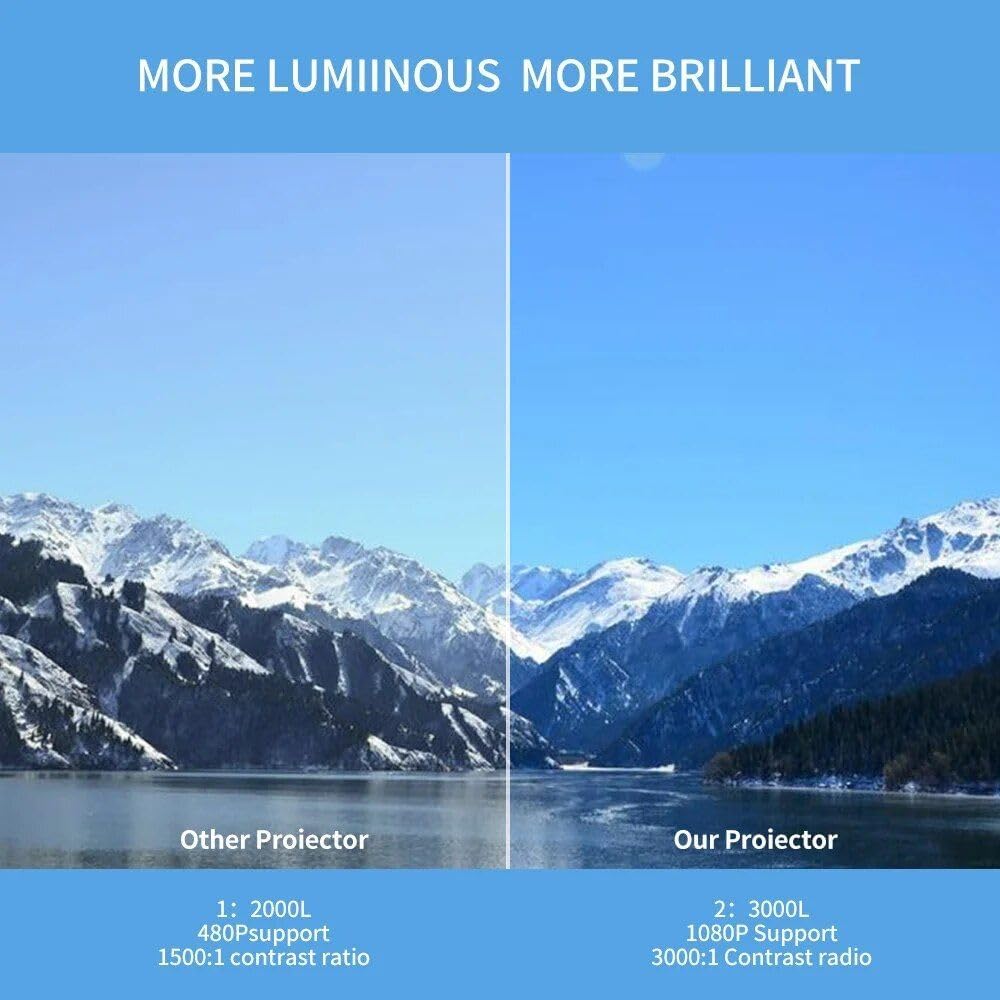
Image 9.2: A side-by-side comparison demonstrating the superior brightness and clarity of "Our Projector" (the A30C) versus an "Other Projector." The A30C is shown with a brighter, more vibrant image of a mountain landscape.
10. వారంటీ మరియు మద్దతు
For warranty information and technical support, please refer to the documentation provided at the time of purchase or contact your retailer. Keep your proof of purchase for warranty claims.
For further assistance, you may also visit the manufacturer's webసైట్ లేదా వారి కస్టమర్ సేవా విభాగాన్ని సంప్రదించండి.


