
1. పరిచయం
This manual provides detailed instructions for the safe and efficient use of your BNCF Bpad Mini Android 14 Tablet. Please read this manual thoroughly before operating the device and retain it for future reference.
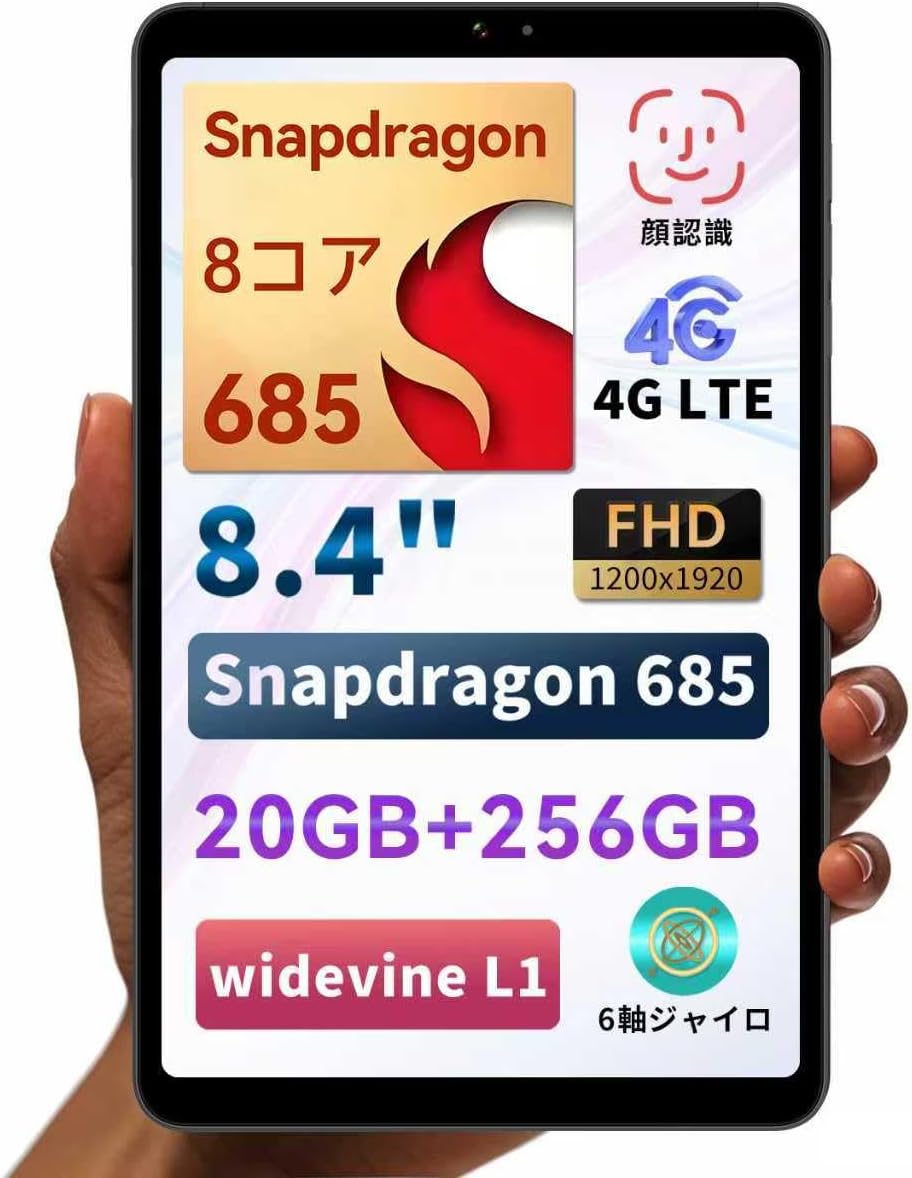
Figure 1: BNCF Bpad Mini Android 14 Tablet
2. ఉత్పత్తి ముగిసిందిview
2.1 ప్యాకేజీ విషయాలు
ప్యాకేజీలో అన్ని వస్తువులు ఉన్నాయని నిర్ధారించుకోండి:
- BNCF Bpad Mini Tablet
- వినియోగదారు మాన్యువల్
- Charging Adapter (5V/2A)
- Type-C Cable (5V/2A)
- SIM కార్డ్ ఎజెక్ట్ పిన్

మూర్తి 2: ప్యాకేజీ కంటెంట్లు
2.2 పరికర భాగాలు
Familiarize yourself with the physical layout of your Bpad Mini:
- ముందు కెమెరా: సెల్ఫీలు మరియు వీడియో కాల్స్ కోసం.
- Rear Camera & Flashlight: అధిక రిజల్యూషన్ ఫోటోలు మరియు వీడియోల కోసం.
- పవర్ బటన్: To turn the device on/off or wake/sleep the screen.
- వాల్యూమ్ బటన్లు: ఆడియో వాల్యూమ్ను సర్దుబాటు చేయడానికి.
- స్పీకర్లు: Integrated for audio output.
- టైప్-సి పోర్ట్: ఛార్జింగ్ మరియు డేటా బదిలీ కోసం.
- మైక్రోఫోన్: ఆడియో ఇన్పుట్ కోసం.
- SIM/Micro SD Card Slot: For cellular connectivity and expandable storage.
- లైట్ సెన్సార్: Automatically adjusts screen brightness.
- సామీప్య సెన్సార్: Turns off the screen during calls.
Figure 3: Device Components and Ports
3. సెటప్
3.1 ప్రారంభ ఛార్జింగ్
Before first use, fully charge your tablet using the provided charging adapter and Type-C cable. The tablet supports 18W PD fast charging, but a standard charger is included. A fast charger must be purchased separately if desired.

Figure 4: Charging the Bpad Mini
3.2 పవర్ చేయడం ఆన్/ఆఫ్
- పవర్ ఆన్ చేయడానికి: స్క్రీన్ వెలిగే వరకు పవర్ బటన్ను నొక్కి ఉంచండి.
- పవర్ ఆఫ్ చేయడానికి: పవర్ బటన్ను నొక్కి పట్టుకోండి, ఆపై ఎంపికల నుండి 'పవర్ ఆఫ్' ఎంచుకోండి.
- పునఃప్రారంభించడానికి: పవర్ బటన్ను నొక్కి పట్టుకోండి, ఆపై ఎంపికల నుండి 'పునఃప్రారంభించు' ఎంచుకోండి.
3.3 SIM కార్డ్ మరియు మైక్రో SD కార్డ్ ఇన్స్టాలేషన్
The Bpad Mini supports 4G LTE connectivity and expandable storage via a Micro SD card.
- Locate the SIM/Micro SD card slot on the side of the tablet.
- Insert the SIM eject pin into the small hole next to the tray to open it.
- Place your Nano-SIM card(s) and/or Micro SD card into the tray, ensuring correct orientation.
- ట్రే సరైన స్థానంలోకి వచ్చే వరకు దాన్ని స్లాట్లోకి సున్నితంగా నెట్టండి.

Figure 5: SIM/Micro SD Card Installation
Important Note for 4G Connectivity:
- After inserting the SIM card, APN settings may be required for certain carriers (e.g., Rakuten Mobile, IIJmio, BIGLOBE Mobile, OCN Mobile ONE, UQ mobile). Please search for "APN manual settings" on your carrier's official webసూచనల కోసం సైట్.
- For carriers like docomo, au, SoftBank, and Y!mobile, APN settings may be automatically configured.
- If experiencing connection issues, restart the device in an area with good signal. Verify APN settings under Settings > Network > Mobile Network. If the APN field is blank, manual entry is required.
3.4 ప్రారంభ సెటప్ విజార్డ్
మొదటిసారి పవర్-ఆన్ చేసిన తర్వాత, భాష ఎంపిక, Wi-Fi కనెక్షన్, Google ఖాతా లాగిన్ మరియు భద్రతా సెట్టింగ్లతో సహా ప్రారంభ సెటప్ను పూర్తి చేయడానికి స్క్రీన్పై ఉన్న సూచనలను అనుసరించండి.
4. ఆపరేటింగ్ సూచనలు
4.1 ఆండ్రాయిడ్ 14 ఫీచర్లు
Your Bpad Mini runs on Android 14, offering enhanced multitasking, improved privacy and security features, efficient battery management, and a smoother user interface.
- స్ప్లిట్ స్క్రీన్: Easily use two apps simultaneously.
- Smart Screen Cast: Project your tablet screen wirelessly to a larger display.
- Three-Finger Screenshot: Capture screenshots quickly with a simple gesture.
- తల్లిదండ్రుల నియంత్రణలు: Manage device usage for children.

Figure 6: Android 14 Interface

Figure 7: Split Screen Multitasking

Figure 8: Wireless Screen Casting
4.2 కనెక్టివిటీ
- Wi-Fi: Supports 2.4G and 5G dual-band Wi-Fi for fast and stable internet browsing and online gaming.
- 4G LTE: Stay connected even without Wi-Fi. The tablet can also function as a phone.
- బ్లూటూత్ 5.0: Connect wirelessly to headphones, speakers, and other Bluetooth devices for enhanced entertainment.
- GPS: Provides accurate navigation services.

Figure 9: Connectivity Features

Figure 10: Dual-band Wi-Fi

Figure 11: Bluetooth 5.0 Connection

చిత్రం 12: GPS నావిగేషన్
4.3 కెమెరా వినియోగం
The tablet features a 32MP rear camera and a 5MP front camera. Open the Camera app to capture photos and videos. The 32MP rear camera supports high-resolution video recording, including 4K.
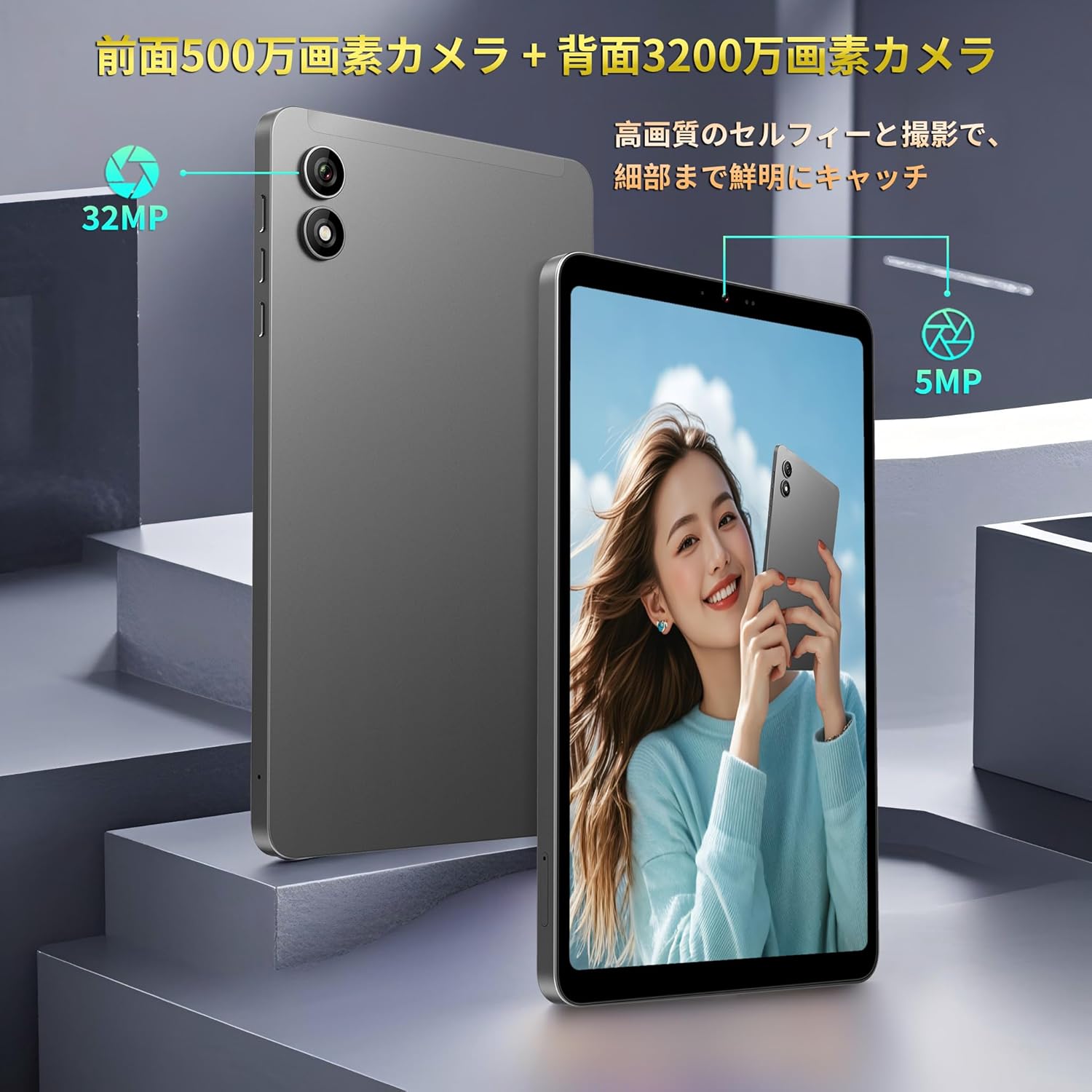
Figure 13: Front and Rear Cameras
4.4 మీడియా వినియోగం
The 8.4-inch FHD IPS display (1920x1200) with in-cell full lamination technology provides clear and vibrant visuals. Widevine L1 support allows for high-definition streaming from services like Netflix, Amazon Prime Video, and Disney+.

Figure 14: FHD IPS Display with Widevine L1
4.5 Sensors and Performance
The Bpad Mini is equipped with a Gyro sensor for automatic screen orientation adjustment and enhanced gaming, a Light sensor for automatic brightness control, and a Proximity sensor for power saving during calls.
Powered by a Snapdragon 685 Octa-core processor (up to 2.8GHz) and Adreno 610 GPU, the tablet ensures smooth performance for various tasks, including gaming and video playback.
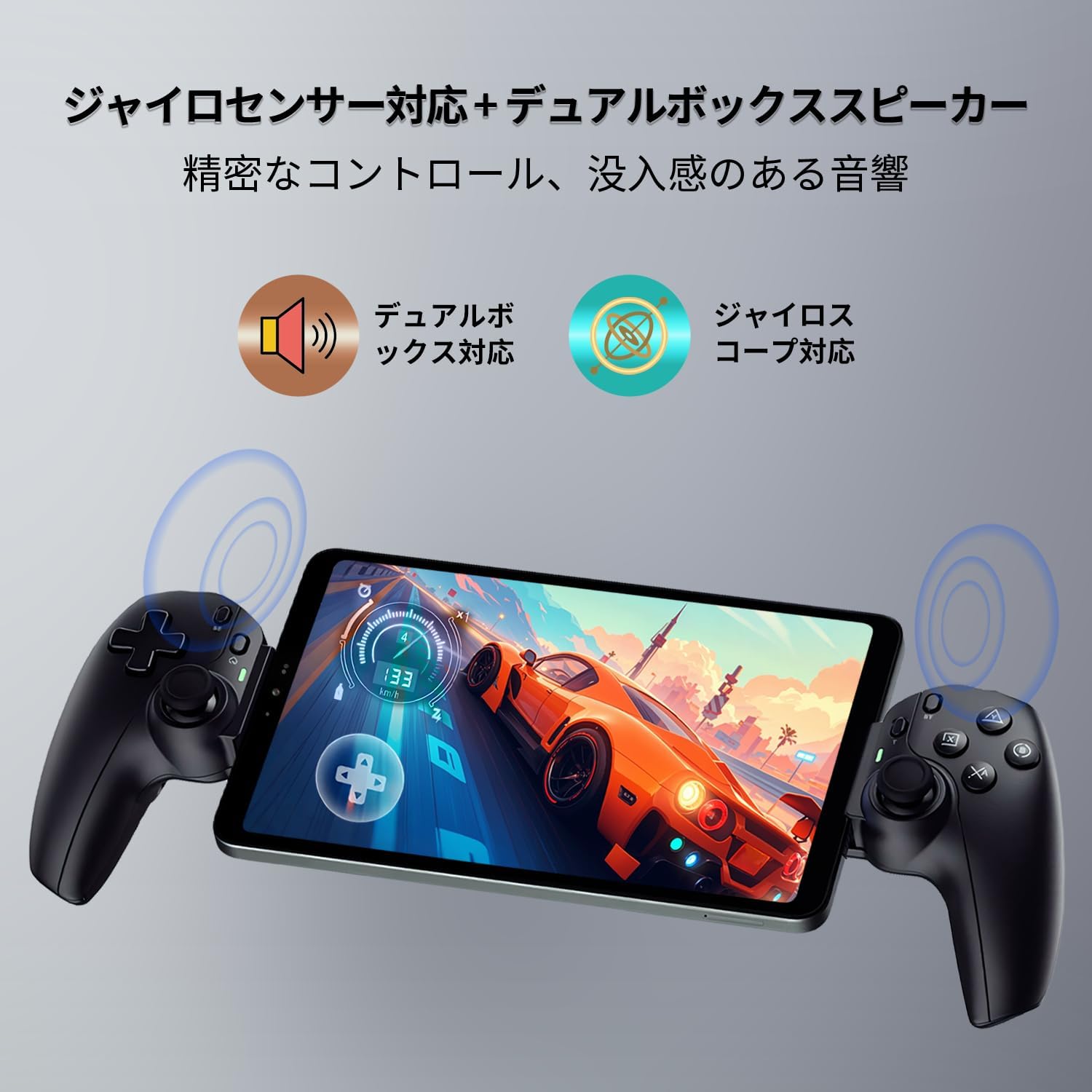
Figure 15: Gyro Sensor for Gaming

Figure 16: Snapdragon 685 Processor and Adreno 610 GPU
4.6 ముఖ గుర్తింపు
Unlock your device quickly and securely using face recognition. Set up this feature in the security settings.

Figure 17: Face Recognition Security
5. నిర్వహణ
5.1 బ్యాటరీ సంరక్షణ
- అధిక ఉష్ణోగ్రతలను నివారించండి, ఎందుకంటే అవి బ్యాటరీ జీవితకాలాన్ని క్షీణింపజేస్తాయి.
- బ్యాటరీ తరచుగా పూర్తిగా ఖాళీ అవ్వనివ్వకండి.
- Use only the provided or certified chargers and cables.
5.2 పరికరాన్ని శుభ్రపరచడం
టాబ్లెట్ స్క్రీన్ మరియు బాడీని శుభ్రం చేయడానికి మృదువైన, మెత్తటి బట్టను ఉపయోగించండి. కఠినమైన రసాయనాలు లేదా రాపిడి పదార్థాలను ఉపయోగించకుండా ఉండండి.
5.3 సాఫ్ట్వేర్ నవీకరణలు
Regularly check for and install system updates to ensure optimal performance, security, and access to new features. Go to సెట్టింగ్లు > సిస్టమ్ > సిస్టమ్ అప్డేట్.
5.4 నిల్వ నిర్వహణ
The tablet comes with 256GB of UFS storage and supports up to 1TB Micro SD card expansion. Regularly manage your fileస్థలాన్ని ఖాళీ చేయడానికి మరియు పనితీరును నిర్వహించడానికి లు మరియు అప్లికేషన్లు.
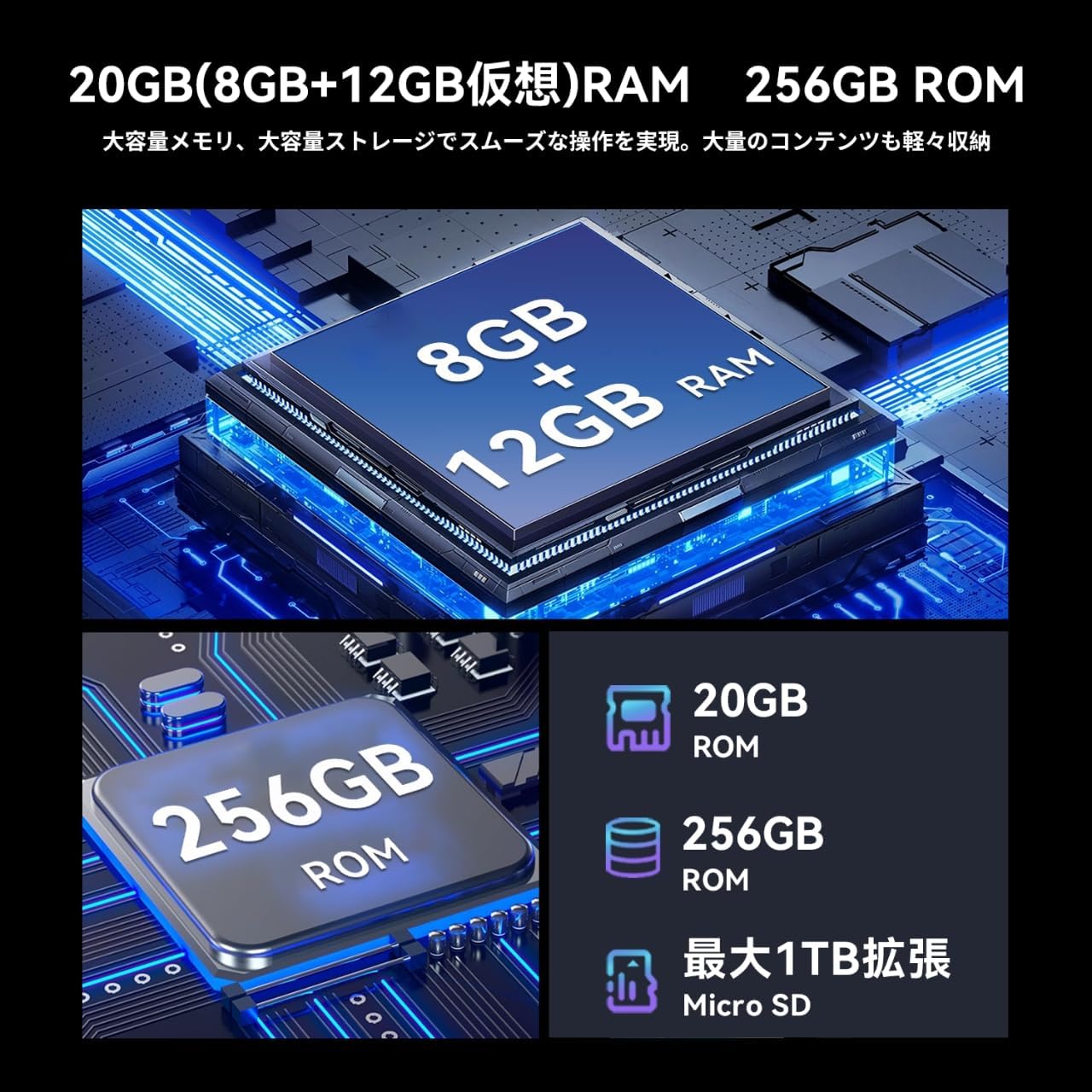
చిత్రం 18: మెమరీ మరియు నిల్వ
6. ట్రబుల్షూటింగ్
If you encounter issues with your Bpad Mini, refer to the following common solutions:
- పరికరం ఆన్ చేయడం లేదు: Ensure the battery is charged. Connect the tablet to the charger for at least 30 minutes before attempting to power on again.
- టచ్ స్క్రీన్ స్పందించడం లేదు: A small number of devices from specific manufacturing batches may experience touch screen issues due to faulty FPC (flexible printed circuit) boards. If you experience this, please contact customer service for a free replacement. For general unresponsiveness, try restarting the device.
- కనెక్టివిటీ సమస్యలు (Wi-Fi/4G):
- For Wi-Fi, ensure you are within range of a known network and the password is correct.
- For 4G, ensure the SIM card is correctly inserted and activated. Check APN settings as described in Section 3.3. Restart the device in an area with good signal strength.
- యాప్లు క్రాష్ అవుతున్నాయి లేదా స్తంభించిపోతున్నాయి: Close background applications. Clear the cache of the problematic app (Settings > Apps > [App Name] > Storage > Clear cache). If the issue persists, uninstall and reinstall the app.
- నెమ్మది పనితీరు: ఉపయోగించని యాప్లను మూసివేయండి, కాష్ను క్లియర్ చేయండి మరియు తగినంత నిల్వ స్థలాన్ని నిర్ధారించుకోండి. చివరి ప్రయత్నంగా ఫ్యాక్టరీ రీసెట్ను పరిగణించండి (గమనిక: This will erase all data on the device. Back up important data first).
7. స్పెసిఫికేషన్లు
| ఫీచర్ | స్పెసిఫికేషన్ |
|---|---|
| బ్రాండ్ | BNCF |
| మోడల్ పేరు | Bpad Mini |
| ఆపరేటింగ్ సిస్టమ్ | ఆండ్రాయిడ్ 14 |
| CPU | Snapdragon 685 Octa-core (up to 2.8 GHz) |
| GPU | అడ్రినో 610 |
| ప్రదర్శన పరిమాణం | 8.4 అంగుళాలు |
| డిస్ప్లే రిజల్యూషన్ | 1920x1200 FHD IPS |
| RAM | 20GB (8GB + 12GB వర్చువల్) |
| అంతర్గత నిల్వ | 256GB UFS |
| విస్తరించదగిన నిల్వ | Up to 1TB via Micro SD card |
| వెనుక కెమెరా | 32 ఎంపీ |
| ఫ్రంట్ కెమెరా | 5 ఎంపీ |
| బ్యాటరీ కెపాసిటీ | 6050 mAh |
| ఛార్జింగ్ | 18W PD Fast Charging (Type-C) |
| కనెక్టివిటీ | 4G LTE, 2.4G/5G Wi-Fi, Bluetooth 5.0, GPS |
| కొలతలు | 200.8 x 124.2 x 7.6 మిమీ |
| బరువు | 310 గ్రా |
| సెన్సార్లు | Gyro Sensor, Light Sensor, Proximity Sensor |
| ఇతర ఫీచర్లు | Widevine L1, Face Recognition, Dual Box Speakers |
8. వారంటీ మరియు మద్దతు
8.1 ఉత్పత్తి వారంటీ
The BNCF Bpad Mini comes with a 12 నెలల ఉత్పత్తి వారంటీ కొనుగోలు చేసిన తేదీ నుండి. ఈ వారంటీ తయారీ లోపాలు మరియు సాధారణ ఉపయోగం నుండి ఉత్పన్నమయ్యే సమస్యలను కవర్ చేస్తుంది.
8.2 కస్టమర్ మద్దతు
For any questions, technical assistance, or warranty claims, please contact BNCF customer service through Amazon:
- మీ అమెజాన్ ఖాతాకు లాగిన్ చేయండి.
- Go to 'Order History'.
- Locate the relevant order for your Bpad Mini.
- 'విక్రేతను సంప్రదించండి' పై క్లిక్ చేయండి.
Our customer service team typically responds within 6 hours.