
1. పరిచయం
The Wanbo T2 Ultra is a compact and versatile projector designed for home entertainment. It features Android TV 11.0, offering access to a wide range of streaming applications. With 500 ANSI lumens brightness and native 1080P Full HD resolution, it delivers clear and vibrant images. Advanced features like auto-focus, automatic keystone correction, and integrated HiFi speakers enhance the user experience. This manual provides detailed instructions for setup, operation, and maintenance of your Wanbo T2 Ultra projector.
2. ప్యాకేజీ విషయాలు
దయచేసి ఈ క్రింది అంశాల కోసం పెట్టెను ఎంచుకోండి:
- Wanbo T2 Ultra Projector Unit
- రిమోట్ కంట్రోల్
- పవర్ కేబుల్
- HDMI కేబుల్
- వినియోగదారు మాన్యువల్ (ఈ పత్రం)
- Cleaning Tools (if included)

Image: Projector and accessories in packaging. Actual contents may vary slightly.
3. ఉత్పత్తి ముగిసిందిview
3.1 Projector Unit

చిత్రం: ముందు భాగం view of the Wanbo T2 Ultra Projector.
3.2 Ports and Connections

చిత్రం: వెనుక view of the Wanbo T2 Ultra Projector showing various input/output ports.
- HDMI (ARC) Port: Connect to external devices such as laptops, gaming consoles, or TV boxes. Supports Audio Return Channel.
- USB పోర్ట్: మీడియా ప్లేబ్యాక్ కోసం USB నిల్వ పరికరాలను కనెక్ట్ చేయండి.
- ఆడియో పోర్ట్ (3.5mm): బాహ్య హెడ్ఫోన్లు లేదా స్పీకర్లను కనెక్ట్ చేయండి.
- పవర్ ఇన్పుట్: Connect the power cable to supply power to the projector.
4. సెటప్
4.1 పవర్ కనెక్షన్
- ప్రొజెక్టర్లోని పవర్ ఇన్పుట్ పోర్ట్కు పవర్ కేబుల్ను కనెక్ట్ చేయండి.
- పవర్ కేబుల్ యొక్క మరొక చివరను పవర్ అవుట్లెట్లోకి ప్లగ్ చేయండి.
- పరికరాన్ని ఆన్ చేయడానికి ప్రొజెక్టర్ లేదా రిమోట్ కంట్రోల్లోని పవర్ బటన్ను నొక్కండి.
4.2 ప్రారంభ సెటప్
Upon first use, follow the on-screen prompts to complete the initial setup, including language selection and Wi-Fi connection.
4.2.1 Wi-Fi కనెక్షన్
- నావిగేట్ చేయండి సెట్టింగ్లు హోమ్ స్క్రీన్ నుండి.
- ఎంచుకోండి నెట్వర్క్ & ఇంటర్నెట్.
- Wi-Fi ని ఆన్ చేసి, జాబితా నుండి మీకు కావలసిన నెట్వర్క్ను ఎంచుకోండి.
- Enter the Wi-Fi password using the on-screen keyboard and confirm.
Video: Illustrates Wi-Fi and Bluetooth connection steps. Note: This video may feature a different projector model but demonstrates the general process.
4.3 Focus & Keystone Correction
The Wanbo T2 Ultra features automatic focus and keystone correction for optimal image clarity and shape.
4.3.1 స్వయంచాలక సర్దుబాటు
- The projector automatically adjusts focus and keystone when powered on or moved.
- Obstacle avoidance and automatic screen adjustment features ensure the image fits perfectly on your projection surface.

Image: The projector automatically adjusting focus and keystone correction for a clear, rectangular image.
4.3.2 Manual Adjustment (if needed)
- వెళ్ళండి సెట్టింగ్లు > చిత్రం దిద్దుబాటు.
- ఎంచుకోండి మాన్యువల్ కీస్టోన్ దిద్దుబాటు to adjust the four corners of the image.
- ఎంచుకోండి దృష్టి పెట్టండి > మాన్యువల్ ఫోకస్ to fine-tune the image sharpness using the F+ and F- buttons on the remote.
4.4 స్క్రీన్ సర్దుబాటు
The projector supports digital zoom to adjust the screen size without moving the unit.
- వెళ్ళండి సెట్టింగ్లు > చిత్రం దిద్దుబాటు.
- ఎంచుకోండి Screen Zoom and Position.
- Use the directional buttons to adjust the position and the volume buttons to adjust the zoom (50% to 100%).
4.5 Projection Modes
The projector can be used in various orientations:
- ముందు ప్రొజెక్షన్: Projector placed in front of the screen.
- వెనుక ప్రొజెక్షన్: Projector placed behind a translucent screen.
- Ceiling Projection: Projector mounted upside down on the ceiling. The integrated stand allows for easy adjustment for ceiling or wall projection.
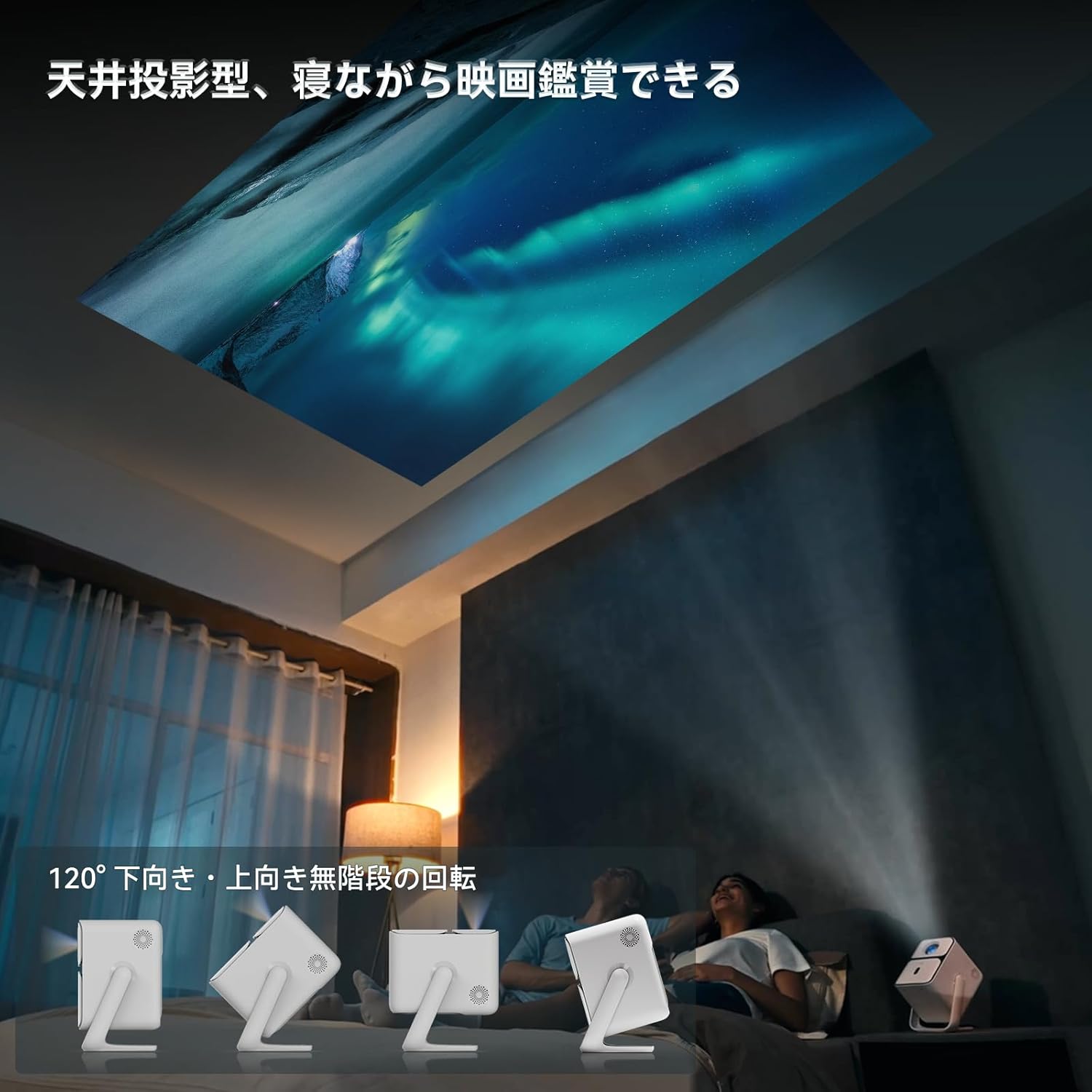
Image: Projector positioned for ceiling projection, allowing viewing while lying down.
Video: Demonstrates ceiling projection mode. Note: This video may feature a different projector model but demonstrates the general process.
5. ఆపరేటింగ్ సూచనలు
5.1 రిమోట్ కంట్రోల్ విధులు

Image: Remote control for the projector, showing buttons for power, navigation, volume, focus, and direct access to streaming apps like Netflix, YouTube, and Prime Video.
- పవర్ బటన్: ప్రొజెక్టర్ను ఆన్/ఆఫ్ చేస్తుంది.
- వాయిస్ శోధన: వాయిస్ కమాండ్ల కోసం Google అసిస్టెంట్ని యాక్టివేట్ చేస్తుంది.
- One-Touch Focus: Initiates automatic focus adjustment.
- Directional Keys (Up/Down/Left/Right): మెనూలు మరియు ఎంపికలను నావిగేట్ చేయండి.
- సరే బటన్: ఎంపికలను నిర్ధారిస్తుంది.
- వెనుక బటన్: మునుపటి స్క్రీన్కి తిరిగి వస్తుంది.
- హోమ్ బటన్: హోమ్ స్క్రీన్కి తిరిగి వస్తుంది.
- వాల్యూమ్ +/-: వాల్యూమ్ స్థాయిని సర్దుబాటు చేస్తుంది.
- Focus +/- (F+/F-): Manually adjusts focus.
- మ్యూట్ బటన్: ఆడియోను మ్యూట్ చేస్తుంది/అన్మ్యూట్ చేస్తుంది.
- Input Signal Switch: ఇన్పుట్ సోర్స్ను మారుస్తుంది.
- యాప్ సెట్టింగ్లు: Accesses application settings.
- ప్రొజెక్షన్ సెట్టింగ్లు: Accesses projection-related settings.
- Direct App Buttons: Dedicated buttons for Netflix, YouTube, Prime Video, and Disney+.
5.2 App Management (Android TV 11.0)
The Wanbo T2 Ultra runs on Android TV 11.0, providing access to the Google Play Store.
- యాప్లను యాక్సెస్ చేస్తోంది: From the home screen, you can directly launch pre-installed apps or navigate to the Google Play Store to download more.
- స్ట్రీమింగ్ సేవలు: Enjoy popular services like Netflix, Prime Video, YouTube, Disney+, Hulu, U-NEXT, and more. The projector supports Google Widevine DRM L1 for high-quality content playback.
- Google అసిస్టెంట్: Press the Voice Search button on the remote to use voice commands for searching content, controlling playback, and more.

Image: The projector displaying the Android TV 11.0 home screen, featuring various streaming applications.
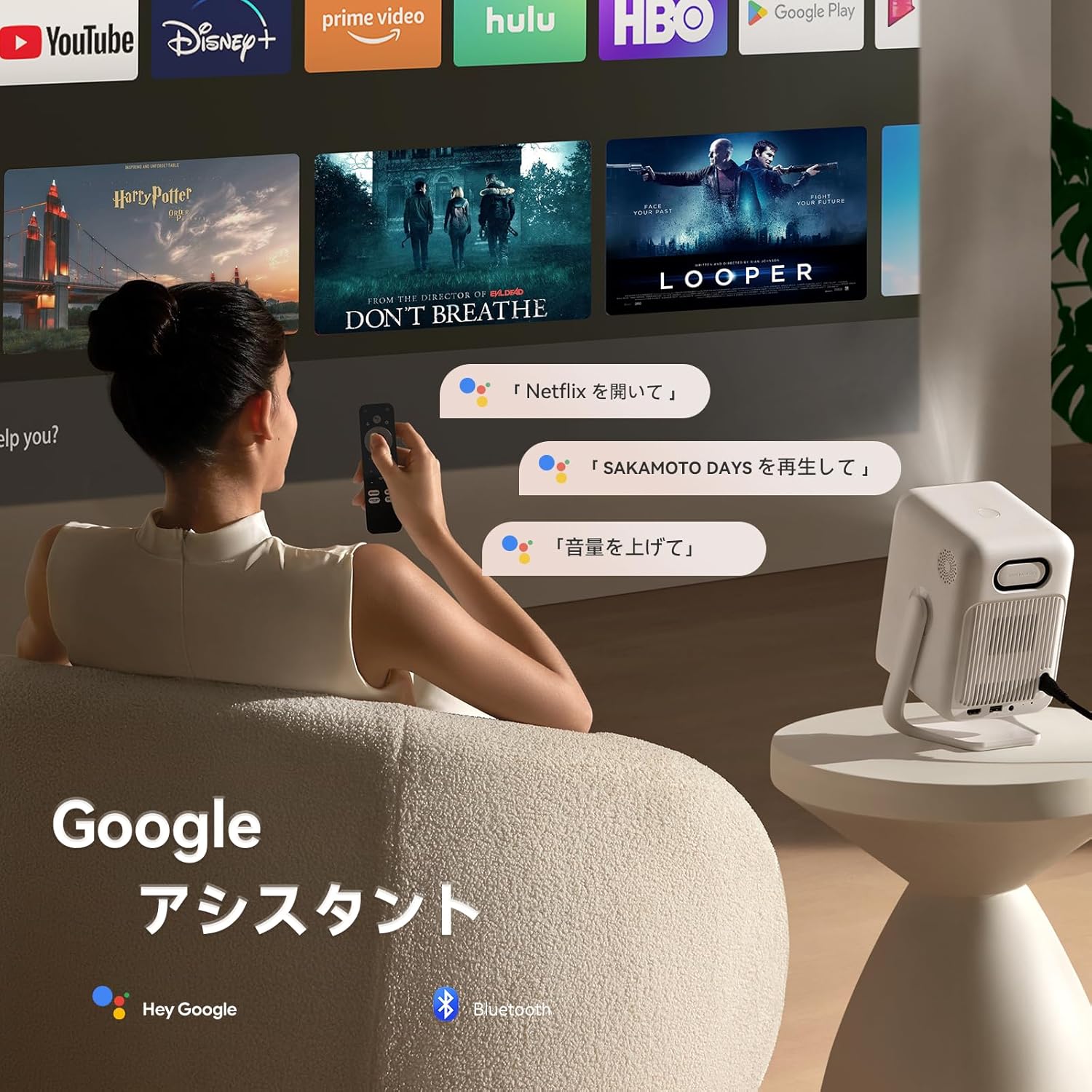
Image: A user utilizing the Google Assistant feature with the remote control to search for content.
5.3 కనెక్టివిటీ
The Wanbo T2 Ultra offers multiple connectivity options for various devices.
5.3.1 HDMI కనెక్షన్
- Connect an HDMI cable from your external device (e.g., laptop, game console) to the HDMI port on the projector.
- The projector will automatically detect the HDMI input. If not, navigate to సిగ్నల్ మూలం and select the corresponding HDMI input.
Video: Demonstrates HDMI connection. Note: This video may feature a different projector model but demonstrates the general process.
5.3.2 USB కనెక్షన్
- ప్రొజెక్టర్లోని USB పోర్ట్లోకి USB నిల్వ పరికరాన్ని చొప్పించండి.
- A notification will appear on the screen. Select to open the file manager and browse your media.
Video: Demonstrates USB connection. Note: This video may feature a different projector model but demonstrates the general process.
5.3.3 బ్లూటూత్ కనెక్షన్
- వెళ్ళండి సెట్టింగ్లు > Bluetooth & Accessories.
- బ్లూటూత్ ప్రారంభించబడిందని నిర్ధారించుకోండి.
- ఎంచుకోండి పరికరాన్ని జోడించండి and choose your Bluetooth device (e.g., headphones, speakers) from the list to pair.
Video: Illustrates Bluetooth connection steps. Note: This video may feature a different projector model but demonstrates the general process.
5.3.4 Wireless Screen Mirroring (Chromecast/AirPlay)
The projector has built-in Chromecast for seamless screen mirroring from iOS and Android devices.
- Ensure your mobile device and projector are connected to the same Wi-Fi network.
- On your mobile device, open a compatible app (e.g., YouTube, Netflix) and tap the Cast icon to select the projector.
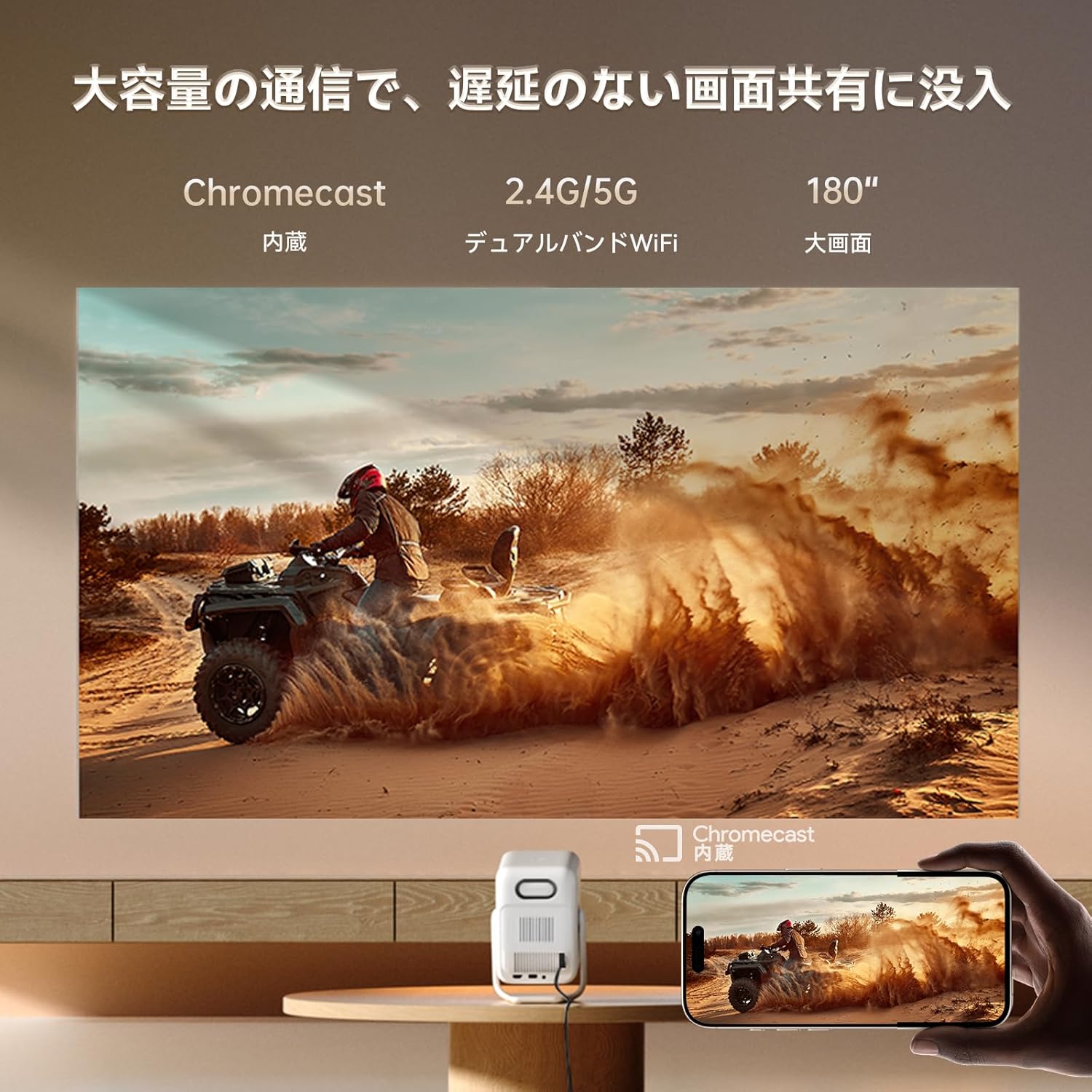
Image: A smartphone wirelessly casting content to the projector, demonstrating Chromecast functionality.
5.4 ఆడియో సెట్టింగ్లు
The projector features dual 5W HiFi speakers (10W total) with an independent DSP amplifier for rich sound. You can also connect external audio devices.
5.4.1 Adjusting Sound Modes
- వెళ్ళండి సెట్టింగ్లు > డిస్ప్లే & సౌండ్ > సౌండ్ ఎఫెక్ట్స్.
- Choose from various sound modes like Standard, Movie, Music, News, or Sports to optimize audio for your content.
5.4.2 బ్లూటూత్ స్పీకర్ మోడ్
You can use the projector as a standalone Bluetooth speaker.
- హోమ్ స్క్రీన్ నుండి, ఎంచుకోండి బ్లూటూత్ సంగీతం.
- On your mobile device, enable Bluetooth and connect to the projector (device name: ISINBOX_AC311 or similar).
Video: Demonstrates Bluetooth speaker mode. Note: This video may feature a different projector model but demonstrates the general process.
6. నిర్వహణ
6.1 శుభ్రపరచడం
- లెన్స్: Use a soft, lint-free cloth or lens cleaning paper to gently wipe the lens. Avoid abrasive materials or excessive pressure.
- బాహ్య: Wipe the projector's exterior with a soft, dry cloth. Do not use liquid cleaners or solvents.
- వెంట్స్: Regularly clean the ventilation grilles to prevent dust buildup, which can affect performance and lifespan. Use a soft brush or compressed air.
6.2 నిల్వ
- ప్రొజెక్టర్ను ప్రత్యక్ష సూర్యకాంతి మరియు తీవ్రమైన ఉష్ణోగ్రతలకు దూరంగా చల్లని, పొడి ప్రదేశంలో నిల్వ చేయండి.
- If storing for an extended period, place the projector in its original packaging or a protective case to prevent dust accumulation and damage.
7. ట్రబుల్షూటింగ్
If you encounter issues with your Wanbo T2 Ultra projector, refer to the following common solutions:
| సమస్య | సాధ్యమైన కారణం | పరిష్కారం |
|---|---|---|
| No image/Power off | Power cable disconnected; Projector off | Check power connections; Press power button |
| అస్పష్టమైన చిత్రం | Out of focus; Incorrect keystone | Use auto-focus or manual focus; Adjust keystone correction |
| శబ్దం లేదు | Volume too low; Muted; Incorrect audio output | Increase volume; Unmute; Check audio settings |
| Wi-Fi/బ్లూటూత్ కనెక్షన్ సమస్యలు | Incorrect password; Device out of range; Interference | Verify password; Move closer to router/device; Reduce interference |
| రిమోట్ కంట్రోల్ పనిచేయడం లేదు | Low battery; Obstruction; Not paired | బ్యాటరీలను మార్చండి; అడ్డంకులను తొలగించండి; రిమోట్ను తిరిగి జత చేయండి |
8. స్పెసిఫికేషన్లు
| ఫీచర్ | స్పెసిఫికేషన్ |
|---|---|
| బ్రాండ్ | WANBO |
| మోడల్ | T2 అల్ట్రా |
| ఆపరేటింగ్ సిస్టమ్ | ఆండ్రాయిడ్ టీవీ 11.0 |
| ప్రకాశం | 500 ANSI లుమెన్స్ |
| స్థానిక రిజల్యూషన్ | 1920 x 1080 పిక్సెల్లు (పూర్తి HD) |
| త్రో నిష్పత్తి | 1.2:1 |
| స్పీకర్ | 10W HiFi Stereo (Dual 5W) |
| కనెక్టివిటీ | HDMI (ARC), USB, 3.5mm Audio Jack, 5G Wi-Fi, Bluetooth |
| ప్రత్యేక లక్షణాలు | Auto-Focus, Auto Keystone Correction, Auto Screen Adjustment, Obstacle Avoidance, Digital Zoom (50-100%), Chromecast Built-in |
| కొలతలు (W x D x H) | 14.48 x 14.22 x 21.84 సెం.మీ |
| బరువు | 2.2 కిలోలు |
9. వారంటీ మరియు మద్దతు
9.1 ఉత్పత్తి వారంటీ
The Wanbo T2 Ultra projector comes with a 12-month warranty covering quality-related issues. For customers who follow the official Wanbo social media accounts (@wanboglobal), the product warranty is automatically extended to 18 months.
9.2 కస్టమర్ మద్దతు
For any questions or support needs, please contact us:
- ఇమెయిల్: support@szwanbo.net
We aim to respond to all inquiries within 24 hours. Lifetime support is provided for product usage.