
పరిచయం
This manual provides detailed instructions for the proper use and maintenance of your truke Buds Elite True Wireless Earbuds. Please read this manual thoroughly before using the product to ensure optimal performance and longevity.

చిత్రం: పైగాview of truke Buds Elite features including playtime, latency, drivers, and connectivity.
ప్యాకేజీ విషయాలు
ప్యాకేజీలో అన్ని వస్తువులు ఉన్నాయని నిర్ధారించుకోండి:
- truke Buds Elite True Wireless Earbuds (Left and Right)
- ఛార్జింగ్ కేసు
- USB ఛార్జింగ్ కేబుల్
- వినియోగదారు మాన్యువల్
- చెవి చిట్కాలు (వివిధ పరిమాణాలు)
ఉత్పత్తి ముగిసిందిview
The truke Buds Elite are designed for an immersive audio experience, featuring 10mm dynamic drivers for powerful sound. They offer extended playtime, clear call quality with Dual Mic ENC, and a dedicated gaming mode with low latency. The earbuds are lightweight and ergonomically designed for comfort.

చిత్రం: వివరణాత్మకం view of the 10mm Dynamic Driver for enhanced audio.
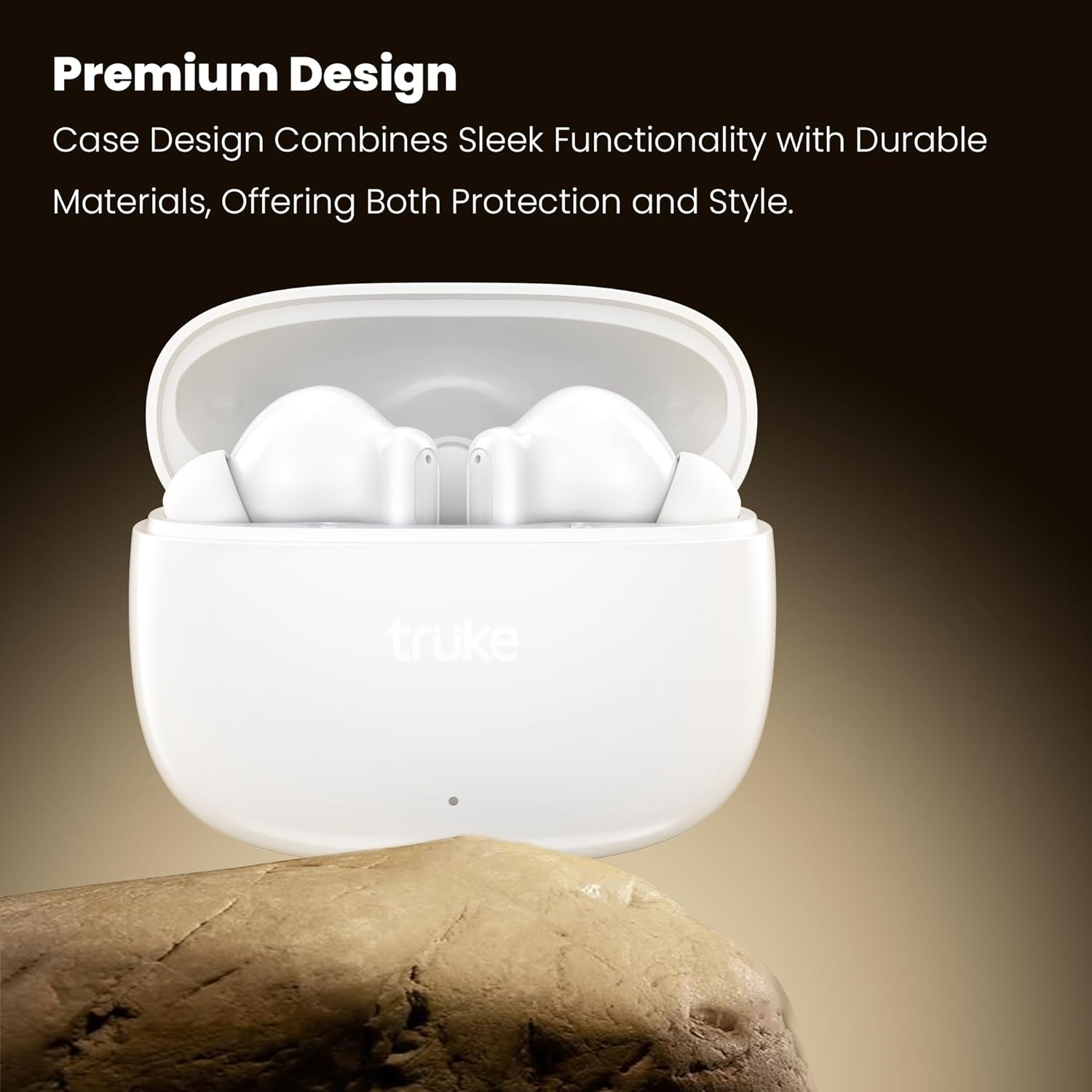
Image: The premium design of the truke Buds Elite earbuds and charging case.
సెటప్
1. ఇయర్బడ్లు మరియు కేస్ను ఛార్జ్ చేయడం
Before first use, fully charge the earbuds and charging case. Connect the charging case to a USB power source using the provided cable. The indicator light on the case will show charging status.
- A full charge provides up to 70 hours of total playtime with the charging case.
- 10 నిమిషాల త్వరిత ఛార్జ్ 10 గంటల వరకు ప్లేబ్యాక్ను అందిస్తుంది.

Image: Earbuds in charging case, illustrating the 70-hour total playtime and rapid charging capability.
2. పరికరంతో జత చేయడం
- ఛార్జింగ్ కేస్ను తెరవండి. ఇయర్బడ్లు ఆటోమేటిక్గా జత చేసే మోడ్లోకి ప్రవేశిస్తాయి.
- మీ పరికరంలో (స్మార్ట్ఫోన్, టాబ్లెట్, మొదలైనవి), బ్లూటూత్ను ప్రారంభించండి.
- కోసం వెతకండి "truke Buds Elite" in the list of available Bluetooth devices.
- Select "truke Buds Elite" to connect. Once connected, you will hear a confirmation sound.
The earbuds utilize Bluetooth 5.4 for stable and energy-efficient connectivity.

Image: Illustrates Bluetooth 5.4 connectivity for stable audio transmission.
ఆపరేటింగ్ సూచనలు
పవర్ ఆన్/ఆఫ్
- పవర్ ఆన్: ఛార్జింగ్ కేస్ని తెరవండి, ఇయర్బడ్లు ఆటోమేటిక్గా పవర్ ఆన్ అవుతాయి.
- పవర్ ఆఫ్: ఇయర్బడ్లను తిరిగి ఛార్జింగ్ కేసులో ఉంచి, మూత మూసివేయండి. అవి ఆటోమేటిక్గా పవర్ ఆఫ్ అయి ఛార్జింగ్ ప్రారంభమవుతాయి.
టచ్ కంట్రోల్స్
The truke Buds Elite feature smart touch controls for easy management of music, calls, and voice assistants.
| చర్య | ఎడమ ఇయర్బడ్ | కుడి ఇయర్బడ్ |
|---|---|---|
| ప్లే/పాజ్ చేయండి | సింగిల్ ట్యాప్ | సింగిల్ ట్యాప్ |
| తదుపరి ట్రాక్ | రెండుసార్లు నొక్కండి | రెండుసార్లు నొక్కండి |
| మునుపటి ట్రాక్ | ట్రిపుల్ ట్యాప్ | ట్రిపుల్ ట్యాప్ |
| వాల్యూమ్ డౌన్ | లాంగ్ ప్రెస్ (3 సెకన్లు) | - |
| వాల్యూమ్ అప్ | - | లాంగ్ ప్రెస్ (3 సెకన్లు) |
| సమాధానం/కాల్ ముగించు | సింగిల్ ట్యాప్ | సింగిల్ ట్యాప్ |
| కాల్ని తిరస్కరించండి | లాంగ్ ప్రెస్ (2 సెకన్లు) | లాంగ్ ప్రెస్ (2 సెకన్లు) |
| వాయిస్ అసిస్టెంట్ని యాక్టివేట్ చేయండి | లాంగ్ ప్రెస్ (2 సెకన్లు) | లాంగ్ ప్రెస్ (2 సెకన్లు) |
| గేమింగ్ మోడ్ ఆన్/ఆఫ్ | క్వాడ్రపుల్ ట్యాప్ | క్వాడ్రపుల్ ట్యాప్ |

Image: Illustration of touch controls for volume adjustment on the earbuds.
గేమింగ్ మోడ్
Activate the dedicated Gaming Mode for an ultra-responsive experience with 40ms ultra-low latency, ensuring precise audio synchronization for competitive gaming. Quadruple tap either earbud to toggle Gaming Mode on or off.

Image: Gaming mode with 40ms ultra-low latency for an enhanced gaming experience.
పిలుస్తోంది
The earbuds feature Dual Microphones with PureVoice Environmental Noise Cancellation (ENC) technology, which effectively suppresses background noise for crystal-clear voice communication.

Image: Dual Mic with PureVoice ENC ensures clear calls even in noisy environments.
నిర్వహణ
క్లీనింగ్
Regularly clean your earbuds and charging case to maintain optimal performance and hygiene. Use a soft, dry, lint-free cloth. Do not use harsh chemicals or abrasive materials.
- Gently wipe the earbuds, especially the ear tips and charging contacts.
- Clean the charging contacts inside the case with a dry cotton swab if necessary.
నిల్వ
ఉపయోగంలో లేనప్పుడు, ఇయర్బడ్లను దుమ్ము మరియు నష్టం నుండి రక్షించడానికి వాటి ఛార్జింగ్ కేసులో నిల్వ చేయండి.
నీటి నిరోధకత
The truke Buds Elite are IPX5 water and sweat resistant. This means they can withstand splashes and light rain, making them suitable for workouts and outdoor activities. They are not designed for submersion in water.
- Do not expose the earbuds to running water or wear them while swimming or showering.
- ఛార్జింగ్ కాంటాక్ట్లకు నష్టం జరగకుండా ఉండటానికి ఇయర్బడ్లను తిరిగి ఛార్జింగ్ కేసులో ఉంచే ముందు అవి పొడిగా ఉన్నాయని నిర్ధారించుకోండి.

Image: IPX5 water resistance for protection against splashes and sweat.
ట్రబుల్షూటింగ్
| సమస్య | సాధ్యమైన పరిష్కారం |
|---|---|
| ఇయర్బడ్లు జత చేయడం లేదు |
|
| ఒక ఇయర్బడ్ మాత్రమే పని చేస్తోంది |
|
| తక్కువ వాల్యూమ్ లేదా పేలవమైన ధ్వని నాణ్యత |
|
| ఛార్జింగ్ సమస్యలు |
|
స్పెసిఫికేషన్లు
| ఫీచర్ | వివరాలు |
|---|---|
| మోడల్ పేరు | Buds Elite |
| మోడల్ సంఖ్య | ఎఫ్40+ |
| కనెక్టివిటీ టెక్నాలజీ | వైర్లెస్ (బ్లూటూత్) |
| బ్లూటూత్ వెర్షన్ | 5.4 |
| బ్లూటూత్ రేంజ్ | 10 మీటర్లు |
| ఆడియో డ్రైవర్ రకం | 10mm డైనమిక్ డ్రైవర్ |
| బ్యాటరీ లైఫ్ (ఇయర్బడ్స్) | ఒక్కో ఛార్జీకి 10 గంటల వరకు |
| మొత్తం ప్లేటైమ్ (కేస్తో సహా) | 70 గంటల వరకు |
| వేగవంతమైన ఛార్జింగ్ | 10 నిమిషాలు ఛార్జ్ చేస్తే 10 గంటల ప్లేబ్యాక్ లభిస్తుంది. |
| మైక్రోఫోన్ | Dual Mic with PureVoice ENC |
| తక్కువ జాప్యం గేమింగ్ మోడ్ | 40మి.లు |
| నియంత్రణ పద్ధతి | టచ్ |
| నీటి నిరోధకత | IPX5 (Water & Sweat Resistant) |
| మెటీరియల్ | ప్లాస్టిక్ |
| వస్తువు బరువు | 38 గ్రాములు |
| ఉత్పత్తి కొలతలు | 5.8 x 2.6 x 4.7 సెం.మీ |
వారంటీ మరియు మద్దతు
The truke Buds Elite come with a 1-year service warranty. For any product-related queries, issues, or service requests, please contact truke customer support. truke offers support through over 400 service points.

Image: truke Buds Elite are backed by 400+ service points and a 1-year service warranty.