
1. ముఖ్యమైన భద్రతా సమాచారం
Please read all safety and operating instructions carefully before using this television. Keep this manual for future reference.
- శక్తి మూలం: పేర్కొన్న వాల్యూమ్ లోపల టీవీ విద్యుత్ సరఫరాకు కనెక్ట్ చేయబడిందని నిర్ధారించుకోండి.tagఇ పరిధి.
- వెంటిలేషన్: వెంటిలేషన్ ఓపెనింగ్లను బ్లాక్ చేయవద్దు. సరైన గాలి ప్రసరణ కోసం టీవీ చుట్టూ తగినంత స్థలాన్ని అనుమతించండి.
- శుభ్రపరచడం: శుభ్రం చేసే ముందు టీవీని అన్ప్లగ్ చేయండి. మృదువైన, పొడి వస్త్రాన్ని ఉపయోగించండి. లిక్విడ్ క్లీనర్లను లేదా ఏరోసోల్ క్లీనర్లను ఉపయోగించవద్దు.
- నీరు మరియు తేమ: టీవీని వర్షం లేదా తేమకు గురిచేయవద్దు. టీవీపై ద్రవాలతో నిండిన వస్తువులను ఉంచవద్దు.
- ప్లేస్మెంట్: టీవీని స్థిరమైన, సమతల ఉపరితలంపై ఉంచండి. ప్రత్యక్ష సూర్యకాంతి, వేడి వనరులు మరియు అధిక దుమ్మును నివారించండి.
- మెరుపు: మెరుపు తుఫానుల సమయంలో లేదా ఎక్కువసేపు ఉపయోగించనప్పుడు టీవీని అన్ప్లగ్ చేయండి.
2. ప్యాకేజీ విషయాలు
మీ ప్యాకేజీలో అన్ని వస్తువులు చేర్చబడ్డాయని ధృవీకరించండి:
- Generic OS32ATVHD 32-inch LED TV
- రిమోట్ కంట్రోల్
- పవర్ కేబుల్
- వినియోగదారు మాన్యువల్ (ఈ పత్రం)
- టీవీ స్టాండ్ భాగాలు (బేస్ మరియు స్క్రూలు)
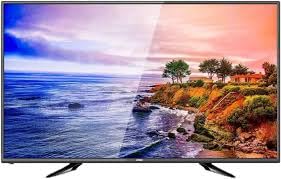
Image: Generic OS32ATVHD 32-inch LED TV.
3. సెటప్
3.1. అన్ప్యాకింగ్
ప్యాకేజింగ్ నుండి టీవీ మరియు అన్ని ఉపకరణాలను జాగ్రత్తగా తీసివేయండి. భవిష్యత్ రవాణా లేదా సేవా అవసరాల కోసం ప్యాకేజింగ్ను అలాగే ఉంచండి.
3.2. స్టాండ్ ఇన్స్టాలేషన్ (ఐచ్ఛికం)
If you are not wall-mounting the TV, attach the included stand:
- గీతలు పడకుండా ఉండటానికి టీవీ స్క్రీన్-డౌన్ను మృదువైన, చదునైన ఉపరితలంపై ఉంచండి.
- Align the stand base(s) with the screw holes on the bottom of the TV.
- Secure the stand(s) using the provided screws. Do not overtighten.
3.3. వాల్ మౌంటింగ్ (ఐచ్ఛికం)
The TV is wall-mountable. A VESA-compatible wall mount bracket (not included) is required. Follow the instructions provided with your wall mount bracket and ensure professional installation for safety.
3.4. బాహ్య పరికరాలను కనెక్ట్ చేస్తోంది
Connect your external devices to the appropriate ports on the TV. Ensure the TV and devices are powered off before making connections.
- HDMI: For high-definition audio and video from Blu-ray players, game consoles, or set-top boxes.
- USB: మీడియాను ప్లే చేయడానికి USB నిల్వ పరికరాలను కనెక్ట్ చేయడానికి files.
- వీజీఏ: For connecting a computer. Use the PC audio input for sound.
- AV (కాంపోజిట్): For connecting older devices like VCRs or older DVD players.

చిత్రం: వెనుక view of the TV with connectivity ports.
3.5. పవర్ కనెక్షన్
After all connections are made, plug the power cable into the TV's power input, then plug the other end into a wall power outlet.
4. ఆపరేటింగ్ సూచనలు
4.1. పవర్ ఆన్/ఆఫ్
నొక్కండి శక్తి టీవీని ఆన్ లేదా ఆఫ్ చేయడానికి రిమోట్ కంట్రోల్ లేదా టీవీలోని బటన్ను నొక్కండి.
4.2. రిమోట్ కంట్రోల్ విధులు
చేర్చబడిన రిమోట్ కంట్రోల్ అన్ని టీవీ ఫంక్షన్లను యాక్సెస్ చేయడానికి మిమ్మల్ని అనుమతిస్తుంది. బ్యాటరీలు సరిగ్గా చొప్పించబడ్డాయని నిర్ధారించుకోండి.
- శక్తి: టీవీని ఆన్ లేదా ఆఫ్ చేస్తుంది.
- ఇన్పుట్/మూలం: Selects the input source (HDMI, USB, VGA, AV).
- VOL +/-: వాల్యూమ్ స్థాయిని సర్దుబాటు చేస్తుంది.
- CH +/-: ఛానెల్లను మారుస్తుంది.
- మెను: సెట్టింగ్ల కోసం ప్రధాన మెనూను తెరుస్తుంది.
- నావిగేషన్ బటన్లు (పైకి/క్రిందికి/ఎడమ/కుడి): Navigates through menus.
- సరే/నమోదు చేయండి: ఎంపికలను నిర్ధారిస్తుంది.
4.3. ఇన్పుట్ మూలాన్ని ఎంచుకోవడం
నొక్కండి ఇన్పుట్ or మూలం button on the remote control to cycle through available input sources (e.g., HDMI1, HDMI2, USB, VGA, AV). Select the desired source using the navigation buttons and press OK.
4.4. మెనూ నావిగేషన్ మరియు సెట్టింగులు
నొక్కండి మెనూ button to access the TV's settings. Use the navigation buttons to move between options and OK ఎంచుకోవడానికి.
- చిత్ర సెట్టింగ్లు: Adjust brightness, contrast, color, sharpness, and aspect ratio.
- సౌండ్ సెట్టింగ్లు: Control volume, equalizer, sound mode, and balance.
- ఛానెల్ సెట్టింగ్లు: Scan for channels (if using an antenna) and manage channel lists.
- సిస్టమ్ సెట్టింగ్లు: Access language, time, and other general TV settings.
5. నిర్వహణ
5.1. టీవీని శుభ్రపరచడం
శుభ్రం చేసే ముందు టీవీని ఎల్లప్పుడూ అన్ప్లగ్ చేయండి.
- స్క్రీన్: Gently wipe the screen with a soft, dry, lint-free cloth. Do not use abrasive cleaners or sprays directly on the screen.
- ఫ్రేమ్: మృదువైన, కొద్దిగా d ఉపయోగించండిamp cloth to clean the TV frame.
5.2. సాధారణ సంరక్షణ
Ensure the TV is placed in a well-ventilated area to prevent overheating. Avoid exposing the TV to extreme temperatures or humidity.
6. ట్రబుల్షూటింగ్
మీ టీవీలో సమస్యలు ఎదురైతే, ఈ క్రింది సాధారణ సమస్యలు మరియు పరిష్కారాలను చూడండి:
| సమస్య | సాధ్యమైన పరిష్కారం |
|---|---|
| శక్తి లేదు |
|
| చిత్రం లేదు, కానీ ధ్వని ఉంది |
|
| శబ్దం లేదు, కానీ చిత్రం ఉంది |
|
| రిమోట్ కంట్రోల్ పనిచేయడం లేదు |
|
7. స్పెసిఫికేషన్లు
| ఫీచర్ | వివరాలు |
|---|---|
| బ్రాండ్ | సాధారణమైనది |
| మోడల్ పేరు | OS32ATVHD |
| స్క్రీన్ పరిమాణం | 32 అంగుళాలు |
| ప్రదర్శన సాంకేతికత | LED |
| రిజల్యూషన్ | 4K (3840 x 2160 పిక్సెల్లు) |
| కనెక్టివిటీ | HDMI (multiple ports), USB, VGA, AV Input |
| చేర్చబడిన భాగాలు | రిమోట్ కంట్రోల్ |
| ప్రత్యేక లక్షణాలు | Wall Mountable, Energy-saving technology |
| సిఫార్సు చేసిన ఉపయోగాలు | Entertainment, TV display |
8. వారంటీ మరియు మద్దతు
For warranty information and technical support, please refer to the warranty card included with your product or contact your retailer. Keep your purchase receipt as proof of purchase.