
పరిచయం
This manual provides essential information for setting up, operating, maintaining, and troubleshooting your Lenovo ThinkCentre neo 50a 24 Gen 5 12SD004LUS All-in-One Computer. Please read this manual thoroughly before using your device to ensure proper function and longevity.
ప్యాకేజీ విషయాలు
ప్యాకేజీలో అన్ని అంశాలు ఉన్నాయని నిర్ధారించుకోండి:
- ThinkCentre neo 50a 24 Gen 5 12SD004LUS All-in-One Computer
- USB కాలియోప్ కీబోర్డ్
- USB కాలియోప్ మౌస్
- 90W 89% Adapter
- మానిటర్ స్టాండ్
సెటప్
1. అన్ప్యాకింగ్ మరియు ప్లేస్మెంట్
Carefully remove the All-in-One (AIO) computer and all accessories from the packaging. Place the AIO on a stable, flat surface, ensuring adequate ventilation around the device.
2. Attaching the Monitor Stand
Follow the instructions provided with the monitor stand to securely attach it to the back of the AIO computer. Ensure all screws are tightened appropriately.
3. పెరిఫెరల్స్ కనెక్ట్ చేయడం
- కీబోర్డ్ మరియు మౌస్: Connect the USB Calliope Keyboard and USB Calliope Mouse to any available USB ports on the AIO computer.
- పవర్ అడాప్టర్: Connect the 90W power adapter to the power input port on the AIO, then plug the adapter into a grounded electrical outlet.
- నెట్వర్క్ (ఐచ్ఛికం): For a wired internet connection, connect an Ethernet cable from your router or modem to the Ethernet port on the AIO.
4. ప్రారంభ పవర్-ఆన్
Press the power button, typically located on the side or bottom edge of the display. The computer will boot up, and you will be guided through the initial Windows 11 setup process.
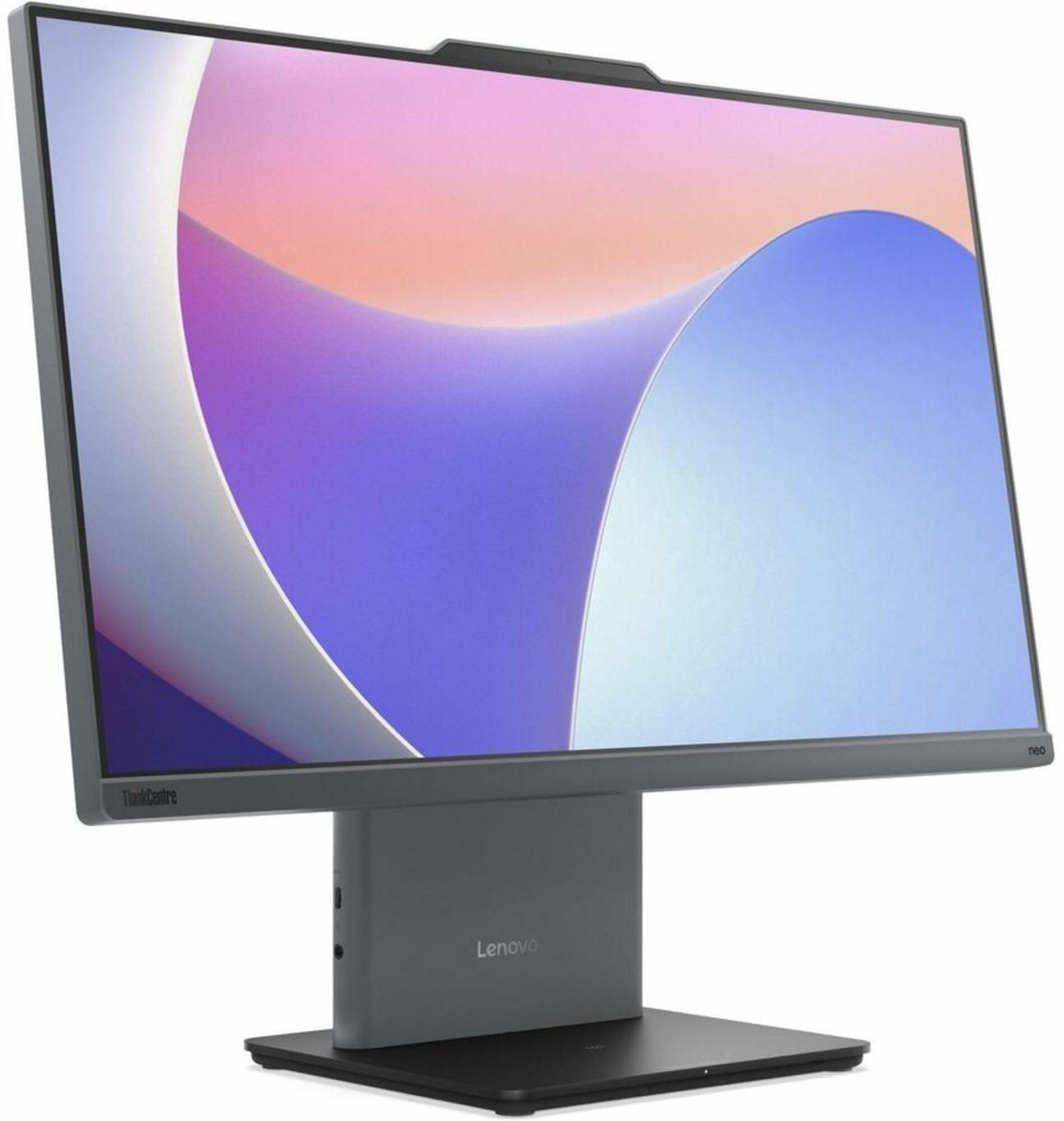
చిత్రం: ముందు భాగం view of the Lenovo ThinkCentre neo 50a 24 Gen 5 All-in-One Computer, showcasing its 23.8-inch Full HD display and sleek design.
ఆపరేటింగ్
పవర్ ఆన్/ఆఫ్
- పవర్ ఆన్ చేయడానికి: పవర్ బటన్ను నొక్కండి.
- షట్ డౌన్ చేయడానికి: విండోస్లో స్టార్ట్ బటన్ను క్లిక్ చేసి, ఆపై పవర్ > షట్ డౌన్ ఎంచుకోండి.
- పునఃప్రారంభించడానికి: విండోస్లో స్టార్ట్ బటన్ను క్లిక్ చేసి, ఆపై పవర్ > రీస్టార్ట్ ఎంచుకోండి.
నెట్వర్క్ కనెక్టివిటీ
- Wi-Fi: వైర్లెస్ నెట్వర్క్కు కనెక్ట్ అవ్వడానికి, టాస్క్బార్లోని నెట్వర్క్ చిహ్నాన్ని క్లిక్ చేసి, మీకు కావలసిన Wi-Fi నెట్వర్క్ను ఎంచుకుని, ప్రాంప్ట్ చేయబడితే పాస్వర్డ్ను నమోదు చేయండి.
- ఈథర్నెట్: If an Ethernet cable is connected, the system will automatically detect and connect to the wired network.
Using Ports
The ThinkCentre neo 50a 24 Gen 5 features various ports for connectivity:
- USB పోర్ట్లు: For connecting external devices such as USB drives, printers, or additional peripherals.
- HDMI పోర్ట్: For connecting an external display or projector.
- డిస్ప్లేపోర్ట్: For connecting an external display or projector.
- ఆడియో జాక్: హెడ్ఫోన్లు లేదా బాహ్య స్పీకర్లను కనెక్ట్ చేయడానికి.
నిర్వహణ
పరికరాన్ని శుభ్రపరచడం
- స్క్రీన్: మెత్తని, మెత్తని బట్టను తేలికగా ఉపయోగించండి డిampనీటితో లేదా స్క్రీన్-క్లీనింగ్ ద్రావణంతో కలిపిన తర్వాత. స్క్రీన్పై నేరుగా ద్రవాన్ని పిచికారీ చేయవద్దు.
- చట్రపు: బయటి ఉపరితలాలను మృదువైన, పొడి గుడ్డతో తుడవండి. రాపిడి క్లీనర్లను నివారించండి.
- వెంటిలేషన్: వేడెక్కకుండా ఉండటానికి వెంటిలేషన్ ఓపెనింగ్లు దుమ్ము మరియు అడ్డంకులు లేకుండా ఉండేలా చూసుకోండి.
సాఫ్ట్వేర్ నవీకరణలు
Regularly update your Windows operating system and drivers to ensure optimal performance and security. Windows Update can be accessed via Settings > Windows Update.
ట్రబుల్షూటింగ్
సాధారణ సమస్యలు మరియు పరిష్కారాలు
- శక్తి లేదు:
- Ensure the power adapter is securely connected to both the AIO and a working electrical outlet.
- Try a different outlet. - ప్రదర్శన లేదు:
- Check if the computer is powered on.
- If an external monitor is connected, ensure it is powered on and correctly configured. - నెట్వర్క్ కనెక్టివిటీ సమస్యలు:
- For Wi-Fi, verify your network password and ensure you are within range of the router.
- For Ethernet, check the cable connection and ensure your router/modem is functioning correctly. - కీబోర్డ్/మౌస్ స్పందించడం లేదు:
- Ensure the USB cables are securely plugged into the AIO's USB ports.
- Try connecting them to different USB ports.
If problems persist, refer to the Lenovo support webతదుపరి సహాయం కోసం సైట్.
స్పెసిఫికేషన్లు
| ఫీచర్ | స్పెసిఫికేషన్ |
|---|---|
| మోడల్ | ThinkCentre neo 50a 24 Gen 5 12SD004LUS |
| ప్రాసెసర్ | Intel Core i7-13620H (13th Gen), Deca-core (10 Core), 2.40 GHz (Max Turbo 4.90 GHz) |
| ఆపరేటింగ్ సిస్టమ్ | Windows 11 |
| మెమరీ (RAM) | 16 GB DDR5 SDRAM (5200 MHz), Max 32 GB |
| నిల్వ | 512 GB NVMe SSD (PCI Express NVMe 4.0 x4) |
| ప్రదర్శించు | 23.8" Full HD (1920 x 1080), 250 Nit Brightness |
| గ్రాఫిక్స్ | Intel UHD Graphics (Integrated, Shared DDR5 SDRAM) |
| నెట్వర్క్ | Gigabit Ethernet, IEEE 802.11ax Wireless LAN, Bluetooth |
| ఓడరేవులు | HDMI, DisplayPort, USB (Total 1), Ethernet |
| Webకెమెరా | అవును |
| కొలతలు | 26 x 9 x 21 అంగుళాలు |
| బరువు | 20.2 పౌండ్లు |
వారంటీ సమాచారం
ఈ ఉత్పత్తి దీనితో అమ్మబడుతుంది వారంటీ లేదు as per the manufacturer's stated terms. Please refer to your purchase documentation for any retailer-specific return policies.
మద్దతు
For additional support, driver downloads, or service inquiries, please visit the official Lenovo support webసైట్:
మీరు Lenovoలో ఉపయోగకరమైన వనరులు మరియు కమ్యూనిటీ ఫోరమ్లను కూడా కనుగొనవచ్చు. webసైట్.