
1. ఉత్పత్తి ముగిసిందిview
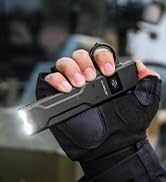
The Klarus FlatTac X1 is an ultra-slim, high-performance tactical flashlight designed for everyday carry (EDC) and tactical applications. It features a powerful SST-70 LED, an intuitive dual-switch interface, and an OLED display for real-time information. Its compact and durable design makes it suitable for various outdoor and emergency situations.

ముఖ్య లక్షణాలు:
- అల్ట్రా-బ్రైట్ అవుట్పుట్: Up to 4200 lumens with a 230-meter beam distance.
- స్లిమ్ & కాంపాక్ట్ డిజైన్: Measures 0.57 inches thick and weighs 4.41 ounces, with an integrated pocket clip.
- Tactical Dual Switch: Provides quick access to various modes, including Turbo, High, Moonlight, Strobe, and SOS.
- OLED డిస్ప్లే: Shows real-time battery level, brightness mode, and lock status.
- USB-C పునర్వినియోగపరచదగినది: Fast charging, fully charges in 2 hours, offering up to 48 hours of runtime.
- Optimized Heat Sink: Aerospace-grade aluminum construction with temperature control for efficient heat dissipation.
- సామీప్య సెన్సార్: Automatically reduces brightness when close to obstructions to prevent overheating.
- మన్నికైన నిర్మాణం: IPX6 waterproof and impact-resistant, featuring ceramic beads for emergency glass breaking.
2. సెటప్ మరియు మొదటి ఉపయోగం
2.1 ప్యాకేజీ విషయాలు
ప్యాకేజీలో అన్ని అంశాలు ఉన్నాయని నిర్ధారించుకోండి:
- Klarus FlatTac X1 Flashlight
- USB-C ఛార్జింగ్ కేబుల్
- వినియోగదారు మాన్యువల్
2.2 ప్రారంభ ఛార్జింగ్
Before first use, fully charge the flashlight. The Klarus FlatTac X1 features a built-in 2150mAh battery and supports USB-C fast charging.
- ఫ్లాష్లైట్ వైపు USB-C ఛార్జింగ్ పోర్ట్ను గుర్తించండి.
- Connect the provided USB-C cable to the flashlight and a compatible USB power source (e.g., wall adapter, computer USB port).
- The OLED display will show a charging indicator. Charging typically takes approximately 2 hours.
- Once fully charged, the display will indicate a full battery. Disconnect the charging cable.

3. ఆపరేటింగ్ సూచనలు
The FlatTac X1 features a tactical dual-switch design for intuitive control.

3.1 స్విచ్ విధులు
- Main Switch (Black):
- Momentary-on Moonlight: Press and hold.
- One-Click Last Brightness: Single click to turn on to the last used brightness mode.
- Adjust Brightness: While on, single click to cycle through brightness levels (Moonlight → Low → Medium → High).
- Long-Press Off: Press and hold to turn off.
- Auxiliary Switch (Red):
- Momentary-on Turbo: Press and hold.
- One-Click Strobe: Single click to activate Strobe mode.
- Double-Click SOS: Double click to activate SOS mode.
3.2 Mode Operation
The FlatTac X1 offers 5 vital modes:
- చంద్రకాంతి: Lowest brightness for discreet illumination.
- తక్కువ: Suitable for general close-range tasks.
- మధ్యస్థం: Balanced brightness for various uses.
- అధిక: Strong illumination for broader areas.
- టర్బో: Maximum brightness (4200 lumens) for powerful, long-range lighting.
- స్ట్రోబ్: Disorienting flash for self-defense or signaling.
- SOS: International distress signal.
3.3 లాకౌట్ ఫంక్షన్
To prevent accidental activation and conserve battery, use the lockout function:
- లాక్ చేయడానికి: Triple-tap the Auxiliary (Red) Switch. The OLED display will show a lock icon.
- అన్లాక్ చేయడానికి: Triple-tap the Auxiliary (Red) Switch again. The lock icon will disappear.

3.4 OLED డిస్ప్లే సమాచారం
The intelligent OLED display provides critical information at a glance:
- బ్యాటరీ స్థాయి: మిగిలిన బ్యాటరీ ఛార్జ్ను చూపుతుంది.
- బ్రైట్నెస్ మోడ్: Indicates the current lumen output (e.g., Moonlight, Low, Medium, High, Turbo).
- లాక్ స్థితి: Displays a lock icon when the flashlight is in lockout mode.
- ఛార్జింగ్ సూచిక: Appears when the flashlight is connected for charging.
- సామీప్య హెచ్చరిక: Displays "NEAR !" when the proximity sensor detects an obstruction, indicating reduced brightness.

4. నిర్వహణ
4.1 సాధారణ సంరక్షణ
- ఫ్లాష్లైట్ బాడీని మృదువైన, డి-లైట్తో శుభ్రం చేయండి.amp గుడ్డ. రాపిడి పదార్థాలను నివారించండి.
- Keep the USB-C port cover securely closed when not charging to maintain water resistance.
- Store the flashlight in a cool, dry place when not in use for extended periods.
4.2 బ్యాటరీ సంరక్షణ
- Recharge the battery regularly, even if not frequently used, to prolong its lifespan.
- రీఛార్జ్ చేయడానికి ముందు బ్యాటరీ పూర్తిగా ఖాళీ కాకుండా చూసుకోండి.
4.3 నీటి నిరోధకత
The FlatTac X1 has an IPX6 waterproof rating, meaning it is protected against powerful water jets. It is not designed for submersion.

5. ట్రబుల్షూటింగ్
If you encounter issues with your Klarus FlatTac X1, refer to the following common problems and solutions:
- ఫ్లాష్లైట్ ఆన్ అవ్వడం లేదు:
- Check battery level on the OLED display. Recharge if low.
- Ensure the flashlight is not in lockout mode. Triple-tap the Auxiliary Switch to unlock.
- ఫ్లాష్లైట్ ఛార్జ్ అవ్వదు:
- USB-C కేబుల్ ఫ్లాష్లైట్ మరియు పవర్ సోర్స్ రెండింటికీ సరిగ్గా కనెక్ట్ చేయబడిందని ధృవీకరించండి.
- వేరే USB-C కేబుల్ లేదా పవర్ అడాప్టర్ని ప్రయత్నించండి.
- Brightness decreases unexpectedly:
- The proximity sensor may have detected an obstruction. Move the flashlight away from nearby objects.
- The flashlight may be overheating. Allow it to cool down.
- Battery level may be low. Recharge the flashlight.
If the issue persists, please contact Klarus customer support for further assistance.
6. స్పెసిఫికేషన్లు
Detailed specifications for the Klarus FlatTac X1 Tactical Flashlight:
| ఫీచర్ | స్పెసిఫికేషన్ |
|---|---|
| మోడల్ | X1 |
| కాంతి మూలం | SST-70 LED |
| గరిష్ట అవుట్పుట్ | 4200 ల్యూమెన్స్ |
| బీమ్ దూరం | 230 మీటర్లు |
| బ్యాటరీ | Built-in 2150mAh Lithium Ion |
| ఛార్జింగ్ పోర్ట్ | USB-C |
| ఛార్జింగ్ సమయం | సుమారు 2 గంటలు |
| గరిష్ట రన్టైమ్ | Up to 48 hours (Moonlight mode) |
| నీటి నిరోధకత | IPX6 |
| ఇంపాక్ట్ రెసిస్టెన్స్ | 1 మీటర్లు |
| మెటీరియల్ | ఏరోస్పేస్-గ్రేడ్ అల్యూమినియం |
| కొలతలు | 0.58"డి x 1.26"వా x 0.57"హ |
| బరువు | 7.8 ఔన్సులు (సుమారు 125గ్రా) |
7. వారంటీ మరియు మద్దతు
Klarus products are manufactured to high-quality standards. For warranty information and customer support, please refer to the official Klarus webసైట్ లేదా మీ అధీకృత డీలర్ను సంప్రదించండి.
తయారీదారు: క్లారస్
For direct support, you may contact Klarus® Direct.