
TABWEE T20 Tablet Tabwee
TABWEE T20 Tablet User Manual
Model: T20 Tablet Tabwee
Brand: TABWEE
పరిచయం
Thank you for choosing the TABWEE T20 Tablet. This manual provides essential information for setting up, operating, and maintaining your device. The T20 Tablet is designed for versatile use, featuring the latest Android 15 with Gemini AI, a powerful Octa-Core processor, and a comprehensive accessory kit for enhanced productivity and entertainment.
పెట్టెలో ఏముంది
దయచేసి మీ ప్యాకేజీలోని విషయాలను తనిఖీ చేయండి. ఏవైనా వస్తువులు తప్పిపోయినా లేదా దెబ్బతిన్నా, కస్టమర్ మద్దతును సంప్రదించండి.
- TABWEE T20 Tablet
- కీబోర్డ్
- మౌస్
- స్టైలస్
- రక్షణ కేసు
- టాబ్లెట్ స్టాండ్
- స్క్రీన్ ప్రొటెక్టర్
- ఛార్జర్
- USB కేబుల్
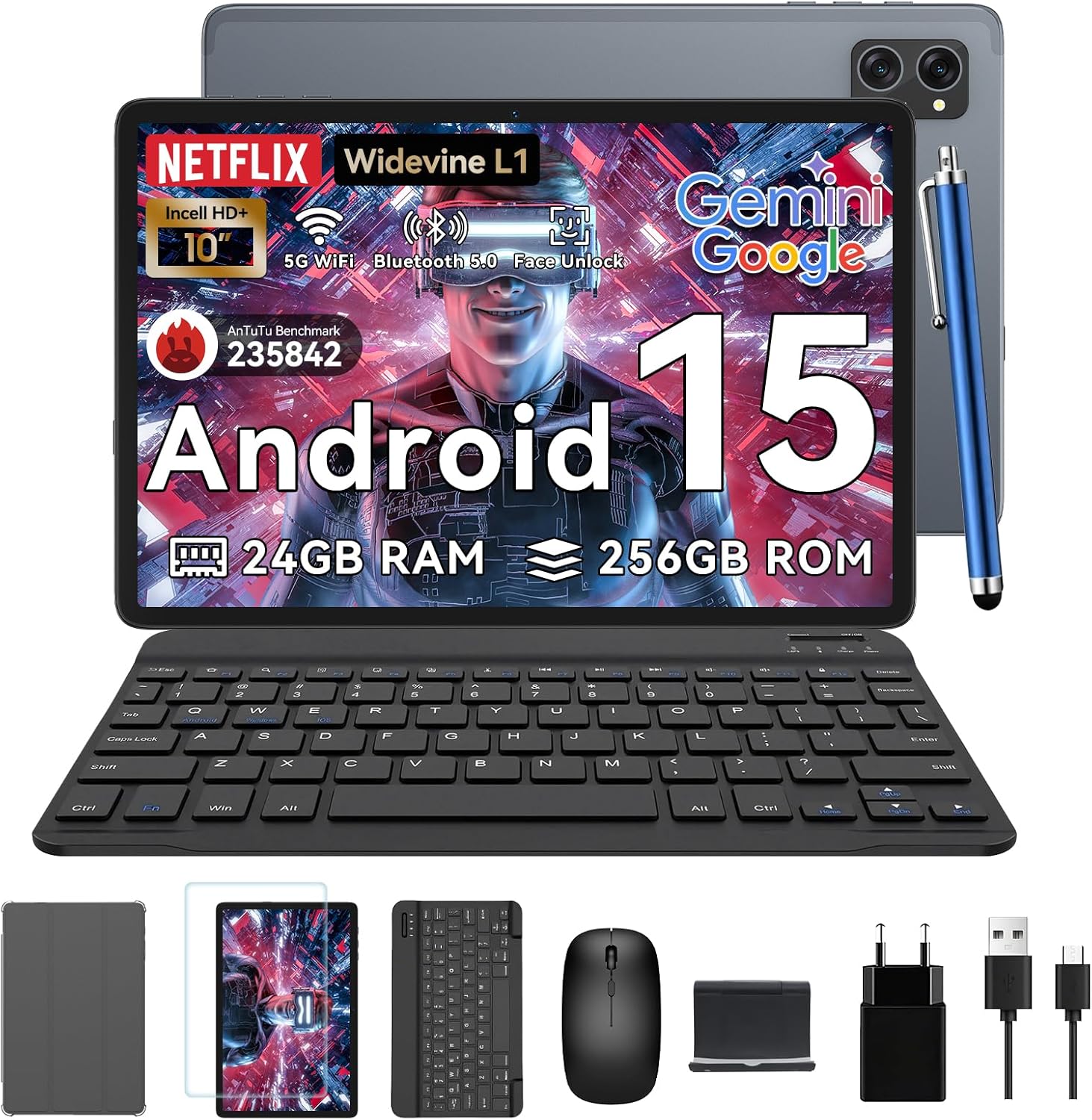
Image: All items included in the TABWEE T20 Tablet package, neatly arranged.
ఉత్పత్తి ముగిసిందిview
Familiarize yourself with the physical components of your TABWEE T20 Tablet.

చిత్రం: ముందు మరియు వెనుక view of the TABWEE T20 Tablet, showing the display and camera module.
ముఖ్య భాగాలు:
- 10.1-అంగుళాల పూర్తి HD డిస్ప్లే: పరస్పర చర్య మరియు కంటెంట్ కోసం ప్రధాన స్క్రీన్ viewing.
- ముందు కెమెరా (8MP): Located on the top bezel for video calls and selfies.
- Rear Camera (8MP AI): Located on the back for high-quality photos and Smart Scan functions.
- పవర్ బటన్: Typically on the side, used to turn the tablet on/off or wake/sleep.
- వాల్యూమ్ బటన్లు: ఆడియో స్థాయిలను సర్దుబాటు చేయండి.
- USB-C పోర్ట్: ఛార్జింగ్ మరియు డేటా బదిలీ కోసం.
- స్పీకర్ గ్రిల్స్: Dual Smart-K BOX speakers for immersive audio.
- మైక్రో SD కార్డ్ స్లాట్: For storage expansion up to 2TB.
ప్రారంభ సెటప్
- టాబ్లెట్ ఛార్జింగ్:
Connect the provided charger and USB cable to the tablet's USB-C port. Plug the charger into a power outlet. The battery indicator will show charging status. Fully charge the tablet before first use.
- పవర్ ఆన్/ఆఫ్:
Press and hold the Power button until the TABWEE logo appears to turn on. To turn off, press and hold the Power button, then select "Power off" from the options.
- ప్రారంభ కాన్ఫిగరేషన్:
Upon first power-on, follow the on-screen prompts to select your language, connect to a Wi-Fi network, sign in with your Google account, and set up security features like Face Unlock.
- Inserting a MicroSD Card (Optional):
Locate the MicroSD card slot. Gently insert a compatible MicroSD card (up to 2TB) until it clicks into place. This expands your tablet's storage capacity.
మీ టాబ్లెట్ను ఆపరేట్ చేస్తోంది
Android 15 with Gemini AI
Your TABWEE T20 runs on Android 15, enhanced with Gemini AI for an intuitive and efficient experience. Features include real-time language translation, intelligent task management, and personalized widget previews.

Image: Visual representation of Android 15 features, including app management and connectivity options.

చిత్రం: పైగాview of Gemini AI 2.0 experimental features, including voice control and smart assistance.
డిస్ప్లే మరియు ఆడియో
The 10.1-inch Full HD display with Widevine L1 certification provides vibrant 1080p visuals. Enjoy immersive sound with the Smart-K dual BOX speakers.
- వైడ్వైన్ L1: Enables high-definition streaming from platforms like Netflix, Prime Video, and Hulu.
- Eye-friendly Modes: Access Reading Mode, Night Light, and Dark Mode in display settings for comfortable viewing.

Image: The tablet display showcasing Widevine L1 certification and different eye-friendly viewing మోడ్లు.

Image: Illustration of the tablet's dual Smart-K Box speakers, emphasizing sound quality.
కెమెరా విధులు
The tablet features 8MP front and rear AI cameras. Utilize the Smart Scan camera for efficient document scanning.
- స్మార్ట్ స్కాన్: Automatically detects and enhances documents, receipts, or whiteboards.
- Google Lens Integration: Use Google Lens for smart scanning, searching, and exploring.

Image: The tablet's camera system, highlighting 5MP front and 8MP rear AI cameras, along with Google Lens and Face Unlock capabilities.
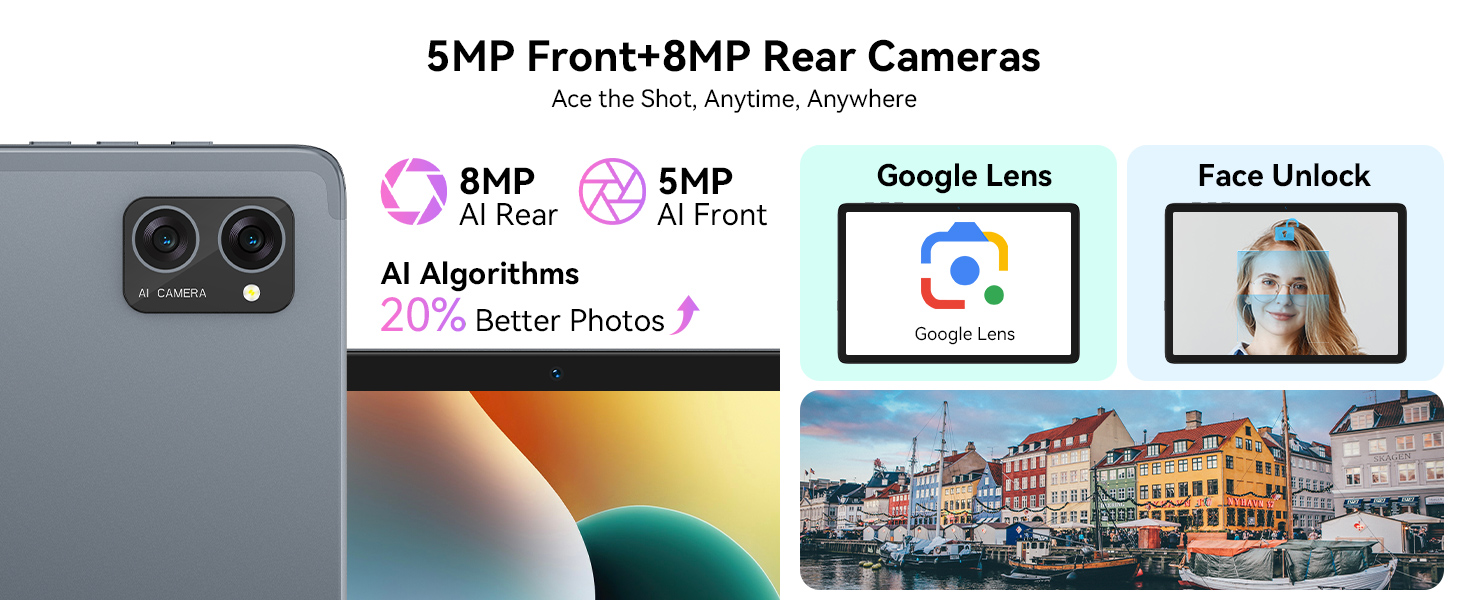
Image: Various applications of Smart Google Lens for scanning, searching, and exploring.
కనెక్టివిటీ
- 5G Dual-Band WiFi: Connect to high-speed wireless networks for fast browsing and streaming.
- బ్లూటూత్ 5.0: వైర్లెస్ హెడ్ఫోన్లు, స్పీకర్లు మరియు ఇతర బ్లూటూత్-ప్రారంభించబడిన పరికరాలతో జత చేయండి.

Image: The tablet demonstrating fast WiFi 5 connectivity, shown with connected keyboard and mouse.

Image: A user enjoying audio content with wireless earbuds connected to the tablet via Bluetooth 5.0.
Using Included Accessories
The TABWEE T20 Tablet comes with a suite of accessories to enhance your experience.
- కీబోర్డ్: Connect the keyboard via Bluetooth. Refer to the keyboard's specific instructions for pairing. It transforms your tablet into a mini-laptop for typing.
- మౌస్: Connect the mouse via Bluetooth. This provides precise navigation, similar to a desktop computer.
- స్టైలస్: Use the stylus for precise input, drawing, or note-taking on the touchscreen. No pairing required for basic touch functionality.
- Protective Case & Tablet Stand: The case provides protection, and the integrated stand allows for comfortable viewing angles for media consumption or typing.
- స్క్రీన్ ప్రొటెక్టర్: Apply the screen protector to guard against scratches and minor impacts. Follow the instructions provided with the screen protector for proper application.

Image: The TABWEE T20 Tablet configured with its keyboard and mouse, demonstrating its 2-in-1 versatility.
సంరక్షణ మరియు నిర్వహణ
- శుభ్రపరచడం: స్క్రీన్ మరియు బాడీని శుభ్రం చేయడానికి మృదువైన, మెత్తటి బట్టను ఉపయోగించండి. మొండి మరకల కోసం, కొద్దిగా dampen గుడ్డను నీటితో లేదా స్క్రీన్ క్లీనర్తో తుడవండి. కఠినమైన రసాయనాలను నివారించండి.
- బ్యాటరీ సంరక్షణ: To prolong battery life, avoid extreme temperatures. Do not let the battery fully drain frequently. For long-term storage, charge the tablet to about 50% and power it off.
- సాఫ్ట్వేర్ అప్డేట్లు: సరైన పనితీరు మరియు భద్రతను నిర్ధారించుకోవడానికి సిస్టమ్ నవీకరణల కోసం క్రమం తప్పకుండా తనిఖీ చేసి, ఇన్స్టాల్ చేయండి. సెట్టింగ్లు > సిస్టమ్ > సిస్టమ్ నవీకరణకు వెళ్లండి.
- నిల్వ నిర్వహణ: కాలానుగుణంగా అనవసరమైన వాటిని క్లియర్ చేయండి files and apps to maintain performance. Utilize the 2TB expandable storage for large media files.

Image: The tablet's internal battery, illustrating its 5000mAh capacity and estimated usage durations.
ట్రబుల్షూటింగ్
| సమస్య | సాధ్యమైన పరిష్కారం |
|---|---|
| టాబ్లెట్ ఆన్ అవ్వదు. | Ensure the tablet is charged. Connect to charger for at least 30 minutes. Try holding the Power button for 10-15 seconds. |
| Wi-Fi కనెక్షన్ సమస్యలు. | Restart the tablet and your Wi-Fi router. Forget the network and reconnect. Ensure you are within range. |
| Tablet is slow or unresponsive. | Close unused apps. Clear cache. Restart the tablet. Check for available system updates. |
| Accessories (keyboard/mouse) not connecting. | Ensure Bluetooth is enabled on the tablet. Put the accessory in pairing mode. Check battery levels of accessories. |
| Apps crashing frequently. | Clear the app's cache and data (Settings > Apps > [App Name] > Storage). Reinstall the app. Ensure sufficient storage space. |
సాంకేతిక లక్షణాలు
| ఫీచర్ | వివరాలు |
|---|---|
| మోడల్ | T20 Tablet Tabwee |
| ఆపరేటింగ్ సిస్టమ్ | Android 15 (with Gemini AI) |
| ప్రాసెసర్ | UNISOC T606 Octa-Core (2 GHz) |
| RAM | 24GB (8GB base + 16GB expansion) |
| అంతర్గత నిల్వ | 256GB |
| విస్తరించదగిన నిల్వ | మైక్రో SD కార్డ్ ద్వారా 2TB వరకు |
| ప్రదర్శన పరిమాణం | 10.1 అంగుళాలు |
| డిస్ప్లే రిజల్యూషన్ | 1280 x 800 Pixels (Full HD, Widevine L1) |
| వెనుక కెమెరా | 8MP AI కెమెరా |
| ఫ్రంట్ కెమెరా | 8MP |
| బ్యాటరీ | 5000mAh లిథియం పాలిమర్ |
| కనెక్టివిటీ | 5G Dual-Band Wi-Fi (802.11ac), Bluetooth 5.0 |
| కొలతలు | 24.64 x 15.49 x 0.76 సెం.మీ |
| బరువు | 500 గ్రా |

Image: Internal memory architecture of the TABWEE T20 Tablet, detailing RAM and ROM capacities.

Image: The Unisoc T606 Octa-Core processor, highlighting its core configuration and GPU.
వారంటీ మరియు మద్దతు
Your TABWEE T20 Tablet comes with a 2-year UK warranty, ensuring peace of mind. TABWEE is committed to quality and customer satisfaction.
- 24-Month Free Repair Warranty: Covers manufacturing defects and ensures free repairs for two years from the date of purchase.
- జీవితకాల సాంకేతిక మద్దతు: Expert assistance is available whenever you need it.
- Hassle-Free Service: Support is provided through the TABWEE Official Flagship Store.
For technical support, warranty claims, or general inquiries, please contact TABWEE customer service through the official channels provided at the point of purchase or on the TABWEE brand webసైట్.

Image: Information regarding TABWEE's 2-year warranty and lifetime customer support.
Ask a question about this manual
Ask about setup, troubleshooting, compatibility, parts, safety, or missing instructions. Manuals+ will review the question and use this page’s manual context to help answer it.