
1. పరిచయం
Thank you for choosing the YUEHISY Digital Camera. This compact and versatile camera is designed for ease of use, offering 4K video recording and 48MP image resolution. It features an 8X digital zoom, a 2.7-inch screen, and a built-in fill light, making it suitable for various photography and videography needs. This manual provides detailed instructions to help you get started and make the most of your new camera.

Image 1.1: The YUEHISY Digital Camera, capable of 48MP images and 4K video.
2. ఉత్పత్తి ముగిసిందిview
2.1 ప్యాకేజీ విషయాలు
దయచేసి మీ ప్యాకేజీలో అన్ని వస్తువులు ఉన్నాయో లేదో తనిఖీ చేయండి:
- YUEHISY Digital Camera
- USB కేబుల్
- Hand Rope (Wrist Strap)
- వినియోగదారు మాన్యువల్

Image 2.1: Included accessories: camera, USB cable, and hand rope.
2.2 కెమెరా భాగాలు
Familiarize yourself with the camera's buttons and ports:
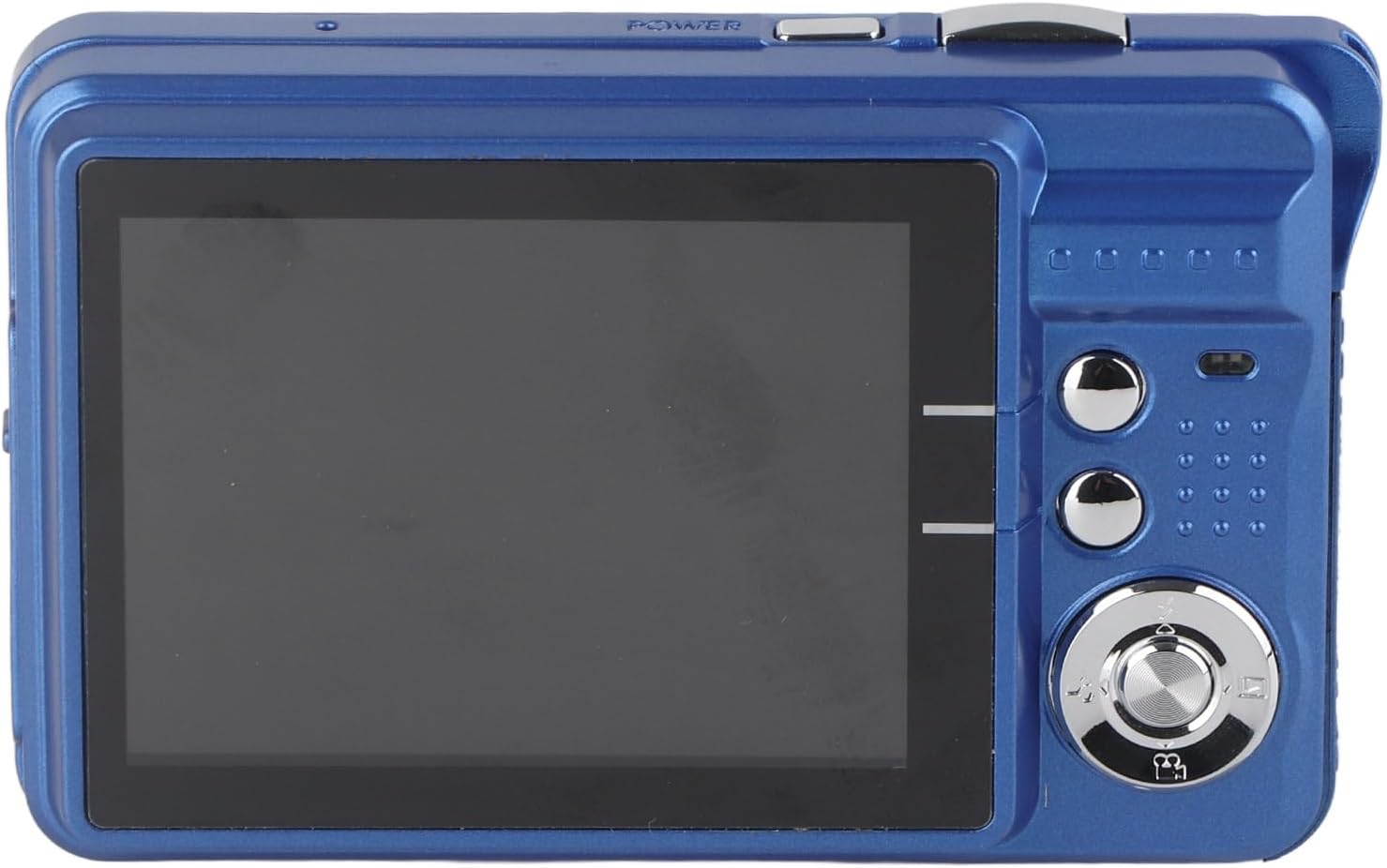
చిత్రం 2.2: వెనుక view of the camera, displaying the 2.7-inch screen and control buttons.
- పవర్ బటన్: కెమెరాను ఆన్/ఆఫ్ చేస్తుంది.
- షట్టర్ బటన్: Takes photos or starts/stops video recording.
- జూమ్ బటన్లు: 8X డిజిటల్ జూమ్ను నియంత్రిస్తుంది.
- 2.7-అంగుళాల TFT స్క్రీన్: ప్రత్యక్ష ప్రసారం view, menus, and playback.
- మెనూ బటన్: కెమెరా సెట్టింగ్లను యాక్సెస్ చేస్తుంది.
- మోడ్ బటన్: ఫోటో, వీడియో మరియు ప్లేబ్యాక్ మోడ్ల మధ్య మారుతుంది.
- నావిగేషన్ బటన్లు: Used for menu navigation and selecting options.
- లైట్ నింపండి: Provides additional illumination in low-light conditions.
- USB పోర్ట్: ఛార్జింగ్ మరియు డేటా బదిలీ కోసం.
- మెమరీ కార్డ్ స్లాట్: For inserting a MicroSD card (up to 128GB, not included).
3. సెటప్
3.1 బ్యాటరీని ఛార్జ్ చేయడం
The camera is equipped with a rechargeable lithium-ion battery. Before first use, fully charge the battery.
- Connect the camera to a USB power adapter (not included) or a computer using the provided USB cable.
- ఛార్జింగ్ ఇండికేటర్ లైట్ వెలుగుతుంది.
- పూర్తిగా ఛార్జ్ అయిన తర్వాత, సూచిక లైట్ మారుతుంది లేదా ఆపివేయబడుతుంది.

Image 3.1: The camera features a fill light and is rechargeable via USB.
3.2 మెమరీ కార్డ్ని చొప్పించడం
A MicroSD card (not included) is required to store photos and videos. The camera supports cards up to 128GB.
- కెమెరా వైపు మెమొరీ కార్డ్ స్లాట్ను గుర్తించండి.
- Insert the MicroSD card with the metal contacts facing down, until it clicks into place.
- తీసివేయడానికి, కార్డ్ క్లిక్ అయ్యే వరకు సున్నితంగా లోపలికి నెట్టండి, ఆపై బయటకు తీయడానికి విడుదల చేయండి.
4. ఆపరేటింగ్ సూచనలు
4.1 పవర్ చేయడం ఆన్/ఆఫ్
నొక్కండి మరియు పట్టుకోండి పవర్ బటన్ to turn the camera on or off.
4.2 ఫోటోలు తీయడం
- Turn on the camera. It will typically start in photo mode. If not, press the మోడ్ బటన్ ఫోటో మోడ్కి మారడానికి.
- Frame your shot using the 2.7-inch screen.
- ఉపయోగించండి జూమ్ బటన్లు to adjust the 8X digital zoom if needed.
- నొక్కండి షట్టర్ బటన్ halfway down to focus, then press it fully to take the picture.

Image 4.1: The 2.7-inch screen allows for immediate viewఫోటోలు మరియు వీడియోలను డౌన్లోడ్ చేయడం.
4.3 వీడియోలను రికార్డ్ చేయడం
- నొక్కండి మోడ్ బటన్ to switch to video recording mode.
- నొక్కండి షట్టర్ బటన్ to start recording. A recording indicator will appear on the screen.
- నొక్కండి షట్టర్ బటన్ రికార్డింగ్ ఆపడానికి మళ్లీ.
4.4 Using the Fill Light
The built-in fill light can be activated in low-light conditions.
- Access the camera's menu or a dedicated button (if available) to turn the fill light on or off.
- Adjust as needed for optimal lighting in your photos or videos.
4.5 ప్లేబ్యాక్ మోడ్
కు view మీరు సంగ్రహించిన ఫోటోలు మరియు వీడియోలు:
- నొక్కండి మోడ్ బటన్ ప్లేబ్యాక్ మోడ్కి మారడానికి.
- ఉపయోగించండి నావిగేషన్ బటన్లు to scroll through your media.
- నొక్కండి షట్టర్ బటన్ or a dedicated playback button to view ఫోటో లేదా వీడియో ప్లే చేయండి.
4.6 బదిలీ Fileఒక కంప్యూటర్కు లు
You can easily transfer your photos and videos to a computer:
- అందించిన USB కేబుల్ని ఉపయోగించి కెమెరాను మీ కంప్యూటర్కి కనెక్ట్ చేయండి.
- The camera should appear as a removable disk or device on your computer.
- Open the camera's folder to access and copy your files.
5. నిర్వహణ
5.1 కెమెరాను శుభ్రపరచడం
- కెమెరా బాడీని శుభ్రం చేయడానికి మృదువైన, పొడి వస్త్రాన్ని ఉపయోగించండి.
- లెన్స్ మరియు స్క్రీన్ కోసం, గీతలు పడకుండా ఉండటానికి ప్రత్యేకమైన లెన్స్ క్లీనింగ్ క్లాత్ మరియు ద్రావణాన్ని ఉపయోగించండి.
- కఠినమైన రసాయనాలు లేదా రాపిడి పదార్థాలను ఉపయోగించవద్దు.
5.2 నిల్వ
- కెమెరాను ప్రత్యక్ష సూర్యకాంతి మరియు తీవ్రమైన ఉష్ణోగ్రతలకు దూరంగా చల్లని, పొడి ప్రదేశంలో నిల్వ చేయండి.
- If storing for an extended period, remove the battery.
6. ట్రబుల్షూటింగ్
| సమస్య | సాధ్యమైన కారణం | పరిష్కారం |
|---|---|---|
| కెమెరా ఆన్ అవ్వదు. | బ్యాటరీ తక్కువగా ఉంది లేదా అయిపోయింది. | బ్యాటరీని పూర్తిగా ఛార్జ్ చేయండి. |
| ఫోటోలు/వీడియోలు తీయలేరు. | No memory card inserted or card is full. | Insert a memory card or delete unnecessary files. |
| చిత్రాలు అస్పష్టంగా ఉన్నాయి. | Camera shake or incorrect focus. | Hold the camera steady, press the shutter button halfway to focus before fully pressing. |
| ఫిల్ లైట్ పనిచేయడం లేదు. | Fill light is turned off in settings. | Check camera settings to ensure fill light is enabled. |
| కంప్యూటర్ కెమెరాను గుర్తించలేదు. | Faulty USB cable or driver issue. | Try a different USB port or cable. Ensure camera is on. |
7. స్పెసిఫికేషన్లు
- చిత్ర రిజల్యూషన్: 48MP వరకు
- వీడియో రిజల్యూషన్: 4K వరకు
- జూమ్: 8X డిజిటల్ జూమ్
- స్క్రీన్: 2.7-అంగుళాల TFT డిస్ప్లే
- నిల్వ: Supports MicroSD card up to 128GB (not included)
- బ్యాటరీ: పునర్వినియోగపరచదగిన లిథియం-అయాన్
- కనెక్టివిటీ: USB
- ప్రత్యేక లక్షణాలు: Built-in Fill Light, Self-timer, Continuous Shooting, Anti-shake
- వస్తువు బరువు: 5.4 ఔన్సులు
- ప్యాకేజీ కొలతలు: 5.12 x 4.33 x 1.57 అంగుళాలు
- మోడల్ సంఖ్య: YUEHISY08pavfkg6c-13
8. వారంటీ & సపోర్ట్
8.1 వారంటీ సమాచారం
Your YUEHISY Digital Camera is covered by a standard manufacturer's warranty against defects in materials and workmanship. Please refer to the warranty card included in your package for specific terms and conditions, including the warranty period and coverage details. Keep your proof of purchase for warranty claims.
8.2 కస్టమర్ మద్దతు
For technical assistance, troubleshooting, or any questions regarding your YUEHISY Digital Camera, please contact our customer support team. Contact information can typically be found on the product packaging or the official YUEHISY webసైట్.