
1. పరిచయం
This manual provides essential instructions for the proper installation, operation, and maintenance of your Generic TM104QDSG09 10.4-inch LCD Display Screen. Please read this manual thoroughly before using the product to ensure safe and efficient operation.
The TM104QDSG09 is a 10.4-inch LCD display designed for various applications requiring a reliable and clear visual interface. It features a glossy screen finish and supports a maximum display resolution of 640x480.
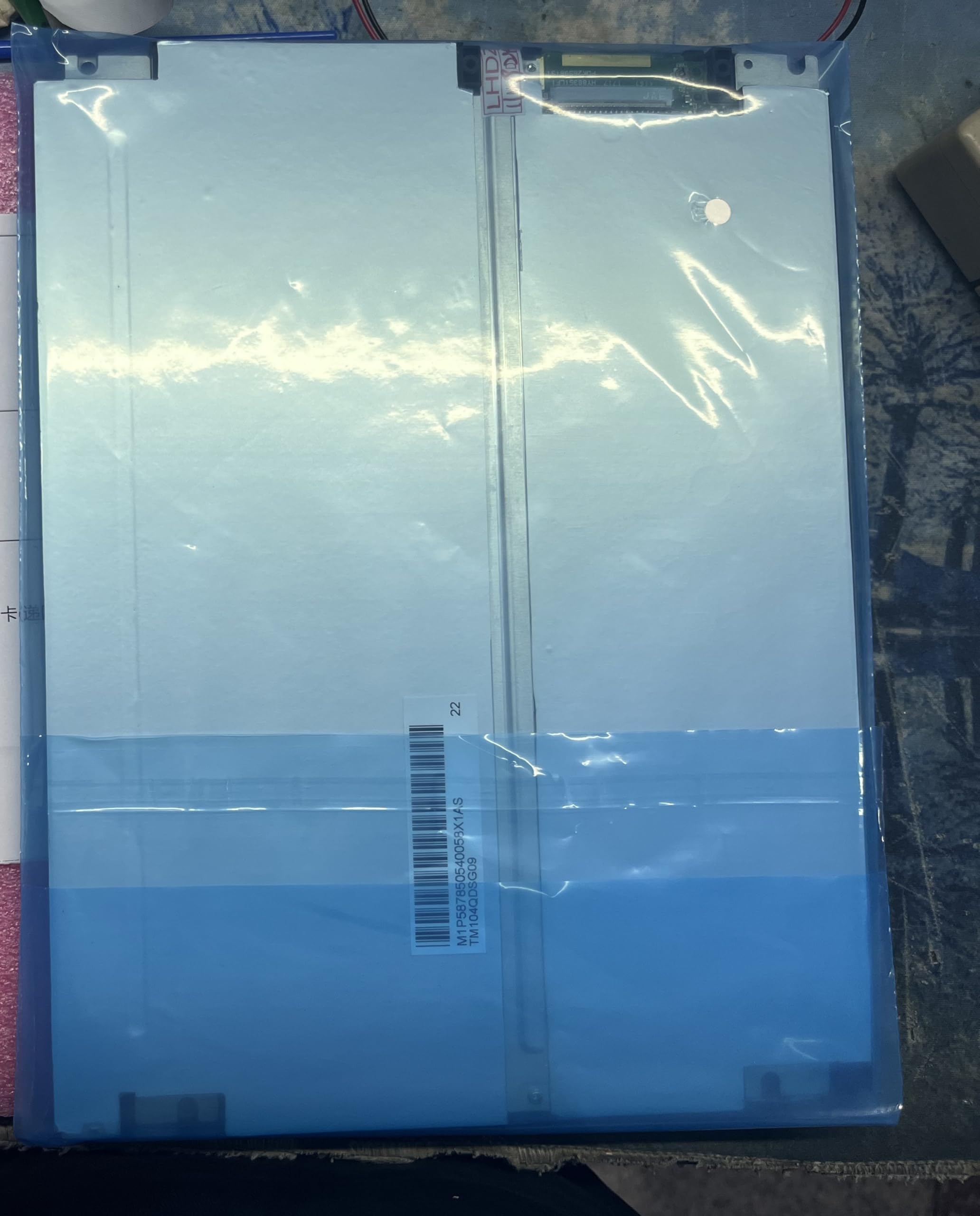
Figure 1: Generic TM104QDSG09 10.4-inch LCD Display Screen. This image shows the front view of the display unit, highlighting its compact design and screen area.
2. భద్రతా సమాచారం
డిస్ప్లే దెబ్బతినకుండా నిరోధించడానికి మరియు వినియోగదారు భద్రతను నిర్ధారించడానికి క్రింది భద్రతా జాగ్రత్తలను గమనించండి:
- శక్తి మూలం: Use only the specified power adapter and ensure the power supply voltage matches the display's requirements.
- వెంటిలేషన్: వెంటిలేషన్ ఓపెనింగ్లను బ్లాక్ చేయవద్దు. వేడెక్కకుండా నిరోధించడానికి డిస్ప్లే చుట్టూ తగినంత గాలి ప్రవాహాన్ని నిర్ధారించుకోండి.
- లిక్విడ్ ఎక్స్పోజర్: Keep the display away from liquids. Do not expose it to rain or moisture.
- శుభ్రపరచడం: Disconnect power before cleaning. Use a soft, dry cloth. Avoid abrasive cleaners.
- ప్లేస్మెంట్: Place the display on a stable, flat surface. Avoid areas with high humidity, extreme temperatures, or direct sunlight.
- సర్వీసింగ్: Do not attempt to service the display yourself. Refer all servicing to qualified personnel.
3. ప్యాకేజీ విషయాలు
Please check the package contents upon receipt. If any items are missing or damaged, contact your supplier immediately.
- Generic TM104QDSG09 10.4-inch LCD Display Screen
- పవర్ అడాప్టర్ (if included with purchase)
- Video Cable (if included with purchase, e.g., VGA, HDMI)
- User Manual (ఈ పత్రం)
4. సెటప్
4.1 Connecting the Display
- స్థానం: Place the display on a stable, flat surface or mount it securely using compatible mounting hardware (not included).
- వీడియో కనెక్షన్: Connect the appropriate video cable (e.g., VGA, HDMI) from your source device (computer, media player) to the corresponding input port on the TM104QDSG09 display. Ensure the connection is secure.
- పవర్ కనెక్షన్: Connect the power adapter to the display's power input port, then plug the power adapter into a suitable electrical outlet.
4.2 ప్రారంభ పవర్ ఆన్
- Press the power button on the display. The power indicator light should illuminate.
- Turn on your source device. The display should automatically detect the input signal and show the image.
- If no image appears, refer to the Troubleshooting section.
5. ప్రదర్శనను నిర్వహించడం
5.1 పవర్ ఆన్/ఆఫ్
To turn the display on or off, press the power button located on the display panel. The power indicator will show the current status.
5.2 Basic Display Adjustments
The TM104QDSG09 typically includes buttons for basic adjustments. These may include:
- ప్రకాశం: స్క్రీన్ యొక్క మొత్తం ప్రకాశాన్ని సర్దుబాటు చేస్తుంది.
- కాంట్రాస్ట్: Adjusts the difference between the lightest and darkest areas of the screen.
- ఇన్పుట్ ఎంపిక: If multiple video inputs are available, this button allows you to switch between them.
Refer to the on-screen display (OSD) menu, if available, for more advanced settings. Navigation through the OSD is usually done via dedicated menu buttons.
6. నిర్వహణ
6.1 ప్రదర్శనను శుభ్రపరచడం
- శుభ్రపరిచే ముందు ఎల్లప్పుడూ విద్యుత్ తీగను డిస్కనెక్ట్ చేయండి.
- కొద్దిగా మెత్తని, మెత్తని బట్టను ఉపయోగించండి dampened with water or a non-abrasive, ammonia-free, and alcohol-free glass cleaner.
- క్లీనర్ను నేరుగా స్క్రీన్పై పిచికారీ చేయవద్దు. ముందుగా దానిని గుడ్డకు పూయండి.
- Avoid pressing hard on the screen surface.
6.2 నిల్వ
When not in use for extended periods, store the display in a cool, dry place, away from direct sunlight and extreme temperatures. It is recommended to use the original packaging for protection during storage or transport.
7. ట్రబుల్షూటింగ్
| సమస్య | సాధ్యమైన కారణం | పరిష్కారం |
|---|---|---|
| తెరపై చిత్రం లేదు |
|
|
| మినుకుమినుకుమనే లేదా అస్థిరమైన చిత్రం |
|
|
| Display does not power on |
|
|
8. స్పెసిఫికేషన్లు
| మోడల్ సంఖ్య | TM104QDSG09 |
| స్క్రీన్ పరిమాణం | 10.4 అంగుళాలు |
| గరిష్ట డిస్ప్లే రిజల్యూషన్ | 640x480 |
| కారక నిష్పత్తి | 1.27:1 |
| Screen Finish | నిగనిగలాడే |
| రిఫ్రెష్ రేట్ | 60 Hz |
| ఉత్పత్తి కొలతలు (D x W x H) | 30 x 10 x 20 సెం.మీ (11.8 x 3.9 x 7.9 అంగుళాలు) |
| మూలం దేశం | చైనా |
9. వారంటీ మరియు మద్దతు
9.1 వారంటీ సమాచారం
This Generic TM104QDSG09 LCD Display Screen comes with a brand new one-year warranty from the date of purchase. This warranty covers manufacturing defects under normal use. It does not cover damage caused by misuse, accidents, unauthorized modifications, or improper installation.
9.2 సాంకేతిక మద్దతు
For technical assistance or warranty claims, please contact the manufacturer directly:
- తయారీదారు సంప్రదించండి: 008613922285218
Please have your product model number (TM104QDSG09) and purchase details ready when contacting support.