
మకాప్ MI40 టచ్
Macap MI40 టచ్ ఇన్స్టంట్ బర్ కాఫీ గ్రైండర్ యూజర్ మాన్యువల్
మోడల్: MI40 టచ్
బ్రాండ్: మకాప్
1. ఉత్పత్తి ముగిసిందిview
Macap MI40 టచ్ ఇన్స్టంట్ బర్ కాఫీ గ్రైండర్ అనేది ఖచ్చితమైన మరియు స్థిరమైన కాఫీ గ్రైండింగ్ కోసం రూపొందించబడిన అధిక-పనితీరు గల ఉపకరణం. 65mm ఫ్లాట్ బర్ర్స్, రెస్పాన్సివ్ 3.5-అంగుళాల టచ్స్క్రీన్ మరియు బహుళ ఆపరేటింగ్ మోడ్లను కలిగి ఉన్న ఇది ఎస్ప్రెస్సో నుండి కోల్డ్ బ్రూ వరకు వివిధ బ్రూయింగ్ పద్ధతులకు అనుకూలంగా ఉంటుంది. దీని దృఢమైన నిర్మాణం నిశ్శబ్ద ఆపరేషన్ మరియు స్థిరత్వాన్ని నిర్ధారిస్తుంది.
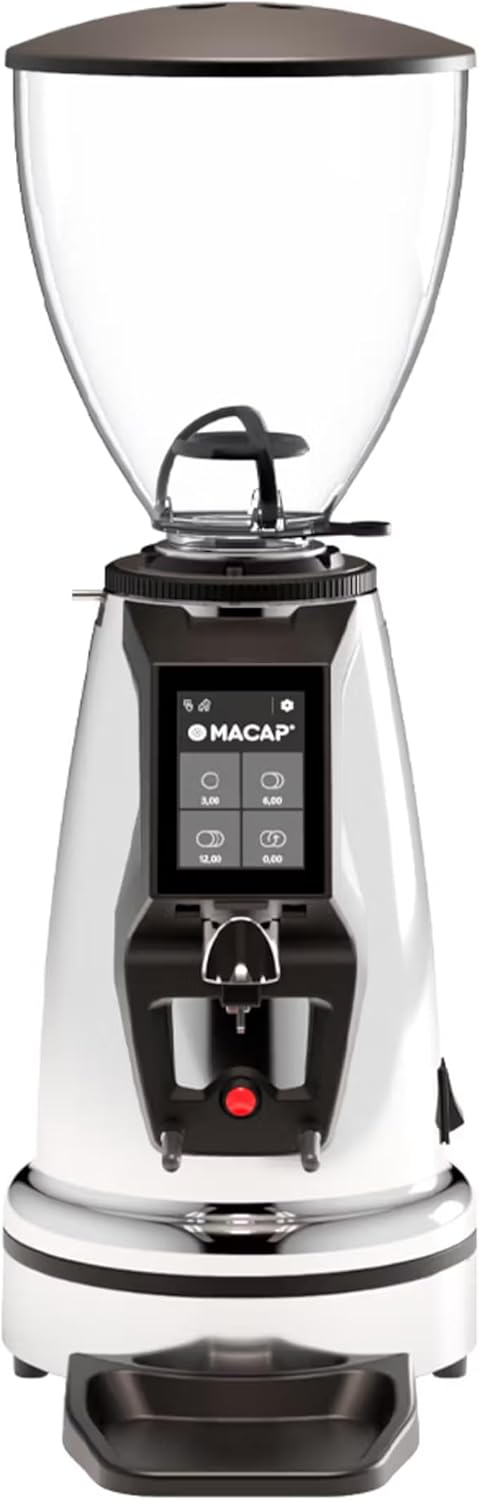
ముందు view Macap MI40 టచ్ ఇన్స్టంట్ బర్ కాఫీ గ్రైండర్, షోక్asing దాని సొగసైన క్రోమ్ ముగింపు మరియు ఇంటిగ్రేటెడ్ టచ్స్క్రీన్ డిస్ప్లే.
2. భద్రతా సమాచారం
గాయం లేదా నష్టాన్ని నివారించడానికి గ్రైండర్ను ఆపరేట్ చేసే ముందు దయచేసి అన్ని భద్రతా సూచనలను జాగ్రత్తగా చదవండి.
- గ్రైండర్ను శుభ్రపరిచే ముందు, నిర్వహణ చేసే ముందు లేదా దానిని గమనించకుండా వదిలేస్తే పవర్ అవుట్లెట్ నుండి ఎల్లప్పుడూ అన్ప్లగ్ చేయండి.
- గ్రైండర్, పవర్ కార్డ్ లేదా ప్లగ్ను నీటిలో లేదా మరే ఇతర ద్రవంలో ముంచవద్దు.
- పనిచేసేటప్పుడు చేతులు మరియు పాత్రలను బీన్ హాప్పర్ నుండి దూరంగా ఉంచండి మరియు చ్యూట్ను గ్రైండ్ చేయండి.
- గ్రైండింగ్ చేసే ముందు బీన్ హాప్పర్ మూత సురక్షితంగా ఉండేలా చూసుకోండి.
- ఈ ఉపకరణం పూర్తిగా కాల్చిన కాఫీ గింజలను రుబ్బుకోవడానికి మాత్రమే ఉద్దేశించబడింది. ఇతర పదార్థాలను రుబ్బుకోవద్దు.
- దెబ్బతిన్న త్రాడు లేదా ప్లగ్తో గ్రైండర్ను ఆపరేట్ చేయవద్దు, లేదా ఉపకరణం పనిచేయకపోయినా లేదా ఏదైనా విధంగా దెబ్బతిన్నా.
- పరికరాన్ని పిల్లలకు అందుబాటులో లేకుండా ఉంచండి.
3. భాగాలు
మీ MI40 టచ్ కాఫీ గ్రైండర్ యొక్క ప్రధాన భాగాలతో మిమ్మల్ని మీరు పరిచయం చేసుకోండి:
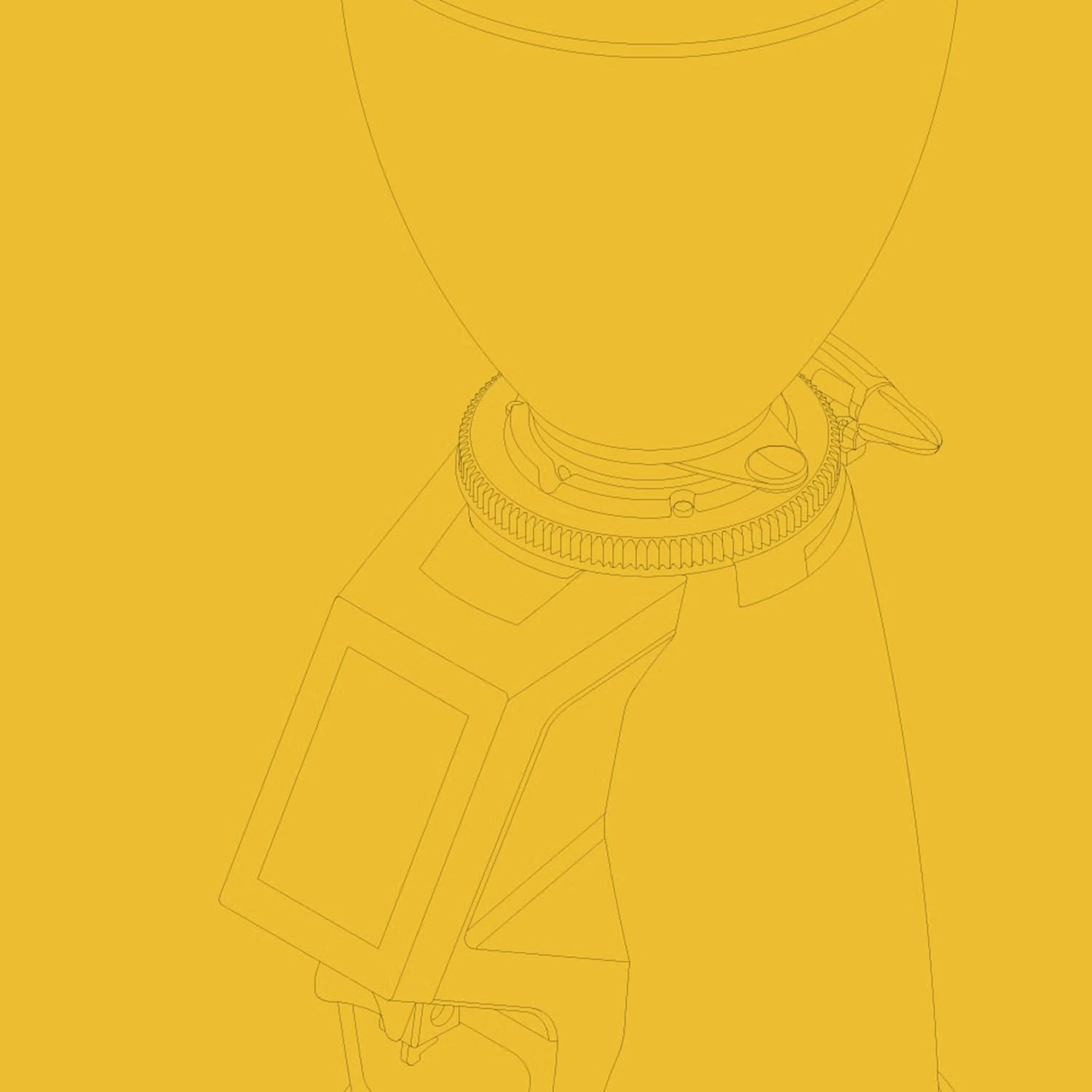
బీన్ హాప్పర్: మొత్తం కాఫీ గింజలను నిల్వ చేయడానికి పారదర్శక కంటైనర్. సామర్థ్యం: 1.2 కిలోగ్రాములు.

3.5'' టచ్స్క్రీన్ డిస్ప్లే: గ్రైండ్ సెట్టింగ్లు, డోస్ ప్రోగ్రామింగ్ మరియు ఆపరేటింగ్ మోడ్లను నియంత్రించడానికి సహజమైన ఇంటర్ఫేస్.

గ్రైండ్ అడ్జస్ట్మెంట్ కాలర్: గ్రైండ్ పార్టికల్ పరిమాణంపై ఖచ్చితమైన నియంత్రణ కోసం స్టెప్లెస్ మైక్రోమెట్రిక్ సర్దుబాటు.

పోర్టాఫిల్టర్ ఫోర్క్ & డ్రిప్ ట్రే: హ్యాండ్స్-ఫ్రీ గ్రైండింగ్ కోసం మీ పోర్టాఫిల్టర్ను పట్టుకోవడానికి సర్దుబాటు చేయగల ఫోర్క్, సులభంగా శుభ్రపరచడానికి తొలగించగల డ్రిప్ ట్రేతో.
4. సెటప్
మీ Macap MI40 టచ్ గ్రైండర్ను సెటప్ చేయడానికి ఈ దశలను అనుసరించండి:
- అన్ప్యాకింగ్: ప్యాకేజింగ్ నుండి గ్రైండర్ మరియు అన్ని ఉపకరణాలను జాగ్రత్తగా తొలగించండి. భవిష్యత్తులో రవాణా లేదా నిల్వ కోసం ప్యాకేజింగ్ను అలాగే ఉంచండి.
- ప్లేస్మెంట్: గ్రైండర్ను స్థిరమైన, చదునైన మరియు పొడి ఉపరితలంపై ఉంచండి. యూనిట్ చుట్టూ తగినంత వెంటిలేషన్ ఉందని నిర్ధారించుకోండి.
- హాప్పర్ ఇన్స్టాలేషన్: బీన్ హాప్పర్ను గ్రైండర్ బాడీపై ఉంచండి, ట్యాబ్లను సమలేఖనం చేయండి. హాప్పర్ సురక్షితంగా స్థానంలో లాక్ అయ్యే వరకు సవ్యదిశలో తిప్పండి.
- డ్రిప్ ట్రే ఇన్స్టాలేషన్: తొలగించగల డ్రిప్ ట్రేని గ్రైండర్ బేస్ వద్ద దాని నియమించబడిన స్లాట్లోకి జారండి.
- పవర్ కనెక్షన్: పవర్ కార్డ్ను గ్రౌన్దేడ్ ఎలక్ట్రికల్ అవుట్లెట్లోకి ప్లగ్ చేయండి.
- ప్రారంభ శుభ్రపరచడం: మొదటిసారి ఉపయోగించే ముందు, ప్రకటనతో బాహ్య భాగాన్ని తుడవండి.amp గుడ్డ. బర్ర్స్ మరియు గ్రైండ్ చ్యూట్లో ఎలాంటి ప్యాకింగ్ శిధిలాలు లేవని నిర్ధారించుకోండి.

వైపు view Macap MI40 టచ్ గ్రైండర్ యొక్క కాంపాక్ట్ డిజైన్ మరియు బీన్ హాప్పర్ మరియు డ్రిప్ ట్రే యొక్క ప్లేస్మెంట్ను వివరిస్తుంది.
5. ఆపరేటింగ్ సూచనలు
5.1. గ్రైండ్ సర్దుబాటు
MI40 టచ్ స్టెప్లెస్ మైక్రోమెట్రిక్ గ్రైండ్ సర్దుబాటును కలిగి ఉంది, ఇది కణ పరిమాణంపై ఖచ్చితమైన నియంత్రణను అనుమతిస్తుంది. గ్రైండ్ను సర్దుబాటు చేయడానికి:
- గ్రైండర్ ఆఫ్ అయిందని లేదా చురుకుగా గ్రైండింగ్ చేయడం లేదని నిర్ధారించుకోండి.
- బీన్ హాప్పర్ కింద ఉన్న గ్రైండ్ సర్దుబాటు కాలర్ను తిప్పండి.
- తిప్పండి సవ్యదిశలో మెత్తగా రుబ్బుకోవడానికి (ఉదా. ఎస్ప్రెస్సో కోసం).
- తిప్పండి అపసవ్య దిశలో మరింత ముతకగా రుబ్బుకోవడానికి (ఉదా., డ్రిప్, ఫ్రెంచ్ ప్రెస్ లేదా కోల్డ్ బ్రూ కోసం).
- మీ కాచుట పద్ధతికి కావలసిన స్థిరత్వాన్ని సాధించడానికి చిన్న సర్దుబాట్లు చేసి, గ్రైండ్ను పరీక్షించండి.
క్లోజ్-అప్ view గ్రైండ్ సర్దుబాటు కాలర్ యొక్క, సూచన కోసం సంఖ్యా గుర్తులను చూపుతుంది.
5.2. టచ్స్క్రీన్ ఇంటర్ఫేస్
3.5-అంగుళాల టచ్స్క్రీన్ మీ గ్రైండింగ్ అనుభవాన్ని సహజంగా నియంత్రించడానికి మరియు అనుకూలీకరించడానికి అనుమతిస్తుంది. ఇది నాలుగు ప్రోగ్రామబుల్ డోస్ బటన్లు మరియు వివిధ సెట్టింగ్లను కలిగి ఉంది.
ప్రోగ్రామబుల్ డోస్ బటన్లతో ప్రధాన ఇంటర్ఫేస్ను చూపించే 3.5-అంగుళాల టచ్స్క్రీన్ డిస్ప్లే.
టచ్స్క్రీన్ ఇంటర్ఫేస్ మరియు దాని కార్యాచరణల యొక్క వివరణాత్మక ప్రదర్శన కోసం, దయచేసి దిగువన ఉన్న అధికారిక వీడియోను చూడండి:
ఈ వీడియో Macap MI సిరీస్ కాఫీ గ్రైండర్లలోని 3.5-అంగుళాల టచ్స్క్రీన్ ఇంటర్ఫేస్ యొక్క వివిధ లక్షణాలు మరియు అనుకూలీకరణ ఎంపికలను ప్రదర్శిస్తుంది, వీటిలో డోస్ ప్రోగ్రామింగ్, కలర్ అనుకూలీకరణ మరియు విభిన్న ఆపరేటింగ్ మోడ్లు ఉన్నాయి.
5.3. ఆపరేటింగ్ మోడ్లు
MI40 టచ్ మూడు ప్రాథమిక ఆపరేటింగ్ మోడ్లను అందిస్తుంది:
- ప్రామాణిక మోడ్: టచ్స్క్రీన్లోని సంబంధిత బటన్ను నొక్కడం ద్వారా ముందుగా ప్రోగ్రామ్ చేయబడిన మోతాదును ఎంచుకోవడానికి మిమ్మల్ని అనుమతిస్తుంది. గ్రైండర్ సెట్ చేసిన కాఫీ మొత్తాన్ని పంపిణీ చేస్తుంది.
- పుష్ మరియు గ్రైండ్ మోడ్: పోర్టాఫిల్టర్ ఫోర్క్లోని బటన్ను యాక్టివేట్ చేసినప్పుడు గ్రైండింగ్ ప్రారంభమవుతుంది మరియు పోర్టాఫిల్టర్ తొలగించబడినప్పుడు ఆగిపోతుంది. ఈ మోడ్ మాన్యువల్ నియంత్రణకు అనువైనది.
- బారిస్టా హ్యాండ్స్-ఫ్రీ మోడ్: పుష్ మరియు గ్రైండ్ లాగానే, కానీ పోర్టాఫిల్టర్ ఉన్నంత వరకు నిరంతర గ్రైండింగ్ కోసం రూపొందించబడింది, ఇది బారిస్టాలు బహుళ పనులు చేయడానికి అనుమతిస్తుంది.
6. నిర్వహణ మరియు శుభ్రపరచడం
క్రమం తప్పకుండా శుభ్రపరచడం మరియు నిర్వహణ మీ గ్రైండర్ యొక్క సరైన పనితీరు మరియు దీర్ఘాయువును నిర్ధారిస్తుంది.
6.1. రోజువారీ శుభ్రపరచడం
- గ్రైండ్ చ్యూట్: ప్రతి ఉపయోగం తర్వాత గ్రైండ్ చ్యూట్ నుండి ఏదైనా అవశేష కాఫీ గ్రౌండ్లను తొలగించడానికి బ్రష్ లేదా వాక్యూమ్ను ఉపయోగించండి.
- బిందు ట్రే: డ్రిప్ ట్రేని క్రమం తప్పకుండా తీసివేసి ఖాళీ చేయండి. ప్రకటనతో శుభ్రంగా తుడవండి.amp గుడ్డ మరియు పూర్తిగా పొడిగా.
- బాహ్య: గ్రైండర్ యొక్క బాహ్య భాగాన్ని మృదువైన, d తో తుడవండి.amp గుడ్డ. రాపిడి క్లీనర్లు లేదా ద్రావకాలు ఉపయోగించవద్దు.

సులభంగా శుభ్రం చేయడానికి రూపొందించబడిన తొలగించగల డ్రిప్ ట్రే మరియు పోర్టాఫిల్టర్ ఫోర్క్ ప్రాంతం.
6.2. డీప్ క్లీనింగ్ (వారం/వారం రెండు)
- గ్రైండర్ను అన్ప్లగ్ చేయండి.
- బీన్ హాప్పర్ తొలగించండి: మిగిలిన గింజలను ఖాళీ చేయండి. హాప్పర్ను అన్లాక్ చేసి తీసివేయడానికి అపసవ్య దిశలో తిప్పండి.
- క్లీన్ బర్ర్స్: బర్ర్స్ నుండి పేరుకుపోయిన కాఫీ నూనెలు మరియు గ్రౌండ్లను తొలగించడానికి గట్టి బ్రష్ లేదా ప్రత్యేకమైన గ్రైండర్ బ్రష్ను ఉపయోగించండి. పూర్తిగా శుభ్రం చేయడానికి మీరు పై బర్ర్ను తీసివేయవలసి రావచ్చు (బర్ తొలగింపు కోసం పూర్తి మాన్యువల్లోని నిర్దిష్ట సూచనలను చూడండి).
- క్లీన్ గ్రైండ్ చాంబర్: గ్రైండ్ చాంబర్ నుండి మట్టిని తొలగించడానికి ఇరుకైన అటాచ్మెంట్ ఉన్న వాక్యూమ్ క్లీనర్ ఉపయోగించండి.
- మళ్లీ కలపండి: బర్ర్స్ (తీసివేస్తే) మరియు బీన్ హాప్పర్ను సురక్షితంగా తిరిగి ఇన్స్టాల్ చేయండి.
7. ట్రబుల్షూటింగ్
మీ MI40 టచ్ గ్రైండర్తో మీకు సమస్యలు ఎదురైతే, సాధారణ సమస్యలు మరియు పరిష్కారాల కోసం క్రింది పట్టికను చూడండి.
| సమస్య | సాధ్యమైన కారణం | పరిష్కారం |
|---|---|---|
| గ్రైండర్ ఆన్ చేయదు. | ప్లగ్ ఇన్ చేయబడలేదు; పవర్ స్విచ్ ఆఫ్ చేయబడింది; సర్క్యూట్ బ్రేకర్ ట్రిప్ అయింది. | విద్యుత్ కనెక్షన్ను తనిఖీ చేయండి; విద్యుత్ స్విచ్ ఆన్లో ఉందని నిర్ధారించుకోండి; సర్క్యూట్ బ్రేకర్ను రీసెట్ చేయండి. |
| కాఫీ డిస్పెన్సెస్ లేవు. | హాప్పర్ ఖాళీగా ఉంది; గ్రైండ్ చ్యూట్ మూసుకుపోయింది; బర్ర్స్ జామ్ అయ్యాయి. | హాప్పర్ నింపండి; గ్రైండ్ చ్యూట్ శుభ్రం చేయండి; బర్ర్స్ నుండి ఏదైనా విదేశీ వస్తువులను తొలగించండి (ముందుగా అన్ప్లగ్ చేయండి). |
| అస్థిరమైన రుబ్బు. | మురికిగా లేదా అరిగిపోయిన బర్ర్స్; గ్రైండ్ సెట్టింగ్ చాలా ముతకగా/సన్నగా ఉంటుంది. | బర్ర్లను పూర్తిగా శుభ్రం చేయండి; గ్రైండ్ సెట్టింగ్ను క్రమంగా సర్దుబాటు చేయండి. బర్ అరిగిపోతే భర్తీ చేయడాన్ని పరిగణించండి. |
| గ్రైండర్ చాలా శబ్దం చేస్తుంది. | బర్ర్లలో విదేశీ వస్తువు; వదులుగా ఉండే భాగాలు. | అన్ప్లగ్ చేసి బర్ర్లను తనిఖీ చేయండి, బయటి వస్తువులు ఉన్నాయా అని తనిఖీ చేయండి; వదులుగా ఉన్న భాగాలను తనిఖీ చేయండి. శబ్దం కొనసాగితే, సపోర్ట్ను సంప్రదించండి. |
| టచ్స్క్రీన్ స్పందించలేదు. | తాత్కాలిక సాఫ్ట్వేర్ లోపం; విద్యుత్ సమస్య. | గ్రైండర్ను 30 సెకన్ల పాటు అన్ప్లగ్ చేసి, ఆపై తిరిగి ప్లగ్ ఇన్ చేయండి. సమస్య కొనసాగితే, సపోర్ట్ను సంప్రదించండి. |
8. స్పెసిఫికేషన్లు
Macap MI40 టచ్ ఇన్స్టంట్ బర్ కాఫీ గ్రైండర్ కోసం కీలక సాంకేతిక వివరాలు:
| ఫీచర్ | స్పెసిఫికేషన్ |
|---|---|
| మోడల్ | MI40 టచ్ |
| బర్ రకం | ఫ్లాట్ బర్ర్స్ |
| బర్ వ్యాసం | 65మి.మీ |
| మోటార్ పవర్ | 480W |
| హాప్పర్ కెపాసిటీ | 1.2 కిలోలు |
| గ్రైండ్ సర్దుబాటు | స్టెప్లెస్ మైక్రోమెట్రిక్ |
| ప్రదర్శించు | 3.5'' టచ్స్క్రీన్ |
| ఉత్పత్తి కొలతలు (L x W x H) | 12" x 7.63" x 22" |
| వస్తువు బరువు | 19.58 పౌండ్లు |
| మూలం దేశం | ఇటలీ |
9. వారంటీ మరియు మద్దతు
Macap ఉత్పత్తులు అధిక ప్రమాణాలకు అనుగుణంగా తయారు చేయబడతాయి మరియు కఠినమైన నాణ్యత నియంత్రణకు లోనవుతాయి. వారంటీ సమాచారం, సాంకేతిక మద్దతు లేదా సేవా విచారణల కోసం, దయచేసి మీ ఉత్పత్తితో చేర్చబడిన వారంటీ కార్డును చూడండి లేదా అధికారిక Macap ని సందర్శించండి. webసైట్. మద్దతును సంప్రదించేటప్పుడు దయచేసి మీ మోడల్ నంబర్ (MI40 టచ్) మరియు కొనుగోలు తేదీని అందుబాటులో ఉంచుకోండి.
Ask a question about this manual
Ask about setup, troubleshooting, compatibility, parts, safety, or missing instructions. Manuals+ will review the question and use this page’s manual context to help answer it.