
1. ఉత్పత్తి ముగిసిందిview
The VILTROX NP-FZ100 camera battery is a high-capacity, rechargeable lithium-ion battery designed as a replacement for Sony NP-FZ100 batteries. It offers reliable power for compatible Sony camera models and features multiple charging options for convenience.
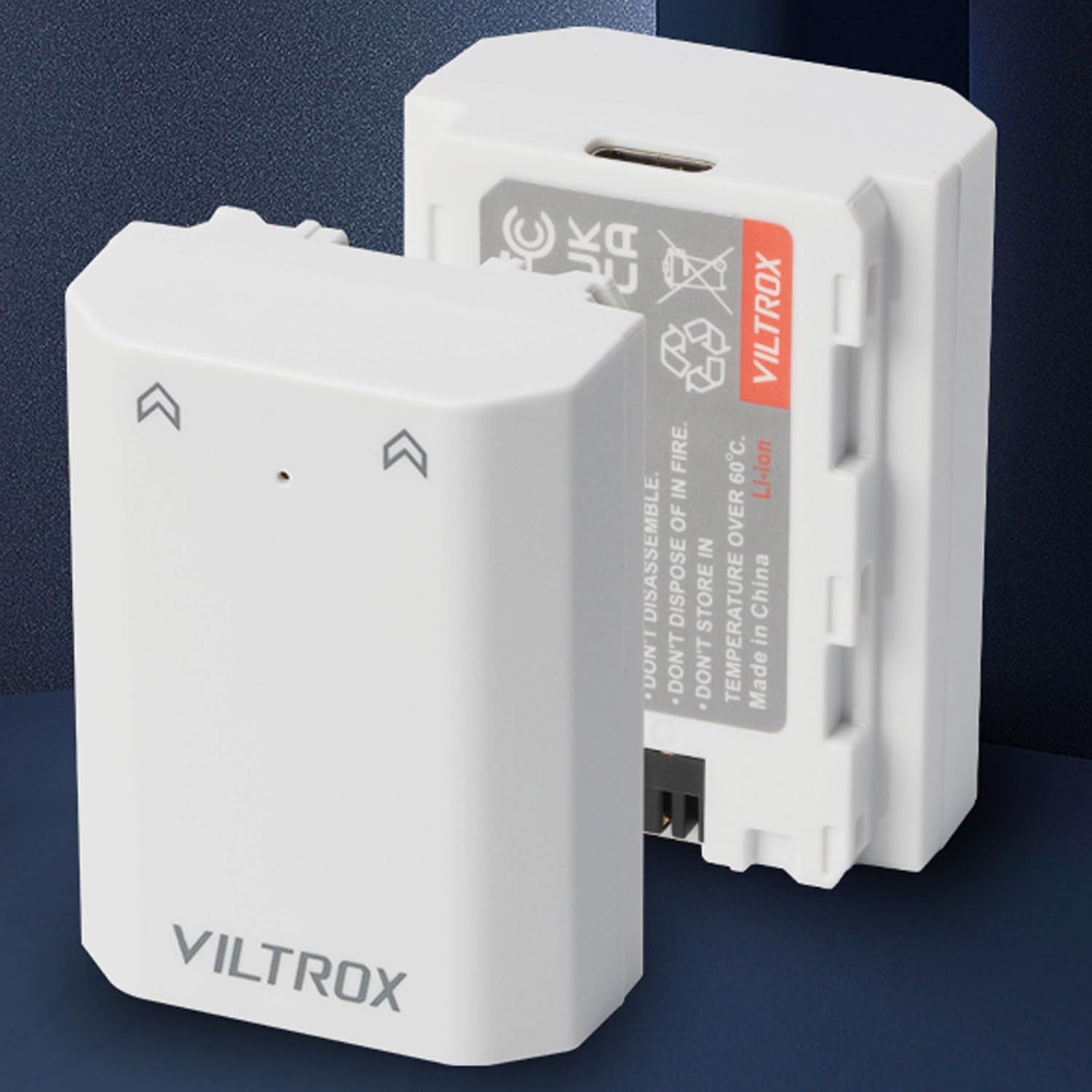
Image: Two VILTROX NP-FZ100 camera batteries, white, shown with packaging.
2. అనుకూలత
This battery is compatible with various Sony camera models and grips that use the NP-FZ100 battery type. Compatible models include:
- Sony A1, A9, A9 II
- Sony A7R III, A7R IV, A7R V
- Sony A7S III, A7 III, A7 IV
- Sony A6600, A7C
- VG-C3EM, VG-C4EM Grips
గమనిక:
- When used with Sony FX3, FX30, A7C II, A7CR, and ZV-E1 cameras updated to the latest firmware, the battery will power the camera, but the battery level may not be displayed on the screen.
3. సెటప్ మరియు ఇన్స్టాలేషన్
3.1 ప్రారంభ ఛార్జింగ్
మొదటిసారి ఉపయోగించే ముందు, బ్యాటరీని పూర్తిగా ఛార్జ్ చేయండి. వివరణాత్మక సూచనల కోసం 'బ్యాటరీని ఛార్జ్ చేయడం' విభాగాన్ని చూడండి.
3.2 బ్యాటరీని చొప్పించడం
- మీ కెమెరా పవర్ ఆఫ్ చేయబడిందని నిర్ధారించుకోండి.
- Locate the battery compartment on your camera or grip.
- బ్యాటరీ కంపార్ట్మెంట్ కవర్ తెరవండి.
- బ్యాటరీని కంపార్ట్మెంట్తో సమలేఖనం చేయండి, కాంటాక్ట్లు సరిపోలుతున్నాయని నిర్ధారించుకోండి.
- Gently slide the battery into the compartment until it clicks into place.
- బ్యాటరీ కంపార్ట్మెంట్ కవర్ను సురక్షితంగా మూసివేయండి.
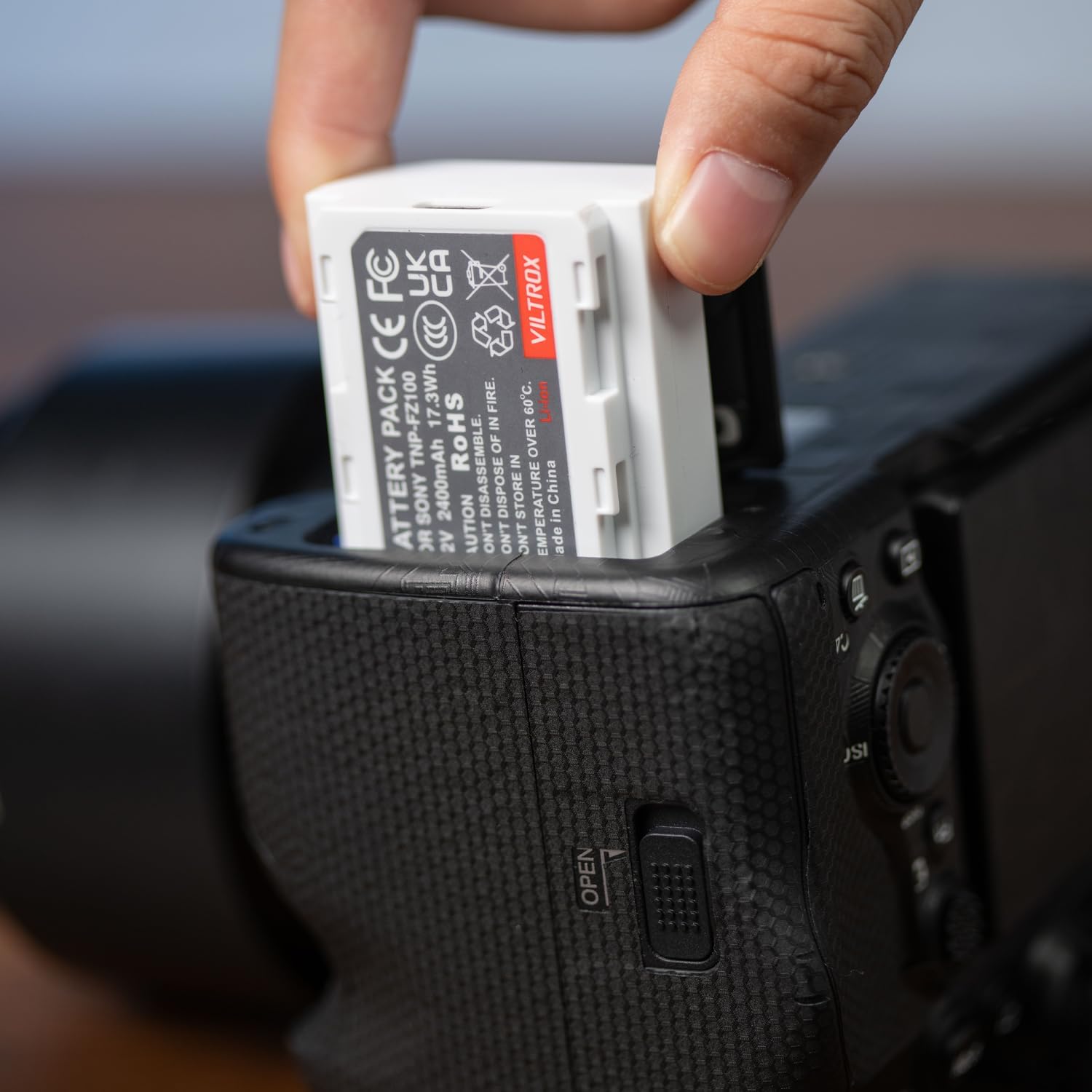
Image: A hand inserting a VILTROX NP-FZ100 battery into a camera battery compartment.
4. బ్యాటరీని ఆపరేట్ చేయడం
4.1 మీ కెమెరాకు శక్తినివ్వడం
Once the battery is correctly installed, power on your camera as usual. The battery provides 7.2V output with a 2400mAh capacity, ensuring extended shooting times.
4.2 బ్యాటరీని తీసివేయడం
- మీ కెమెరా పవర్ ఆఫ్ చేయబడిందని నిర్ధారించుకోండి.
- బ్యాటరీ కంపార్ట్మెంట్ కవర్ తెరవండి.
- Press the battery release lever (if present) and gently slide the battery out.
- బ్యాటరీ కంపార్ట్మెంట్ కవర్ను మూసివేయండి.
5. నిర్వహణ మరియు భద్రత
5.1 బ్యాటరీని ఛార్జ్ చేయడం
The VILTROX NP-FZ100 battery offers versatile charging options:
- USB-C ఛార్జింగ్: Connect a USB-C cable directly to the battery and then to a USB wall charger, car charger, or external battery pack. The Type-C input supports 5V/2.2A (MAX).
- Standard Charger: The battery is also compatible with standard NP-FZ100 battery chargers.
Charging time is approximately 2 to 2.5 hours when using the USB-C input. Charging efficiency may vary based on the input current and voltagమీ శక్తి వనరు యొక్క ఇ.

Image: A VILTROX NP-FZ100 battery being charged via a USB-C cable connected to a power adapter.
5.2 భద్రతా లక్షణాలు
The battery is designed with multiple built-in circuit protections to ensure safe operation and longevity:
- ఓవర్ ఛార్జింగ్ రక్షణ
- షార్ట్ సర్క్యూట్ రక్షణ
- అధిక-ఉష్ణోగ్రత రక్షణ
- ఉప్పెన రక్షణ
- ఓవర్ కరెంట్ రక్షణ
- ఓవర్-డిచ్ఛార్జ్ రక్షణ
- ఓవర్వోల్tagఇ రక్షణ
- ఓవర్ పవర్ రక్షణ
- Resume protection
- Electromagnetic field protection

Image: Icons illustrating the battery's comprehensive safety protections.
5.3 నిల్వ సిఫార్సులు
For optimal battery life and safety:
- ప్రత్యక్ష సూర్యకాంతి మరియు విపరీతమైన ఉష్ణోగ్రతల నుండి దూరంగా చల్లని, పొడి ప్రదేశంలో బ్యాటరీలను నిల్వ చేయండి.
- Avoid fully discharging batteries before storage for extended periods. A charge level of around 50% is ideal.
- Do not store batteries near metal objects that could short-circuit the terminals.
6. ట్రబుల్షూటింగ్
6.1 Battery Level Not Displayed
If using with Sony FX3, FX30, A7C II, A7CR, or ZV-E1 cameras that have been updated to the latest firmware, the camera may not display the battery level. This is a known compatibility characteristic with these specific camera models and firmware versions. The battery will still power the camera normally.
6.2 బ్యాటరీ ఛార్జ్ కావడం లేదు
- Ensure the USB-C cable is securely connected to both the battery and the power source.
- Verify that the power source (wall charger, power bank) is functioning correctly and providing sufficient power (5V/2.2A MAX).
- వేరే USB-C కేబుల్ లేదా పవర్ అడాప్టర్ని ప్రయత్నించండి.
- If using a standard charger, ensure it is compatible with NP-FZ100 batteries and is properly connected to a power outlet.
6.3 Excessive Heat During Use or Charging
While some warmth is normal during charging and heavy use, excessive heat can indicate an issue. If the battery becomes unusually hot:
- Immediately disconnect the battery from the charger or camera.
- Allow the battery to cool down in a well-ventilated area.
- Ensure you are using a non-fast-charging power block when charging via USB-C, as fast chargers can sometimes cause increased heat.
- సమస్య కొనసాగితే, వినియోగాన్ని ఆపివేసి, కస్టమర్ సపోర్ట్ని సంప్రదించండి.
7. స్పెసిఫికేషన్లు
| ఫీచర్ | స్పెసిఫికేషన్ |
|---|---|
| బ్రాండ్ | VILTROX |
| మోడల్ పేరు | TNP-FZ100 |
| బ్యాటరీ కెపాసిటీ | 7.2V / 2400mAh / 17.3Wh |
| టైప్-సి ఇన్పుట్ | 5V / 2.2A (గరిష్టంగా) |
| ఛార్జింగ్ సమయం | 2 ~ 2.5 Hours (via Type-C) |
| హౌసింగ్ మెటీరియల్ | PC + ABS |
| కొలతలు | 51 x 38 x 22 మిమీ |
| బరువు | 81గ్రా |
| సగటు బ్యాటరీ జీవితం | 24 Hours (Note: This is an average and can vary significantly based on camera usage and settings.) |

Image: Detailed specifications for the VILTROX TNP-FZ100 battery.
8. వారంటీ మరియు మద్దతు
8.1 వారంటీ సమాచారం
This product typically comes with a 1-year limited warranty from the date of purchase, covering manufacturing defects. Please retain your proof of purchase for warranty claims. For specific warranty terms and conditions, refer to the documentation included with your product or contact VILTROX customer support.
8.2 కస్టమర్ మద్దతు
For technical assistance, troubleshooting, or warranty inquiries, please contact VILTROX customer support. You can usually find contact information on the VILTROX official webసైట్ లేదా మీ రిటైలర్ ద్వారా.