
1. పరిచయం
This manual provides essential information for the safe and effective operation of your GROVIEW Native 1080P Bluetooth Projector. Please read it thoroughly before use and retain it for future reference. This projector is designed to deliver a high-quality visual experience for home theater, gaming, and presentations.
2. భద్రతా సమాచారం
- విద్యుత్ సరఫరా: పేర్కొన్న పవర్ అడాప్టర్ను మాత్రమే ఉపయోగించండి. వాల్యూమ్ను నిర్ధారించుకోండిtagఇ మీ స్థానిక విద్యుత్ సరఫరాతో సరిపోలుతుంది.
- వెంటిలేషన్: వెంటిలేషన్ ఓపెనింగ్లను బ్లాక్ చేయవద్దు. వేడెక్కకుండా నిరోధించడానికి ప్రొజెక్టర్ చుట్టూ తగినంత గాలి ప్రవాహాన్ని నిర్ధారించుకోండి.
- వేడి: ప్రొజెక్టర్ ఎల్amp generates heat. Avoid touching the lens or vents during operation.
- తేమ: Do not expose the projector to rain, moisture, or immerse it in water.
- శుభ్రపరచడం: శుభ్రపరిచే ముందు విద్యుత్తును డిస్కనెక్ట్ చేయండి. మృదువైన, పొడి వస్త్రాన్ని ఉపయోగించండి. ద్రవ లేదా ఏరోసోల్ క్లీనర్లను ఉపయోగించవద్దు.
- ప్లేస్మెంట్: Place the projector on a stable, flat surface. Avoid placing it in direct sunlight or near heat sources.
- కంటి రక్షణ: l ఉన్నప్పుడు ప్రొజెక్టర్ లెన్స్లోకి నేరుగా చూడకండిamp ప్రకాశవంతమైన కాంతి కంటికి ఒత్తిడి లేదా హాని కలిగించవచ్చు కాబట్టి ఆన్లో ఉంది.
3. ప్యాకేజీ విషయాలు
మీ ప్యాకేజీలో అన్ని అంశాలు ఉన్నాయని ధృవీకరించండి:
- GROVIEW మినీ ప్రొజెక్టర్
- వినియోగదారు మాన్యువల్
- రిమోట్ కంట్రోల్
- HDMI కేబుల్
- క్లీనింగ్ కిట్
4. ఉత్పత్తి ముగిసిందిview
4.1 ప్రొజెక్టర్ భాగాలు
Familiarize yourself with the main parts of your projector.

4.2 ఇన్పుట్/అవుట్పుట్ పోర్ట్లు
The projector features various ports for connecting external devices.

- HDMI పోర్ట్: Connects to devices such as laptops, gaming consoles (PS5, Xbox), TV sticks, and Blu-ray players.
- USB పోర్ట్లు (USB1, USB2): మీడియాను ప్లే చేయడానికి USB డ్రైవ్లను కనెక్ట్ చేయడానికి files.
- ఆడియో అవుట్పుట్ (3.5mm): Connects to external speakers or headphones.
- పవర్ ఇన్పుట్: పవర్ అడాప్టర్ను కనెక్ట్ చేస్తుంది.
5. సెటప్
5.1 ప్రారంభ నియామకం
Place the projector on a stable surface. Ensure the projector lens is facing the projection surface (wall or screen). For optimal image quality, position the projector perpendicular to the screen.
5.2 పవర్ కనెక్షన్
- పవర్ అడాప్టర్ను ప్రొజెక్టర్ పవర్ ఇన్పుట్ పోర్ట్కు కనెక్ట్ చేయండి.
- పవర్ అడాప్టర్ను పవర్ అవుట్లెట్లోకి ప్లగ్ చేయండి.
- ప్రొజెక్టర్లోని పవర్ ఇండికేటర్ లైట్ వెలుగుతుంది.
6. ఆపరేటింగ్ సూచనలు
6.1 పవర్ ఆన్/ఆఫ్
- పవర్ ఆన్: Press the power button on the projector or the remote control. The projector will start up, and the lamp ఆన్ చేస్తుంది.
- పవర్ ఆఫ్: Press the power button again. Confirm shutdown if prompted. Allow the fan to run briefly to cool down the lamp before completely disconnecting power.
6.2 మెనూ నావిగేషన్
Use the arrow buttons on the projector or remote control to navigate through the on-screen menu. The 'OK' or 'Enter' button confirms selections, and the 'Back' or 'Exit' button returns to the previous menu.
7 కనెక్టివిటీ
7.1 HDMI కనెక్షన్
Connect your HDMI-enabled device (e.g., laptop, game console, streaming stick) to the projector's HDMI port using the provided HDMI cable. Select the corresponding HDMI input source from the projector's input menu.
7.2 USB మీడియా ప్లేబ్యాక్
Insert a USB flash drive into one of the projector's USB ports. Navigate to the media player function in the projector's menu to browse and play supported video, audio, or image files.
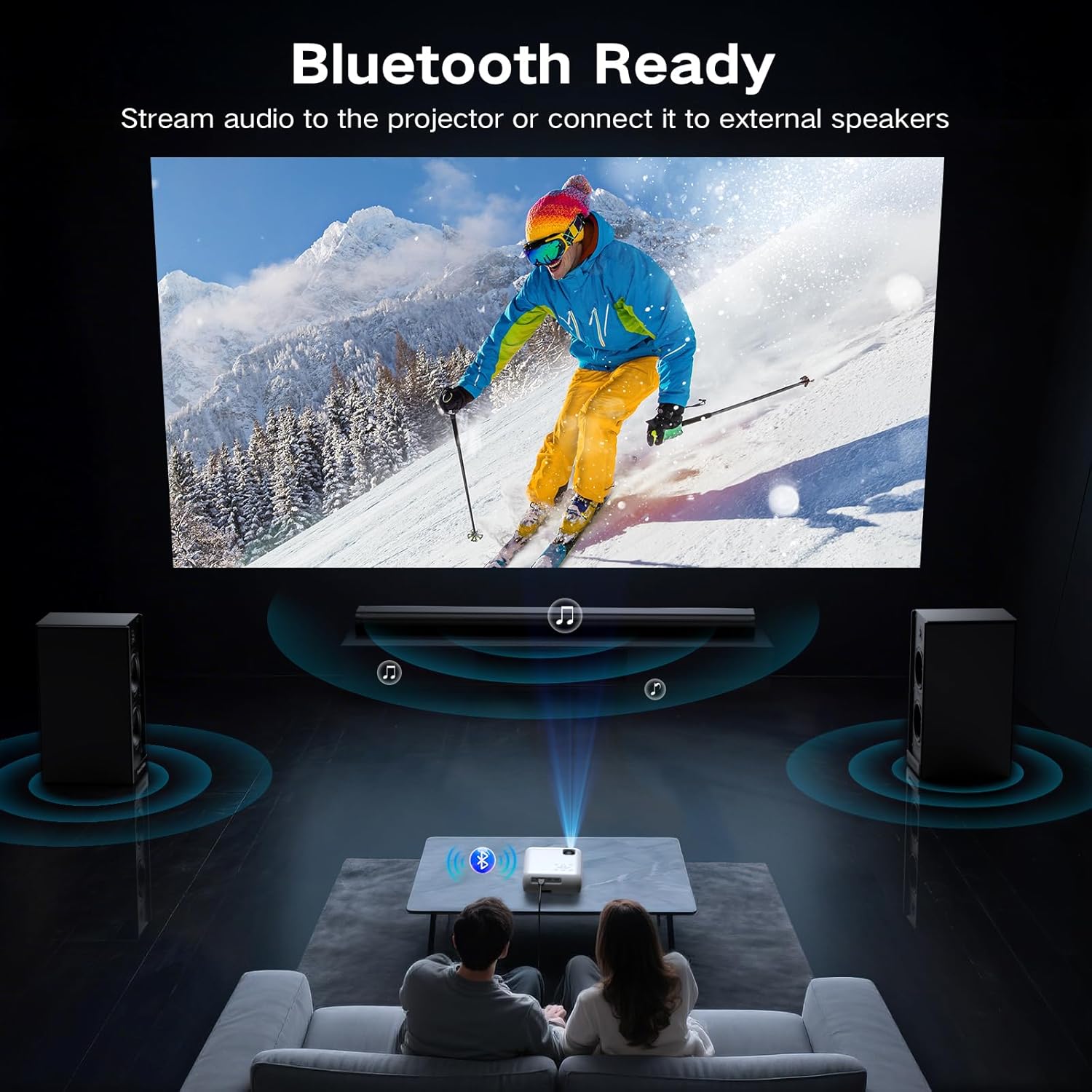
7.3 Bluetooth Connection (Audio)
The projector supports Bluetooth 5.0 for connecting to external Bluetooth speakers or headphones. This allows for enhanced audio output.

- మీ బాహ్య ఆడియో పరికరంలో బ్లూటూత్ను ప్రారంభించి, దానిని జత చేసే మోడ్కు సెట్ చేయండి.
- ప్రొజెక్టర్లో, బ్లూటూత్ సెట్టింగ్ల మెనూకు నావిగేట్ చేయండి.
- Select your audio device from the list of available devices to pair.
7.4 Smartphone Connection
To connect a smartphone, an additional adapter (not included) is required:
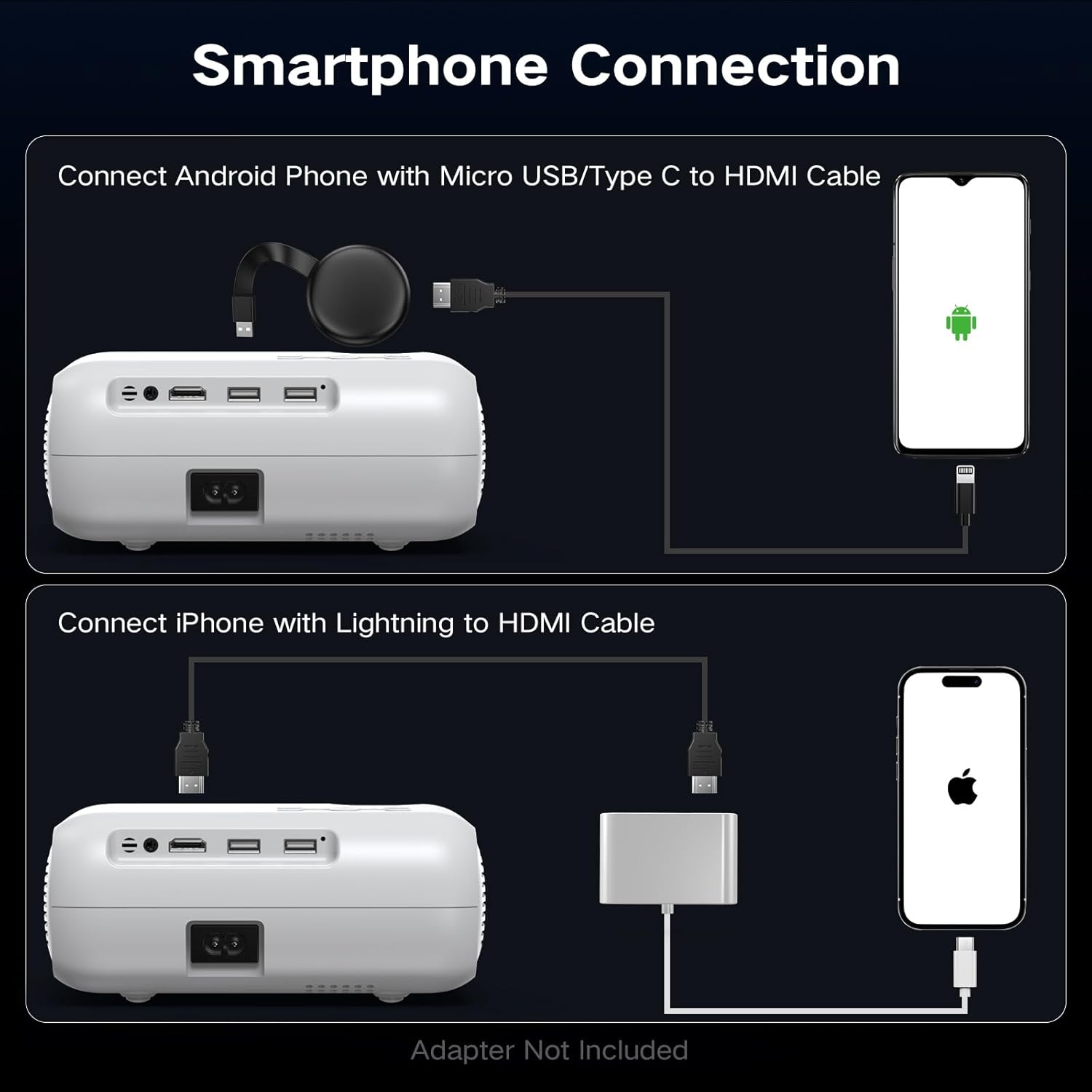
- ఆండ్రాయిడ్ ఫోన్ల కోసం: Use a Micro USB/Type C to HDMI cable.
- iPhoneల కోసం: Use a Lightning to HDMI cable.
Connect the adapter to your phone and then to the projector's HDMI port. Select the HDMI input source.
8. ఇమేజ్ సర్దుబాటు
8.1 ఫోకస్ సర్దుబాటు
Rotate the focus ring on the projector lens until the projected image appears sharp and clear. This is a manual adjustment.
8.2 Digital Vertical Keystone Correction
The projector features digital vertical keystone correction to adjust image distortion when the projector is not perfectly perpendicular to the screen. This helps achieve a rectangular image.
Access the keystone settings in the projector's menu and use the arrow buttons to adjust the vertical angle until the image is properly aligned.
8.3 జూమ్ ఫంక్షన్
The projector includes a digital zoom function, allowing you to reduce the size of the projected image without moving the projector. Access this feature in the display settings menu.
9. ఆడియో సెట్టింగ్లు
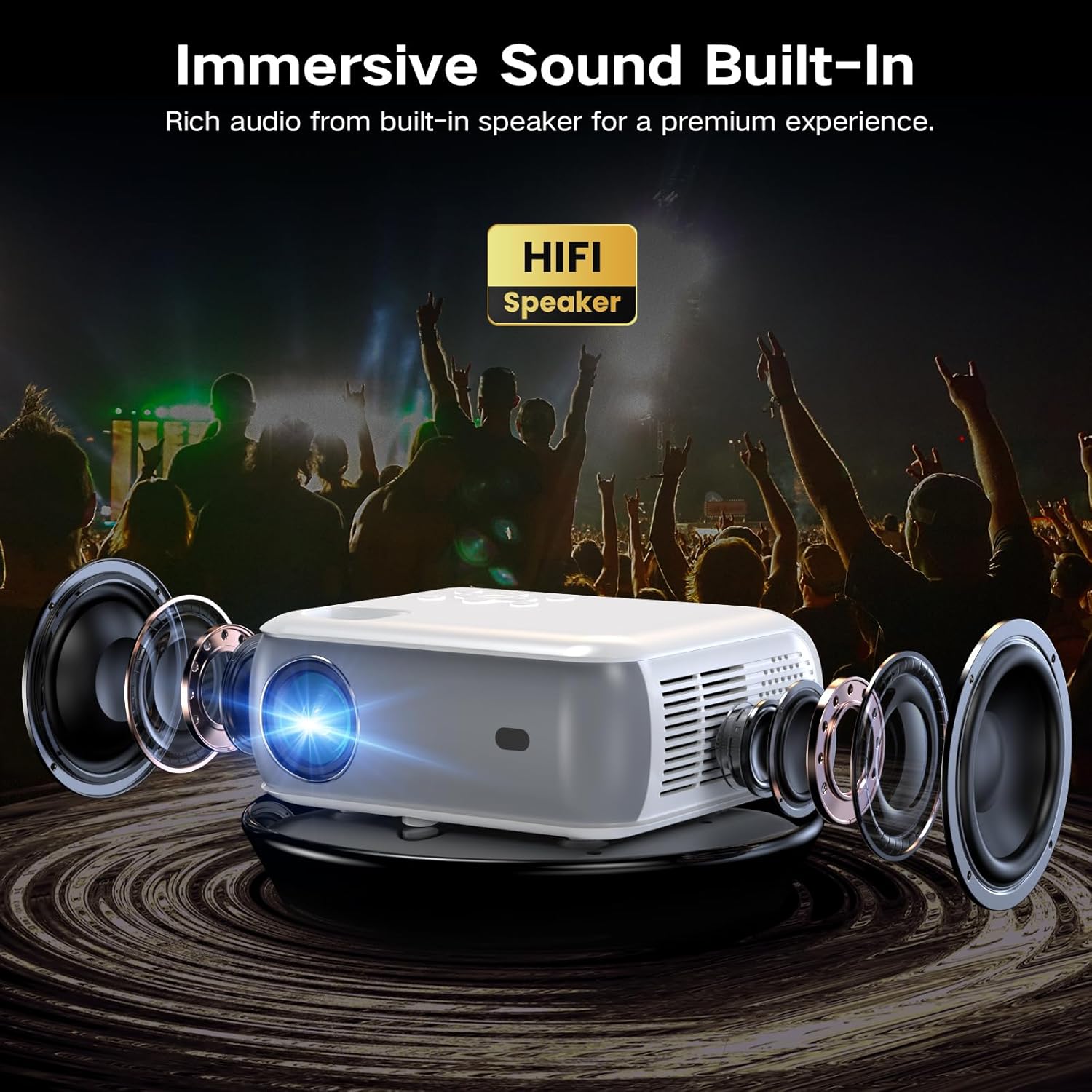
The projector has built-in HiFi stereo speakers for direct audio output. You can adjust the volume using the remote control or the projector's control panel. For a more immersive experience, connect external speakers via the 3.5mm audio out port or Bluetooth (see Section 7.3).
10. నిర్వహణ
10.1 లెన్స్ శుభ్రపరచడం
Use a soft, lint-free cloth specifically designed for optical lenses. Gently wipe the lens in a circular motion. Avoid using abrasive materials or harsh chemicals.
10.2 ప్రొజెక్టర్ బాడీని శుభ్రపరచడం
ప్రొజెక్టర్ యొక్క బాహ్య భాగాన్ని మృదువైన, పొడి వస్త్రంతో తుడవండి. మొండి గుర్తుల కోసం, కొద్దిగా డి.amp cloth can be used, followed by a dry cloth. Ensure no liquid enters the ventilation openings.
10.3 Air Filter Cleaning (if applicable)
Refer to the specific model's design for air filter maintenance. If an accessible air filter is present, clean it regularly to ensure proper ventilation and prevent dust buildup.
10.4 నిల్వ
ఎక్కువసేపు ఉపయోగంలో లేనప్పుడు, ప్రొజెక్టర్ను చల్లని, పొడి, దుమ్ము లేని వాతావరణంలో నిల్వ చేయండి. నష్టాన్ని నివారించడానికి అసలు ప్యాకేజింగ్ లేదా రక్షణ కేసును ఉపయోగించండి.
11. ట్రబుల్షూటింగ్
| సమస్య | సాధ్యమైన కారణం | పరిష్కారం |
|---|---|---|
| చిత్రం ఏదీ ప్రొజెక్ట్ చేయబడలేదు | Power not connected; Incorrect input source; Device not connected properly | Check power cable; Select correct HDMI/USB input; Ensure source device is on and connected. |
| చిత్రం అస్పష్టంగా ఉంది | Focus not adjusted; Projector too far/close; Lens dirty | Adjust the focus ring; Reposition projector; Clean the lens. |
| చిత్రం వక్రీకరించబడింది (ట్రాపెజాయిడ్ ఆకారం) | Projector not perpendicular to screen; Keystone not adjusted | Adjust Digital Vertical Keystone Correction in settings. Try to position the projector as straight as possible. |
| శబ్దం లేదు | Volume too low; Muted; Incorrect audio output selected; Bluetooth not paired | Increase volume; Unmute; Check audio settings; Re-pair Bluetooth device. |
| ఫ్యాన్ శబ్దం బిగ్గరగా ఉంది | Normal operation; Blocked vents | Ensure proper ventilation; Fan noise is typical for projectors. |
| రిమోట్ కంట్రోల్ పనిచేయడం లేదు | బ్యాటరీలు తక్కువగా ఉన్నాయి/డెడ్ అయ్యాయి; రిమోట్ మరియు ప్రొజెక్టర్ మధ్య అడ్డంకి ఏర్పడింది. | Replace batteries; Ensure clear line of sight to the IR receiver. |
12. స్పెసిఫికేషన్లు
| ఫీచర్ | స్పెసిఫికేషన్ |
|---|---|
| బ్రాండ్ | గ్రోview |
| మోడల్ | స్థానిక 1080P బ్లూటూత్ ప్రొజెక్టర్ |
| డిస్ప్లే రిజల్యూషన్ | 1920 x 1080 (స్థానిక 1080P) |
| ప్రకాశం | 400 ANSI లుమెన్స్ |
| కనెక్టివిటీ టెక్నాలజీ | HDMI, USB, Bluetooth 5.0 |
| ప్రత్యేక లక్షణాలు | Digital Keystone Correction, Two-way Bluetooth, Zoom |
| సిఫార్సు చేసిన ఉపయోగాలు | Home Cinema, Gaming, Business, Education |
| ఉత్పత్తి కొలతలు | 7.13 x 6.33 x 3.15 అంగుళాలు |
| వస్తువు బరువు | 1.9 పౌండ్లు |
| అంతర్నిర్మిత స్పీకర్ | Yes (HiFi Stereo) |
| గరిష్ట డిస్ప్లే పరిమాణం | 200 అంగుళాల వరకు |
13. వారంటీ మరియు మద్దతు
The GROVIEW Native 1080P Bluetooth Projector comes with a 2-year customer service and replacement policy. For any technical assistance, warranty claims, or support inquiries, please contact GROVIEW customer service through the retailer where the product was purchased or visit the official GROVIEW webసంప్రదింపు సమాచారం కోసం సైట్.
వారంటీ ధ్రువీకరణ కోసం దయచేసి మీ కొనుగోలు రుజువును ఉంచుకోండి.