
1. ముఖ్యమైన భద్రతా సూచనలు
Please read all instructions carefully before using the projector and retain this manual for future reference. Improper use may result in electric shock, fire, or other hazards.
- వెంటిలేషన్ ఓపెనింగ్లను బ్లాక్ చేయవద్దు. సరైన గాలి ప్రసరణ కోసం ప్రొజెక్టర్ చుట్టూ తగినంత స్థలం ఉండేలా చూసుకోండి.
- అగ్ని లేదా విద్యుత్ షాక్ను నివారించడానికి ప్రొజెక్టర్ను వర్షం లేదా తేమకు బహిర్గతం చేయవద్దు.
- l ఉన్నప్పుడు ప్రొజెక్టర్ లెన్స్లోకి నేరుగా చూడటం మానుకోండిamp ప్రకాశవంతమైన కాంతి కంటికి హాని కలిగించవచ్చు కాబట్టి, ఆన్లో ఉంది.
- తయారీదారు పేర్కొన్న జోడింపులు/యాక్సెసరీలను మాత్రమే ఉపయోగించండి.
- మెరుపు తుఫానుల సమయంలో లేదా ఎక్కువ కాలం ఉపయోగించనప్పుడు ప్రొజెక్టర్ను అన్ప్లగ్ చేయండి.
- ఈ ఉత్పత్తిని మీరే రిపేర్ చేయడానికి ప్రయత్నించవద్దు. అన్ని సర్వీసింగ్లను అర్హత కలిగిన సేవా సిబ్బందికి సూచించండి.
2. సెటప్ గైడ్
2.1 పెట్టెలో ఏముంది
ప్యాకేజీలో అన్ని అంశాలు ఉన్నాయని నిర్ధారించుకోండి:
- HOMPOW Mini Projector
- రిమోట్ కంట్రోల్
- పవర్ అడాప్టర్
- HDMI కేబుల్
- వినియోగదారు మాన్యువల్
- వారంటీ కార్డ్

Image: The HOMPOW Mini Projector shown with its remote control, power adapter, and HDMI cable.
2.2 ప్రారంభ సెటప్
2.2.1 పవర్ కనెక్షన్
- పవర్ అడాప్టర్ను ప్రొజెక్టర్ పవర్ ఇన్పుట్ పోర్ట్కు కనెక్ట్ చేయండి.
- పవర్ అడాప్టర్ను తగిన ఎలక్ట్రికల్ అవుట్లెట్లోకి ప్లగ్ చేయండి.
2.2.2 ప్లేస్మెంట్ మరియు ఫోకస్
ప్రొజెక్టర్ను స్థిరమైన, చదునైన ఉపరితలంపై ఉంచండి. సరైనది కోసం viewing, place it perpendicular to the projection surface (wall or screen).
- ప్రొజెక్షన్ దూరం: The recommended projection distance ranges from 3.49 feet to 7.26 feet.
- చిత్ర పరిమాణం: This allows for an image size between 40 inches and 120 inches.
- ఫోకస్ సర్దుబాటు: Rotate the focus ring on the projector lens until the image appears clear and sharp.

Image: Visual comparison demonstrating the clarity of 1080P Full HD supported resolution versus 480P.
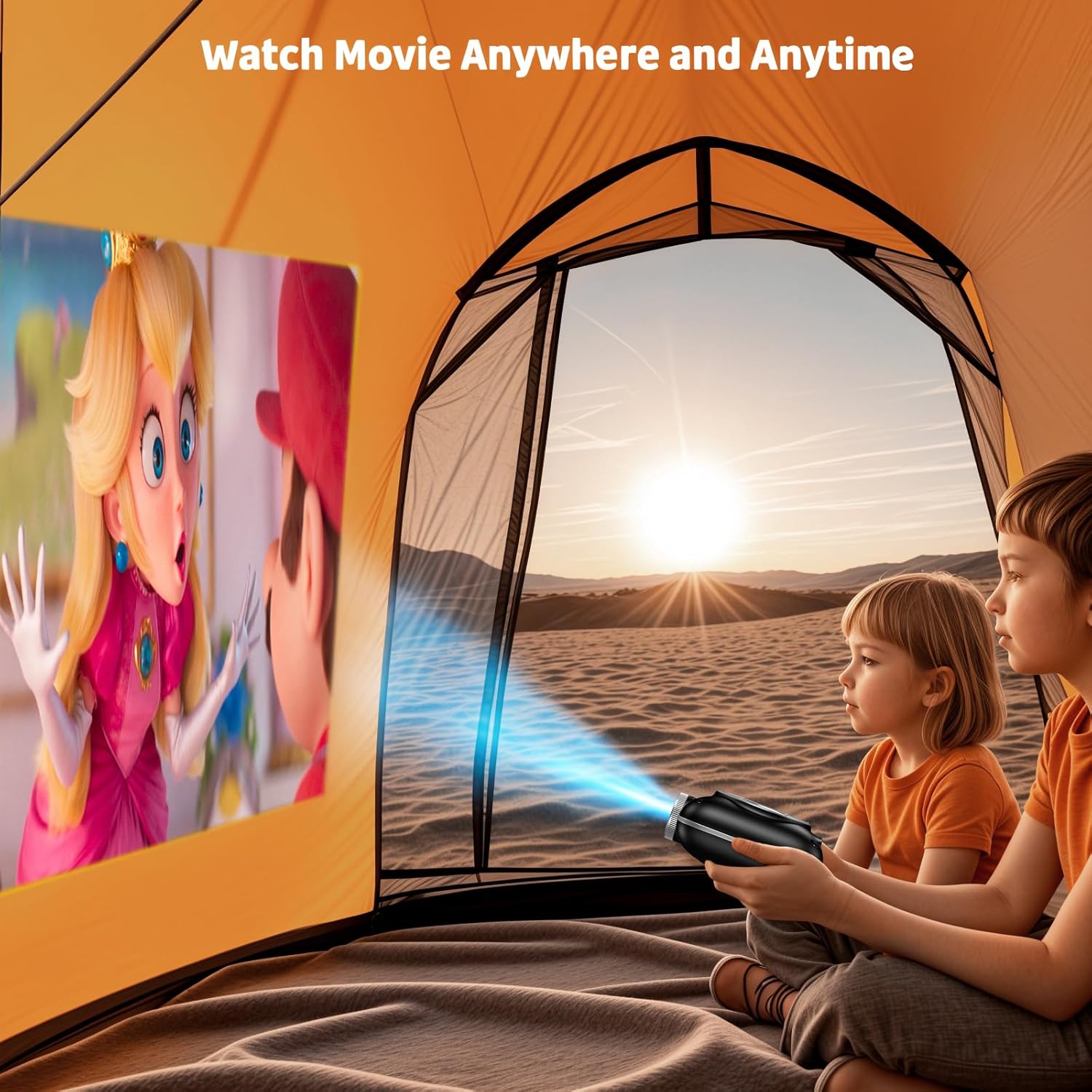
Image: The compact projector projecting a movie inside a tent, highlighting its portability for outdoor use.
3. ఆపరేటింగ్ సూచనలు
3.1 పవర్ ఆన్/ఆఫ్
Press the power button on the projector or the remote control to turn the device on or off. The projector features an auto-off timer for convenient screen time management.
3.2 కనెక్టివిటీ
The HOMPOW Mini Projector offers multiple connectivity options:
- HDMI 2.0 పోర్ట్: Connect to laptops, TV sticks, gaming consoles (PS4, PS5), and other HDMI-enabled devices using the included HDMI cable.
- USB 2.0 పోర్ట్: మీడియా ప్లేబ్యాక్ కోసం USB డ్రైవ్లను కనెక్ట్ చేయండి.
- Two-Way Bluetooth 5.1: Connect external Bluetooth speakers for enhanced audio or use the projector as a Bluetooth speaker to play music from your phone.

Image: The projector highlighting its wireless connectivity features, including WiFi and Bluetooth.

Image: A visual guide illustrating how to connect various devices such as smartphones, tablets, TV sticks, laptops, PS3/PS4, headphones, and USB drives to the projector.
3.3 స్క్రీన్ మిర్రరింగ్
To mirror your smartphone or tablet screen:
- ఆండ్రాయిడ్ ఫోన్ల కోసం: Use a Micro USB/Type-C to HDMI adapter (sold separately).
- ఐఫోన్లు/ఐప్యాడ్ల కోసం: Use a Lightning to HDMI adapter (sold separately).
- For Streaming Services: Plug in a TV stick (sold separately) for Netflix/Hulu and other HDCP-compliant streaming platforms.
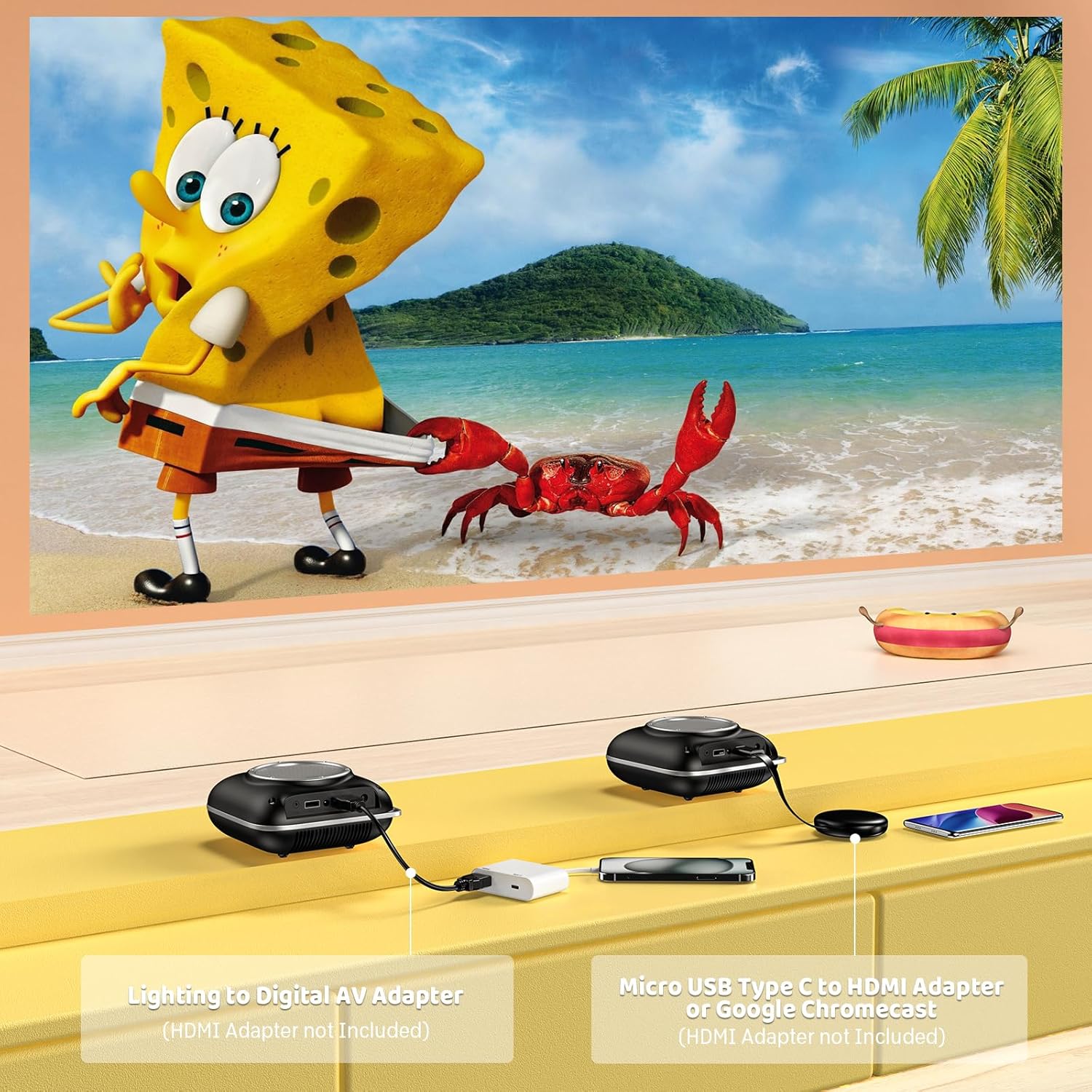
Image: Instructions for connecting mobile devices to the projector using Lightning to Digital AV Adapter for iOS and Micro USB Type-C to HDMI Adapter or Google Chromecast for Android.
3.4 ఆడియో అవుట్పుట్
The projector features built-in 5W high-powered stereo speakers. For enhanced sound, utilize the bidirectional Bluetooth 5.1 to connect to external Bluetooth speakers or headphones.

Image: Diagram showing the projector's two-way Bluetooth functionality, allowing connection to an external speaker or functioning as a Bluetooth speaker for a phone.
3.5 Projection Size and Zoom
The projector supports a projection size from 40 to 120 inches. Use the 50%-100% zoom function to adjust the image size without moving the projector.

Image: A visual representation of the 50%-100% zoom function, showing how the projected image size can be adjusted.
4. నిర్వహణ
4.1 శుభ్రపరచడం
- లెన్స్: ఆప్టికల్ లెన్స్ల కోసం ప్రత్యేకంగా రూపొందించిన మృదువైన, మెత్తటి రహిత వస్త్రాన్ని ఉపయోగించండి. రాపిడి క్లీనర్లను ఉపయోగించవద్దు.
- బాహ్య: Wipe the projector's exterior with a soft, dry cloth. Avoid using harsh chemicals or solvents.
- వెంటిలేషన్: Ensure ventilation openings are free from dust and debris to prevent overheating.
4.2 నిల్వ
When not in use, store the projector in a cool, dry place, away from direct sunlight and extreme temperatures. Use the original packaging or a protective case to prevent dust accumulation and damage.
5. ట్రబుల్షూటింగ్
సాధారణ సమస్యలు మరియు వాటి పరిష్కారాల కోసం క్రింది పట్టికను చూడండి.
| సమస్య | సాధ్యమైన కారణం | పరిష్కారం |
|---|---|---|
| చిత్రం ఏదీ ప్రొజెక్ట్ చేయబడలేదు | పవర్ కనెక్ట్ కాలేదు, ఇన్పుట్ సోర్స్ తప్పు, లెన్స్ క్యాప్ ఆన్లో ఉంది. | పవర్ కనెక్షన్ను తనిఖీ చేయండి, సరైన ఇన్పుట్ సోర్స్ (HDMI/USB) ఎంచుకోండి, లెన్స్ క్యాప్ను తీసివేయండి. |
| అస్పష్టమైన చిత్రం | ఫోకస్ సర్దుబాటు చేయబడలేదు, ప్రొజెక్టర్ చాలా దగ్గరగా/దూరంగా ఉంది. | Adjust the focus ring, ensure projector is within optimal projection distance (3.49-7.26 ft). |
| శబ్దం లేదు | Volume too low, external speaker not connected, audio format unsupported. | Increase volume, connect Bluetooth speaker, check audio format compatibility. |
| స్క్రీన్ మిర్రరింగ్ పనిచేయడం లేదు | Incorrect adapter, device compatibility issue. | Ensure correct HDMI adapter for your phone (Micro USB/Type-C for Android, Lightning for iOS). |
| ప్రొజెక్టర్ వేడెక్కడం | వెంటిలేషన్ నిరోధించబడింది, ఎక్కువసేపు వాడటం. | Ensure clear space around vents, allow projector to cool down if used for extended periods. |
6. సాంకేతిక లక్షణాలు
| ఫీచర్ | వివరాలు |
|---|---|
| బ్రాండ్ | HOMPOW |
| మోడల్ | B0F43PY223 |
| స్థానిక రిజల్యూషన్ | 1280 x 720 (720 పి) |
| మద్దతు ఉన్న రిజల్యూషన్ | 1920 x 1080 (1080P పూర్తి HD) |
| కనెక్టివిటీ టెక్నాలజీ | HDMI, USB 2.0, Bluetooth 5.1 (Two-Way) |
| ప్రదర్శన రకం | CRT (as per specification, typically LCD for mini projectors) |
| కాంట్రాస్ట్ రేషియో | 10000:1 |
| ప్రొజెక్షన్ పరిమాణం | 40 - 120 అంగుళాలు |
| దూరం త్రో | 3.49 - 7.26 అడుగులు |
| లైట్ సోర్స్ ఆపరేటింగ్ లైఫ్ | 50000 గంటలు |
| అంతర్నిర్మిత స్పీకర్ | 5W High-Powered Stereo Speakers |
| జూమ్ ఫంక్షన్ | 50%-100% |
| కొలతలు (L x W x H) | 4.9" x 4.9" x 2.1" |
| బరువు | 0.7 కిలోలు |
| విద్యుత్ వినియోగం | 30 వాట్స్ |
| వాల్యూమ్tage | 110 వోల్ట్లు |
7. వారంటీ మరియు మద్దతు
7.1 వారంటీ సమాచారం
The HOMPOW Mini Projector comes with:
- A 30-day replacement window.
- 2-year repair coverage.
వారంటీ క్లెయిమ్ల కోసం దయచేసి మీ కొనుగోలు రుజువును ఉంచుకోండి.
7.2 కస్టమర్ మద్దతు
For any questions, troubleshooting assistance, or warranty inquiries, please contact HOMPOW customer support. We offer 24/7 assistance to ensure stress-free ownership.
Contact information can typically be found on the HOMPOW official webసైట్ లేదా మీ ప్యాకేజీలో చేర్చబడిన వారంటీ కార్డ్.