
1. పరిచయం
Thank you for choosing the ACCUWEIGHT CK780 Bluetooth Kitchen Scale. This smart food scale is designed to provide precise measurements and integrate with a companion app for comprehensive nutrition tracking. Please read this manual carefully before use to ensure proper operation and maintenance.
2. ప్యాకేజీ విషయాలు
అన్ప్యాక్ చేసిన తర్వాత, క్రింద జాబితా చేయబడిన అన్ని వస్తువులు ఉన్నాయని మరియు మంచి స్థితిలో ఉన్నాయని దయచేసి ధృవీకరించండి:
- 1 x ACCUWEIGHT CK780 Bluetooth Digital Kitchen Scale
- 1 x వినియోగదారు మాన్యువల్
- 4 x AAA బ్యాటరీలు
3. సెటప్
3.1 బ్యాటరీ ఇన్స్టాలేషన్
- స్కేల్ దిగువన ఉన్న బ్యాటరీ కంపార్ట్మెంట్ కవర్ను తెరవండి.
- 4 AAA బ్యాటరీలను చొప్పించండి, సరైన ధ్రువణతను (+/-) నిర్ధారించుకోండి.
- బ్యాటరీ కంపార్ట్మెంట్ కవర్ను సురక్షితంగా మూసివేయండి.
3.2 యాప్ ఇన్స్టాలేషన్ మరియు బ్లూటూత్ జత చేయడం
The ACCUWEIGHT CK780 scale connects to a companion app for advanced nutrition tracking.
- Download the ACCUWEIGHT companion app from your device's app store (iOS or Android).
- మీ స్మార్ట్ఫోన్ లేదా టాబ్లెట్లో బ్లూటూత్ ప్రారంభించబడిందని నిర్ధారించుకోండి.
- Open the ACCUWEIGHT app and follow the on-screen instructions to pair your scale. The app will guide you through the connection process.
- Once paired, the scale's measurements will synchronize with the app, allowing for nutrition analysis and diet tracking.

4. ఆపరేటింగ్ సూచనలు
4.1 ప్రాథమిక బరువు
- ఖచ్చితమైన రీడింగ్లను నిర్ధారించడానికి స్కేల్ను కఠినమైన, చదునైన మరియు స్థిరమైన ఉపరితలంపై ఉంచండి.
- Press the power button (usually the 'TARE' button or a dedicated power button) to turn on the scale. The display will show '0' or '0.0'.
- Place the item to be weighed directly onto the center of the scale platform.
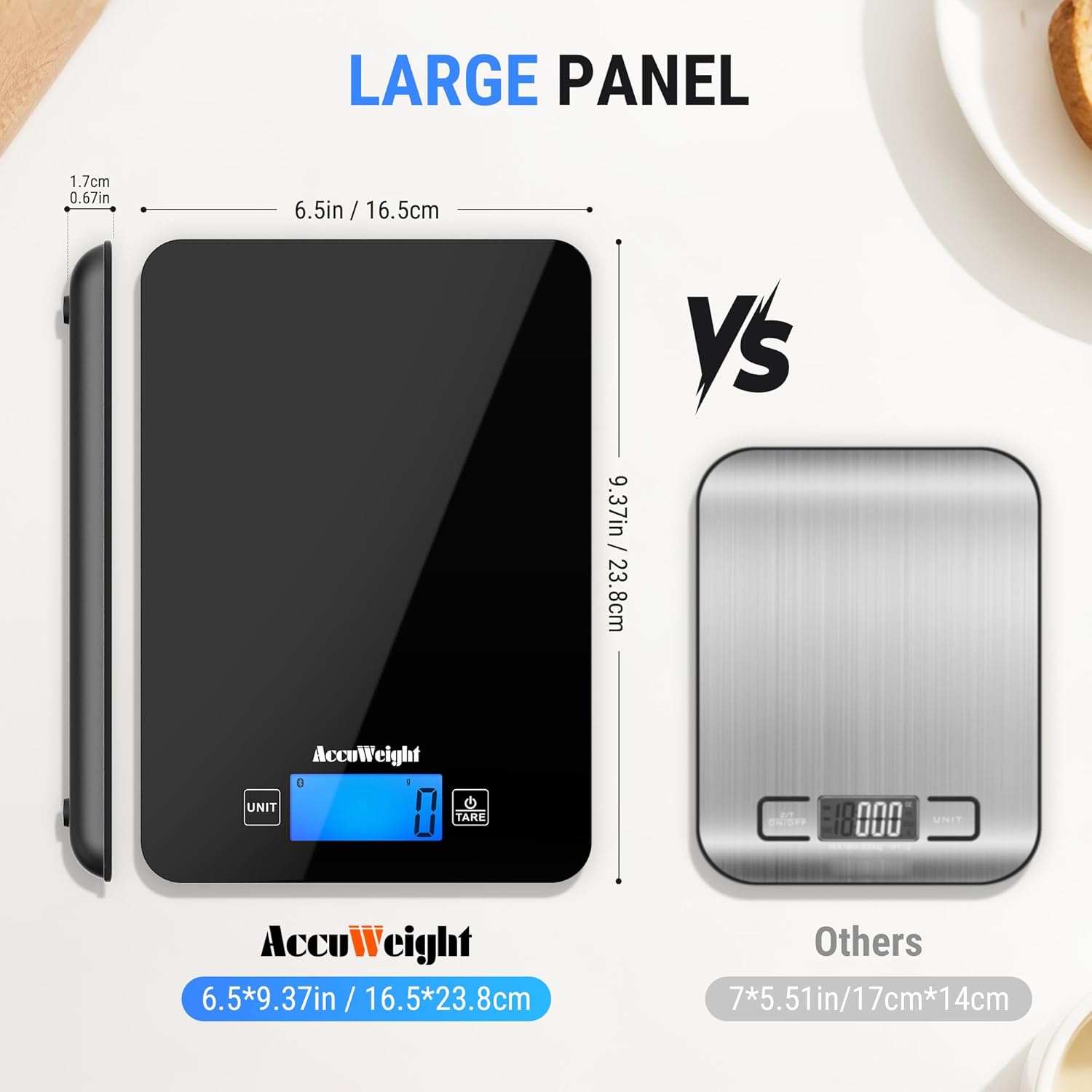
- Read the weight displayed on the backlit LCD screen. The scale has a maximum capacity of 5kg (11lb) and measures in precise 1g / 0.04oz increments.

4.2 యూనిట్ మార్పిడి
The scale supports multiple measurement units.
- Press the 'UNIT' button to cycle through the available units: grams (g), pounds & ounces (lb:oz), milliliters (ml for water), milliliters (ml for milk), and fluid ounces (fl:oz).
- Select the desired unit for your measurement.

4.3 తారే ఫంక్షన్
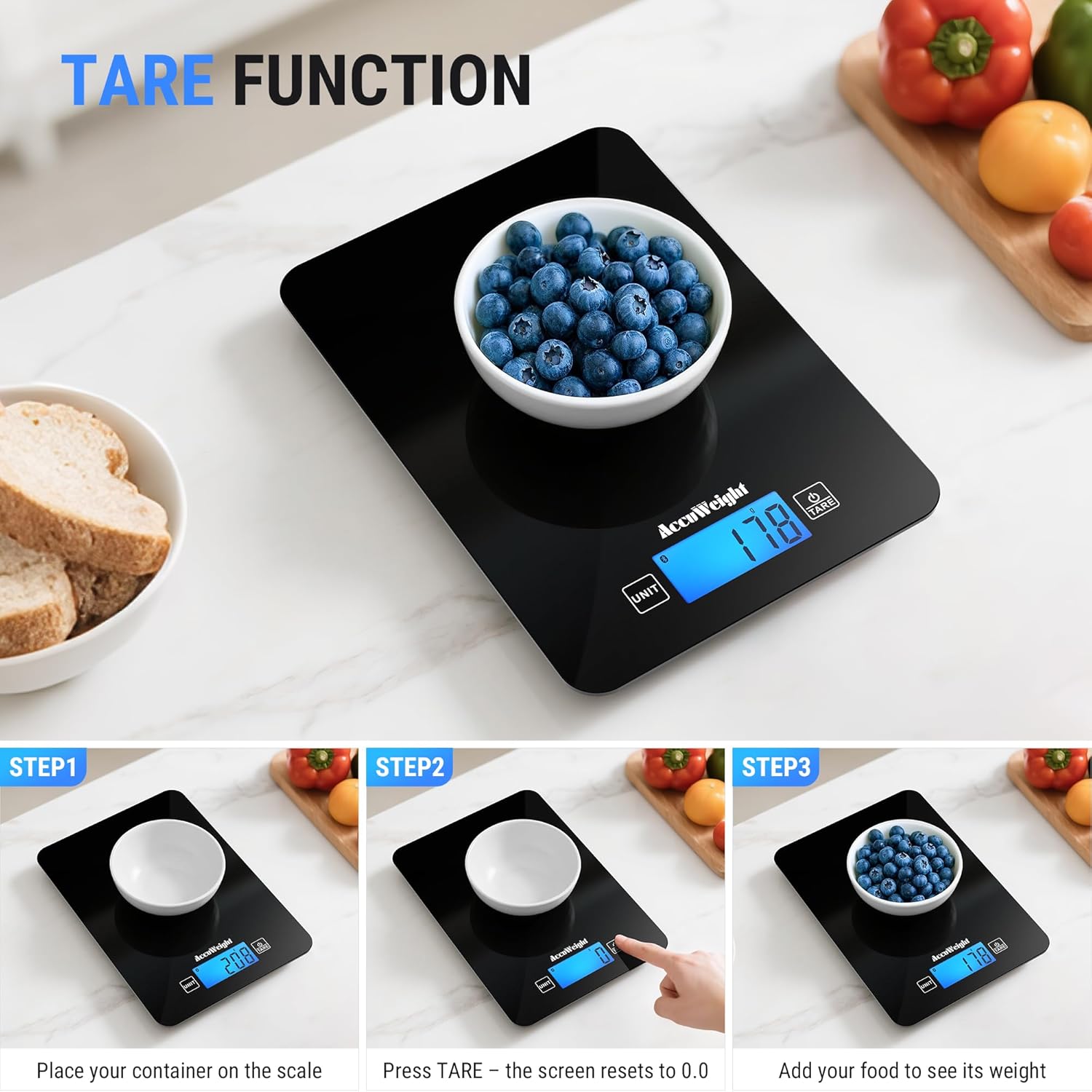
The Tare function allows you to subtract the weight of a container, ensuring only the ingredients are measured.
- Place an empty container on the scale platform.
- Press the 'TARE' button. The display will reset to '0' or '0.0'.
- Add your ingredients to the container. The scale will display the net weight of the ingredients.
4.4 Nutrition Tracking with App
Once connected via Bluetooth, the scale integrates with the companion app for detailed nutrition analysis.
- Weigh your food item on the scale. The weight will automatically transfer to the app.
- In the app, select the food item from the extensive database (covering 17 countries).
- The app will analyze up to 25 nutrients, including protein, fat, carbohydrates, and more, helping you manage your diet goals.
- You can log your food intake, track daily trends, and combine food data from multiple countries.

5. నిర్వహణ
5.1 శుభ్రపరచడం
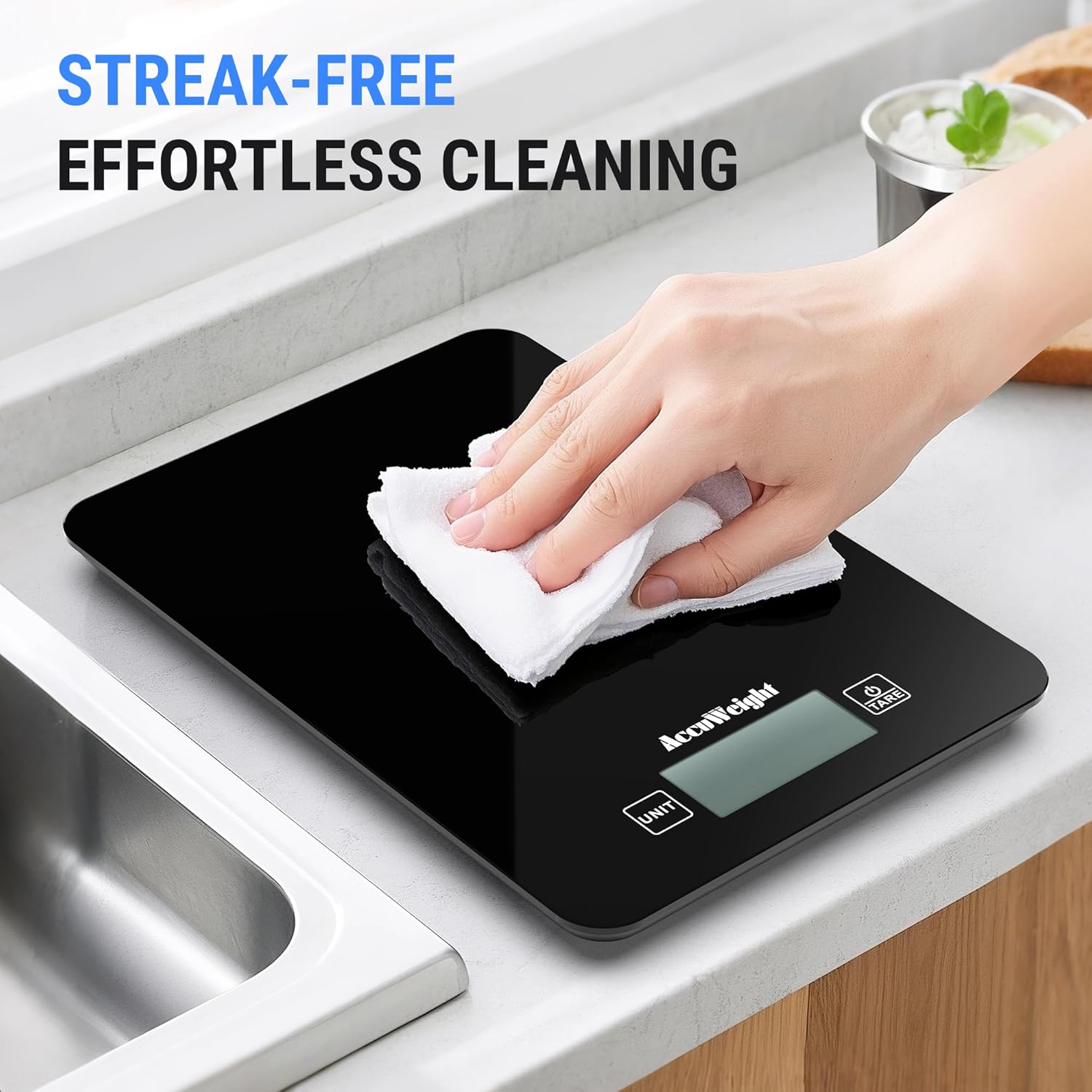
The scale features a smooth black design for easy cleaning.
- స్కేల్ ఉపరితలాన్ని మృదువైన, d తో తుడవండి.amp ఉపయోగించిన వెంటనే వస్త్రం.
- Do not use abrasive cleaners, harsh chemicals, or immerse the scale in water.
- నిల్వ చేయడానికి లేదా తదుపరి ఉపయోగం ముందు స్కేల్ పూర్తిగా పొడిగా ఉందని నిర్ధారించుకోండి.
5.2 నిల్వ
ప్రత్యక్ష సూర్యకాంతి మరియు తీవ్రమైన ఉష్ణోగ్రతలకు దూరంగా చల్లని, పొడి ప్రదేశంలో స్కేల్ను నిల్వ చేయండి.
5.3 బ్యాటరీ భర్తీ
When the battery indicator appears on the display, replace all four AAA batteries simultaneously to ensure optimal performance.
6. ట్రబుల్షూటింగ్
If you encounter any issues with your ACCUWEIGHT CK780 scale, please refer to the following common solutions:
- స్కేల్ ఆన్ చేయడం లేదు: బ్యాటరీలు సరిగ్గా ఇన్స్టాల్ చేయబడ్డాయో లేదో మరియు అవి ఖాళీగా లేవో తనిఖీ చేయండి. అవసరమైతే బ్యాటరీలను మార్చండి.
- సరికాని రీడింగ్లు: Ensure the scale is placed on a hard, flat, and stable surface. Re-tare the scale before weighing. Avoid placing the scale near strong electromagnetic fields.
- బ్లూటూత్ కనెక్షన్ సమస్యలు: Ensure Bluetooth is enabled on your device. Restart the scale and the app. Try re-pairing the scale through the app settings.
- App data not updating: Check your internet connection. Ensure the app is updated to the latest version. Close and reopen the app.
- Display error messages: If the display shows 'Lo', batteries are low and need replacement. If 'O-Ld' or 'EEEE' appears, the scale is overloaded; remove items immediately to prevent damage.
7. స్పెసిఫికేషన్లు
| బ్రాండ్ | ACCUWEIGHT |
| మోడల్ సంఖ్య | CK780 |
| గరిష్ట బరువు సామర్థ్యం | 5 కిలోగ్రాములు (11 పౌండ్లు) |
| రీడౌట్ ఖచ్చితత్వం | 1g / 0.04oz |
| ప్రదర్శన రకం | బ్యాక్లిట్ LCD |
| కొలత రకాలు | g, lb:oz, ml (water), fl:oz, ml (milk) |
| మెటీరియల్ రకం | టెంపర్డ్ గ్లాస్ |
| ప్రత్యేక లక్షణాలు | Backlit Display, Calorie Consumption, Large Display, Smart, Tare Function |
| శక్తి మూలం | 4 x AAA బ్యాటరీలు (చేర్చబడినవి) |
8. వారంటీ మరియు మద్దతు
ACCUWEIGHT products are manufactured to high-quality standards. For any questions, technical support, or warranty claims, please contact ACCUWEIGHT customer service through the contact information provided with your purchase or on the official ACCUWEIGHT webసైట్. వారంటీ ప్రయోజనాల కోసం దయచేసి మీ కొనుగోలు రుజువును ఉంచుకోండి.