
Nillkin DZD3JCWZG01CA
Nillkin Foldable Wireless Keyboard with Touchpad and Numeric Pad User Manual
Model: DZD3JCWZG01CA
ఉత్పత్తి ముగిసిందిview
The Nillkin Foldable Wireless Keyboard is a portable, full-size keyboard designed for productivity on the go. It features an integrated touchpad and a convertible numeric pad, offering a comprehensive input solution for various devices. Its compact, foldable design ensures easy transport, while robust construction provides durability.

Image: The Nillkin Foldable Wireless Keyboard, showcasing దాని కాంపాక్ట్ డిజైన్.
సెటప్ గైడ్
1. కీబోర్డ్ను ఛార్జ్ చేయడం
Before initial use, fully charge the keyboard using the provided USB-C cable. Connect the cable to the keyboard's charging port and a compatible USB power source. The charging indicator light will show the charging status. A full charge provides up to 30 hours of typing or 140 days of standby time.

Image: The keyboard connected to a power source, illustrating its long battery life and USB-C charging port.
2. పవర్ చేయడం ఆన్/ఆఫ్
To power on the keyboard, unfold it completely. The keyboard will automatically power on. To power off, fold the keyboard. It will automatically enter sleep mode when folded.
3. బ్లూటూత్ పెయిరింగ్
The Nillkin keyboard can connect to up to three devices simultaneously via Bluetooth 5.0.
- కీబోర్డ్ను విప్పు. దాన్ని శక్తివంతం చేయడానికి.
- బ్లూటూత్ని యాక్టివేట్ చేయండి on your device (PC, laptop, tablet, smartphone).
- నొక్కి పట్టుకోండి one of the Bluetooth channel keys (BT1, BT2, or BT3) for 3-5 seconds until the indicator light flashes, indicating pairing mode.
- On your device, search for Bluetooth devices and select "Nillkin Keyboard" (or similar name) from the list.
- జత చేసే ప్రక్రియను పూర్తి చేయడానికి స్క్రీన్పై ఉన్న ఏవైనా ప్రాంప్ట్లను అనుసరించండి. విజయవంతంగా జత చేసిన తర్వాత కీబోర్డ్లోని ఇండికేటర్ లైట్ మెరుస్తూ ఆగిపోతుంది.
- To switch between paired devices, simply press the corresponding Bluetooth channel key (BT1, BT2, or BT3) once. The keyboard will automatically reconnect to the selected device.

Image: The keyboard connected to multiple devices, highlighting its Bluetooth 5.0 multi-device pairing capability.
ఆపరేటింగ్ సూచనలు
1. టైపింగ్ అనుభవం
The keyboard features a standard QWERTY layout with well-spaced, scissor-structured keys for a comfortable and efficient typing experience. A full row of function keys provides quick access to common commands.

చిత్రం: వివరణాత్మకం view of the keyboard layout, emphasizing key structure and function keys.
2. Touchpad Functionality
The integrated sensitive multi-touch touchpad allows for precise navigation and clicking. It supports various multi-touch gestures for enhanced efficiency, including scrolling, swiping, zooming, and application switching. The touchpad also features automatic palm rejection to prevent accidental input during typing.
- ఒక్క వేలితో నొక్కడం: ఎడమ క్లిక్ చేయండి
- రెండు వేళ్లతో నొక్కడం: కుడి క్లిక్ చేయండి
- రెండు వేళ్ల స్క్రోల్: పైకి/క్రిందికి లేదా ఎడమ/కుడికి స్క్రోల్ చేయండి
- జూమ్ చేయడానికి పించ్ చేయండి: జూమ్ ఇన్/అవుట్ చేయండి
- Note: Specific multi-touch gestures may vary or not be fully supported on iOS and macOS.

Image: A user interacting with the touchpad, illustrating its multi-touch capabilities.
3. Numeric Keypad Mode
The touchpad can be quickly switched to a numeric keypad for efficient data entry. To activate the numeric keypad, press the dedicated numeric keypad toggle key (usually indicated by a calculator icon or "Num Lock" function). Press it again to revert to touchpad mode.

Image: The touchpad transformed into a numeric keypad, ready for number input.
4. సిస్టమ్ అనుకూలత
The keyboard is compatible with a wide range of operating systems, including Android, Windows, iPadOS, macOS, iOS, and Chrome OS. It automatically recognizes the operating system of the connected device for optimal functionality.
5. Portable Workstation Setup
The Nillkin Foldable Wireless Keyboard is designed to create a portable workstation anywhere. Its compact size when folded allows it to be easily carried, and when unfolded, it provides a full-size typing and navigation experience, making it suitable for various environments such as travel, business trips, or cafes.
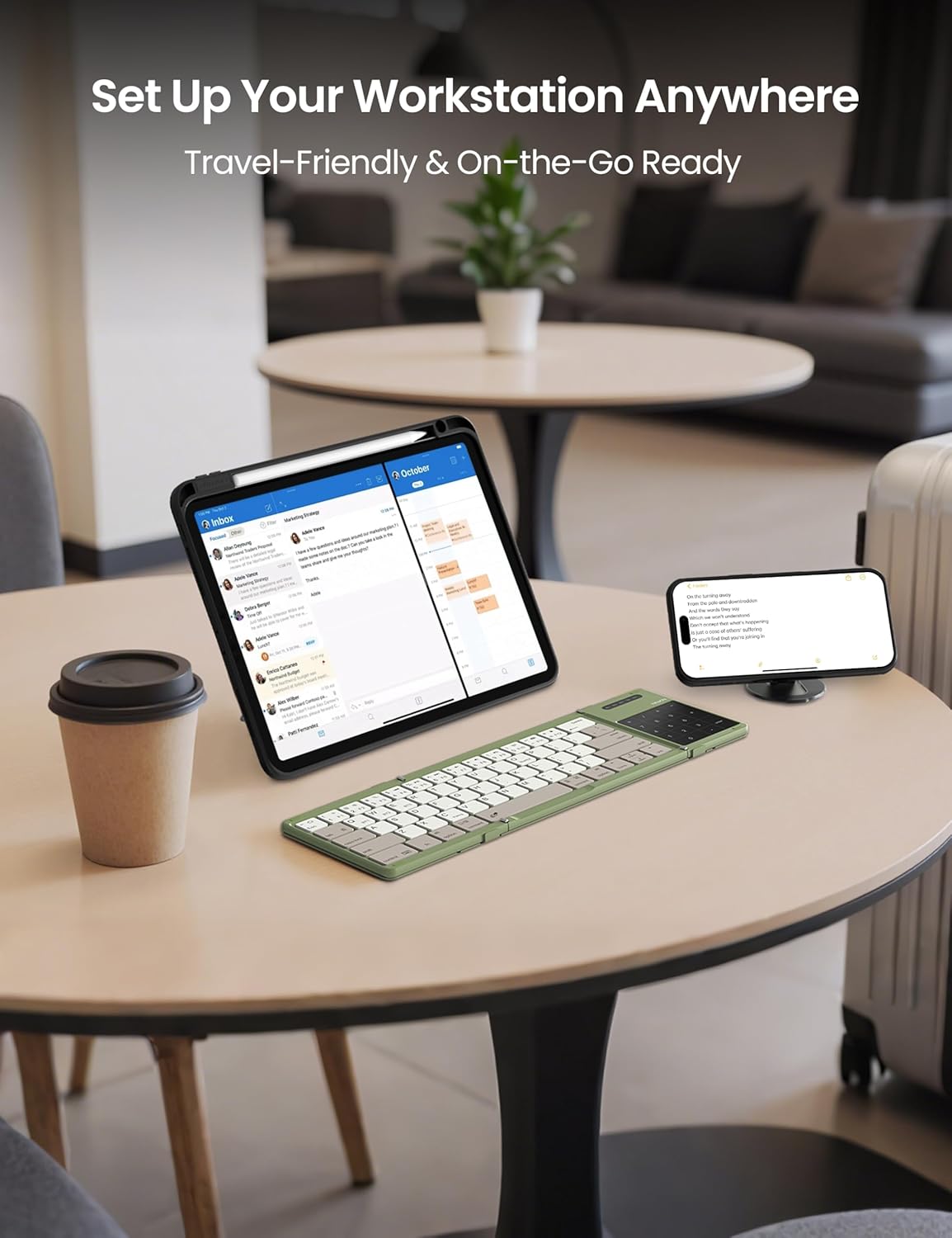
Image: The keyboard in use with multiple devices, illustrating its role in a portable workstation setup.
నిర్వహణ
1. శుభ్రపరచడం
కీబోర్డ్ శుభ్రం చేయడానికి, మృదువైన, డి క్లీనర్ను ఉపయోగించండి.amp cloth. For the silicone leather back, a mild cleaning solution can be used if necessary. Avoid harsh chemicals or abrasive materials that could damage the surface. Ensure the keyboard is powered off and disconnected from any power source before cleaning.
2. నిల్వ
When not in use, fold the keyboard to protect the keys and touchpad. The strong magnetic attraction ensures the keyboard remains securely folded. Store it in the provided storage bag to prevent scratches and dust accumulation.
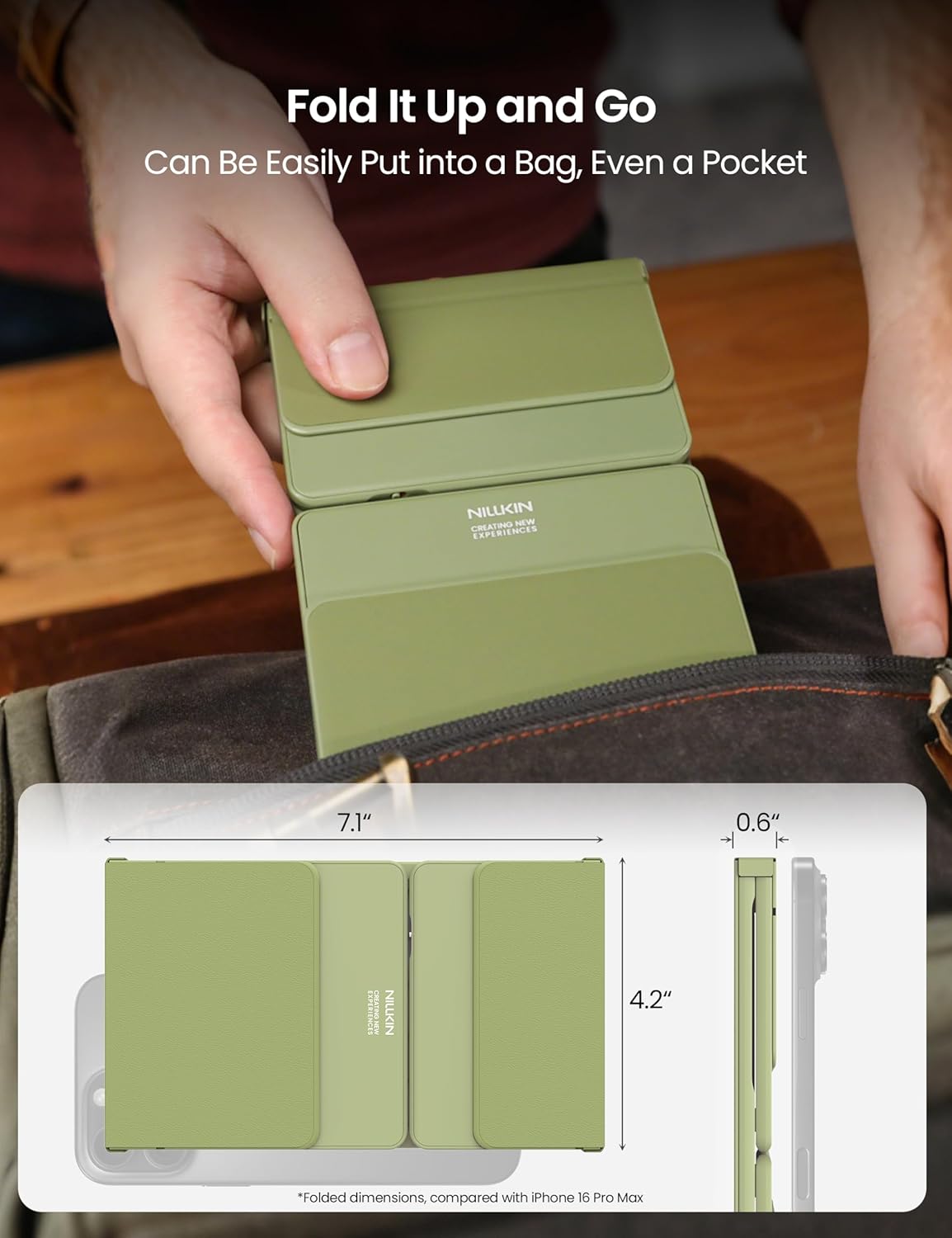
Image: The keyboard folded and ready for storage or transport, demonstrating its portability.
3. మన్నిక
The keyboard is constructed with a premium silicone leather back, offering superior resistance to wear, scratches, and stains compared to synthetic leather. The robust metal hinge is designed to withstand over 50,000 opening and closing cycles, ensuring long-term reliability.

చిత్రం: వివరణాత్మకం view of the keyboard's durable silicone leather material and sturdy metal hinge.
ట్రబుల్షూటింగ్
కీబోర్డ్ బ్లూటూత్ ద్వారా కనెక్ట్ కావడం లేదు
- Ensure Keyboard is Charged: A low battery can prevent successful pairing. Charge the keyboard fully.
- Check Pairing Mode: Make sure the keyboard is in pairing mode (indicator light flashing) by pressing and holding a BT channel key.
- పరికరం బ్లూటూత్ ఆన్లో ఉంది: Verify that Bluetooth is enabled on your host device.
- పరికరాన్ని మర్చిపో: If previously paired, try "forgetting" or "removing" the keyboard from your device's Bluetooth settings and then re-pair.
- దూరం: Ensure the keyboard is within the 10-meter (33 feet) Bluetooth range of your device.
- జోక్యం: జోక్యాన్ని కలిగించే ఇతర వైర్లెస్ పరికరాల నుండి దూరంగా వెళ్లండి.
Touchpad Not Responding or Gestures Not Working
- Check Numeric Pad Mode: Ensure the touchpad is not in numeric keypad mode. Toggle it back to touchpad mode if necessary.
- క్లీన్ టచ్ప్యాడ్: టచ్ప్యాడ్ ఉపరితలం శుభ్రంగా మరియు శిధిలాలు లేకుండా ఉందని నిర్ధారించుకోండి.
- OS Limitations: Remember that some multi-touch gestures may not be fully supported on iOS and macOS.
- పునఃప్రారంభించు: Try powering off and on both the keyboard and your host device.
కీలు స్పందించడం లేదు
- కనెక్షన్ని తనిఖీ చేయండి: కీబోర్డ్ బ్లూటూత్ ద్వారా సరిగ్గా కనెక్ట్ చేయబడిందని నిర్ధారించుకోండి.
- రీఛార్జ్: A very low battery might cause intermittent key response.
- పునఃప్రారంభించు: Power cycle the keyboard and the connected device.
స్పెసిఫికేషన్లు
| బ్రాండ్ | Nillkin |
| మోడల్ సంఖ్య | DZD3JCWZG01CA |
| కనెక్టివిటీ టెక్నాలజీ | బ్లూటూత్ 5.0 |
| అనుకూల పరికరాలు | Laptop, PC, Smartphone, Tablet, Smart TV (Android, Windows, iPadOS, macOS, iOS, Chrome OS) |
| కీబోర్డ్ లేఅవుట్ | QWERTY |
| కీల సంఖ్య | 64 |
| ప్రత్యేక లక్షణాలు | Numeric Pad, Touchpad, Foldable, Rechargeable, Silent Keys |
| ముడుచుకున్న కొలతలు (L x W x H) | 18 x 10.7 x 1.5 సెం.మీ (7.1 x 4.2 x 0.6 అంగుళాలు) |
| మడిచిన కొలతలు (L x W x H) | 34 x 10.7 x 0.8 సెం.మీ |
| బరువు | 0.2 కిలోలు |
| బ్యాటరీ లైఫ్ | Up to 30 hours typing, 140 days standby |
| మెటీరియల్ | Silicone Leather, ABS |
| Hinge Durability | 50,000 పైగా చక్రాలు |
| Maximum Connection Range | 10 మీటర్లు (33 అడుగులు) |
| శక్తి మూలం | బ్యాటరీ ఆధారితమైనది |
| పెట్టెలో ఏముంది | Foldable Wireless Keyboard, USB Cable, Storage Bag, User Manual |
వారంటీ సమాచారం
Specific warranty details for the Nillkin Foldable Wireless Keyboard are typically provided with the product packaging or on the official Nillkin webసైట్. అత్యంత ఖచ్చితమైన మరియు తాజా వారంటీ నిబంధనలు మరియు షరతుల కోసం దయచేసి ఈ మూలాలను చూడండి.
కస్టమర్ మద్దతు
For any questions, technical assistance, or issues not covered in this manual, please contact Nillkin customer service. Contact information can usually be found on the product packaging, the official Nillkin webసైట్ లేదా మీ రిటైలర్ ద్వారా.
Nillkin is committed to providing satisfactory customer service and support for their products.
Ask a question about this manual
Ask about setup, troubleshooting, compatibility, parts, safety, or missing instructions. Manuals+ will review the question and use this page’s manual context to help answer it.