
1. పరిచయం
Welcome to your new TCL TP200K Portable Bluetooth Party Speaker. This manual provides essential information for the proper setup, operation, and maintenance of your device. Please read it thoroughly before use and retain it for future reference.
పెట్టెలో ఏముంది:
- TCL TP200K Portable Bluetooth Party Speaker
- పవర్ కార్డ్
- త్వరిత ప్రారంభ గైడ్
- వారంటీ మరియు భద్రతా సమాచారం

2. భద్రతా సమాచారం
Please observe the following safety guidelines to ensure safe operation and to prevent damage to your speaker.
IPX4 Splash-Proof Rating
The TCL TP200K speaker is rated IPX4, indicating resistance to water splashes from any direction. This makes it suitable for outdoor use where light splashes may occur. However, it is not waterproof and should not be submerged in water or exposed to direct, high-pressure water jets. Ensure all port covers are securely closed before exposure to moisture.

3. ఉత్పత్తి ముగిసిందిview
The TCL TP200K is a portable party speaker engineered to deliver powerful audio and dynamic visual effects. Its design includes a versatile carry handle for easy transportation and flexible placement.
ముఖ్య లక్షణాలు:
- 220W Maximum Output Power: Provides clear highs and deep bass for a full audio experience.
- 12-గంటల బ్యాటరీ లైఫ్: Enjoy extended music playback. (Note: Battery life is based on 25% volume with static light effects. Actual performance may vary based on usage conditions.)
- 5 RGB Dynamic Light Show Presets: Create a vibrant atmosphere with integrated lighting effects.
- బాస్ బూస్ట్: Enhances low frequencies for a more impactful sound.
- IPX4 Splash-Proof: Offers protection against water splashes.
- బ్లూటూత్ 5.4 కనెక్టివిటీ: Enables stable wireless music streaming.
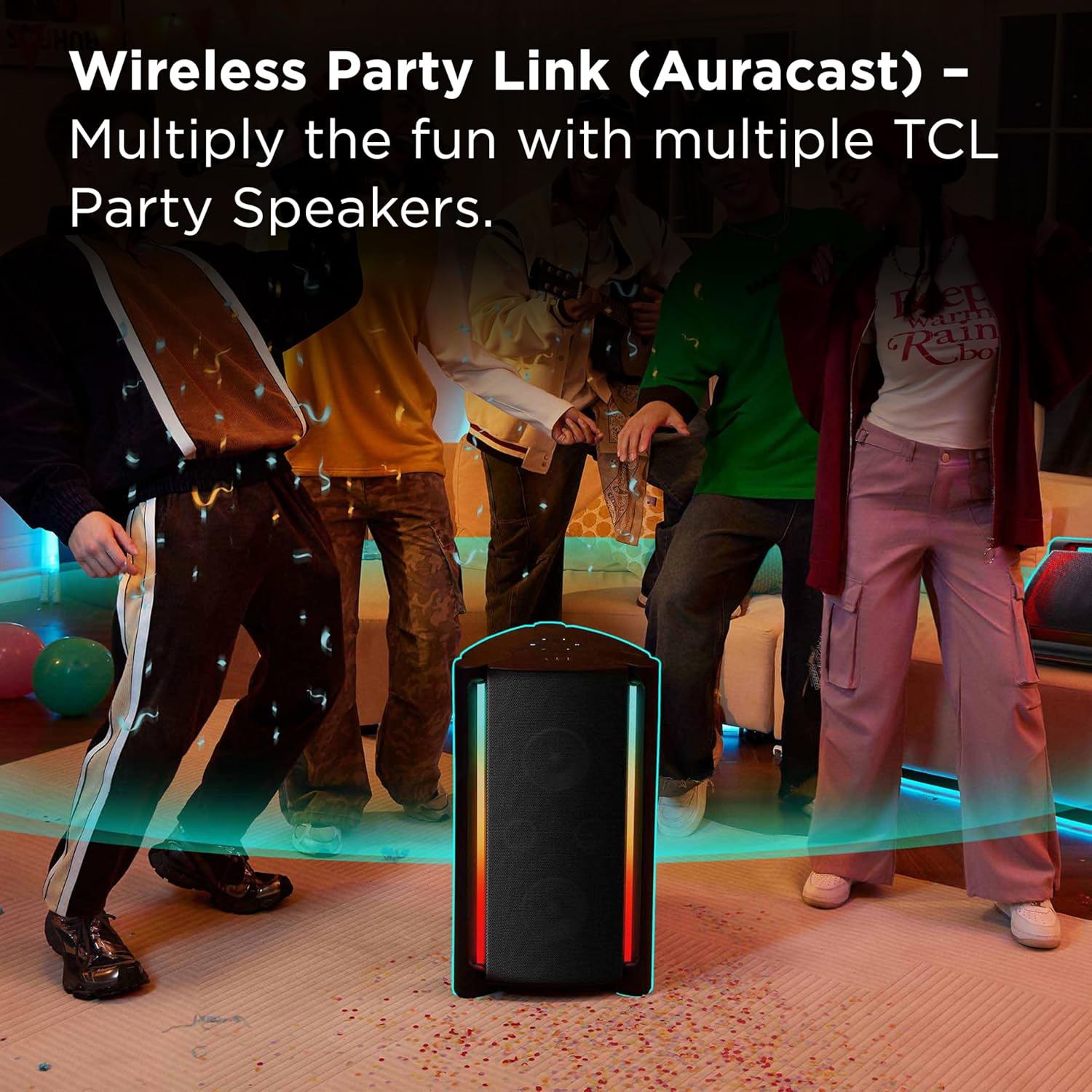
- Wireless Party Link (Auracast): Connect multiple compatible speakers for a synchronized audio experience.
- నిజమైన వైర్లెస్ స్టీరియో (TWS) జత చేయడం: Pair two TP200K speakers for dedicated left and right stereo channels.
- Microphone and Guitar Inputs: Allows for karaoke and live instrument connection.
- USB ప్లేబ్యాక్: ఆడియోను ప్లే చేయండి fileUSB నిల్వ పరికరం నుండి నేరుగా.


4. సెటప్
స్పీకర్పై ఆరోపణలు చేస్తున్నారు
Before initial use, fully charge the speaker. Connect the provided power cord to the speaker's power input and then to a wall outlet. The charging indicator will display the current battery status. A full charge ensures maximum playback time.
పవర్ ఆన్/ఆఫ్
To turn the speaker on or off, press and hold the power button located on the control panel until the indicator lights activate or deactivate.
బ్లూటూత్ పెయిరింగ్
- Turn on the speaker. The Bluetooth indicator will flash, signifying that the speaker is in pairing mode.
- మీ బ్లూటూత్-ప్రారంభించబడిన పరికరంలో (ఉదా. స్మార్ట్ఫోన్, టాబ్లెట్), బ్లూటూత్ సెట్టింగ్లకు నావిగేట్ చేయండి.
- కోసం వెతకండి available devices and select "TCL TP200K" from the list.
- Once successfully connected, the Bluetooth indicator on the speaker will remain solid.

5. ఆపరేషన్
మ్యూజిక్ ప్లేబ్యాక్
After connecting your device via Bluetooth or inserting a USB drive, you can control music playback using either your connected device or the speaker's control panel:
- ప్లే/పాజ్: Press the dedicated Play/Pause button.
- వాల్యూమ్ సర్దుబాటు: Use the '+' and '-' buttons to increase or decrease the volume.
- ట్రాక్ నావిగేషన్: తదుపరి లేదా మునుపటి ట్రాక్కి వెళ్లడానికి స్కిప్ బటన్లను ఉపయోగించండి.
Light Show Modes
The speaker features 5 RGB dynamic light show presets. Press the light button on the control panel to cycle through the available modes or to turn the lights off. Each press will change the light pattern or color sequence.

బాస్ బూస్ట్
Activate the Bass Boost feature by pressing the dedicated button on the control panel. This will enhance the low-frequency output, providing a deeper and more pronounced bass sound.

Karaoke Mode (Microphone & Guitar Inputs)
The speaker is equipped with input jacks for a microphone and a guitar. Connect your microphone or guitar to the respective ports. Use the dedicated controls on the speaker to adjust the volume and echo effects for your vocals or instrument. (Note: Microphone and guitar are not included.)

ట్రూ వైర్లెస్ స్టీరియో (టిడబ్ల్యుఎస్) పెయిరింగ్
To create a true stereo soundstage, you can pair two TCL TP200K speakers together:
- Ensure both speakers are powered on and not currently connected to any Bluetooth device.
- ఒక స్పీకర్పై, నొక్కి పట్టుకోండి TWS/LINK button until you hear an audible confirmation tone.
- Repeat this action on the second speaker.
- The speakers will automatically establish a connection with each other. Once paired, connect your audio source device to one of the speakers via Bluetooth.

Wireless Party Link (Auracast)
For a larger, multi-speaker audio setup, utilize the Wireless Party Link feature (Auracast) to connect multiple TCL Party Speakers to a single audio source. This allows for synchronized music playback across several speakers, ideal for expansive spaces or larger gatherings. Refer to the Quick Start Guide for detailed instructions on Auracast pairing procedures.
USB ఆడియో ప్లేబ్యాక్
Insert a USB flash drive containing compatible audio files into the USB port on the speaker. The speaker will automatically detect the drive and begin playing music. Use the speaker's playback controls to navigate through tracks and adjust volume.

6. నిర్వహణ
క్లీనింగ్
To clean the speaker, use a soft, dry cloth. Do not use abrasive cleaners, solvents, or strong chemicals, as these can damage the surface. For light dirt, a slightly damp cloth can be used, ensuring no moisture enters any ports or openings.
నిల్వ
When storing the speaker for extended periods, ensure it is fully charged and then powered off. Store it in a cool, dry place, away from direct sunlight, extreme temperatures, and excessive dust. Protect it from physical impact.
7. ట్రబుల్షూటింగ్
If you encounter issues with your TCL TP200K speaker, refer to the table below for common problems and their solutions.
| సమస్య | సాధ్యమైన కారణం | పరిష్కారం |
|---|---|---|
| స్పీకర్ పవర్ ఆన్ చేయదు. | బ్యాటరీ క్షీణించింది. | స్పీకర్ను పవర్ సోర్స్కి కనెక్ట్ చేసి పూర్తిగా ఛార్జ్ చేయండి. |
| బ్లూటూత్ ద్వారా జత చేయడం సాధ్యం కాదు. | Speaker is already connected to another device or not in pairing mode. | Ensure the speaker is in Bluetooth pairing mode (flashing indicator). Disconnect from any previously paired devices. Verify Bluetooth is enabled on your source device. |
| సౌండ్ అవుట్పుట్ లేదు. | Volume is too low or muted. Incorrect input source selected. | Increase the volume on both the speaker and your connected device. Press the 'SOURCE' button to cycle through input modes (Bluetooth, USB, AUX) until the correct source is selected. |
| Light show not working. | Light show is turned off or a static mode is selected. | Press the light button on the control panel to activate or change the light show mode. |
| పేలవమైన ఆడియో నాణ్యత. | Bluetooth interference or distance. Low battery. | Move the source device closer to the speaker. Ensure no obstacles are blocking the Bluetooth signal. Charge the speaker if the battery is low. |
8. స్పెసిఫికేషన్లు
Below are the technical specifications for the TCL TP200K Portable Bluetooth Party Speaker.
| ఫీచర్ | వివరాలు |
|---|---|
| మోడల్ సంఖ్య | TP200K |
| బ్రాండ్ | TCL |
| గరిష్ట అవుట్పుట్ పవర్ | 220 వాట్స్ |
| కనెక్టివిటీ టెక్నాలజీ | Bluetooth 5.4, Auxiliary (AUX), USB |
| ఆడియో అవుట్పుట్ మోడ్ | స్టీరియో |
| బ్యాటరీ సగటు జీవితం | 12 గంటల వరకు |
| నీటి నిరోధక స్థాయి | IPX4 Splash-Proof |
| అంశం కొలతలు (D x W x H) | 14.07" x 14.63" x 25.68" |
| వస్తువు బరువు | 31.5 పౌండ్లు |
| రంగు | నలుపు |
| నియంత్రణ పద్ధతి | టచ్ |
| వూఫర్ వ్యాసం | 6.6 అంగుళాలు |
| సబ్ వూఫర్ వ్యాసం | 5.5 అంగుళాలు |
| UPC | 846042046305 |
9. వారంటీ మరియు మద్దతు
వారంటీ సమాచారం
This TCL TP200K Portable Bluetooth Party Speaker is covered by a 1-year manufacturer's limited warranty. For complete details regarding warranty coverage, terms, and conditions, please refer to the 'Warranty and Safety Information' document included in your product packaging.
కస్టమర్ మద్దతు
For technical assistance, troubleshooting guidance, or to inquire about warranty claims, please visit the official TCL support website. You can also find contact information for customer service in the Quick Start Guide or on the TCL website. Please have your model number (TP200K) and proof of purchase ready when contacting support.