1. పరిచయం
Thank you for choosing the Generic Solar Flood Light. This manual provides essential information for the safe and efficient installation, operation, and maintenance of your solar light. Please read these instructions carefully before use and retain them for future reference.
This solar light is designed for outdoor use, featuring automatic dusk-to-dawn sensing and motion detection for enhanced illumination in areas such as gardens, yards, patios, and pathways.
2. ఉత్పత్తి ముగిసిందిview
2.1 ముఖ్య లక్షణాలు
- మన్నికైన నిర్మాణం: Made of high-quality stainless steel and transparent PC, ensuring sturdiness and durability. Designed to perform well in adverse outdoor weather conditions, offering antifreeze, heat-resistant, and waterproof (IP65) properties.
- High-Brightness LED Lighting: 5 హై-బ్రైట్నెస్ LED lతో అమర్చారుamp beads for efficient illumination and a long lifespan. The lampshade features a refraction and anti-glare design, providing strong light without dazzling.
- ఆటోమేటిక్ ఆపరేషన్: Integrates light control and induction. The light automatically turns on with dim illumination at night and switches to bright illumination when human motion is detected.
- సులభమైన సంస్థాపన: Designed for simple screw-based mounting, making it convenient for various outdoor locations such as front doors, eaves, garages, patios, gardens, and stairs.
2.2 భాగాలు
The Generic Solar Flood Light consists of the following main components:
- Solar Panel (top surface)
- LED Light Array (front)
- Motion Sensor (integrated)
- Waterproof On/Off Switch (rear)
- Mounting Holes (rear)

మూర్తి 1: ముందు view of the Generic Solar Flood Light, showing the solar panel on top and the LED light array below.

మూర్తి 2: వివరంగా view of the high-brightness LED lights, highlighting the individual lamp పూసలు.

చిత్రం 3: వెనుక view of the solar flood light, indicating the location of the waterproof switch and mounting holes.
3. స్పెసిఫికేషన్లు
3.1 సాంకేతిక డేటా
- ఉత్పత్తి పేరు: సోలార్ లైట్లు
- మెటీరియల్: ABS + PC + Stainless steel
- ఛార్జింగ్ సమయం: Approximately 4-5 hours (under direct sunlight)
- లైటింగ్ సమయం: Approximately 12 hours (after a full charge)
- నియంత్రణ యంత్రాంగం: Light control (dusk-to-dawn sensor) + Induction (motion sensor)
- కొలతలు: 4.7" x 3.3" x 1.5" (11.9 సెం.మీ x 8.4 సెం.మీ x 3.8 సెం.మీ)
- జలనిరోధిత గ్రేడ్: IP65
- ఇండక్షన్ దూరం: 6-26 అడుగులు (5-8 మీ)
- శక్తి మూలం: Solar powered (batteries not required for operation, integrated rechargeable battery)
- యూనిట్ కౌంట్: 1.0 కౌంట్

Figure 4: Product dimensions of the solar flood light.
4. సెటప్ మరియు ఇన్స్టాలేషన్
4.1 సంస్థాపనకు ముందు
- ప్రారంభ ఛార్జ్: Before first use, ensure the solar light is placed in direct sunlight for at least 6-8 hours to allow the internal battery to fully charge.
- స్విచ్ సక్రియం చేయండి: Locate the waterproof switch on the back of the unit (refer to Figure 3). Turn this switch to the 'ON' position before installation. The light will not operate automatically if the switch is off.
4.2 సంస్థాపనా దశలు
- స్థానాన్ని ఎంచుకోండి: అందుకునే స్థానాన్ని ఎంచుకోండి ample direct sunlight throughout the day to maximize charging efficiency. Avoid areas under eaves, trees, or other obstructions that might block sunlight.
- డ్రిల్లింగ్ పాయింట్లను గుర్తించండి: Hold the light against the desired mounting surface and mark the positions for the mounting holes.
- డ్రిల్ రంధ్రాలు: Use an appropriate drill bit to create pilot holes at the marked positions.
- యాంకర్లను చొప్పించండి (అవసరమైతే): If installing on masonry or drywall, insert wall anchors into the drilled holes.
- మౌంట్ ది లైట్: Align the mounting holes on the back of the light with the drilled holes/anchors. Secure the light firmly using screws.
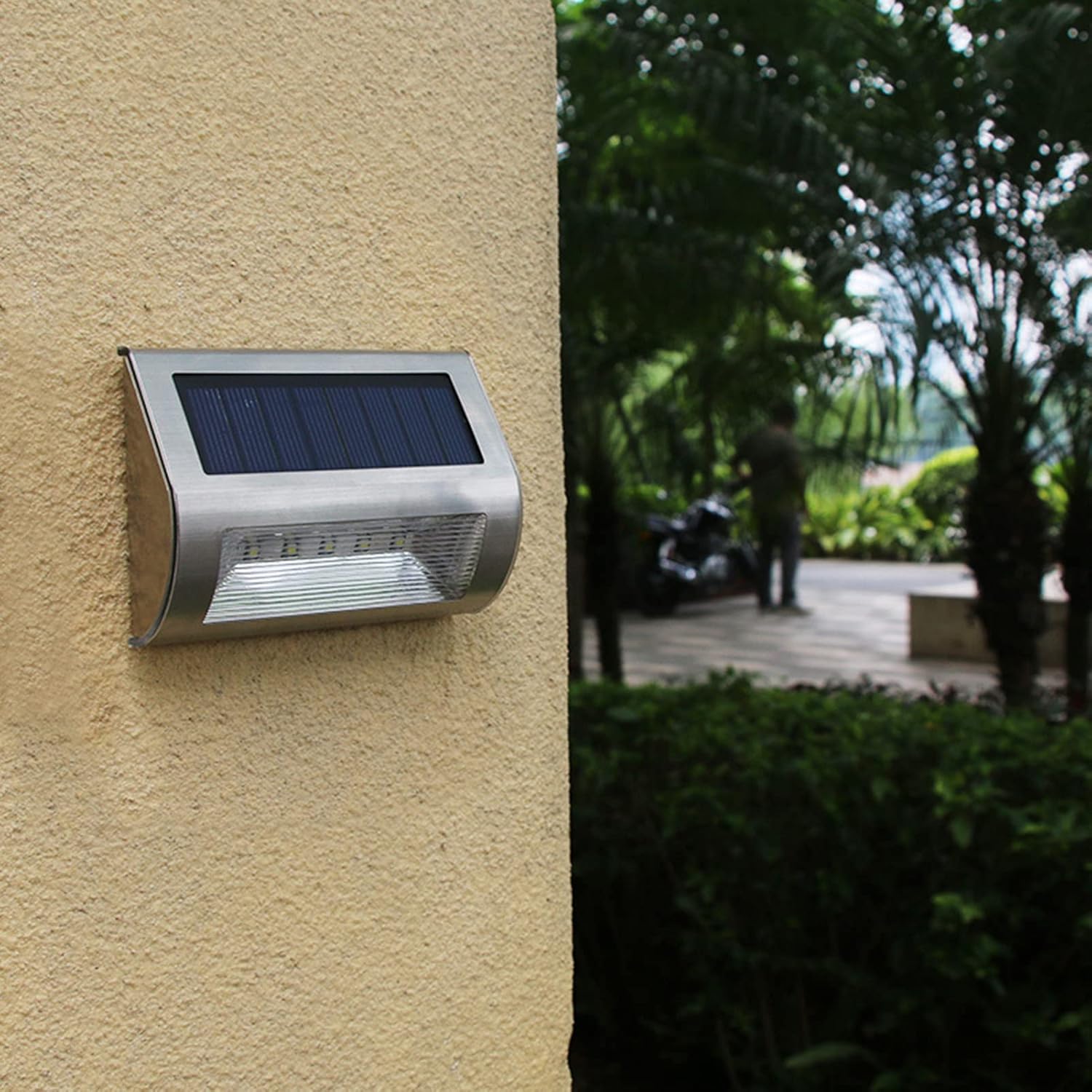
చిత్రం 5: ఉదాample of the solar flood light mounted on an outdoor wall.

చిత్రం 6: ఉదాamples of solar flood lights illuminating outdoor stairs and patio areas.
5. ఆపరేటింగ్ సూచనలు
5.1 ఆటోమేటిక్ ఆపరేషన్
Once the light is installed and the back switch is in the 'ON' position, the solar flood light operates automatically:
- డస్క్-టు-డాన్ సెన్సార్: During the day, the solar panel absorbs sunlight and converts it into electrical energy, charging the internal battery. At dusk, the light sensor detects low ambient light and automatically turns on the light at a dim setting.
- మోషన్ సెన్సార్: When human motion is detected within the induction distance (6-26 ft or 5-8 m) while the light is in dim mode, the light will automatically switch to a bright illumination mode. After approximately 15-30 seconds of no further motion, the light will revert to the dim setting.
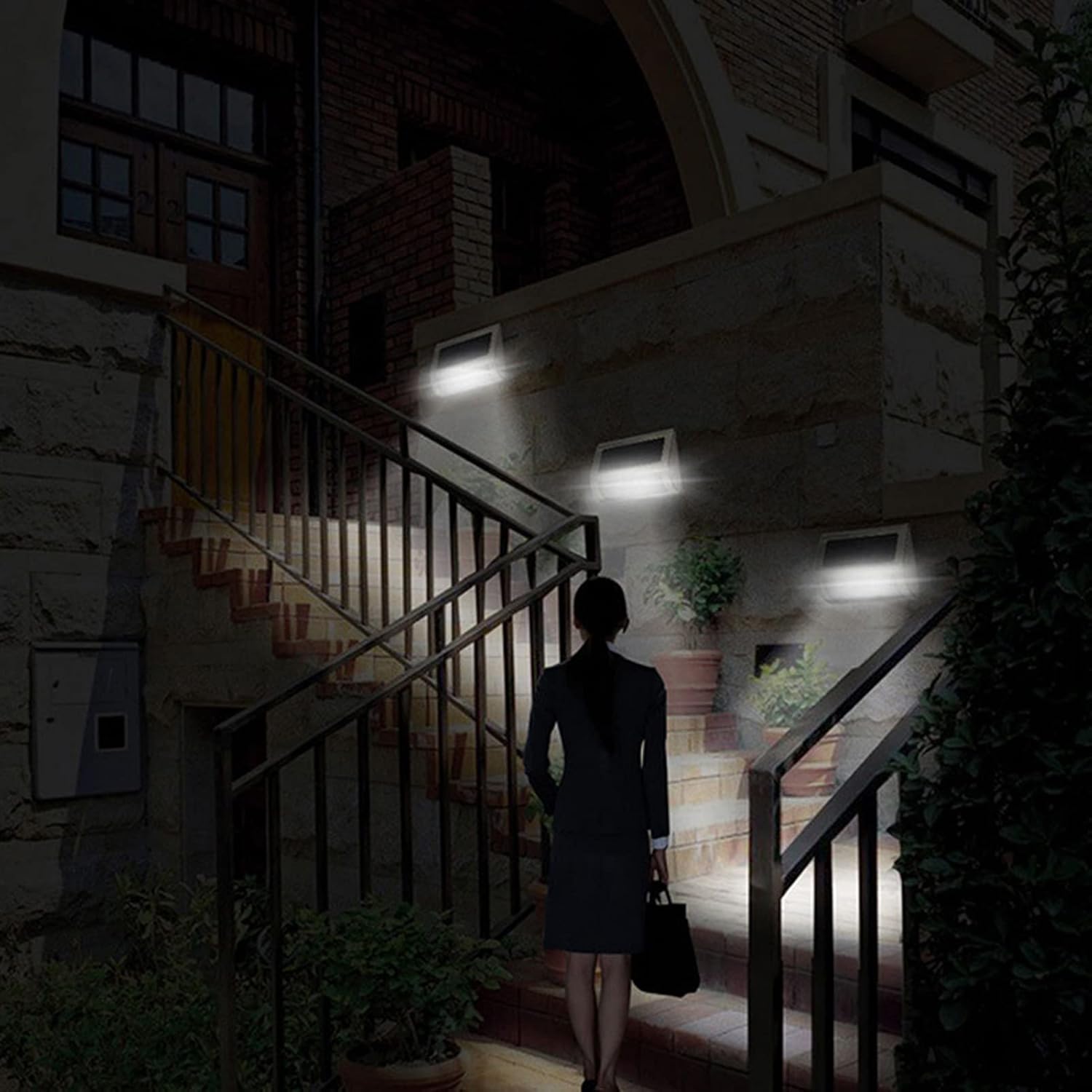
Figure 7: Solar flood lights providing illumination on outdoor stairs at night, demonstrating automatic operation.
6. నిర్వహణ
6.1 శుభ్రపరచడం
To ensure optimal performance, regularly clean the solar panel and the LED light surface. Dust, dirt, and debris can reduce the efficiency of the solar panel and dim the light output.
- సోలార్ ప్యానెల్ మరియు తేలికపాటి ఉపరితలాన్ని మృదువైన, డితో తుడవండిamp గుడ్డ.
- Do not use abrasive cleaners or harsh chemicals, as these can damage the surfaces.
6.2 బ్యాటరీ సంరక్షణ
The integrated rechargeable battery is designed for long-term use. To prolong its lifespan:
- Ensure the light receives adequate direct sunlight daily for proper charging.
- Avoid prolonged storage of the light with a completely depleted battery. If storing for an extended period, ensure it is fully charged first.
7. ట్రబుల్షూటింగ్
7.1 సాధారణ సమస్యలు మరియు పరిష్కారాలు
- రాత్రిపూట లైట్లు వెలగవు:
- Ensure the waterproof switch on the back is in the 'ON' position.
- Verify the solar panel is receiving sufficient direct sunlight during the day (4-5 hours minimum). Relocate if necessary.
- Check if the solar panel is dirty or obstructed. Clean it as per maintenance instructions.
- Ensure there are no strong light sources (e.g., streetlights, other outdoor lights) near the solar light that might trick the dusk-to-dawn sensor into thinking it is daytime.
- Light is dim or only stays on for a short period:
- The battery may not be fully charged. Ensure the light receives maximum direct sunlight for a full day.
- The ambient temperature might be too low, affecting battery performance.
- The solar panel might be dirty. Clean it thoroughly.
- మోషన్ సెన్సార్ పనిచేయడం లేదు:
- Ensure the light is in its dim night mode. The motion sensor only activates from this state.
- Check for obstructions blocking the sensor's field of view.
- Verify that motion is occurring within the specified induction distance (6-26 ft).
8. వారంటీ మరియు మద్దతు
8.1 వారంటీ సమాచారం
This product comes with a 3-month warranty from the date of purchase. This warranty covers manufacturing defects under normal use. It does not cover damage caused by misuse, accidents, unauthorized modifications, or improper installation.
8.2 కస్టమర్ మద్దతు
If you have any questions, concerns, or require assistance with your Generic Solar Flood Light, please contact the seller or retailer from whom you purchased the product. Please have your purchase details and product model number (B0F59WVSNL) ready when contacting support.