
పరిచయం
This manual provides detailed instructions for the setup, operation, maintenance, and troubleshooting of your MIZISNR UM-32 Wireless Microphone System. Please read this manual thoroughly before using the product to ensure proper function and to prevent damage.
ప్యాకేజీ విషయాలు
క్రింద జాబితా చేయబడిన అన్ని వస్తువులు మీ ప్యాకేజీలో చేర్చబడ్డాయని ధృవీకరించండి:

చిత్రం: పైగాview of the MIZISNR UM-32 Wireless Microphone System components.
- 1 x రిసీవర్ యూనిట్
- 2 x హ్యాండ్హెల్డ్ మైక్రోఫోన్లు
- 2 x బాడీప్యాక్ ట్రాన్స్మిటర్లు
- 2 x హెడ్సెట్ మైక్రోఫోన్లు
- 2 x Lapel (Lavalier) Microphones
- 1 x 6.35mm ఆడియో కేబుల్
- 1 x పవర్ అడాప్టర్
- 1 x యూజర్ మాన్యువల్ (ఈ పత్రం)
ఉత్పత్తి లక్షణాలు
- Exceptional Wireless Performance: The 4-channel wireless microphone system features advanced wireless transmission technology, ensuring automatic connection and stable, interference-free signals. It supports a long operating range of up to 300 feet (90 meters), allowing freedom of movement during performances.
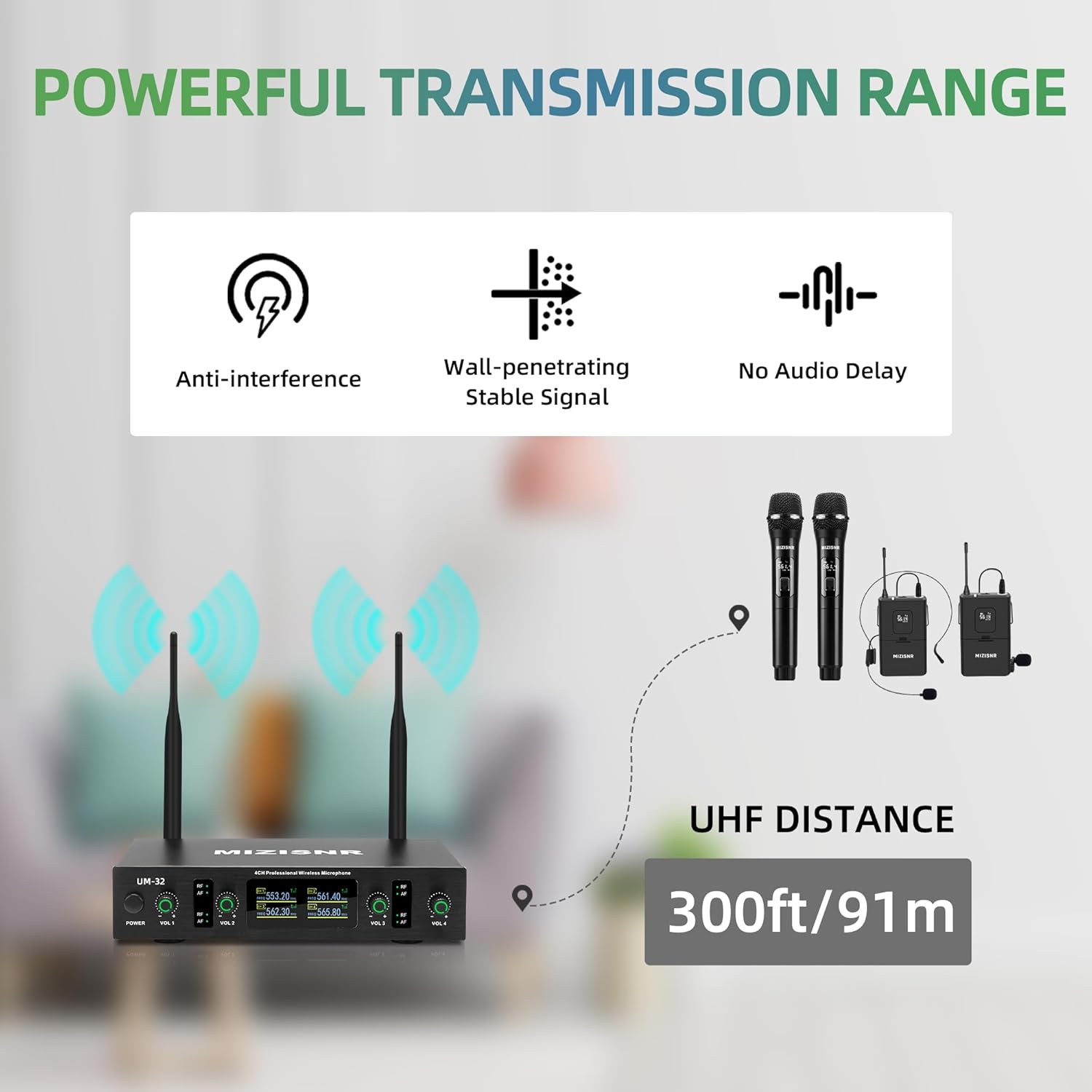
చిత్రం: Wireless transmission capabilities including anti-interference and stable signal over 300 feet.
- ఆలోచనాత్మకమైన డిజైన్: Metal mesh grilles protect the microphone capsules from accidental impacts. The wireless karaoke microphones feature durable, lightweight ABS plastic covers for easy handling. The receiver unit is housed in a robust metal casing for enhanced durability. The comfortable grip design ensures user comfort during extended use.
- Lossless Clear Sound Quality: Equipped with a professional cardioid dynamic capsule, the system delivers superior, clear, pure, and rich audio. It effectively eliminates background noise and howling.
- ఉపయోగించడానికి సులభం: Simply power on the receiver, insert two AA batteries (not included) into each transmitter/handheld microphone, and power them on. The units will automatically synchronize. The included 1/4 inch (6.35mm) audio cable ensures compatibility with sound amplifiers, TVs, home theater systems, and stagఇ స్పీకర్లు.
- విస్తృత అప్లికేషన్లు: The headset and lavalier microphones offer comfortable wear and capture sound from any angle, providing warm, clear, and high-fidelity audio. Ideal for use in churches, training sessions, classrooms, business presentations, and similar events.

చిత్రం: Examples of diverse applications for the microphone system.
సెటప్ సూచనలు
1. రిసీవర్ సెటప్

చిత్రం: MIZISNR UM-32 UHF Wireless Receiver overview.
- ప్లేస్మెంట్: Position the receiver unit on a stable, flat surface, away from potential sources of interference such as large metal objects, Wi-Fi routers, or other wireless devices.
- యాంటెన్నా కనెక్షన్: Ensure both Antenna A and Antenna B are securely connected to the corresponding ports on the rear of the receiver. Adjust them vertically for optimal signal reception.
- పవర్ కనెక్షన్: Connect the provided power adapter to the DC 12V-15V 500mA power jack on the receiver and plug it into a power outlet.
- ఆడియో అవుట్పుట్: రిసీవర్ను మీ ఆడియో సిస్టమ్కి కనెక్ట్ చేయండి (మిక్సర్, amplifier, PA system) using the appropriate output.
- For mixed output: Use the 6.35mm (1/4") Audio Output Jack.
- For individual channel output: Use the Balanced XLR Output for Channel B/A and Channel C/D.
- పవర్ ఆన్: Press the Power Switch on the front panel of the receiver. The LCD display should illuminate.
2. Transmitter (Microphone/Bodypack) Setup

చిత్రం: MIZISNR UHF Bodypack Transmitter components.
- బ్యాటరీ ఇన్స్టాలేషన్: Open the battery compartment of each handheld microphone or bodypack transmitter. Insert two AA batteries (not included), ensuring correct polarity.
- Microphone Connection (for Bodypacks): If using headset or lavalier microphones, connect their 3.5mm mini connectors to the Audio Input jack on the bodypack transmitter. Ensure a secure connection.
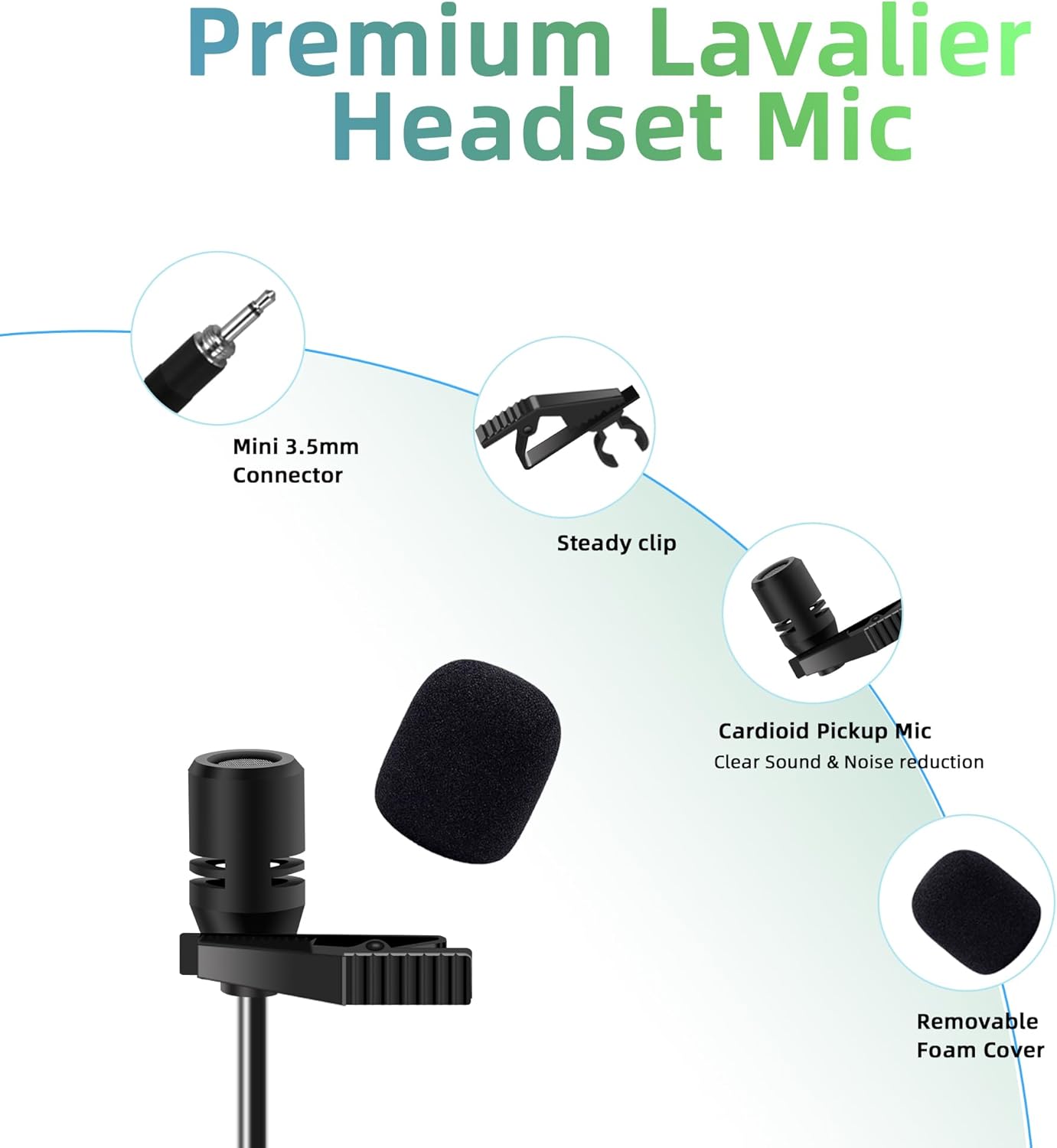
చిత్రం: Premium Lavalier Headset Microphone details.
- పవర్ ఆన్: Press and hold the On/Off switch on each handheld microphone or bodypack transmitter. The LCD display on the transmitter should light up, indicating it is powered on.
- స్వయంచాలక సమకాలీకరణ: The transmitters and receiver should automatically synchronize. The RF indicator on the receiver for the corresponding channel will illuminate, and the AF indicator will light up when audio is detected.
ఆపరేటింగ్ సూచనలు
1. వాల్యూమ్ సర్దుబాటు
- Use the Channel A/B Volume and Channel C/D Volume knobs on the receiver's front panel to adjust the output level for each pair of microphones.
- Start with the volume at a low setting and gradually increase it to prevent sudden loud noises.
2. Using Handheld Microphones
- Hold the microphone approximately 2-6 inches (5-15 cm) from your mouth for optimal sound pickup.
- Avoid covering the microphone grille with your hand, as this can affect sound quality and cause feedback.
3. Using Bodypack Transmitters with Headset/Lavalier Microphones
- Clip the bodypack transmitter securely to your belt or clothing.
- For headset microphones: Position the microphone element near the corner of your mouth, about 1 inch (2.5 cm) away.
- For lavalier microphones: Clip the microphone to your clothing, approximately 6-8 inches (15-20 cm) below your chin, ensuring it is not covered by fabric.
4. పవర్ ఆఫ్
- First, power off all handheld microphones and bodypack transmitters.
- Then, press the Power Switch on the receiver unit to power it off.
- Disconnect the power adapter from the outlet if the system will not be used for an extended period.
నిర్వహణ
- శుభ్రపరచడం: Use a soft, dry cloth to clean the surfaces of the receiver, microphones, and bodypacks. Do not use liquid cleaners or abrasive materials.
- బ్యాటరీ సంరక్షణ: Remove batteries from transmitters and handheld microphones if they will not be used for an extended period to prevent leakage and damage.
- నిల్వ: వ్యవస్థను చల్లని, పొడి ప్రదేశంలో, ప్రత్యక్ష సూర్యకాంతి మరియు తీవ్రమైన ఉష్ణోగ్రతలకు దూరంగా నిల్వ చేయండి.
- యాంటెన్నా సంరక్షణ: Handle antennas carefully to avoid bending or breaking.
ట్రబుల్షూటింగ్
| సమస్య | సాధ్యమైన కారణం | పరిష్కారం |
|---|---|---|
| సౌండ్ అవుట్పుట్ లేదు. |
|
|
| పేలవమైన ధ్వని నాణ్యత లేదా అంతరాయం. |
|
|
| మైక్రోఫోన్ రిసీవర్తో జత కావడం లేదు. |
|
|
స్పెసిఫికేషన్లు
| ఫీచర్ | వివరాలు |
|---|---|
| బ్రాండ్ | MIZISNR |
| మోడల్ సంఖ్య | UM-32 |
| కనెక్టివిటీ టెక్నాలజీ | UHF |
| ఛానెల్ల సంఖ్య | 4 |
| ఫ్రీక్వెన్సీ రేంజ్ | 510-590 MHz |
| ఆపరేటింగ్ రేంజ్ | 300 అడుగుల (90 మీటర్లు) వరకు |
| మైక్రోఫోన్ ఫారమ్ ఫ్యాక్టర్ | Handheld, Headset, Lavalier |
| ధ్రువ నమూనా | ఏకదిశాత్మక |
| కనెక్టర్ రకం | XLR, 6.35mm జాక్ |
| శక్తి మూలం | Battery Powered (8 AA batteries required, 2 per transmitter) |
| ప్రత్యేక ఫీచర్ | వాల్యూమ్ నియంత్రణ |
| అనుకూల పరికరాలు | PA System, Audio Mixer, Audio Interface, TV, Home Theater, Stagఇ స్పీకర్లు |
| మెటీరియల్స్ | మెటల్, ABS ప్లాస్టిక్ |
| రంగు | నలుపు |
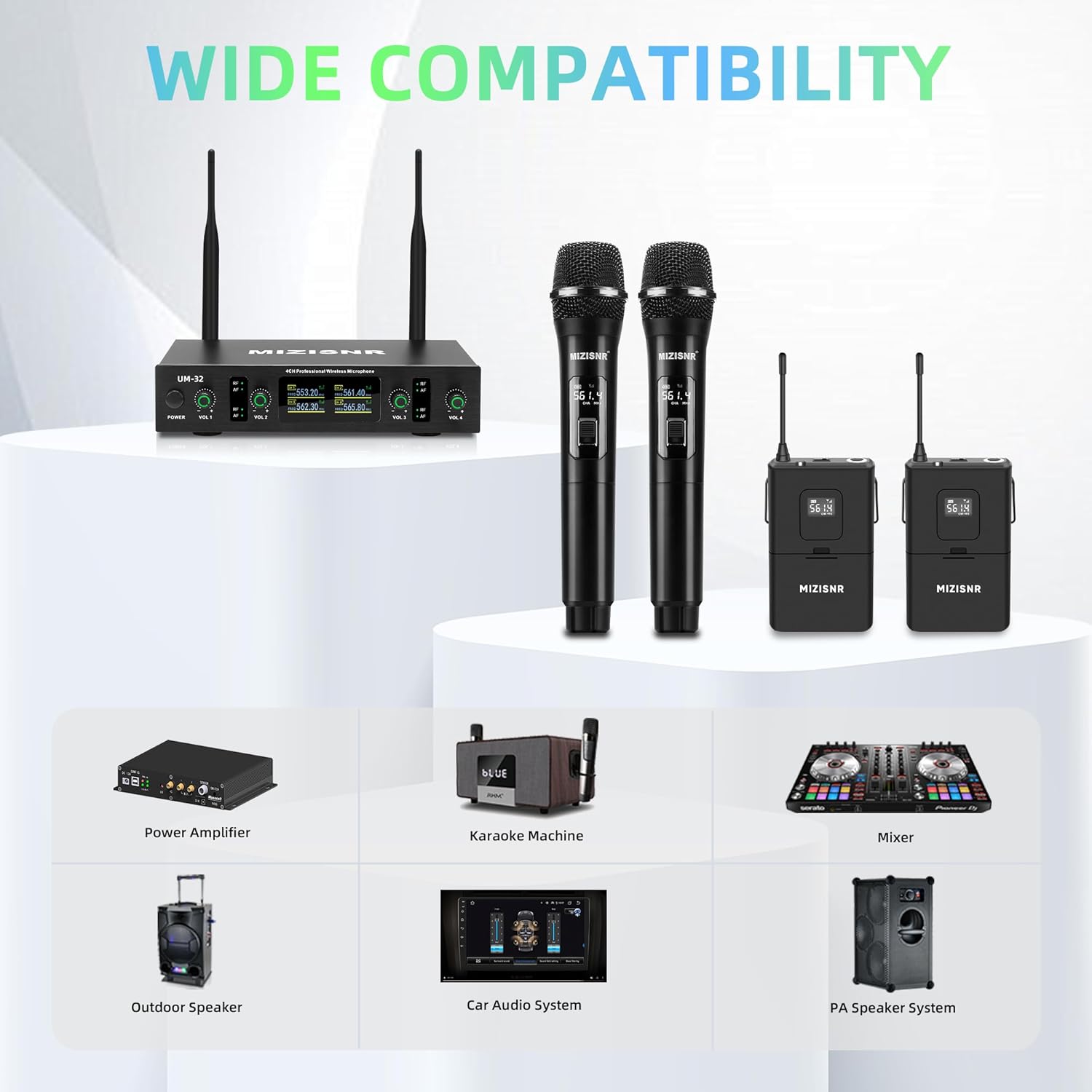
చిత్రం: Wide compatibility of the MIZISNR UM-32 system with various audio equipment.
వారంటీ మరియు మద్దతు
For any questions or concerns regarding your MIZISNR UM-32 Wireless Microphone System, please contact our customer support. We are committed to providing satisfactory solutions within 24 hours.
నిర్దిష్ట వారంటీ వివరాలు మరియు సంప్రదింపు సమాచారం కోసం దయచేసి మీ కొనుగోలు డాక్యుమెంటేషన్ను చూడండి.