
1. పరిచయం
This manual provides detailed instructions for the installation, operation, and maintenance of your INQMEGA 6MP TUYA Smart Camera. Please read this manual thoroughly before using the product to ensure correct usage and optimal performance. Keep this manual for future reference.
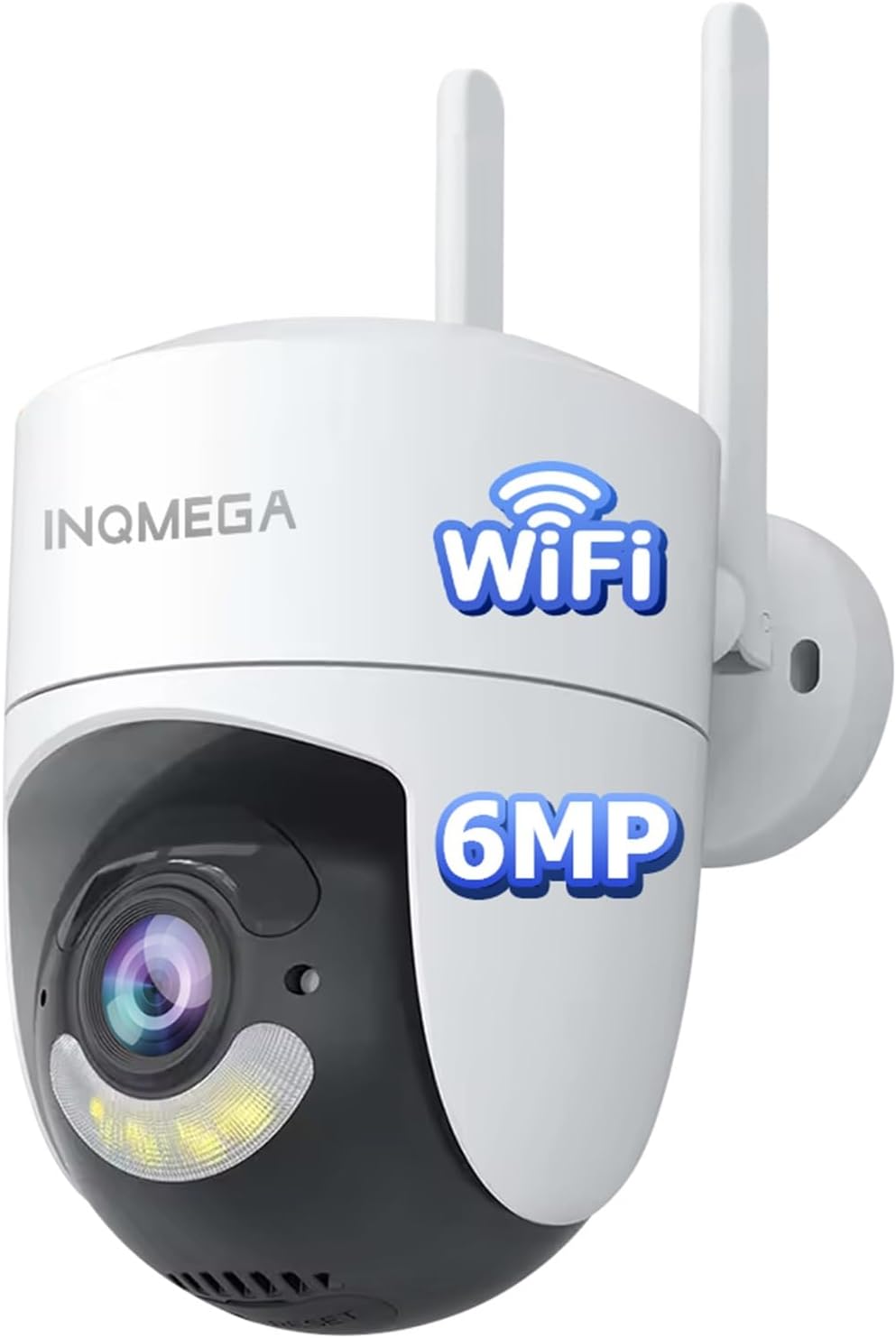
Image 1.1: The INQMEGA 6MP TUYA Smart Camera, a white dome-shaped camera with two antennas, a lens, and a spotlight, designed for outdoor surveillance.
2. ఉత్పత్తి ముగిసిందిview
2.1 ముఖ్య లక్షణాలు
- 6MP HD రిజల్యూషన్: స్పష్టమైన మరియు వివరణాత్మక వీడియో foo అందిస్తుందిtage.
- 355° పాన్ & 120° టిల్ట్: యాప్ ద్వారా రిమోట్ కంట్రోల్తో విస్తృత కవరేజీని అందిస్తుంది.
- 2.4GHz Wi-Fi కనెక్టివిటీ: Supports stable wireless connection (5GHz Wi-Fi is not supported).
- రెండు-మార్గం ఆడియో: కమ్యూనికేషన్ కోసం అంతర్నిర్మిత మైక్రోఫోన్ మరియు స్పీకర్.
- Color & IR Night Vision: Switchable modes for clear visibility in low-light conditions.
- మోషన్ డిటెక్షన్ & ఆటో ట్రాకింగ్: Detects movement and tracks subjects, sending instant alerts.
- IP66 జలనిరోధిత: వివిధ వాతావరణ పరిస్థితులను తట్టుకునేలా రూపొందించారు.
- సౌకర్యవంతమైన నిల్వ: Supports local storage via SD card (not included) and cloud storage (subscription required).
- సులభమైన సంస్థాపన: Features an upgraded mounting bracket for quick setup and removal.
2.2 ప్యాకేజీ విషయాలు
- INQMEGA 6MP TUYA Smart Camera (Model: ST-986-6M-TY)
- మౌంటు బ్రాకెట్
- Power Adapter with 6.5ft Power Cord
- మౌంటు స్క్రూలు మరియు వాల్ ప్లగ్లు
- వినియోగదారు మాన్యువల్ (ఈ పత్రం)

Image 2.1: The INQMEGA Smart Camera shown installed outdoors, illustrating its IP66 waterproof and dustproof capabilities against rain, snow, and sun.
3. సెటప్
3.1 అనువర్తన సంస్థాపన
- Download the 'TUYA Smart' or 'Smart Life' app from your mobile device's app store (Google Play Store for Android or Apple App Store for iOS).
- కొత్త ఖాతా కోసం నమోదు చేసుకోండి లేదా మీకు ఇప్పటికే ఒకటి ఉంటే లాగిన్ అవ్వండి.
3.2 పరికర జత చేయడం
- Power on the camera using the provided power adapter. Ensure the camera is within range of your 2.4GHz Wi-Fi router.
- Open the TUYA Smart app and tap the '+' icon to add a new device.
- Select 'Security & Video Surveillance' and then 'Smart Camera (Wi-Fi)'.
- కెమెరాను మీ 2.4GHz Wi-Fi నెట్వర్క్కి కనెక్ట్ చేయడానికి స్క్రీన్పై ఉన్న సూచనలను అనుసరించండి. మీరు మీ ఫోన్లో ప్రదర్శించబడే QR కోడ్ను కెమెరా లెన్స్తో స్కాన్ చేయాల్సి రావచ్చు.
- కనెక్ట్ అయిన తర్వాత, కెమెరా మీ పరికర జాబితాలో కనిపిస్తుంది.

Image 3.1: The INQMEGA Smart Camera with two antennas, indicating its 2.4GHz Wi-Fi connectivity and showing a router for network connection. Note that 5GHz Wi-Fi is not supported.
3.3 మౌంటు
The camera features an upgraded mounting bracket for flexible installation. It can be mounted on a wall, ceiling, or placed on a desktop.
- ఒక స్థానాన్ని ఎంచుకోండి: కావలసిన స్థలాన్ని అందించే తగిన ప్రదేశాన్ని ఎంచుకోండి viewing angle and is within range of your 2.4GHz Wi-Fi network and a power outlet.
- బ్రాకెట్ను ఇన్స్టాల్ చేయండి: Use the provided screws and wall plugs to securely attach the mounting bracket to the chosen surface.
- కెమెరాను అటాచ్ చేయండి: Align the camera with the bracket and twist it into place until it locks securely. The quick-release design allows for easy removal of the camera from the mounted bracket without unscrewing the entire mount.

Image 3.2: Illustration of various installation methods including wall mounting, ceiling hanging, and desktop placement for the INQMEGA Smart Camera.

Image 3.3: A hand demonstrating the quick-release feature, easily removing the INQMEGA Smart Camera from its mounted bracket without needing to unscrew the mount itself.
4. ఆపరేటింగ్ సూచనలు
4.1 ప్రత్యక్ష ప్రసారం View
Once the camera is paired, open the TUYA Smart app and select the camera from your device list to access the live video feed. You can view the 6MP HD video stream in real-time.
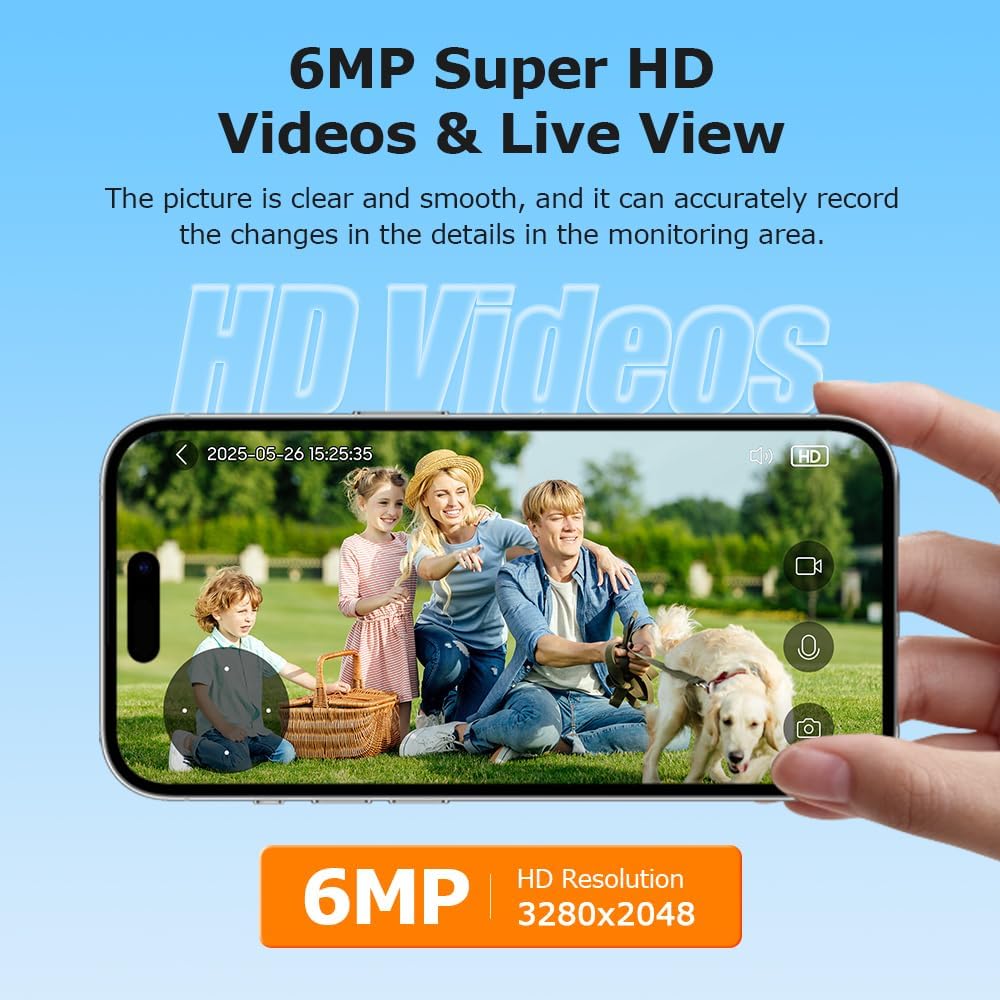
Image 4.1: A smartphone screen showing a clear 6MP HD live video feed from the INQMEGA Smart Camera, capturing a family in a garden.
4.2 టూ-వే ఆడియో
The camera is equipped with a built-in microphone and speaker, allowing for two-way communication. Tap the microphone icon in the app to speak through the camera, and listen to audio from the camera's surroundings.

Image 4.2: A delivery person at a door, with a smartphone displaying the camera's live view and a text bubble indicating two-way audio communication: "Hello, your package is arriving."
4.3 మోషన్ డిటెక్షన్ & ఆటో ట్రాకింగ్
The camera can detect motion and automatically track moving objects. When motion is detected, the camera will send instant alerts to your phone, often including a picture preview of the event. Configure motion detection sensitivity and alert settings within the app.

Image 4.3: A visual representation of the camera detecting and tracking a person carrying boxes, with a smartphone displaying a 'Motion detected' alarm notification.
4.4 నైట్ విజన్ మోడ్లు
కెమెరా రెండు నైట్ విజన్ మోడ్లను అందిస్తుంది:
- కలర్ నైట్ విజన్: Utilizes built-in white light LEDs to provide full-color video in low-light conditions.
- ఐఆర్ నైట్ విజన్: Uses infrared LEDs for black and white video in complete darkness, with a range of up to 85 feet.
You can switch between these modes or set them to automatic activation based on ambient light levels within the app settings.

Image 4.4: A side-by-side comparison showing the camera's Color Night Vision (with white light illumination) and IR Night Vision (infrared, black and white) capabilities.
4.5 పాన్/టిల్ట్/జూమ్ నియంత్రణ
కెమెరాలను నియంత్రించండి viewing angle remotely using the pan (horizontal) and tilt (vertical) controls in the app. The camera supports 355° pan and 120° tilt. Digital zoom (up to 4x) is also available to magnify specific areas of the live feed.

Image 4.5: A smartphone screen displaying the live view from the INQMEGA Smart Camera, with on-screen controls indicating 355° pan and 120° tilt rotation capabilities.
4.6 రికార్డింగ్ & నిల్వ
The camera offers flexible recording options:
- SD కార్డ్ నిల్వ: Insert a microSD card (up to 128GB, not included) into the camera's designated slot for local storage of recordings. This option incurs no additional monthly fees.
- క్లౌడ్ నిల్వ: Subscribe to a cloud storage plan through the TUYA Smart app for secure, remote storage of your video recordings.

Image 4.6: The INQMEGA Smart Camera with an SD card being inserted into its slot, alongside icons representing both Cloud Storage and SD Card storage options.
5. నిర్వహణ
- శుభ్రపరచడం: కెమెరా లెన్స్ మరియు బాడీని మృదువైన, d తో సున్నితంగా తుడవండిamp వస్త్రం. కఠినమైన రసాయనాలు లేదా రాపిడి క్లీనర్లను ఉపయోగించవద్దు.
- ఫర్మ్వేర్ నవీకరణలు: Regularly check the TUYA Smart app for available firmware updates to ensure optimal performance and security. Follow the in-app instructions for updating.
- విద్యుత్ సరఫరా: Ensure the power cord and adapter are in good condition and free from damage.
6. ట్రబుల్షూటింగ్
- కెమెరా ఆఫ్లైన్: Ensure the camera is powered on and within range of your 2.4GHz Wi-Fi router. Check your Wi-Fi network status. If the issue persists, try restarting the camera and your router.
- Wi-Fiకి కనెక్ట్ చేయడం సాధ్యం కాలేదు: Verify that you are connecting to a 2.4GHz Wi-Fi network. Ensure the Wi-Fi password is entered correctly. Move the camera closer to the router during setup.
- పేలవమైన వీడియో నాణ్యత: Check your internet connection speed. Ensure the camera lens is clean and free from obstructions.
- మోషన్ డిటెక్షన్ పనిచేయదు: Verify that motion detection is enabled in the app settings. Adjust sensitivity levels as needed. Ensure the camera's view అడ్డుకోలేదు.
- రెండు-మార్గం ఆడియో సమస్యలు: Check the volume settings on your phone and within the app. Ensure there are no obstructions blocking the camera's microphone or speaker.
7. స్పెసిఫికేషన్లు
| ఫీచర్ | స్పెసిఫికేషన్ |
|---|---|
| మోడల్ పేరు | ST-986-6M-TY |
| వీడియో క్యాప్చర్ రిజల్యూషన్ | 6MP |
| పాన్/టిల్ట్ పరిధి | 355° పాన్, 120° వంపు |
| కనెక్టివిటీ టెక్నాలజీ | 2.4G WIFI (5G WIFI not supported) |
| నైట్ విజన్ రేంజ్ | 85 అడుగులు |
| నీటి నిరోధక స్థాయి | IP66 జలనిరోధిత |
| నిల్వ ఎంపికలు | SD కార్డ్ (128GB వరకు), క్లౌడ్ స్టోరేజ్ |
| శక్తి మూలం | కార్డెడ్ ఎలక్ట్రిక్ |
| కంట్రోలర్ రకం | App (TUYA Smart/Smart Life), Amazon Alexa |
| మెటీరియల్ | ప్లాస్టిక్ |
| అంశం కొలతలు (L x W x H) | 1 x 1 x 1 అంగుళాలు |
| వస్తువు బరువు | 15.5 ఔన్సులు |
8. వారంటీ మరియు మద్దతు
For warranty information and technical support, please refer to the product packaging or contact INQMEGA customer service directly. You can typically find contact details on the manufacturer's official webసైట్ లేదా మీ కొనుగోలు ప్లాట్ఫారమ్ ద్వారా.