
1. పరిచయం
Thank you for choosing the Nuwave Gold Pro Precision Induction Cooktop. This manual provides essential information for the safe and efficient operation of your new appliance. Please read all instructions carefully before use and retain this manual for future reference.
2. ముఖ్యమైన భద్రతా సమాచారం
WARNING: To reduce the risk of fire, electric shock, injury to persons, or damage to the appliance, read and follow all instructions.
- Always place the cooktop on a stable, level, heat-resistant surface.
- యూనిట్ చుట్టూ తగినంత వెంటిలేషన్ ఉండేలా చూసుకోండి. గాలి వెంట్లను నిరోధించవద్దు.
- కుక్టాప్ను నీటిలో లేదా ఇతర ద్రవాలలో ముంచవద్దు.
- ఇండక్షన్-కంపాటబుల్ వంట సామాగ్రిని మాత్రమే ఉపయోగించండి. అనుకూలత లేని వంట సామాగ్రి వేడెక్కదు.
- Do not touch the cooking surface immediately after use, as it may retain residual heat.
- ఆపరేషన్ సమయంలో పిల్లలు మరియు పెంపుడు జంతువులను కుక్టాప్ నుండి దూరంగా ఉంచండి.
- Unplug the cooktop when not in use and before cleaning.
- ఉపకరణం దెబ్బతిన్న త్రాడు లేదా ప్లగ్ కలిగి ఉంటే, లేదా అది పనిచేయకపోతే లేదా ఏదైనా విధంగా దెబ్బతిన్నట్లయితే దాన్ని ఆపరేట్ చేయవద్దు.
- Individuals with pacemakers or similar medical devices should consult their physician before using an induction cooktop.
3. ఉత్పత్తి ముగిసిందిview
భాగాలు
- Nuwave Gold Pro Precision Induction Cooktop
- Meat Thermometer (included)
నియంత్రణ ప్యానెల్ మరియు ప్రదర్శన
The Nuwave Gold Pro features a digital touch screen control panel and an enhanced cool white LED display for clear visibility of time and temperature settings.

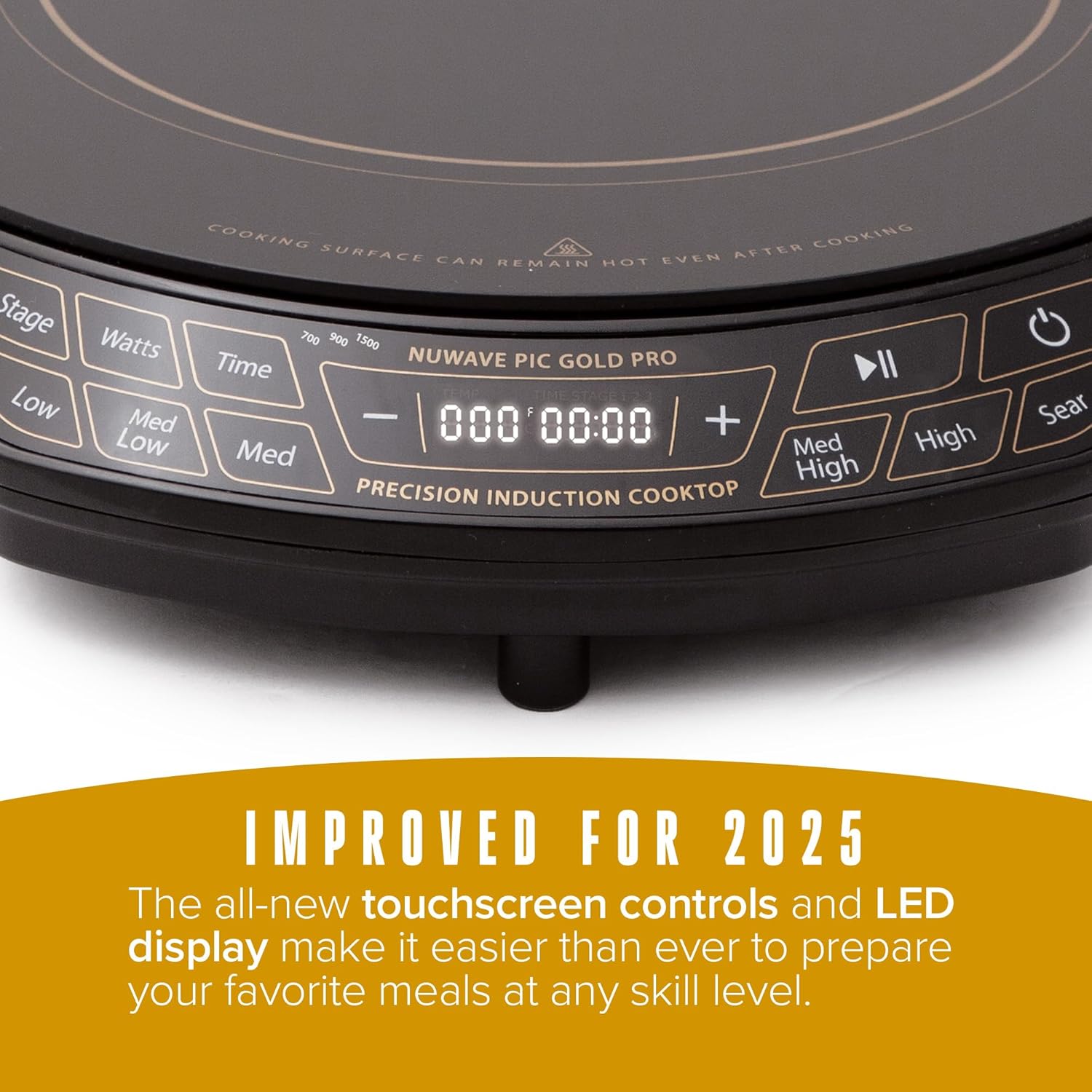
కీలక నియంత్రణలు:
- పవర్ బటన్: యూనిట్ని ఆన్ లేదా ఆఫ్ చేస్తుంది.
- ఉష్ణోగ్రత నియంత్రణలు: Adjusts cooking temperature from 100°F to 575°F in 5-degree increments. Pre-set temperature buttons (Low, Med Low, Med, Med High, High, Sear) are also available.
- వాట్tagఇ నియంత్రణ: Adjusts power output between 700W, 900W, and 1500W.
- సమయ బటన్: వంట టైమర్ను సెట్ చేస్తుంది.
- Stagఇ బటన్: For advanced multi-stagఇ వంట కార్యక్రమాలు.
- ప్లే/పాజ్ బటన్: Pauses or resumes cooking.
4. సెటప్
- అన్ప్యాకింగ్: Carefully remove all packaging materials from the cooktop. Inspect the unit for any damage.
- ప్లేస్మెంట్: Place the cooktop on a dry, stable, and level surface. Ensure there is at least 6 inches of clear space around all sides for proper ventilation. Do not place on or near hot gas or electric burners, or in a heated oven.
- పవర్ కనెక్షన్: పవర్ కార్డ్ను ప్రామాణిక 120V AC ఎలక్ట్రికల్ అవుట్లెట్లోకి ప్లగ్ చేయండి.
5. ఆపరేటింగ్ సూచనలు
5.1 పవర్ ఆన్ మరియు ఆఫ్
- ఆన్ చేయడానికి, నొక్కండి శక్తి బటన్. డిస్ప్లే వెలుగుతుంది.
- ఆపివేయడానికి, నొక్కండి శక్తి మళ్ళీ బటన్.
5.2 Basic Cooking Operation
- Place induction-compatible cookware with food on the center of the cooktop.
- నొక్కండి శక్తి యూనిట్ ఆన్ చేయడానికి బటన్.
- Select your desired temperature using the ఉష్ణోగ్రత buttons (Low, Med Low, Med, Med High, High, Sear) or adjust precisely using the + మరియు - buttons. Temperatures can be set from 100°F to 575°F in 5-degree increments.
- Optionally, adjust the wattagనొక్కడం ద్వారా ఇ వాట్స్ button to cycle between 700W, 900W, and 1500W.
- Optionally, set a cooking time using the సమయం బటన్ మరియు + మరియు - buttons. The cooktop will automatically shut off when the timer expires.
- To pause cooking, press the ప్లే/పాజ్ చేయండి బటన్. పునఃప్రారంభించడానికి మళ్ళీ నొక్కండి.
5.3 భద్రతా లక్షణాలు
- Cookware Detection: The cooktop will not activate if no compatible cookware is placed on the surface. If cookware is removed during operation, the unit will pause and automatically shut off after 1 minute if the cookware is not returned.
- ఆటోమేటిక్ షట్-ఆఫ్: The unit will automatically shut off after 2 hours of continuous operation unless the timer is set for a longer duration or adjusted during cooking.


6. వంటసామాను అనుకూలత
The Nuwave Gold Pro Precision Induction Cooktop requires cookware with a magnetic base. To test if your cookware is compatible, hold a household magnet to the bottom of the pot or pan. If the magnet sticks, the cookware is induction compatible.
అనుకూలమైన వంటసామాను పదార్థాలు:
- All Nuwave Cookware
- Enameled Iron & Steel
- Stainless Steel with a magnetic base
- Cast Iron & Carbon Steel
Incompatible Cookware Materials:
- రాగి
- గాజు
- అల్యూమినియం
- మట్టి పాత్రలు

7. శుభ్రపరచడం మరియు నిర్వహణ
Regular cleaning ensures optimal performance and extends the life of your cooktop.
- ఎల్లప్పుడూ కుక్టాప్ను అన్ప్లగ్ చేసి, శుభ్రం చేయడానికి ముందు పూర్తిగా చల్లబరచడానికి అనుమతించండి.
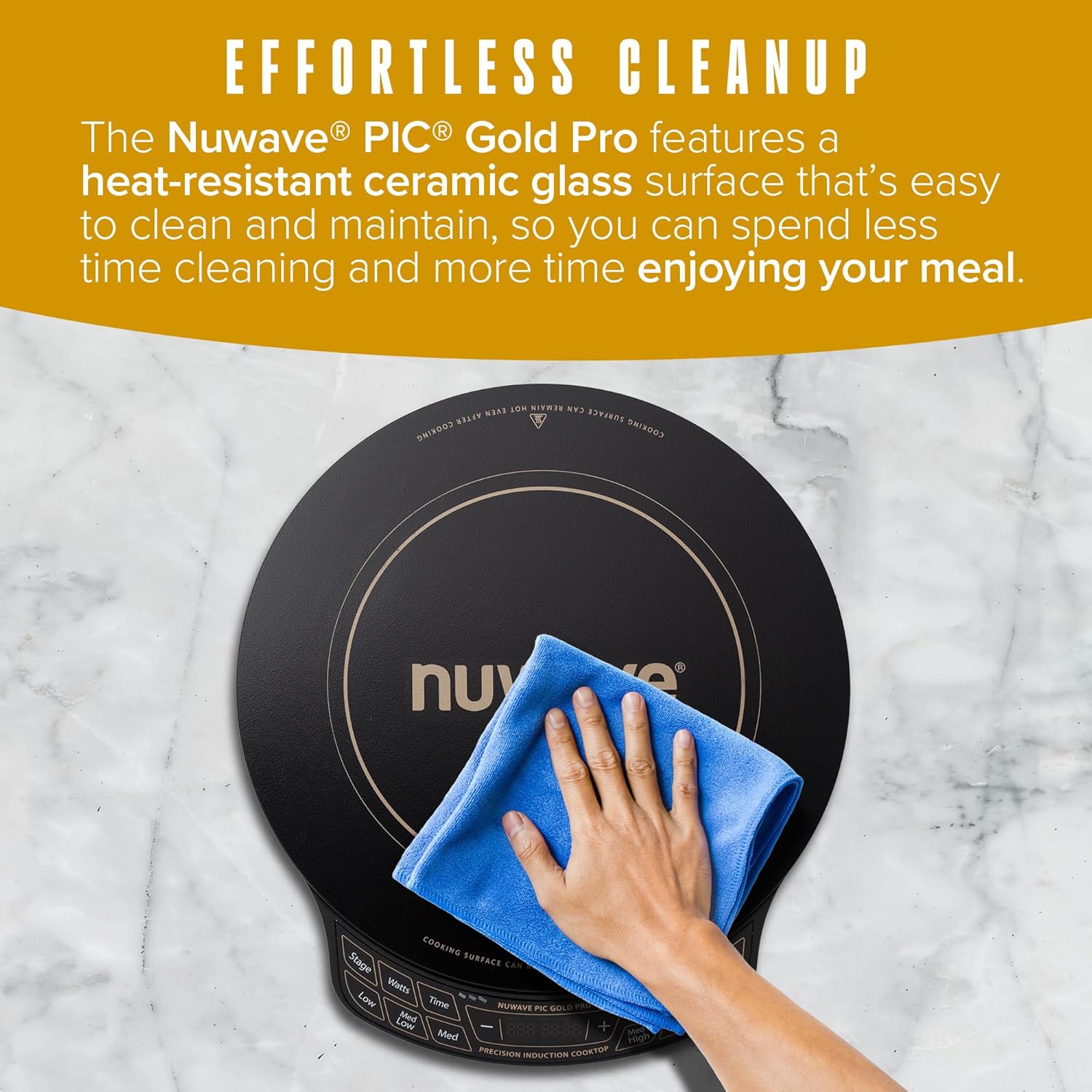
- ప్రకటనతో సిరామిక్ గాజు ఉపరితలాన్ని తుడవండిamp cloth and mild detergent. For stubborn stains, use a non-abrasive cleaner specifically designed for ceramic cooktops.
- Do not use abrasive pads, harsh chemicals, or steel wool, as these can scratch or damage the surface.
- కంట్రోల్ ప్యానెల్ను సాఫ్ట్, డితో తుడవండిamp నియంత్రణ ప్రాంతంలోకి ద్రవం ప్రవేశించకుండా చూసుకోండి.
- Ensure the cooktop is completely dry before plugging it back in or storing it.
8. ట్రబుల్షూటింగ్
If you encounter issues with your Nuwave Gold Pro, please refer to the following common problems and solutions:
| సమస్య | సాధ్యమైన కారణం | పరిష్కారం |
|---|---|---|
| Cooktop does not turn on or heat. | ప్లగిన్ చేయబడలేదు; పవర్ లేదాtage; incompatible cookware; cookware not centered. | Check power connection; ensure compatible cookware is used and centered; check household circuit breaker. |
| Display shows 'C' instead of 'F' for temperature. | Temperature unit accidentally switched to Celsius. | Long press the 'Med High' button to toggle between Celsius and Fahrenheit. |
| పని చేస్తున్నప్పుడు కుక్టాప్ వేడిని ఆపివేస్తుంది. | Cookware removed; automatic shut-off activated; overheating. | Return cookware to surface; reset unit if auto-shutoff occurred; ensure proper ventilation and allow to cool if overheating. |
| Unusual noises (e.g., humming). | Normal operation with certain cookware; fan noise. | A slight humming sound is normal with induction technology. The internal fan operates to cool the unit. |
9. స్పెసిఫికేషన్లు
| ఫీచర్ | వివరాలు |
|---|---|
| మోడల్ సంఖ్య | PIC గోల్డ్ ప్రో |
| బ్రాండ్ | నువ్వావే |
| రంగు | నలుపు |
| మెటీరియల్ | సిరామిక్ గ్లాస్ |
| హీటింగ్ ఎలిమెంట్స్ | 1 |
| ఉత్పత్తి కొలతలు (D x W x H) | 13.75" x 12.38" x 2.25" |
| వాట్tage | Adjustable (700W, 900W, 1500W) |
| ఉష్ణోగ్రత పరిధి | 100°F నుండి 575°F (5°F ఇంక్రిమెంట్లలో) |
| నియంత్రణ రకాన్ని | టచ్ స్క్రీన్ |
| బర్నర్ రకం | ఇండక్షన్ |
| చేర్చబడిన భాగాలు | 1 x మాంసం థర్మామీటర్ |
| శక్తి మూలం | విద్యుత్ |
| వస్తువు బరువు | 7.04 పౌండ్లు (3.2 కిలోగ్రాములు) |
| UPC | 652185302129 |
10. వారంటీ మరియు మద్దతు
The Nuwave Gold Pro Precision Induction Cooktop comes with a manufacturer's warranty. Please refer to the warranty card included with your product for specific terms and conditions. For technical support, replacement parts, or any inquiries, please contact Nuwave customer service.
Nuwave Customer Service:
- Contact information can typically be found on the official Nuwave webసైట్ లేదా ఉత్పత్తి ప్యాకేజింగ్లో.