
1. పరిచయం
Thank you for choosing the 4DRC V32 Foam Remote Control Airplane. This manual provides essential information for the safe and effective operation, maintenance, and troubleshooting of your new aircraft. Please read it thoroughly before first use and retain it for future reference.
The 4DRC V32 is a lightweight and durable foam fighter jet designed for both kids and adults. It features three powerful built-in motors, LED lights for night flying, and various flight modes including 360° flips, stunt rolls, headless mode, and altitude hold. The aircraft comes equipped with three rechargeable batteries for extended flight time.
2. పెట్టెలో ఏముంది
విషయాలను జాగ్రత్తగా అన్ప్యాక్ చేసి, అన్ని అంశాలు ఉన్నాయని నిర్ధారించుకోండి:
- 1 x 4DRC V32 Foam Remote Control Airplane
- 1 x రిమోట్ కంట్రోల్ ట్రాన్స్మిటర్
- 3 x 3.7V 350mAh Rechargeable Batteries
- 1 x USB ఛార్జింగ్ కేబుల్
- 4 x స్పేర్ ప్రొపెల్లర్లు
- 1 x ఇన్స్ట్రక్షన్ మాన్యువల్
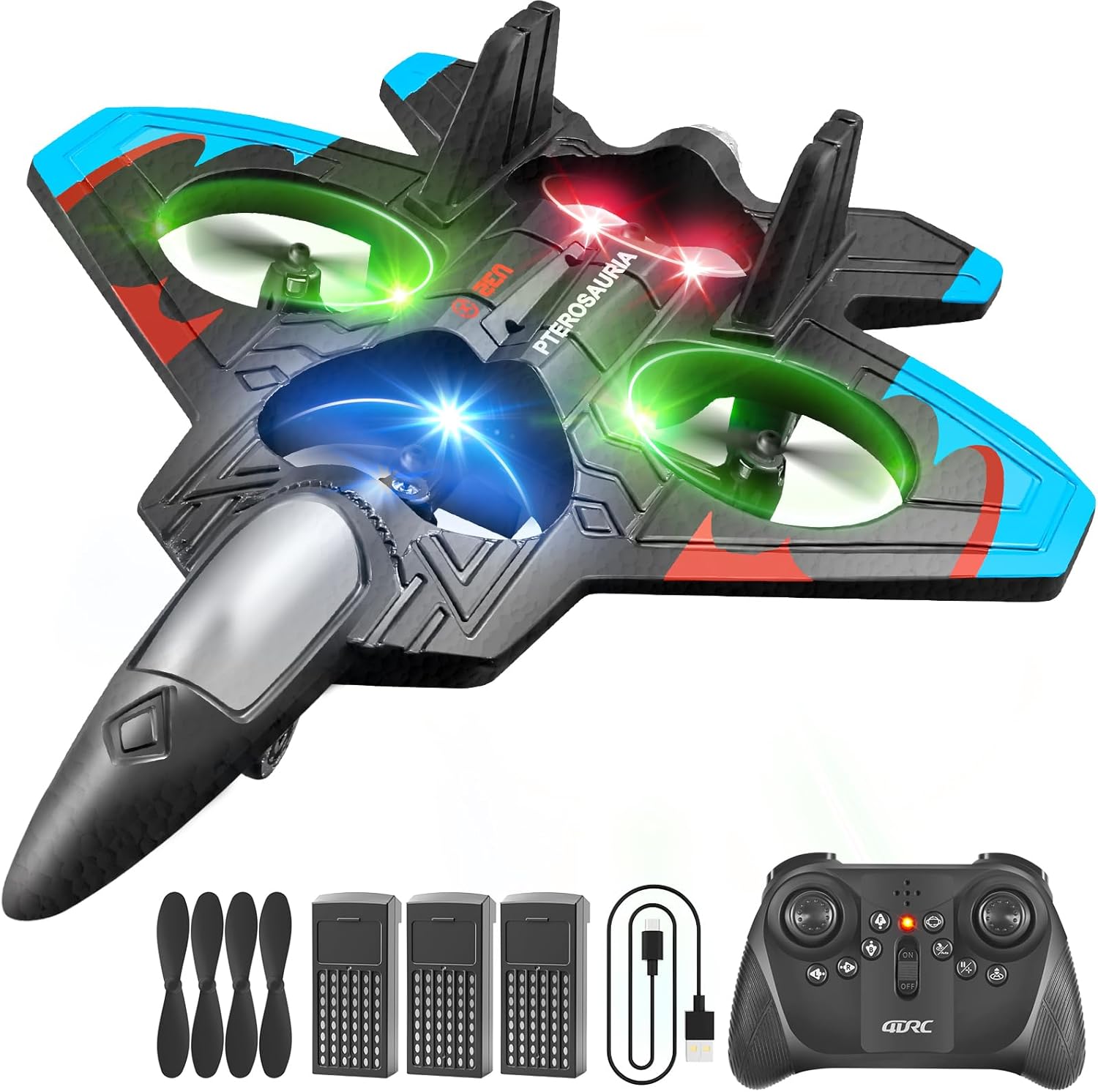
Image: All components included in the 4DRC V32 package.
3. భద్రతా సమాచారం
సురక్షితమైన ఆపరేషన్ను నిర్ధారించడానికి మరియు గాయం లేదా నష్టాన్ని నివారించడానికి, దయచేసి ఈ క్రింది భద్రతా మార్గదర్శకాలను గమనించండి:
- వయస్సు సిఫార్సు: ఈ ఉత్పత్తి 8 సంవత్సరాలు మరియు అంతకంటే ఎక్కువ వయస్సు ఉన్న వినియోగదారులకు సిఫార్సు చేయబడింది. చిన్న వయస్సు గల వినియోగదారులకు పెద్దల పర్యవేక్షణ సిఫార్సు చేయబడింది.
- విమాన పర్యావరణం: Operate the aircraft in open, clear areas, away from people, animals, buildings, trees, power lines, and water. Avoid flying in strong winds.
- ప్రొపెల్లర్ భద్రత: Keep hands, face, and hair away from rotating propellers. The propellers can cause injury.
- బ్యాటరీ భద్రత: Use only the provided charging cable and batteries. Do not overcharge or short-circuit batteries. Discontinue use if batteries show signs of damage or swelling.
- ప్రభావ హెచ్చరిక: While the foam material is durable, repeated hard impacts can cause damage. Inspect the aircraft for damage after any crash.
4. Setup & Battery Installation
The 4DRC V32 remote control airplane requires no assembly. Follow these steps to prepare for flight:
4.1. రిమోట్ కంట్రోల్ బ్యాటరీ ఇన్స్టాలేషన్
- రిమోట్ కంట్రోల్ వెనుక బ్యాటరీ కంపార్ట్మెంట్ను తెరవండి.
- Insert 3 'C' batteries (included), ensuring correct polarity (+/-).
- బ్యాటరీ కంపార్ట్మెంట్ను సురక్షితంగా మూసివేయండి.
4.2. Aircraft Battery Installation & Charging
- విమానం దిగువ భాగంలో బ్యాటరీ కంపార్ట్మెంట్ను గుర్తించండి.
- Insert one of the 3.7V 350mAh rechargeable batteries into the compartment and connect it to the aircraft's power connector.
- To charge the aircraft batteries, connect a battery to the USB charging cable, then plug the USB cable into a suitable USB power source (e.g., computer, USB wall adapter). The charging indicator will show charging status.
- Each battery provides approximately 20 minutes of flight time, totaling 60 minutes with all three batteries.
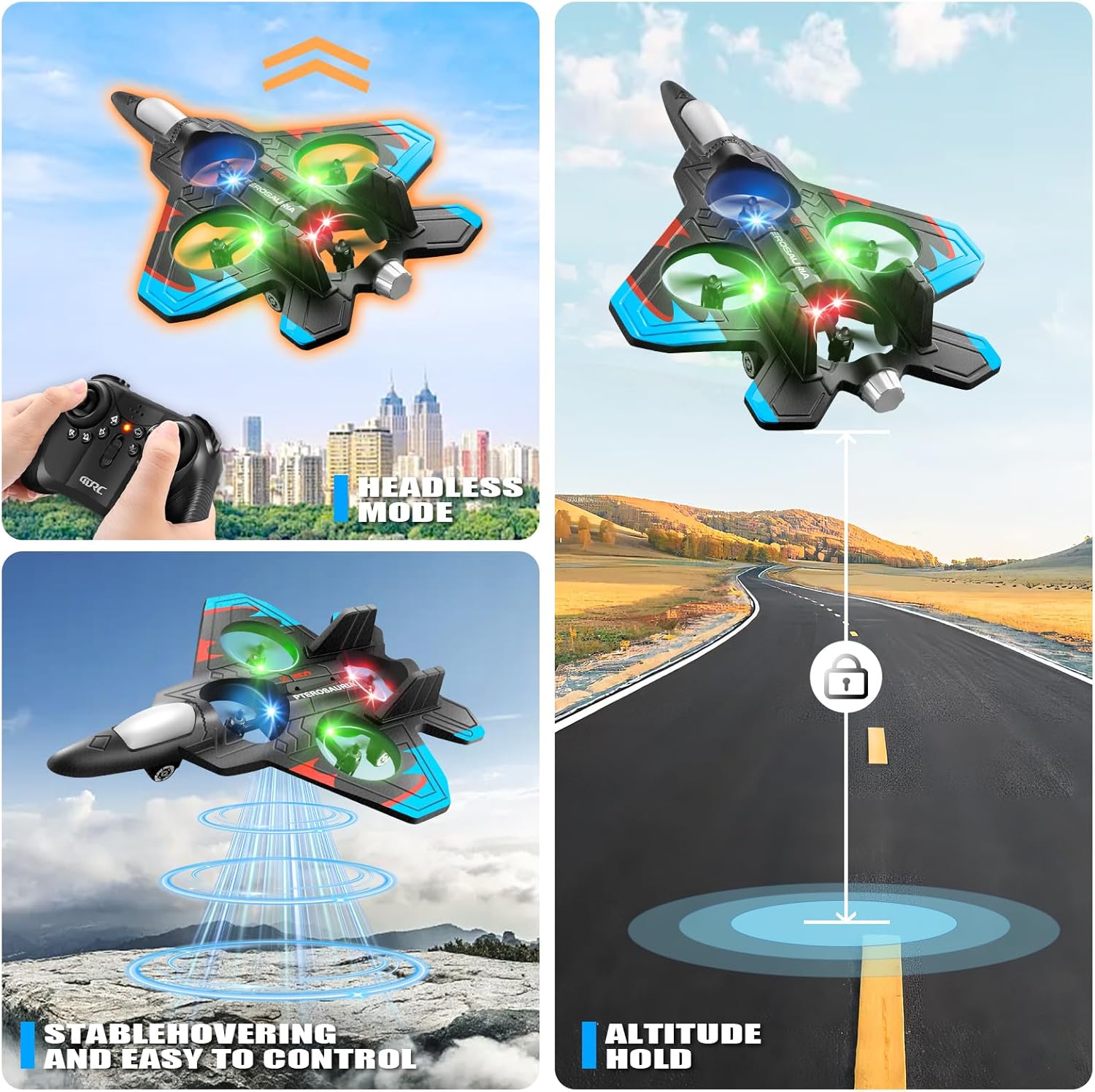
Image: Rechargeable batteries and USB charging cable.
5. రిమోట్ కంట్రోల్ ఓవర్view
Familiarize yourself with the remote control functions before flight:
- ఎడమ జాయ్స్టిక్: థ్రోటిల్ (పైకి/క్రిందికి) మరియు యా (ఎడమ/కుడి భ్రమణం) నియంత్రిస్తుంది.
- కుడి జాయ్స్టిక్: Controls pitch (forward/backward) and roll (left/right strafe).
- వన్-కీ టేకాఫ్/ల్యాండింగ్ బటన్: ఆటోమేటిక్ టేకాఫ్ లేదా ల్యాండింగ్ను ప్రారంభిస్తుంది.
- స్పీడ్ స్విచ్ బటన్: Cycles through three speed modes (low, medium, high).
- 360° ఫ్లిప్ బటన్: Activates the 360-degree flip stunt.
- హెడ్లెస్ మోడ్ బటన్: Engages headless mode, simplifying flight orientation.
- ఎత్తు హోల్డ్: Maintains a stable altitude automatically.

Image: The remote control for the 4DRC V32 airplane.
Video: Demonstration of the 4DRC Remote Control Plane's features and controls.
6. ఆపరేటింగ్ సూచనలు
6.1. విమాన ప్రయాణానికి ముందు తనిఖీ
- Ensure both the aircraft and remote control batteries are fully charged.
- విమాన ప్రయాణానికి బహిరంగ, స్పష్టమైన ప్రాంతాన్ని ఎంచుకోండి, అడ్డంకులు మరియు ప్రజలు లేకుండా.
- Verify that all propellers are securely attached and undamaged.
6.2. Pairing the Aircraft and Remote
- Turn on the aircraft. The LED lights will flash.
- రిమోట్ కంట్రోల్ ఆన్ చేయండి.
- Push the left joystick (throttle) all the way up, then all the way down. The aircraft's LED lights will stop flashing and remain solid, indicating successful pairing.
6.3. Take-off and Basic Flight
- వన్-కీ టేకాఫ్: Place the aircraft on a flat surface. Press the One-Key Take-off button. The aircraft will automatically ascend to a stable hovering height.
- థొరెటల్ కంట్రోల్: Use the left joystick to increase (up) or decrease (down) altitude.
- దిశ నియంత్రణ: Use the right joystick to move the aircraft forward, backward, left, or right.
- Yaw Control: Use the left joystick left/right to rotate the aircraft horizontally.

Image: The 4DRC V32 airplane in controlled flight.
6.4. Special Flight Features
- 360° Flip & Stunt Roll: While flying, press the 360° Flip button, then move the right joystick in the desired direction to perform an acrobatic flip or roll.
- హెడ్లెస్ మోడ్: Press the Headless Mode button. In this mode, the aircraft's orientation is relative to the pilot, making it easier to control regardless of which way the front of the aircraft is facing.
- ఎత్తు హోల్డ్: The aircraft automatically maintains its current altitude, allowing for stable hovering.
- మూడు స్పీడ్ ఎంపికలు: Use the Speed Switch button to adjust the flight speed (low for beginners, high for experienced pilots).
- LED లైట్లు: The integrated LED lights enhance visibility and provide an exciting visual experience, especially during evening flights.

Image: Visual representation of 3D flips.

Image: Headless Mode and Altitude Hold features.

Image: Three distinct speed modes for varied flight experiences.
Video: Dynamic flight demonstration of the 4DRC RC Plane.
6.5. ల్యాండింగ్
- వన్-కీ ల్యాండింగ్: Press the One-Key Take-off/Landing button again. The aircraft will automatically descend and land gently.
- మాన్యువల్ ల్యాండింగ్: Slowly lower the left joystick (throttle) to gradually descend the aircraft until it lands.
7. నిర్వహణ
Proper maintenance ensures the longevity and performance of your 4DRC V32 airplane:
- శుభ్రపరచడం: Wipe the aircraft with a soft, dry cloth after use. Avoid using water or harsh chemicals.
- ప్రొపెల్లర్ ప్రత్యామ్నాయం: If a propeller is damaged, carefully remove it and replace it with a spare propeller from the package. Ensure the new propeller is securely attached.
- నిల్వ: Store the aircraft and remote control in a cool, dry place, away from direct sunlight and extreme temperatures. Remove batteries from the remote control during long periods of non-use.
8. ట్రబుల్షూటింగ్
If you encounter issues with your 4DRC V32, refer to the following common problems and solutions:
| సమస్య | సాధ్యమైన కారణం | పరిష్కారం |
|---|---|---|
| Aircraft does not respond to remote. | Not paired, low batteries, out of range. | Ensure proper pairing (Section 6.2). Check and replace remote/aircraft batteries. Fly within range. |
| Aircraft flies erratically or drifts. | Needs calibration, damaged propeller, strong wind. | Perform a one-click calibration (refer to remote control diagram for button). Replace damaged propellers. Fly in calm conditions. |
| చిన్న విమాన సమయం. | Batteries not fully charged, old batteries. | Ensure batteries are fully charged before each flight. Consider replacing old batteries if performance degrades significantly. |
| Remote control difficult to sync. | Incorrect pairing sequence, interference. | Follow pairing instructions carefully (Section 6.2). Ensure no other 2.4GHz devices are causing interference. |
9. స్పెసిఫికేషన్లు
- ఉత్పత్తి కొలతలు: 10 x 2 x 8 అంగుళాలు
- వస్తువు బరువు: 12.6 ఔన్సులు
- అంశం మోడల్ సంఖ్య: 4D-V32-3BAT
- తయారీదారు సిఫార్సు చేసిన వయస్సు: 8 సంవత్సరాలు మరియు అంతకంటే ఎక్కువ
- బ్యాటరీలు: 3 x 3.7V 350mAh rechargeable batteries (included for aircraft), 3 x C batteries (included for remote)
- విమాన సమయం: Approximately 20 minutes per aircraft battery
- నియంత్రణ ఫ్రీక్వెన్సీ: 2.4GHz
10. వారంటీ మరియు మద్దతు
For warranty information, technical support, or any questions not covered in this manual, please contact 4DRC customer service through the retailer's platform or the official 4DRC website. Please have your model number (4D-V32-3BAT) and purchase details ready when contacting support.