1. ఉత్పత్తి ముగిసిందిview
This manual provides detailed instructions for the installation, operation, and maintenance of your Generic GTZX Linux Android Wireless Carplay Auto Radio Screen. Please read this manual thoroughly before use to ensure proper functionality and safety.
- Smooth and intelligent infotainment experience: Thanks to the lightweight design of the Linux system, it boots up quickly, runs smoothly, and responds promptly to operations, eliminating lag and delays.
- Seamless multi-device connectivity: Supports various connection methods such as Bluetooth and Wi-Fi, enabling effortless data synchronization between your mobile phone and the in-vehicle infotainment system. Switch between navigation and music at will.
- Personalized system customization: With the high degree of freedom of the Linux system, you can adjust the interface layout and theme style according to your personal preferences, creating an exclusive in-vehicle interactive interface.
- Stable, reliable security protection: The Linux system has a robust security mechanism, effectively resisting cyber threats and providing solid protection for driving data and privacy.
- Continuous functional iteration and upgrades: Relying on the open - source ecosystem of Linux, you can continuously obtain new functions and optimized updates, maintaining the advanced nature and practicality of the in-vehicle infotainment system.

This image displays the main unit of the Carplay Auto Radio Screen, showcasing దాని సొగసైన డిజైన్ మరియు వినియోగదారు ఇంటర్ఫేస్.
2. Compatibility and Installation Overview
This unit is designed for BMW 1 Series E87 models manufactured between 2006 and 2012, specifically for vehicles లేకుండా an original display head unit. It is not compatible with vehicles equipped with CIC or CCC systems.
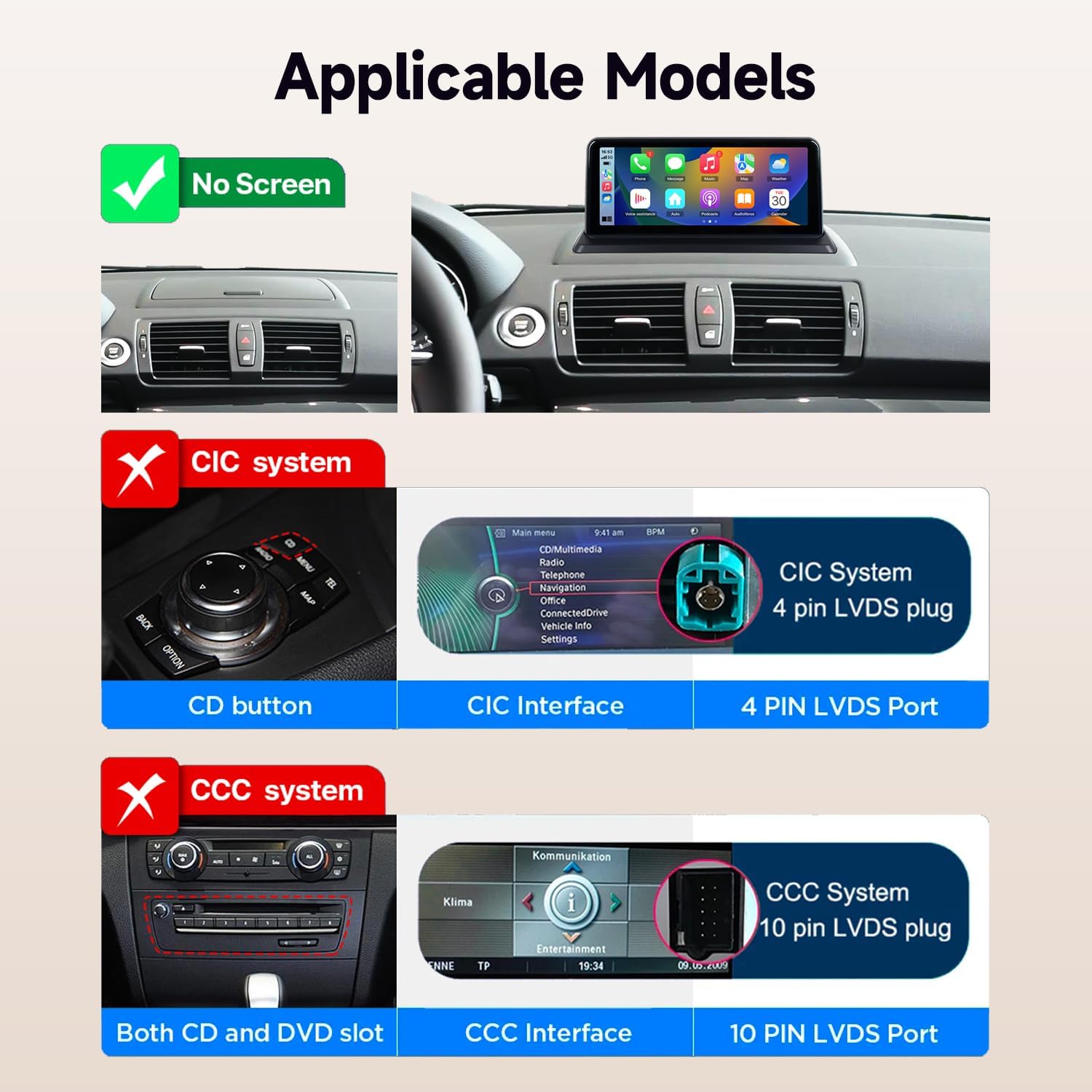
This image illustrates the compatibility requirements, showing that the unit is for models without an original screen and is not suitable for vehicles with CIC (4-pin LVDS) or CCC (10-pin LVDS) systems.
2.1 Before and After Installation
The installation process replaces the existing dashboard panel with the new 10.25-inch display, integrating seamlessly into the vehicle's interior.
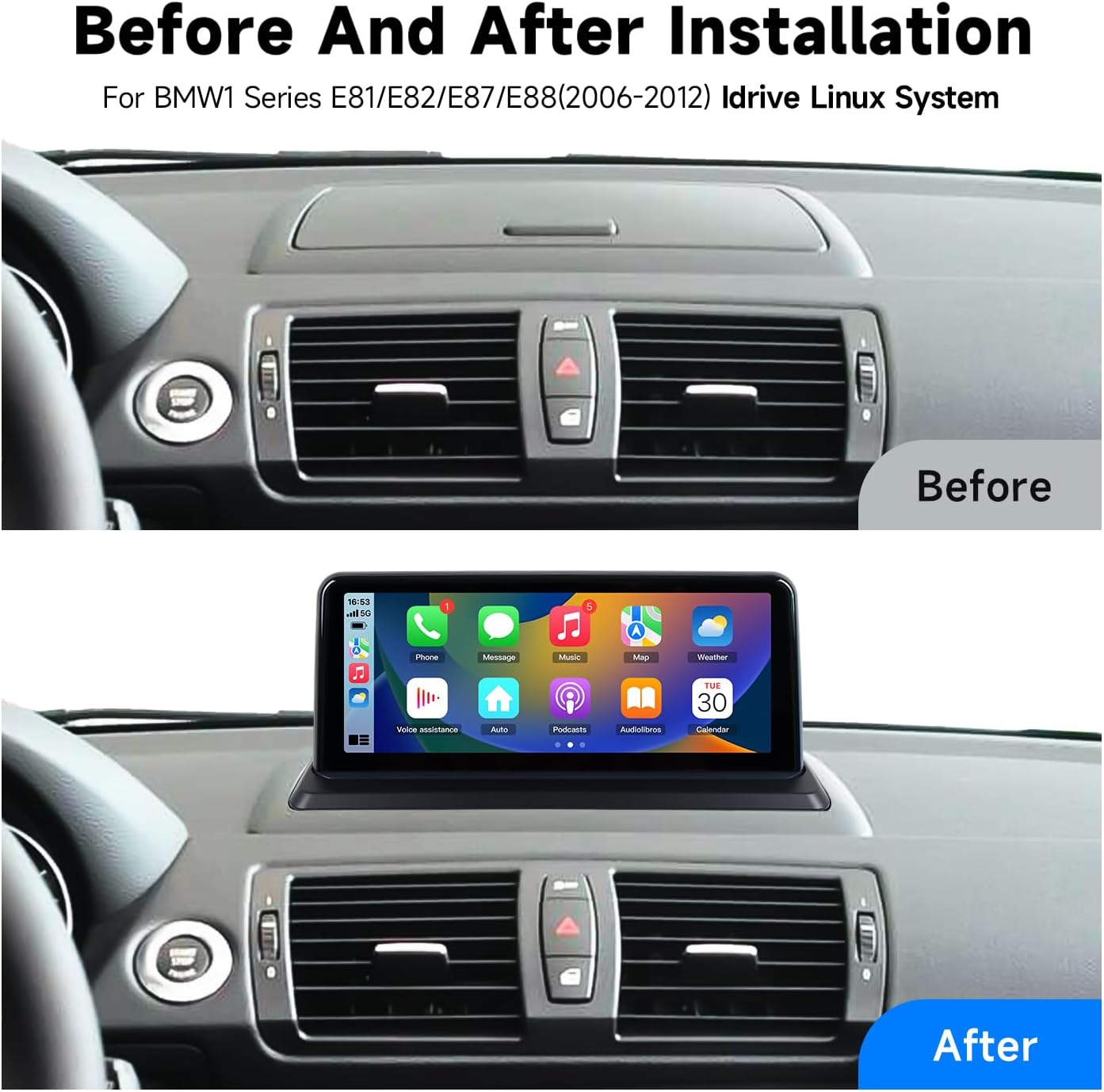
This image shows the vehicle's dashboard before installation, featuring a standard panel, and after installation, with the new 10.25-inch display integrated.
3. ఆపరేటింగ్ సూచనలు
3.1 వైర్లెస్ కార్ప్లే మరియు ఆండ్రాయిడ్ ఆటో
The unit supports wireless CarPlay for iPhone and wireless Android Auto for Android phones, allowing for seamless integration of your smartphone's features onto the car's display.

This image demonstrates how to connect an Android phone to Android Auto and an iPhone to CarPlay wirelessly via USB or Bluetooth.
3.2 బ్లూటూత్ కనెక్టివిటీ
The built-in smart Bluetooth system supports mobile phone pairing for hands-free dialing and audio streaming. This feature enhances driving safety by allowing you to manage calls and music without distraction.

This image shows the Bluetooth interface on the screen, displaying a phone dial pad and the Bluetooth logo, indicating hands-free communication support.
3.3 కెమెరా ఫంక్షనాలిటీ
The unit supports the vehicle's original reverse camera and parking radar. It also allows for the integration of aftermarket reverse cameras, 360-degree cameras, and front-view కెమెరా DVRలు (CVBS ఇన్పుట్).
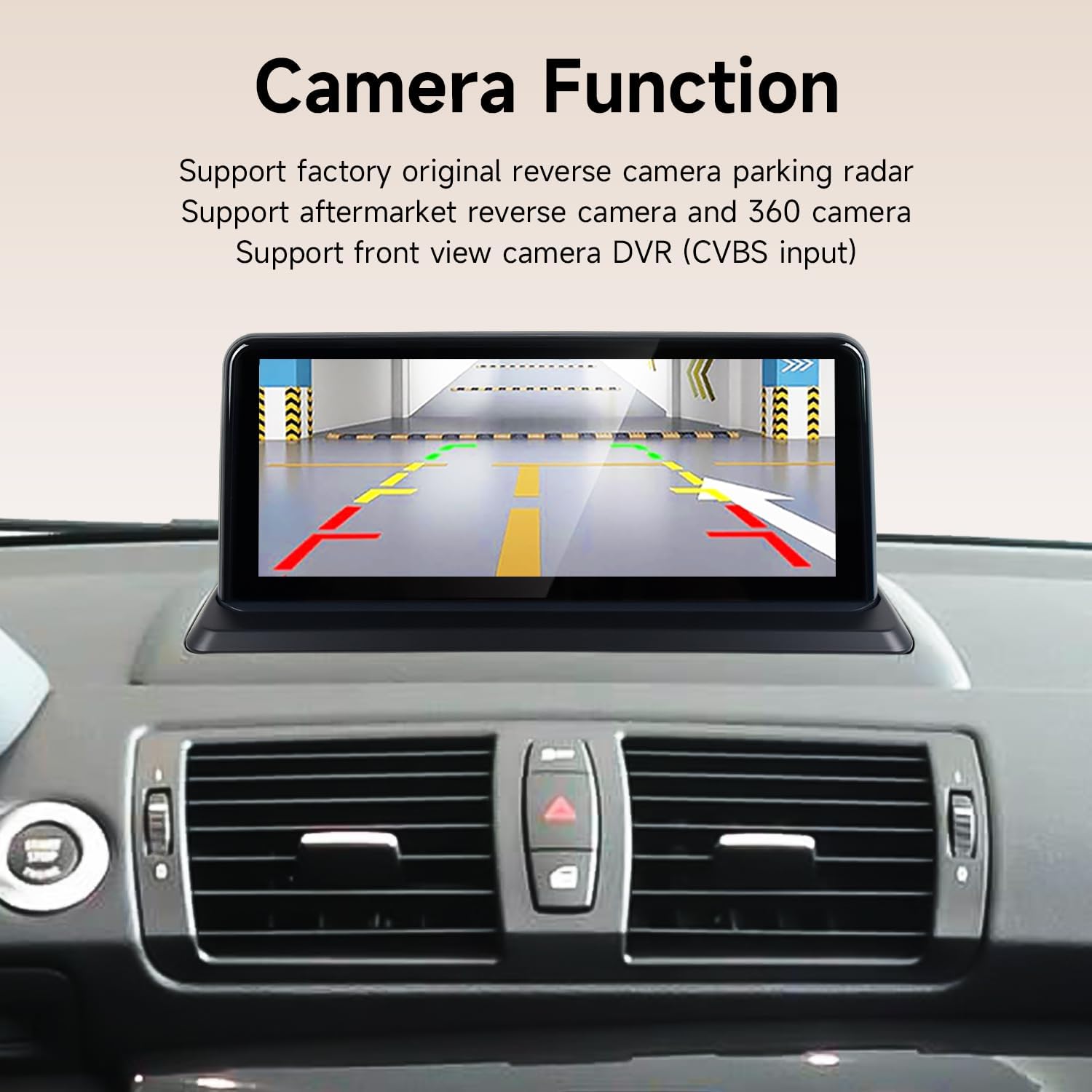
This image shows the screen displaying a reverse camera feed with dynamic parking lines, indicating support for various camera inputs.
4. ట్రబుల్షూటింగ్
4.1 Screen Resolution Adjustment
If the screen displays incorrectly or with static, the resolution may need adjustment. Follow the steps in the video below to correct the screen resolution.
This video demonstrates how to navigate the system settings to adjust the screen resolution, specifically to "800x480", to resolve display issues.
4.2 Resolving No Sound Issues
If you experience no sound from the unit, please follow the detailed steps in the video below. This typically involves checking OEM system settings, Bluetooth connections, AUX harness, and ISO harness connections.
This video provides a step-by-step guide to troubleshoot and resolve common no-sound problems, covering settings adjustments and physical cable checks.
4.3 CarPlay Module Operation
For a comprehensive understanding of how the CarPlay module functions within your BMW, refer to the video below.
This video demonstrates the operational aspects of the CarPlay module, including navigation and media playback.
4.4 Using OEM Bluetooth for Calls in CarPlay
Learn how to utilize your vehicle's original Bluetooth system for making and receiving calls while using CarPlay. This ensures optimal audio quality and integration with your car's existing features.
This video illustrates the process of configuring and using the original equipment manufacturer (OEM) Bluetooth for phone calls within the CarPlay environment.
5. స్పెసిఫికేషన్లు
| ఫీచర్ | వివరాలు |
|---|---|
| బ్రాండ్ | సాధారణమైనది |
| మోడల్ పేరు | GTZX |
| ఆపరేటింగ్ సిస్టమ్ | Linux |
| స్క్రీన్ పరిమాణం | 10.25 అంగుళాలు |
| ప్రదర్శన పరిమాణం | 10.25 అంగుళాలు |
| కనెక్టివిటీ టెక్నాలజీ | బ్లూటూత్ |
| ప్రత్యేక ఫీచర్ | బ్లూటూత్ |
| వాయిస్ కమాండ్ | టచ్స్క్రీన్ |
| మ్యాప్ రకం | ఉత్తర అమెరికా |
| వస్తువు బరువు | 0.65 పౌండ్లు (10.4 ఔన్సులు) |
| ప్యాకేజీ కొలతలు | 16 x 13 x 5 అంగుళాలు |
| వాహన సేవా రకం | కారు |
6. పెట్టెలో ఏముంది
- పవర్ కేబుల్
- Generic GTZX Linux Android Wireless Carplay Auto Radio Screen Unit
- Required installation harnesses and accessories (as per product packaging)
7. వారంటీ మరియు మద్దతు
The Generic GTZX Linux Android Wireless Carplay Auto Radio Screen comes with a 1 సంవత్సరాల వారంటీ కొనుగోలు చేసిన తేదీ నుండి.
For technical support, troubleshooting assistance, or warranty claims, please contact the manufacturer or your retailer. Ensure you have your purchase receipt and product model number (GTZX) available when seeking support.

