
పరిచయం
This manual provides essential instructions for the safe operation, setup, and maintenance of your 4DRC V39 RC Airplane with Camera. Please read this manual thoroughly before operating the aircraft to ensure proper function and to prevent damage or injury. The 4DRC V39 is a foam remote control airplane equipped with a 1080P FPV camera, designed for ease of use with features like one-key take-off, headless mode, and gravity control.
భద్రతా సమాచారం
- Always operate the aircraft in open, unobstructed areas, away from people, animals, buildings, and power lines.
- బలమైన గాలులు లేదా ప్రతికూల వాతావరణ పరిస్థితుల్లో ఎగరవద్దు.
- చేతులు మరియు ముఖాన్ని తిరిగే ప్రొపెల్లర్లకు దూరంగా ఉంచండి.
- Ensure batteries are fully charged before each flight.
- Supervise children during operation. Recommended age is 8 years and above.
- Do not modify the aircraft or its components.
- Turn off the aircraft and remote control when not in use.
ప్యాకేజీ విషయాలు
ప్యాకేజీలో అన్ని అంశాలు ఉన్నాయని నిర్ధారించుకోండి:
- 4DRC V39 RC Airplane (Blue)
- రిమోట్ కంట్రోల్
- Modular Lithium-Ion Batteries (2 included for aircraft)
- C Batteries (2 included for remote control)
- USB ఛార్జింగ్ కేబుల్
- Spare Propellers (if included, typically)
- వినియోగదారు మాన్యువల్ (ఈ పత్రం)
ఉత్పత్తి ముగిసిందిview
విమాన భాగాలు
The 4DRC V39 RC Airplane features a durable EPP foam body, integrated propellers with protective structures, and vibrant LED lights for visibility.

Image: The 4DRC V39 RC Airplane shown alongside its remote control, highlighting its design.
రిమోట్ కంట్రోల్ లేఅవుట్
The remote control provides intuitive access to all flight functions. Familiarize yourself with the joystick controls, trim buttons, and special function buttons before flight.
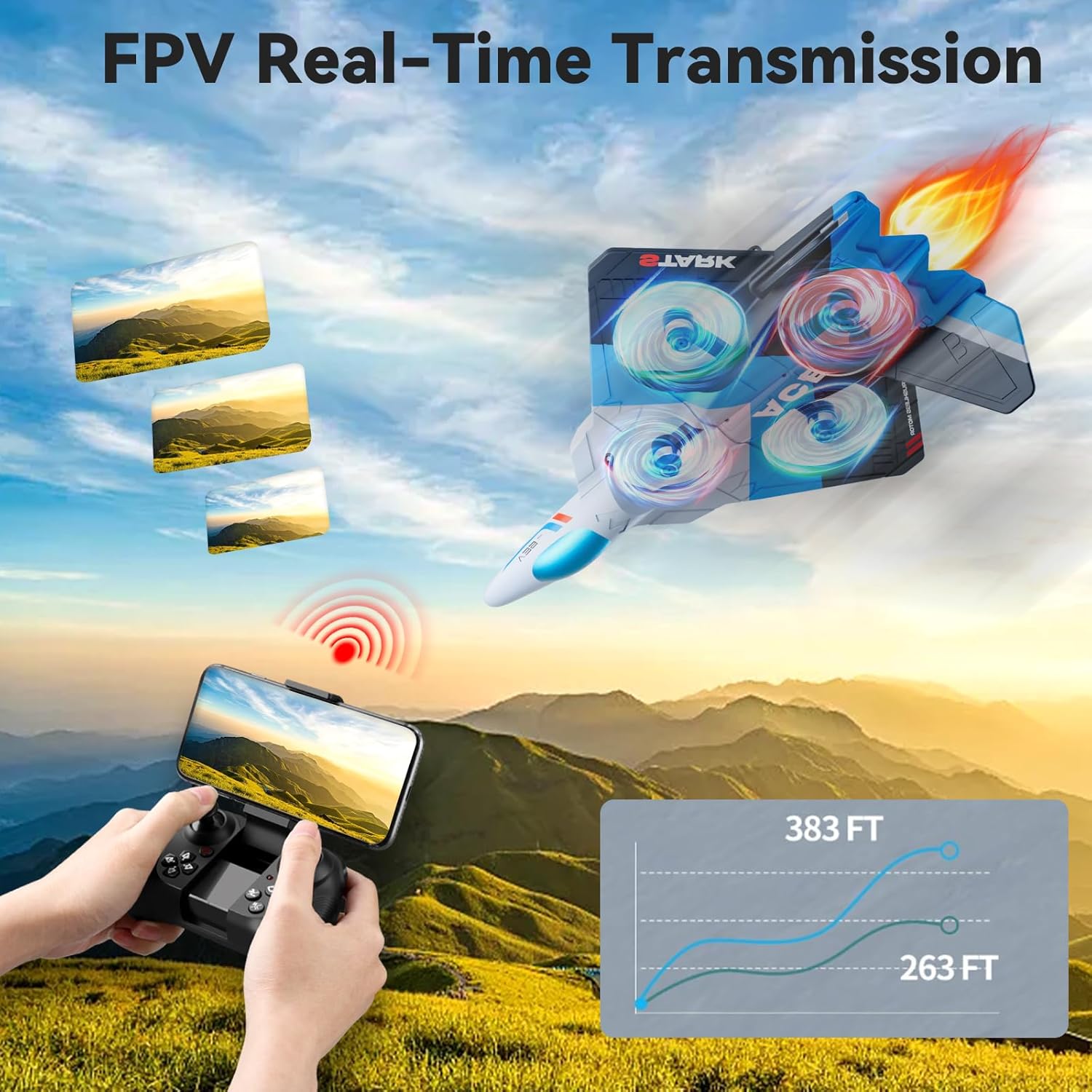
Image: The remote control with a smartphone mounted, demonstrating FPV real-time transmission capability.
సెటప్
1. బ్యాటరీ సంస్థాపన మరియు ఛార్జింగ్
- ఎయిర్క్రాఫ్ట్ బ్యాటరీ: Insert the modular Lithium-Ion battery into the designated compartment on the aircraft. Ensure it clicks securely into place. Connect the battery to the aircraft's charging cable and plug the USB end into a compatible USB power source (e.g., computer, USB wall adapter). The charging indicator will show the charging status. Disconnect once fully charged.
- రిమోట్ కంట్రోల్ బ్యాటరీలు: Open the battery compartment on the back of the remote control. Insert 2 C batteries, ensuring correct polarity (+/-). Close the compartment securely.

Image: Illustration showing the two modular batteries for the aircraft and a diagram for headless mode.
2. పవర్ ఆన్ మరియు పెయిరింగ్
- విమానాన్ని చదునైన, సమతల ఉపరితలంపై ఉంచండి.
- Turn on the aircraft's power switch. The LED lights will begin to flash.
- రిమోట్ కంట్రోల్ ఆన్ చేయండి.
- Push the left joystick (throttle) all the way up, then all the way down. The remote control will beep, and the aircraft's lights will become solid, indicating successful pairing.
ఆపరేటింగ్ సూచనలు
ప్రాథమిక విమాన నియంత్రణలు
- వన్-కీ టేకాఫ్/ల్యాండింగ్: Press the dedicated one-key take-off button to automatically launch the aircraft to a stable hovering altitude. Press it again to initiate an automatic landing.
- థ్రాటిల్ (ఎడమ జాయ్స్టిక్ పైకి/క్రిందికి): Controls the aircraft's altitude. Push up to ascend, pull down to descend.
- దిశాత్మక నియంత్రణ (కుడి జాయ్స్టిక్): ముందుకు, వెనుకకు, ఎడమకు మరియు కుడికి కదలికలను నియంత్రిస్తుంది.
- యా (ఎడమ జాయ్స్టిక్ ఎడమ/కుడి): Rotates the aircraft left or right on its vertical axis.
- ట్రిమ్ సర్దుబాటు: Use the trim buttons to fine-tune the aircraft's stability if it drifts in any direction during hover.
- 3 వేగ సర్దుబాటు: Press the speed button to cycle through low, medium, and high-speed modes, suitable for different skill levels and environments.

Image: Visual guide to various flight modes including headless mode, one-key take off/landing, one-key quick stop, and one-key return.
అధునాతన ఫీచర్లు
- 1080P FPV కెమెరా: The integrated HD camera allows for real-time video transmission to a connected smartphone via the dedicated app. Capture aerial photos and videos from a bird's-eye perspective.
- గురుత్వాకర్షణ నియంత్రణ: Utilize your smartphone's gravity sensor to control the aircraft's movement by tilting your phone.
- ఆటో-ఫాలో: When activated, the aircraft can automatically follow a designated subject (requires specific app functionality and clear line of sight).
- ట్రాజెక్టరీ ఫ్లైట్: Draw a flight path on your smartphone screen, and the aircraft will automatically follow the specified route.
- హెడ్లెస్ మోడ్: In headless mode, the aircraft's orientation is relative to the pilot, eliminating the need to adjust its position before flight. This simplifies control for beginners.
- ఎత్తు హోల్డ్: The aircraft maintains a stable altitude automatically, allowing for easier control and clearer aerial photography.
- 360° Circle Flight Stunt: Press the designated button to perform an automatic 360-degree circling maneuver.
- వన్-కీ రిటర్న్: Activates an automatic return to the take-off point. Ensure a clear path for safe return.
- Cool LED Light Show: The aircraft features vibrant LED lights, enhancing visibility and providing an engaging visual experience, especially during night flights.
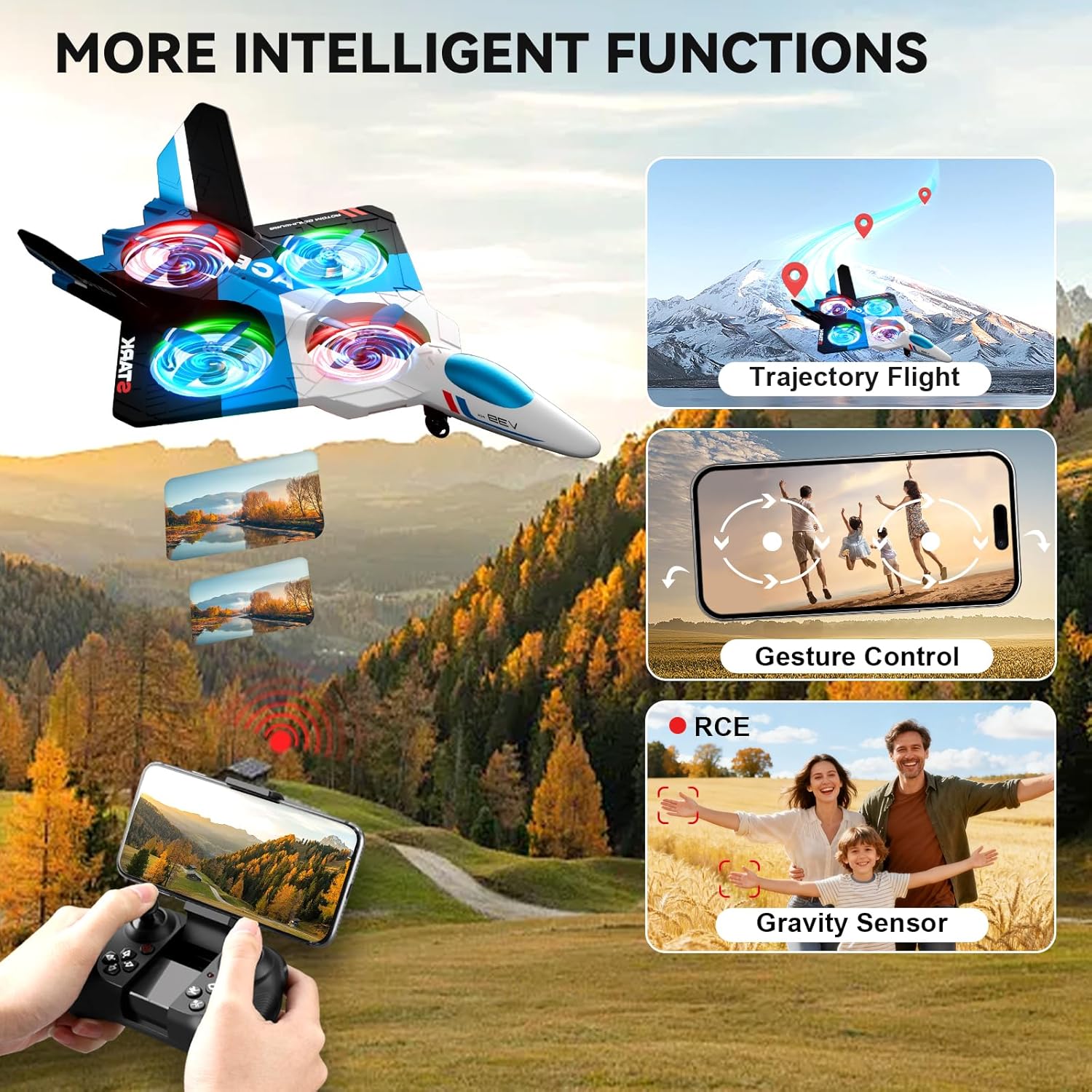
Image: The 4DRC V39 RC Airplane illustrating intelligent functions such as trajectory flight, gesture control, and gravity sensor capabilities.

Image: The remote control being used to execute a 360-degree circle flight stunt with the aircraft.
నిర్వహణ
- శుభ్రపరచడం: Use a soft, dry cloth to clean the aircraft and remote control. Avoid using water or chemical cleaners.
- ప్రొపెల్లర్ తనిఖీ: Regularly check propellers for damage. Replace any bent or broken propellers immediately to ensure stable flight.
- బ్యాటరీ సంరక్షణ:
- Do not overcharge or over-discharge the Lithium-Ion batteries.
- బ్యాటరీలను చల్లని, పొడి ప్రదేశంలో ప్రత్యక్ష సూర్యకాంతి మరియు వేడి నుండి దూరంగా నిల్వ చేయండి.
- ఎక్కువసేపు నిల్వ చేస్తే, బ్యాటరీలను దాదాపు 50% సామర్థ్యానికి ఛార్జ్ చేయండి.
- నిల్వ: Store the aircraft and remote control in a safe place, away from extreme temperatures and moisture.
ట్రబుల్షూటింగ్
| సమస్య | పరిష్కారం |
|---|---|
| విమానం రిమోట్ కంట్రోల్కు స్పందించదు. | Ensure both aircraft and remote are powered on. Re-pair the aircraft and remote control by following the "Power On and Pairing" steps. Check remote control battery levels. |
| విమానం ఎగురుతున్నప్పుడు గాలిలో కొట్టుకుపోతుంది. | Use the trim buttons on the remote control to adjust for stable flight. Ensure the aircraft was placed on a flat surface during power-on. Avoid flying in windy conditions. |
| చిన్న విమాన సమయం. | Ensure aircraft batteries are fully charged before each flight. Battery performance can decrease over time; consider replacing old batteries. |
| Camera not working or FPV feed is unstable. | Ensure your smartphone is correctly connected to the aircraft's Wi-Fi network. Check the app for any connection issues. Ensure sufficient light for camera operation. |
| Aircraft is unstable or crashes easily in mild wind. | This aircraft is lightweight and designed for indoor or calm outdoor conditions. Avoid flying in any significant wind to prevent loss of control or damage. |
స్పెసిఫికేషన్లు
| ఫీచర్ | వివరాలు |
|---|---|
| మోడల్ పేరు | V39 |
| బ్రాండ్ | 4 డిఆర్సి |
| మెటీరియల్ రకం | Foam (EPP) |
| రంగు | నీలం |
| అంశం కొలతలు | 16 x 11 x 3 అంగుళాలు |
| కెమెరా | 1080P FPV |
| విమాన సమయం | Up to 26 minutes (with 2 modular batteries) |
| Aircraft Battery Type | లిథియం-అయాన్ |
| రిమోట్ కంట్రోల్ బ్యాటరీలు | 2 C batteries (included) |
| నియంత్రణ లక్షణాలు | Gravity Control, Auto-Follow, Trajectory Flight, One Key Take Off/Land, Headless Mode, 3 Speed Adjustment, Altitude Hold, 360° Circle Flight Stunt, One-Key Return, One-Key Quick Stop |
| సిఫార్సు చేసిన వయస్సు | 8 సంవత్సరాలు మరియు అంతకంటే ఎక్కువ (తయారీదారు కనీస వయస్సు: 96 నెలలు) |
వారంటీ మరియు మద్దతు
For warranty information or technical support, please refer to the contact details provided with your purchase documentation or visit the official 4DRC webసైట్. కొనుగోలు రుజువుగా మీ కొనుగోలు రసీదుని ఉంచండి.
For common issues, please consult the Troubleshooting section of this manual.