
OMIZN M3
OMIZN M3 Global Walkie Talkie User Manual
మోడల్: M3
1. పరిచయం
Thank you for choosing the OMIZN M3 Global Walkie Talkie. This device is a 4G Push-to-Talk (PTT) radio designed for reliable, long-range communication across various environments. It features AES256 encryption for secure conversations, a built-in LED flashlight, and a robust zinc alloy construction. This manual provides essential information for setting up, operating, and maintaining your device.
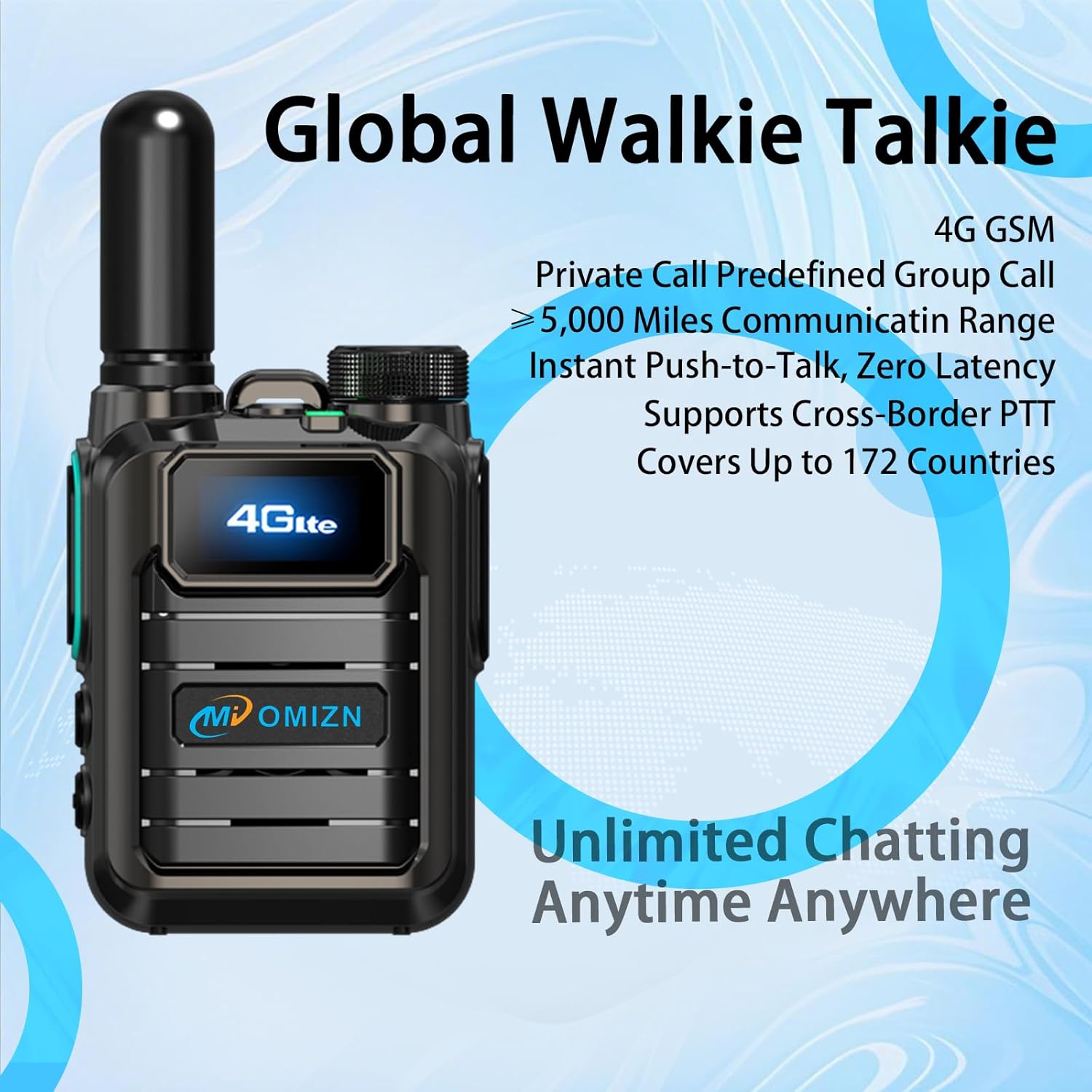
Figure 1: OMIZN M3 Global Walkie Talkie. This image shows the front of the walkie talkie, highlighting its 4G LTE display and the OMIZN brand logo.
2. ప్యాకేజీ విషయాలు
దయచేసి మీ ప్యాకేజీలో అన్ని అంశాలు ఉన్నాయని ధృవీకరించండి:
- OMIZN M3 Global Walkie Talkie Unit(s)
- యాంటెన్నా
- బ్యాటరీ
- బెల్ట్ క్లిప్
- USB టైప్-సి కేబుల్
- ఛార్జర్
- లాన్యార్డ్
- వినియోగదారు మాన్యువల్ (ఈ పత్రం)
3. పరికరం ముగిసిందిview
Familiarize yourself with the main components and controls of your OMIZN M3 walkie talkie.
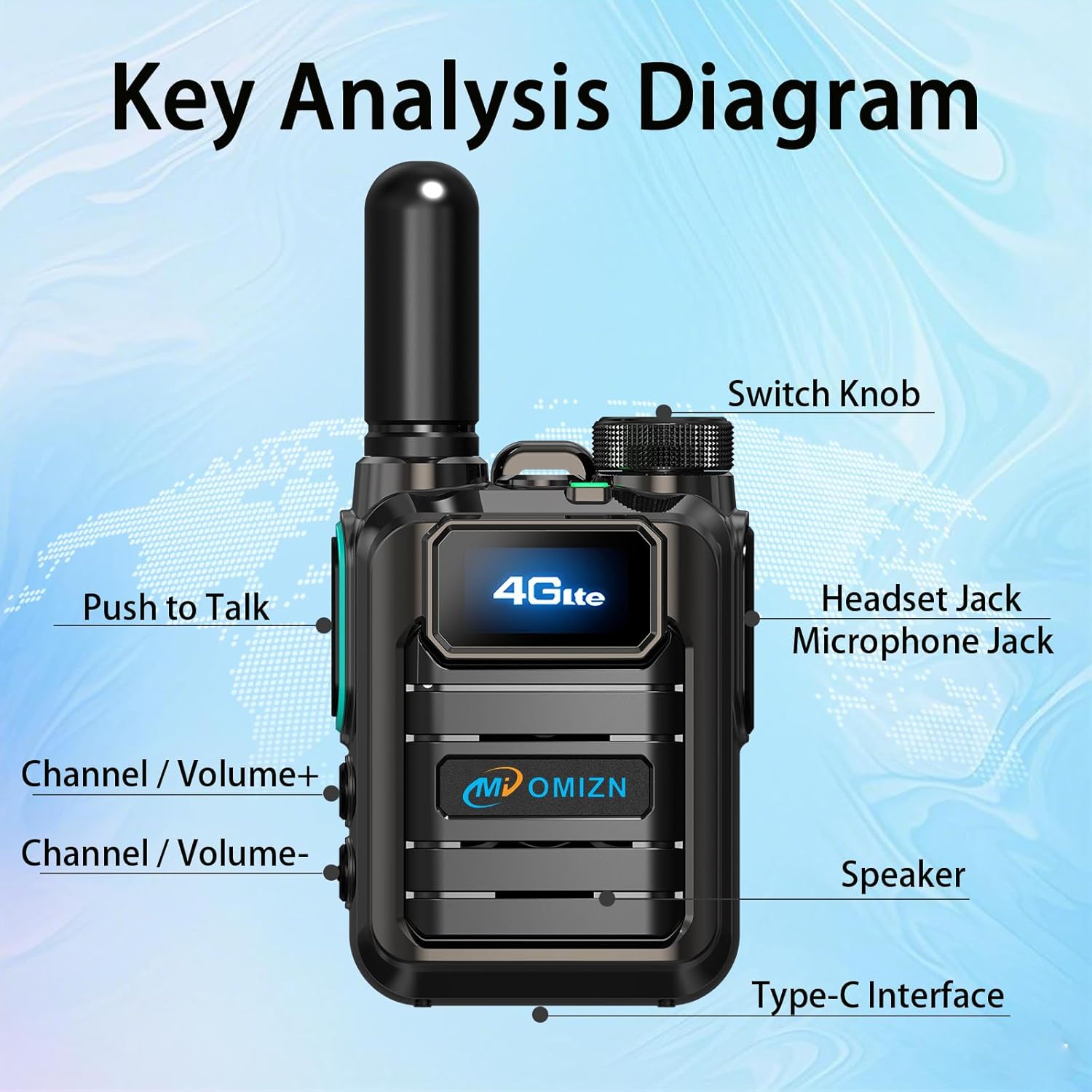
Figure 2: Key Analysis Diagram. This diagram labels the main parts of the OMIZN M3 walkie talkie, including the Switch Knob, Headset Jack, Microphone Jack, Push to Talk button, Channel/Volume+ button, Channel/Volume- button, Speaker, and Type-C Interface.
- స్విచ్ నాబ్: Power on/off and adjust volume.
- Headset Jack/Microphone Jack: For external audio accessories.
- మాట్లాడటానికి పుష్ (PTT) బటన్: ప్రసారం చేయడానికి నొక్కి పట్టుకోండి, వినడానికి విడుదల చేయండి.
- Channel/Volume+ Button: Adjust channel or increase volume.
- Channel/Volume- Button: Adjust channel or decrease volume.
- స్పీకర్: ఆడియో అవుట్పుట్.
- టైప్-సి ఇంటర్ఫేస్: పరికరాన్ని ఛార్జ్ చేయడానికి.
- LED ఫ్లాష్లైట్: చీకటి వాతావరణంలో వెలుతురును అందిస్తుంది.
4. సెటప్ మరియు ప్రారంభ ఉపయోగం
4.1 బ్యాటరీ ఇన్స్టాలేషన్ మరియు ఛార్జింగ్
The OMIZN M3 uses a large-capacity lithium battery. Ensure the battery is fully charged before first use.
- బ్యాటరీని ఇన్స్టాల్ చేయండి: Align the battery with the compartment on the back of the walkie talkie and press firmly until it clicks into place.
- యాంటెన్నాను అటాచ్ చేయండి: Screw the antenna clockwise onto the connector at the top of the device until secure.
- ఛార్జింగ్: Connect the USB Type-C cable to the Type-C interface on the device and the other end to the charger. Plug the charger into a power outlet. The charging indicator will show the charging status. A full charge typically takes several hours.

Figure 3: Large-Capacity Lithium Battery. This image displays the removable lithium-ion battery for the OMIZN M3 walkie talkie.

Figure 4: Type-C Charging Interface. This image shows the Type-C port on the OMIZN M3 walkie talkie with a charging cable connected.
4.2 పవర్ చేయడం ఆన్/ఆఫ్
To power on the device, rotate the Switch Knob clockwise until you hear a click and the screen illuminates. To power off, rotate the Switch Knob counter-clockwise until it clicks off.
4.3 SIM Card Activation (Pre-Installed)
Your OMIZN M3 walkie talkie comes with a pre-installed SIM card, ready for immediate use in 172 countries. No additional activation steps or ID binding are required. For optimal performance, ensure you are within 4G network coverage. If you experience signal issues, contact OMIZN support for free replacement services.
5. ఆపరేటింగ్ సూచనలు
5.1 Basic Communication (Push-to-Talk)
- Select Channel/Group: Use the Channel/Volume+ or Channel/Volume- buttons to navigate through available channels or groups displayed on the HD screen.
- ప్రసారం: Press and hold the Push to Talk (PTT) button on the side of the device. Speak clearly into the microphone.
- స్వీకరించండి: ఇన్కమింగ్ ట్రాన్స్మిషన్లను వినడానికి PTT బటన్ను విడుదల చేయండి.

Figure 5: Multiple Call Modes. This image illustrates the capability of the OMIZN M3 to support private calls, group calls, and broadcast modes.
5.2 వాల్యూమ్ సర్దుబాటు
Rotate the Switch Knob to adjust the speaker volume. Clockwise increases volume, counter-clockwise decreases it.
5.3 LED ఫ్లాష్లైట్ ఉపయోగించడం
The OMIZN M3 features a built-in LED flashlight. Refer to the device overview (Figure 2) for its location. Typically, a short press of a dedicated button (often combined with another function or a specific sequence) activates the flashlight. Consult the on-screen menu or quick guide for exact activation steps if not immediately apparent.
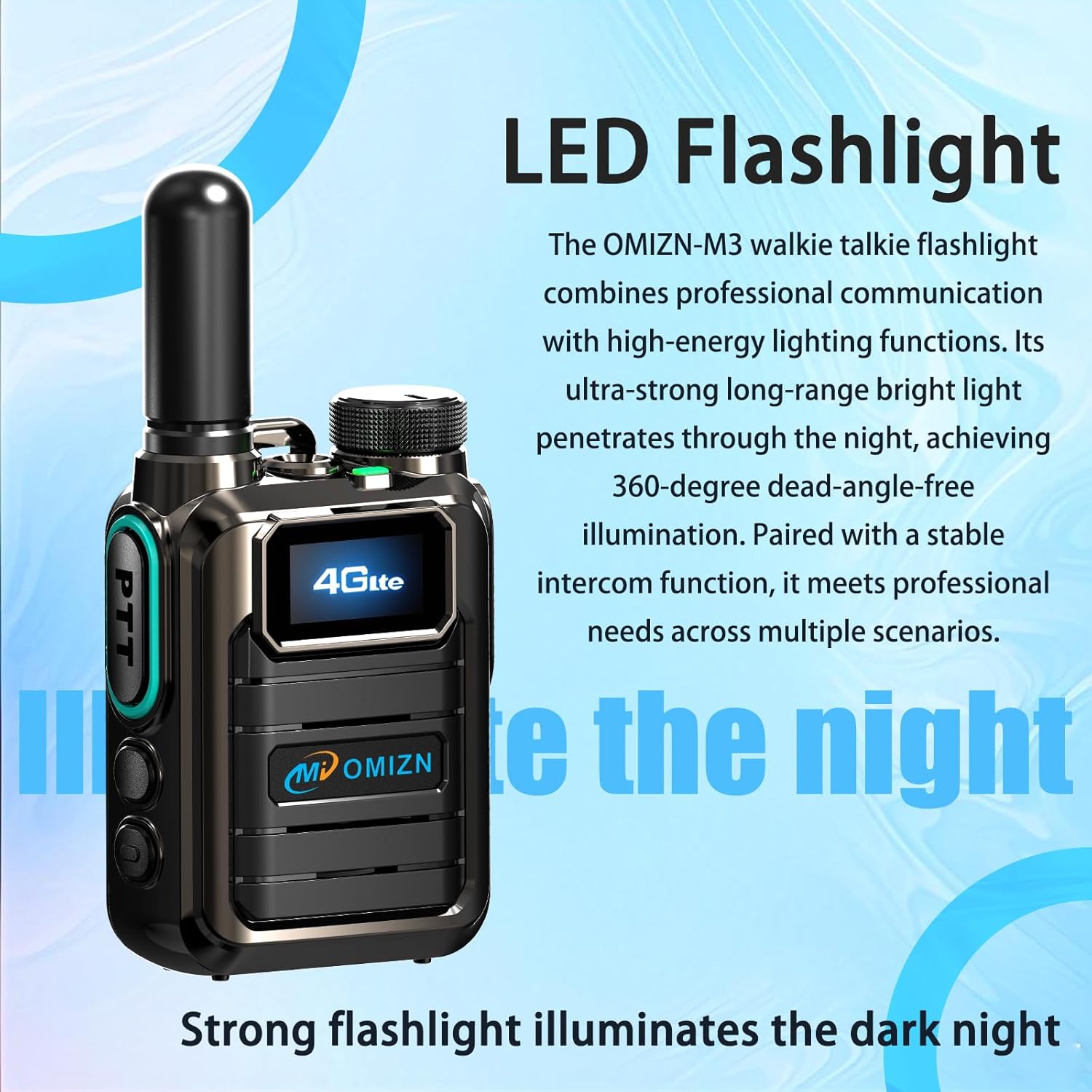
Figure 6: LED Flashlight. This image highlights the integrated LED flashlight feature of the OMIZN M3 walkie talkie.
5.4 AES256 Digital Encryption
The OMIZN M3 utilizes AES256 digital encryption to ensure secure and private communications. This feature is active by default, protecting your conversations from unauthorized interception. No user configuration is typically required for this encryption to function.
6. నిర్వహణ మరియు సంరక్షణ
- శుభ్రపరచడం: ఒక మృదువైన ఉపయోగించండి, డిamp cloth to clean the device. Do not use harsh chemicals or abrasive cleaners.
- బ్యాటరీ సంరక్షణ: Charge the battery regularly. Avoid fully discharging the battery frequently to prolong its lifespan. Store the device and battery in a cool, dry place when not in use for extended periods.
- నీటి నిరోధకత: The device is IP65 water-resistant, meaning it is protected against dust ingress and low-pressure water jets. It is not designed for submersion. Ensure all port covers are securely closed to maintain water resistance.
- ఉష్ణోగ్రత: Operate the device within the specified temperature range of -30℃ to 70℃.
7. ట్రబుల్షూటింగ్
| సమస్య | సాధ్యమైన కారణం | పరిష్కారం |
|---|---|---|
| పరికరం పవర్ ఆన్ చేయదు. | బ్యాటరీ తక్కువగా ఉంది లేదా సరిగ్గా ఇన్స్టాల్ చేయబడలేదు. | Ensure battery is fully charged and properly installed. |
| ప్రసారం చేయలేము లేదా స్వీకరించలేము. | No 4G network signal; incorrect channel/group; PTT button not pressed correctly. | Move to an area with better 4G coverage. Verify channel/group settings. Press and hold PTT button firmly while speaking. |
| పేలవమైన ఆడియో నాణ్యత. | Weak signal; microphone/speaker obstructed; volume too low. | Check signal strength. Ensure microphone and speaker are clear. Adjust volume. |
| SIM card signal issues. | Temporary network issue; faulty SIM card. | Restart the device. If issues persist, contact OMIZN customer support for SIM card replacement. |
8. స్పెసిఫికేషన్లు
| బ్రాండ్ | OMIZN |
| మోడల్ సంఖ్య | M3 |
| ఫ్రీక్వెన్సీ రేంజ్ | 4G LTE |
| గరిష్టంగా మాట్లాడే పరిధి | 10,000 Miles (Network Dependent) |
| ఛానెల్ల సంఖ్య | 200 |
| బ్యాటరీ కెపాసిటీ | 5000mAh |
| బ్యాటరీ సగటు జీవితం | 36 Hours (Active Use), Up to 5 Days (Standby) |
| వాల్యూమ్tage | 3.7 వోల్ట్లు (DC) |
| నీటి నిరోధక స్థాయి | IP65 (నీటి నిరోధకత) |
| ఉత్పత్తి కొలతలు (D x W x H) | 1.18" x 2.2" x 2.8" |
| వస్తువు బరువు | 7.84 ఔన్సులు |
| ఆపరేటింగ్ ఉష్ణోగ్రత | -30℃ నుండి 70℃ |
| ఎన్క్రిప్షన్ | AES256 Digital Encryption |
| SIM కార్డ్ | Pre-installed, supports 172 countries |
9. వారంటీ మరియు మద్దతు
For warranty information and technical support, please refer to the documentation included with your purchase or visit the official OMIZN website. If you encounter issues with the pre-installed SIM card or require replacement services, please contact OMIZN customer support directly.
OMIZN Customer Support: Please refer to your product packaging or the official OMIZN webసంప్రదింపు సమాచారం కోసం సైట్.
10. భద్రతా సమాచారం
- పరికరాన్ని విడదీయడానికి లేదా సవరించడానికి ప్రయత్నించవద్దు.
- పరికరాన్ని తీవ్రమైన ఉష్ణోగ్రతలు, ప్రత్యక్ష సూర్యకాంతి మరియు తెరిచిన మంటల నుండి దూరంగా ఉంచండి.
- Use only OMIZN-approved batteries and chargers.
- Avoid exposing the device to strong electromagnetic fields.
- స్థానిక నిబంధనల ప్రకారం బ్యాటరీలు మరియు ఎలక్ట్రానిక్ భాగాలను బాధ్యతాయుతంగా పారవేయండి.
Ask a question about this manual
Ask about setup, troubleshooting, compatibility, parts, safety, or missing instructions. Manuals+ will review the question and use this page’s manual context to help answer it.