
1. ముఖ్యమైన భద్రతా సూచనలు
Please read all instructions carefully before using this product and retain this manual for future reference. Failure to follow these instructions may result in electric shock, fire, or serious injury.
- పరికరాన్ని నీటిలో లేదా ఇతర ద్రవాలలో ముంచవద్దు.
- పరికరాన్ని పిల్లలు మరియు పెంపుడు జంతువుల నుండి దూరంగా ఉంచండి.
- మండే ద్రవాలు, వాయువులు లేదా ధూళి వంటి పేలుడు వాతావరణాలలో పరికరాన్ని ఆపరేట్ చేయవద్దు.
- Use only the charging cable provided. Ensure the charging voltagఇ పరికర నిర్దేశాలకు సరిపోలుతుంది.
- Do not disassemble, repair, or modify the device yourself. Contact qualified service personnel for repairs.
- Avoid blocking the air intake or outlet during operation to prevent overheating.
- Do not point the air duster directly at eyes, ears, or other sensitive body parts.
- ఉపయోగంలో లేనప్పుడు పరికరాన్ని చల్లని, పొడి ప్రదేశంలో నిల్వ చేయండి.
2. ఉత్పత్తి ముగిసిందిview
The ZIZEV 2-in-1 Cordless Electric Air Duster and Blower is a versatile cleaning tool designed for various applications, offering both blowing and suction functionalities. It features a powerful brushless motor and adjustable speed settings.
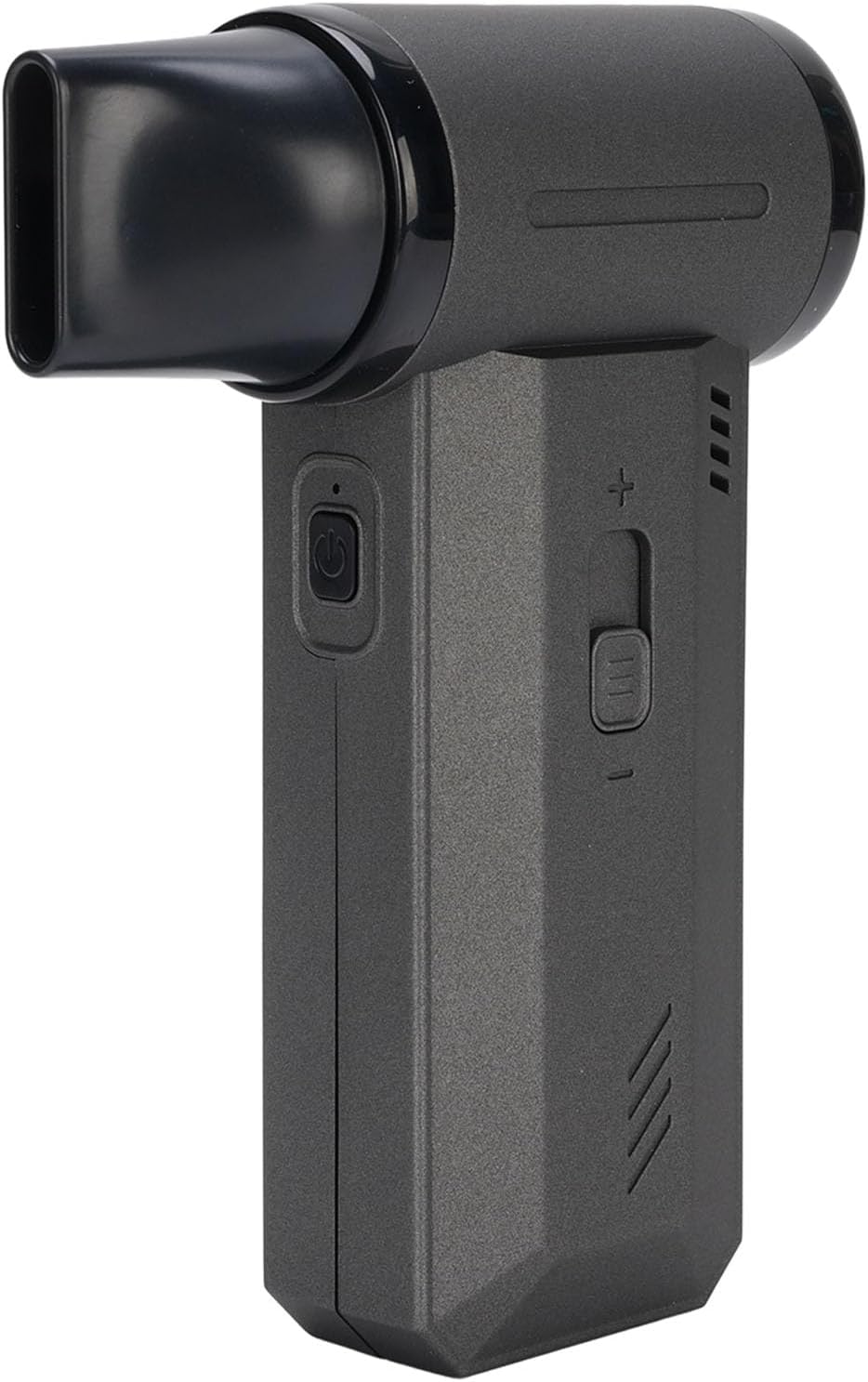
చిత్రం 2.1: ముందు view of the ZIZEV 2-in-1 Cordless Electric Air Duster and Blower with the blowing nozzle attached.

చిత్రం 2.2: కోణీయ view of the ZIZEV Air Duster, showing its compact design.
ముఖ్య లక్షణాలు:
- 2-ఇన్-1 ఫంక్షనాలిటీ: Capable of both blowing and suction for comprehensive cleaning.
- శక్తివంతమైన బ్రష్లెస్ మోటార్: Delivers speeds up to 130,000 RPM and airflow up to 50 m/s.
- సర్దుబాటు స్పీడ్ సెట్టింగ్లు: Sliding speed control switch for precise airflow management.
- మన్నికైన నిర్మాణం: Made from high-hardness, heatproof aluminum alloy and plastic materials.
- ఫాస్ట్ ఛార్జింగ్: Type-C charging interface for rapid power replenishment.
- బహుముఖ అప్లికేషన్లు: Suitable for cleaning outdoor equipment, cars, computers, keyboards, cameras, sofas, plants, and removing pet hair.
3. ప్యాకేజీ విషయాలు
Verify that all items are present in the package before initial use. If any items are missing or damaged, please contact customer support.

Image 3.1: The ZIZEV Air Duster shown with all included accessories.
- 1 x Handheld Air Blower
- 1 x ఛార్జింగ్ కేబుల్ (టైప్-సి)
- 1 x యూజర్ మాన్యువల్ (ఈ పత్రం)
- 5 x Accessories (various nozzles and brush)
4. సెటప్
4.1 ప్రారంభ ఛార్జింగ్
- అందించిన టైప్-సి ఛార్జింగ్ కేబుల్ను పరికరంలోని ఛార్జింగ్ పోర్ట్కు కనెక్ట్ చేయండి.
- Plug the other end of the charging cable into a compatible USB power adapter (not included).
- The charging indicator light will illuminate. Allow the device to fully charge before first use.
4.2 ఉపకరణాలను జోడించడం
The device comes with various nozzles and a brush for different cleaning tasks. To attach an accessory:
- Select the desired nozzle or brush.
- Align the accessory with the air outlet (for blowing) or air intake (for suction).
- Gently push and twist until it is securely in place.
5. ఆపరేటింగ్ సూచనలు
The ZIZEV Air Duster offers both blowing and suction capabilities. Ensure the correct nozzle is attached for your intended function.

చిత్రం 5.1: వైపు view highlighting the power button and speed control switch.
5.1 పవర్ చేయడం ఆన్/ఆఫ్
- పవర్ ఆన్ చేయడానికి: Press and hold the power button (usually marked with a universal power symbol) for a few seconds until the device starts.
- పవర్ ఆఫ్ చేయడానికి: Press and hold the power button again until the device stops.
5.2 వేగాన్ని సర్దుబాటు చేయడం
The device features a sliding speed control switch to adjust the airflow intensity.
- Slide the switch towards the '+' symbol to increase the speed and airflow.
- Slide the switch towards the '-' symbol to decrease the speed and airflow.
- There are typically 3 speed settings available.
5.3 బ్లోవర్ ఫంక్షన్ను ఉపయోగించడం
- Attach the desired blowing nozzle to the air outlet.
- పరికరాన్ని ఆన్ చేయండి.
- Adjust the speed as needed using the sliding switch.
- Direct the nozzle towards the area to be cleaned to blow away dust and debris.
5.4 Using the Suction Function
- Attach the appropriate suction accessory (e.g., the filter cup with a nozzle) to the air intake.
- పరికరాన్ని ఆన్ చేయండి.
- అవసరమైన విధంగా వేగాన్ని సర్దుబాటు చేయండి.
- Use the suction function to vacuum small particles and dust from surfaces.
6. నిర్వహణ
Regular maintenance ensures optimal performance and extends the lifespan of your ZIZEV Air Duster.
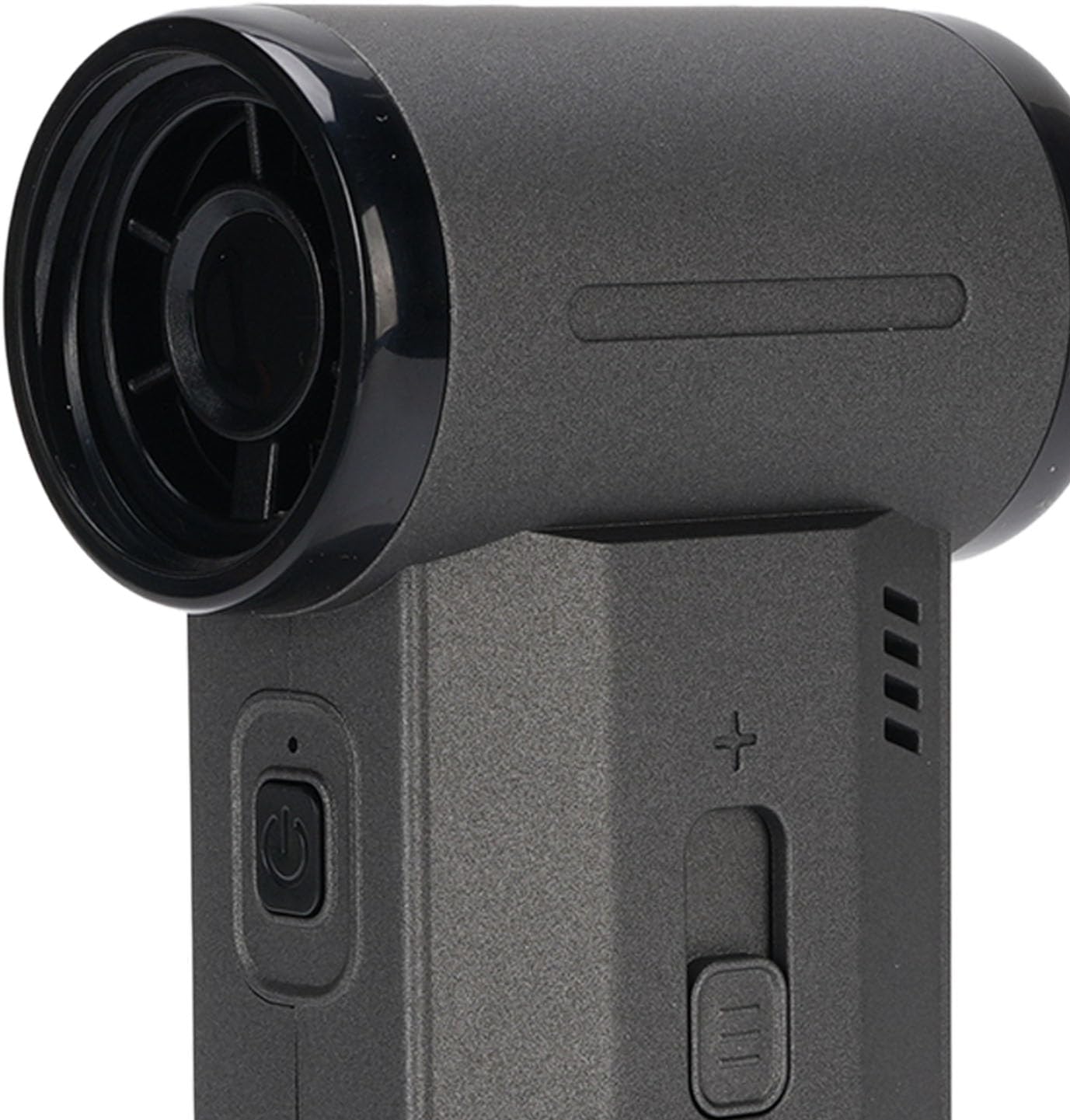
చిత్రం 6.1: క్లోజప్ view of the air intake, showing the fan blades.
6.1 పరికరాన్ని శుభ్రపరచడం
- శుభ్రపరిచే ముందు పరికరం ఆఫ్ చేయబడిందని మరియు అన్ప్లగ్ చేయబడిందని నిర్ధారించుకోండి.
- పరికరం యొక్క బాహ్య భాగాన్ని మృదువైన, పొడి వస్త్రంతో తుడవండి. రాపిడి క్లీనర్లను లేదా ద్రావకాలను ఉపయోగించవద్దు.
- Use a small brush or another air duster (at a low setting) to gently clean dust from the air intake and outlet grilles.
6.2 Filter Maintenance (for Suction Function)
If using the suction function, the filter inside the collection cup will accumulate dust and debris. Clean it regularly to maintain suction efficiency.
- Twist and remove the collection cup from the device.
- Carefully remove the filter from the cup.
- Tap the filter gently to dislodge accumulated dust. For thorough cleaning, you may rinse the filter with water if it is designed to be washable (refer to product packaging or manufacturer's guidelines for confirmation). Ensure the filter is completely dry before reinserting.
- Reassemble the filter into the collection cup and attach the cup back to the device.
6.3 నిల్వ
When not in use, store the device and its accessories in a clean, dry place, away from direct sunlight and extreme temperatures.
7. ట్రబుల్షూటింగ్
If you encounter any issues with your ZIZEV Air Duster, refer to the following common problems and solutions:
| సమస్య | సాధ్యమైన కారణం | పరిష్కారం |
|---|---|---|
| పరికరం ఆన్ చేయదు. | బ్యాటరీ తక్కువగా ఉంది లేదా ఛార్జ్ లేదు. | అందించిన టైప్-సి కేబుల్ ఉపయోగించి పరికరాన్ని పూర్తిగా ఛార్జ్ చేయండి. |
| బలహీనమైన గాలి ప్రవాహం/చూషణ. | Blocked air intake/outlet or dirty filter. | Check for obstructions. Clean the air intake/outlet and the filter (if using suction). |
| పరికరం వేడెక్కుతుంది. | Prolonged use or blocked ventilation. | Turn off the device and allow it to cool down. Ensure air vents are clear. Avoid continuous operation for extended periods. |
| ఛార్జింగ్ పనిచేయడం లేదు. | కేబుల్ లేదా పవర్ అడాప్టర్ తప్పుగా ఉంది. | Try a different Type-C cable or USB power adapter. Ensure connections are secure. |
If the problem persists after attempting these solutions, please contact ZIZEV customer support for further assistance.
8. స్పెసిఫికేషన్లు
Technical specifications for the ZIZEV 2-in-1 Cordless Electric Air Duster and Blower.

Image 8.1: Product label showing model and battery information.
- మోడల్ సంఖ్య: ZIZEVuaq49cfpwg
- మెటీరియల్: అల్యూమినియం మిశ్రమం, ప్లాస్టిక్
- బ్యాటరీ కెపాసిటీ: 8000mAh (అంతర్నిర్మిత)
- గరిష్ట వేగం: 130,000 RPM
- గాలి ప్రవాహం: 50 మీ/సె వరకు
- ఛార్జింగ్ ఇంటర్ఫేస్: టైప్-సి
- వస్తువు బరువు: సుమారు 1.34 పౌండ్లు (0.61 కిలోలు)
- ప్యాకేజీ కొలతలు: సుమారు 9.84 x 6.69 x 2.36 అంగుళాలు (25 x 17 x 6 సెం.మీ.)
9. వారంటీ మరియు మద్దతు
ZIZEV products are manufactured to high-quality standards. This product is covered by a limited warranty against defects in materials and workmanship from the date of purchase. Please retain your proof of purchase for warranty claims.
For warranty service, technical support, or any questions regarding the operation or maintenance of your ZIZEV Air Duster, please contact the seller or ZIZEV customer support through the platform where the product was purchased.
మరిన్ని వివరాలకు, మీరు సందర్శించవచ్చు ZIZEV Store on Amazon.