
1. ముఖ్యమైన భద్రతా సమాచారం
Please read this section carefully before using your Veidoo W40 tablet to ensure safe and proper operation. Keep this manual for future reference.
సాధారణ జాగ్రత్తలు
- Avoid exposing the tablet to extreme temperatures, direct sunlight, or high humidity.
- Do not drop, bend, or puncture the tablet.
- Keep the tablet away from water and other liquids. If it gets wet, power it off immediately and allow it to dry completely before use.
- Use only accessories approved by Veidoo. Unauthorized accessories may damage the tablet or pose safety risks.
- Do not attempt to disassemble, repair, or modify the tablet yourself. Contact customer support for assistance.
బ్యాటరీ భద్రత
- The tablet contains a non-removable lithium-ion battery. Do not attempt to replace it yourself.
- బ్యాటరీని అగ్నికి లేదా విపరీతమైన వేడికి బహిర్గతం చేయవద్దు.
- Dispose of the tablet and its battery responsibly, following local regulations.
ఛార్జింగ్ భద్రత
- Charge the tablet using the provided USB-C cable and a compatible power adapter.
- Do not charge the tablet in damp పరిస్థితులు.
- Unplug the charger when the tablet is fully charged or not in use.
2. ఉత్పత్తి ముగిసిందిview
The Veidoo W40 is an 11-inch Android tablet designed for versatile use, featuring an Octa-Core processor, ample storage, and modern connectivity options.
కీ ఫీచర్లు
- ప్రదర్శన: 11-inch In-Cell HD Touch Screen with 1280x800 resolution.
- ప్రాసెసర్: 2.0 GHz Octa-Core processor for smooth performance.
- మెమరీ & నిల్వ: 8GB RAM (4GB + 4GB expandable) and 128GB internal storage, expandable up to 1TB via MicroSD card.
- ఆపరేటింగ్ సిస్టమ్: ఆండ్రాయిడ్ 14.
- కెమెరాలు: 2MP ముందు కెమెరా మరియు 5MP వెనుక కెమెరా.
- కనెక్టివిటీ: WiFi 6 (802.11ax) and Bluetooth 5.0.
- బ్యాటరీ: 5000mAh సామర్థ్యం.

Image: Veidoo W40 Tablet configuration summary, highlighting key features like Android 14, 11-inch In-Cell display, 1280x800 resolution, Octa-Core processor, 8GB RAM, 128GB ROM, 5000mAh battery, WiFi 6, Bluetooth 5.0, and dual cameras.
3. పెట్టెలో ఏముంది
The standard package for your Veidoo W40 tablet typically includes the following items:
- Veidoo W40 11-inch Android Tablet
- USB-C ఛార్జింగ్ కేబుల్
- పవర్ అడాప్టర్
- వినియోగదారు మాన్యువల్
Note: Contents may vary slightly depending on region or retailer.
4. ప్రారంభించడం (సెటప్)
4.1 టాబ్లెట్ను ఛార్జ్ చేయడం
- Connect the USB-C cable to the tablet's charging port.
- USB-C కేబుల్ యొక్క మరొక చివరను పవర్ అడాప్టర్కు కనెక్ట్ చేయండి.
- పవర్ అడాప్టర్ను వాల్ అవుట్లెట్లోకి ప్లగ్ చేయండి.
- మొదటిసారి ఉపయోగించే ముందు టాబ్లెట్ పూర్తిగా ఛార్జ్ అయ్యేలా అనుమతించండి. స్క్రీన్పై ఉన్న బ్యాటరీ సూచిక ఛార్జింగ్ స్థితిని చూపుతుంది.
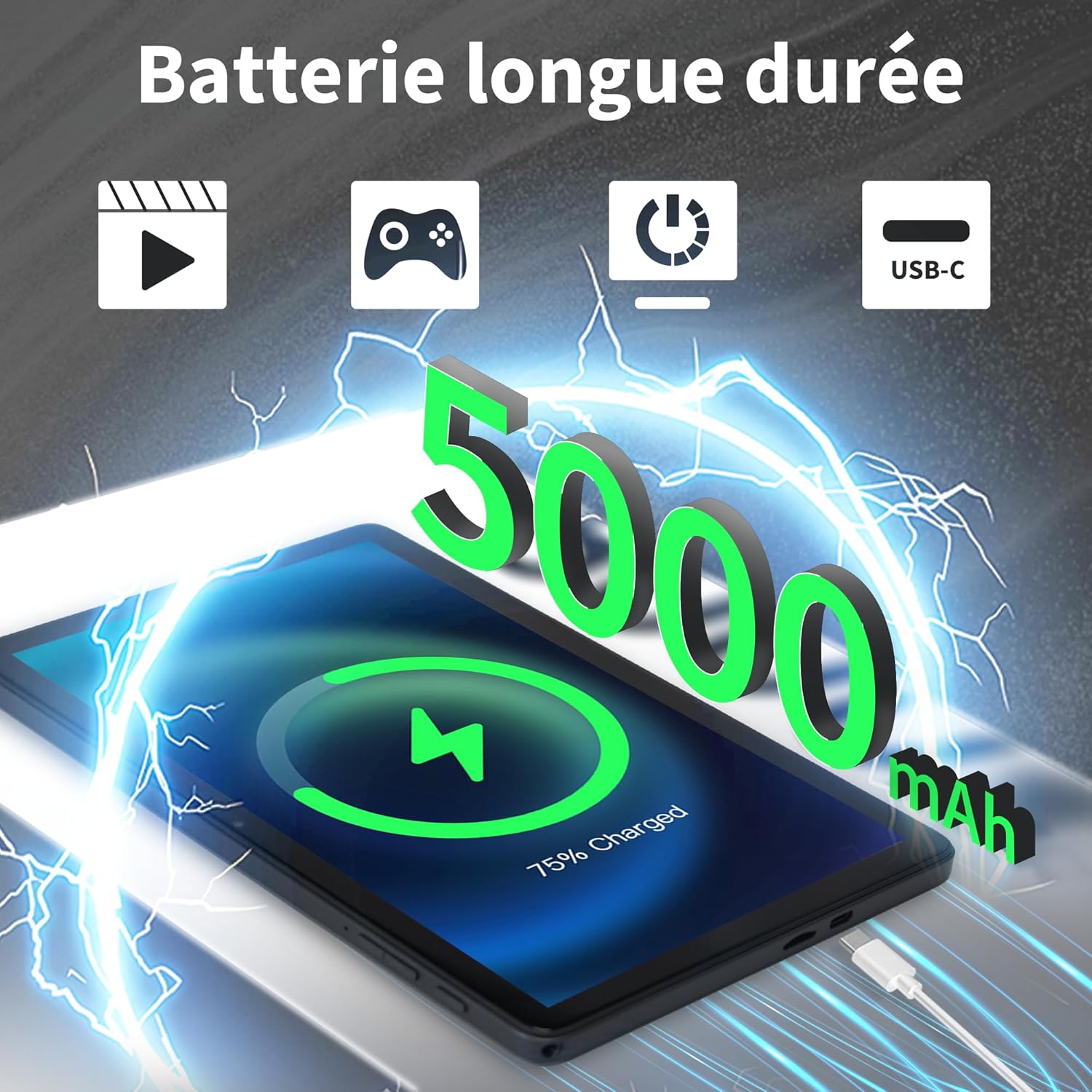
Image: Veidoo W40 Tablet connected to a USB-C charger, showing the battery icon and 5000mAh capacity.
4.2 పవర్ చేయడం ఆన్/ఆఫ్
- పవర్ ఆన్ చేయడానికి: Press and hold the Power button until the Veidoo logo appears on the screen.
- పవర్ ఆఫ్ చేయడానికి: పవర్ ఆప్షన్స్ మెనూ కనిపించే వరకు పవర్ బటన్ను నొక్కి పట్టుకోండి. "పవర్ ఆఫ్" ఎంచుకుని నిర్ధారించండి.
- పునఃప్రారంభించడానికి: పవర్ ఆప్షన్స్ మెను నుండి, "పునఃప్రారంభించు" ఎంచుకుని నిర్ధారించండి.
4.3 ప్రారంభ సెటప్ విజార్డ్
Upon first power-on, the tablet will guide you through an initial setup process:
- మీకు ఇష్టమైన భాషను ఎంచుకోండి.
- Wi-Fi నెట్వర్క్కి కనెక్ట్ చేయండి.
- నిబంధనలు మరియు షరతులను అంగీకరించండి.
- మీ Google ఖాతాతో సైన్ ఇన్ చేయండి లేదా కొత్తదాన్ని సృష్టించండి. Google Play Store నుండి యాప్లను డౌన్లోడ్ చేసుకోవడానికి ఇది అవసరం.
- Set up screen lock (PIN, pattern, or password) and other security features.
- Review మరియు ప్రాంప్ట్ చేయబడిన విధంగా ఇతర సెట్టింగ్లను సర్దుబాటు చేయండి.
4.4 మైక్రో SD కార్డ్ని చొప్పించడం
The tablet supports expandable storage up to 1TB using a MicroSD card.
- టాబ్లెట్ వైపున మైక్రో SD కార్డ్ స్లాట్ను గుర్తించండి.
- మైక్రో SD కార్డ్ను స్లాట్లోకి బంగారు కాంటాక్ట్లు క్రిందికి ఉండేలా సున్నితంగా చొప్పించండి, అది స్థానంలో క్లిక్ అయ్యే వరకు.
- The tablet will detect the card and may prompt you to format it for use as portable or internal storage. Follow the on-screen instructions.
5. ప్రాథమిక ఆపరేషన్
5.1 స్పర్శ సంజ్ఞలు
- నొక్కండి: ఒక అంశాన్ని ఎంచుకోవడానికి లేదా యాప్ను తెరవడానికి స్క్రీన్ను ఒకసారి తాకండి.
- తాకి & పట్టుకోండి: Press and hold an item to access contextual menus or drag items.
- స్వైప్: పేజీలు లేదా జాబితాల ద్వారా స్క్రోల్ చేయడానికి మీ వేలిని స్క్రీన్పైకి లాగండి.
- చిటికెడు: ఫోటోలను జూమ్ ఇన్ లేదా అవుట్ చేయడానికి రెండు వేళ్లను ఉపయోగించండి మరియు web పేజీలు.
5.2 Wi-Fiకి కనెక్ట్ చేస్తోంది
- వెళ్ళండి సెట్టింగ్లు > నెట్వర్క్ & ఇంటర్నెట్ > Wi-Fi.
- Wi-Fiని టోగుల్ చేయి On.
- జాబితా నుండి మీకు కావలసిన Wi-Fi నెట్వర్క్ను ఎంచుకోండి.
- ప్రాంప్ట్ చేయబడితే పాస్వర్డ్ను నమోదు చేసి, నొక్కండి కనెక్ట్ చేయండి.
5.3 బ్లూటూత్ పరికరాలకు కనెక్ట్ చేస్తోంది
- వెళ్ళండి సెట్టింగ్లు > కనెక్ట్ చేయబడిన పరికరాలు > కనెక్షన్ ప్రాధాన్యతలు > బ్లూటూత్.
- బ్లూటూత్ను టోగుల్ చేయండి On.
- మీ బ్లూటూత్ పరికరం జత చేసే మోడ్లో ఉందని నిర్ధారించుకోండి.
- Select the device from the list of available devices and follow any on-screen prompts to complete pairing.
5.4 కెమెరాలను ఉపయోగించడం
ఈ టాబ్లెట్లో 2MP ముందు కెమెరా మరియు 5MP వెనుక కెమెరా ఉన్నాయి.
- తెరవండి కెమెరా అనువర్తనం.
- ముందు మరియు వెనుక కెమెరాల మధ్య మారడానికి కెమెరా చిహ్నాన్ని నొక్కండి.
- ఫోటో తీయడానికి లేదా వీడియో రికార్డింగ్ ప్రారంభించడానికి/ఆపడానికి షట్టర్ బటన్ను నొక్కండి.
- Access photos and videos in the Gallery app.

Image: Tablet cameras (2MP front, 5MP rear) with example photos, demonstrating its capability to capture moments.
5.5 నిల్వ నిర్వహణ
The tablet comes with 128GB of internal storage and supports up to 1TB expandable storage.
- వెళ్ళండి సెట్టింగ్లు > నిల్వ కు view నిల్వ వినియోగం.
- You can free up space by uninstalling unused apps, deleting old photos/videos, or moving files to a MicroSD card.

Image: Tablet storage illustration, showing how photos, videos, and music can be stored on the 128GB ROM and expanded with 8GB RAM.
5.6 Installing/Uninstalling Apps
- యాప్లను ఇన్స్టాల్ చేయండి: తెరవండి Google Play స్టోర్ app, search for your desired app, and tap ఇన్స్టాల్ చేయండి.
- యాప్లను అన్ఇన్స్టాల్ చేయండి: Touch and hold the app icon on the home screen or app drawer, then drag it to "Uninstall" or select "App info" and tap "Uninstall". Alternatively, go to సెట్టింగ్లు > యాప్లు > select the app > అన్ఇన్స్టాల్ చేయండి.

Image: Tablet in use for various activities such as watching movies, playing games, working, and video calls, demonstrating its versatility.
6. నిర్వహణ మరియు సంరక్షణ
6.1 టాబ్లెట్ను శుభ్రపరచడం
- టాబ్లెట్ స్క్రీన్ మరియు బాడీని శుభ్రం చేయడానికి మృదువైన, మెత్తటి బట్టను ఉపయోగించండి.
- మొండి మచ్చల కోసం, కొద్దిగా dampఎలక్ట్రానిక్స్ కోసం రూపొందించిన నీటితో వస్త్రం లేదా స్క్రీన్ క్లీనర్.
- కఠినమైన రసాయనాలు, రాపిడి క్లీనర్లు లేదా ఏరోసోల్ స్ప్రేలను ఉపయోగించడం మానుకోండి.
6.2 బ్యాటరీ ఆప్టిమైజేషన్
To maximize battery life (5000mAh):
- స్క్రీన్ ప్రకాశాన్ని తగ్గించండి.
- ఉపయోగంలో లేనప్పుడు Wi-Fi మరియు బ్లూటూత్ను ఆఫ్ చేయండి.
- నేపథ్య అనువర్తనాలను మూసివేయండి.
- Enable battery saver mode in Settings.
- ఛార్జింగ్ మరియు వాడకం సమయంలో తీవ్రమైన ఉష్ణోగ్రతలను నివారించండి.
6.3 సాఫ్ట్వేర్ నవీకరణలు
సరైన పనితీరు మరియు భద్రతను నిర్ధారించడానికి సాఫ్ట్వేర్ నవీకరణల కోసం క్రమం తప్పకుండా తనిఖీ చేయండి మరియు ఇన్స్టాల్ చేయండి.
- వెళ్ళండి సెట్టింగ్లు > వ్యవస్థ > సిస్టమ్ నవీకరణ.
- అందుబాటులో ఉన్న ఏవైనా నవీకరణలను తనిఖీ చేసి, ఇన్స్టాల్ చేయడానికి స్క్రీన్పై సూచనలను అనుసరించండి.
6.4 ఫ్యాక్టరీ రీసెట్
A factory reset will erase all data from your tablet and restore it to its original factory settings. Back up important data before proceeding.
- వెళ్ళండి సెట్టింగ్లు > వ్యవస్థ > రీసెట్ ఎంపికలు.
- ఎంచుకోండి మొత్తం డేటాను తొలగించండి (ఫ్యాక్టరీ రీసెట్).
- మీ నిర్ణయాన్ని నిర్ధారించండి మరియు ప్రాంప్ట్ చేయబడితే మీ పిన్/నమూనా/పాస్వర్డ్ను నమోదు చేయండి.
7. ట్రబుల్షూటింగ్
If you encounter issues with your Veidoo W40 tablet, try the following solutions:
టాబ్లెట్ ఆన్ కావడం లేదు
- Ensure the tablet is sufficiently charged. Connect it to a power source and wait a few minutes before attempting to power on.
- రీస్టార్ట్ చేయమని బలవంతం చేయడానికి పవర్ బటన్ను 10-15 సెకన్ల పాటు నొక్కి పట్టుకోండి.
Wi-Fi కనెక్షన్ సమస్యలు
- సెట్టింగ్లలో Wi-Fi ప్రారంభించబడిందని నిర్ధారించుకోండి.
- మీ Wi-Fi రూటర్ను పునఃప్రారంభించండి.
- టాబ్లెట్ సెట్టింగ్లలో నెట్వర్క్ను మర్చిపోయి, తిరిగి కనెక్ట్ చేయండి.
- మీరు Wi-Fi సిగ్నల్ పరిధిలో ఉన్నారని నిర్ధారించుకోండి.
Slow Performance or App Crashes
- ఉపయోగించని నేపథ్య అనువర్తనాలను మూసివేయండి.
- Clear the cache of problematic apps (Settings > Apps > [App Name] > Storage & cache > Clear cache).
- టాబ్లెట్ను పునఃప్రారంభించండి.
- తగినంత నిల్వ స్థలం అందుబాటులో ఉందని నిర్ధారించుకోండి.
- Check for system and app updates.
స్క్రీన్ స్పందించడం లేదు
- పవర్ బటన్ను నొక్కి ఉంచడం ద్వారా టాబ్లెట్ను పునఃప్రారంభించండి.
- స్క్రీన్ శుభ్రంగా మరియు చెత్త లేకుండా ఉందని నిర్ధారించుకోండి.
8. స్పెసిఫికేషన్లు
Below are the technical specifications for the Veidoo W40 11-inch Android Tablet:
| ఫీచర్ | స్పెసిఫికేషన్ |
|---|---|
| మోడల్ | W40 |
| ప్రదర్శన పరిమాణం | 11 అంగుళాలు |
| స్క్రీన్ రిజల్యూషన్ | 1280 x 800 pixels (In-Cell HD Touch Screen) |
| ప్రాసెసర్ | 2.0 GHz Octa-Core (Allwinner) |
| RAM | 8GB (4GB + 4GB Expand) |
| అంతర్గత నిల్వ (ROM) | 128GB |
| విస్తరించదగిన నిల్వ | మైక్రో SD కార్డ్ ద్వారా 1TB వరకు |
| ఆపరేటింగ్ సిస్టమ్ | ఆండ్రాయిడ్ 14 |
| ఫ్రంట్ కెమెరా | 2MP |
| వెనుక కెమెరా | 5MP |
| Wi-Fi | వైఫై 6 (802.11ax) |
| బ్లూటూత్ | బ్లూటూత్ 5.0 |
| బ్యాటరీ కెపాసిటీ | 5000mAh |
| కొలతలు (LxWxH) | 9.57 x 6.34 x 0.31 అంగుళాలు |
| బరువు | 1.13 పౌండ్లు |
| రంగు | బూడిద రంగు |

Image: Octa-Core processor illustration, highlighting the 2.0 GHz speed and performance benefits.
9. వారంటీ మరియు మద్దతు
వారంటీ సమాచారం
Your Veidoo W40 tablet is covered by a standard manufacturer's warranty. Please refer to the warranty card included in your package or visit the official Veidoo webవారంటీ కవరేజ్, వ్యవధి మరియు క్లెయిమ్ల ప్రక్రియకు సంబంధించిన వివరణాత్మక నిబంధనలు మరియు షరతుల కోసం సైట్ను చూడండి.
కస్టమర్ మద్దతు
If you require technical assistance, have questions about your product, or need to report an issue, please contact Veidoo customer support. For inquiries, you may consult via email. Contact details are typically available on the official Veidoo webసైట్ లేదా మీ కొనుగోలు ప్లాట్ఫారమ్ ద్వారా.