
పరిచయం
Thank you for choosing the W-KING T8II Portable Bluetooth Speaker. This manual will guide you through the features and functions of your new speaker, ensuring optimal performance and longevity. Please read these instructions carefully before using the product.
ప్యాకేజీ విషయాలు
- 1 x W-KING T8II Portable Loud Speaker
- 1 x 3.5mm ఆడియో కేబుల్
- 1 x టైప్-సి ఛార్జింగ్ కేబుల్
- 1 x వినియోగదారు మాన్యువల్
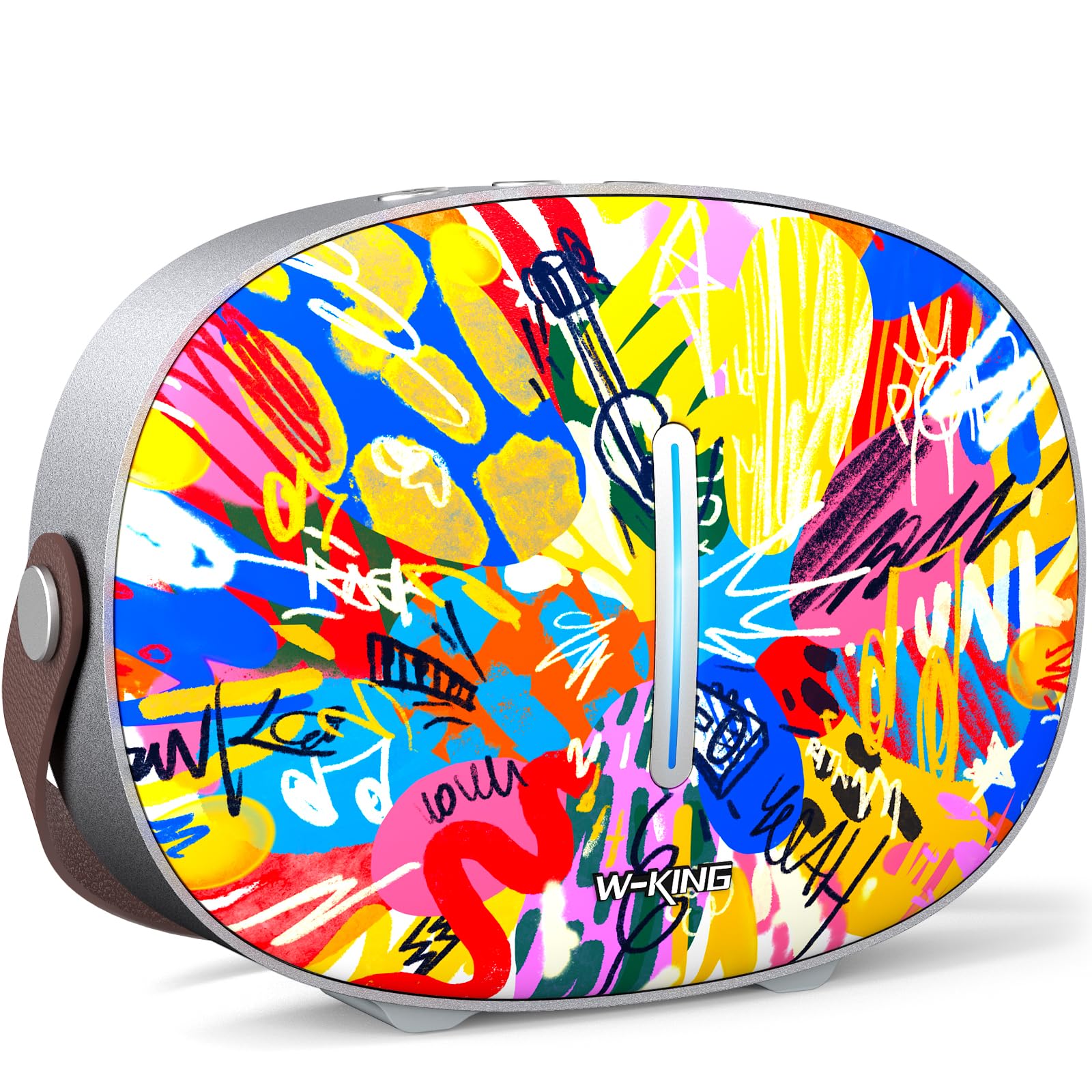
The package includes the W-KING T8II speaker, a 3.5mm audio cable for auxiliary connections, a Type-C charging cable, and this user manual.
సెటప్
ప్రారంభ ఛార్జింగ్
Before first use, fully charge your W-KING T8II speaker. Connect the provided Type-C charging cable to the speaker's Type-C port and a compatible power source. The speaker supports up to 30W fast charging. The indicator lights on the back will show the charging status.

పవర్ ఆన్/ఆఫ్
- To power on: Press and hold the power button located on the back of the speaker for a few seconds until the indicator light illuminates.
- To power off: Press and hold the power button again for a few seconds until the indicator light turns off.

బ్లూటూత్ పెయిరింగ్
- స్పీకర్ ఆన్ చేయబడి బ్లూటూత్ జత చేసే మోడ్లో ఉందని నిర్ధారించుకోండి (ఇండికేటర్ లైట్ మెరుస్తుంది).
- మీ పరికరంలో (స్మార్ట్ఫోన్, టాబ్లెట్, మొదలైనవి), బ్లూటూత్ను ప్రారంభించి, అందుబాటులో ఉన్న పరికరాల కోసం శోధించండి.
- Select "W-KING T8II" from the list of devices.
- Once connected, the indicator light will become solid, and you will hear an audible confirmation.

The W-KING T8II uses Bluetooth 5.4 for a stable and efficient wireless connection.
అన్బాక్సింగ్ మరియు మరిన్నిview వీడియో
వీడియో: అన్బాక్సింగ్ మరియు అంతకంటే ఎక్కువview of the W-KING T8II Portable Bluetooth Speaker, demonstrating its contents and initial setup.
ఆపరేటింగ్ సూచనలు
నియంత్రణ బటన్లు
The top panel of the speaker features intuitive control buttons for easy operation:
- M (మోడ్ బటన్): బ్లూటూత్, AUX మరియు USB ప్లేబ్యాక్ మోడ్ల మధ్య మారడానికి నొక్కండి.
- - (Volume Down / Previous Track): వాల్యూమ్ తగ్గించడానికి షార్ట్ ప్రెస్ చేయండి. మునుపటి ట్రాక్కి వెళ్లడానికి ఎక్కువసేపు ప్రెస్ చేయండి.
- ప్లే/పాజ్ బటన్: ఆడియోను ప్లే చేయడానికి లేదా పాజ్ చేయడానికి నొక్కండి.
- + (Volume Up / Next Track): Short press to increase volume. Long press to go to the next track.

ప్లేబ్యాక్ మోడ్లు
- బ్లూటూత్ మోడ్: Connect wirelessly to your device as described in the Setup section.
- ఆక్స్ మోడ్: Connect an external audio device using the provided 3.5mm audio cable to the AUX port on the back of the speaker. Press the 'M' button to switch to AUX mode.
- USB ప్లేబ్యాక్ మోడ్: Insert a USB flash drive into the USB-A port on the back of the speaker. The speaker will automatically switch to USB mode and begin playing compatible audio files.

ట్రూ వైర్లెస్ స్టీరియో (టిడబ్ల్యుఎస్) పెయిరింగ్
For an enhanced audio experience, two W-KING T8II speakers can be paired together to create a true stereo sound system:
- Ensure both T8II speakers are powered on and in Bluetooth pairing mode (not connected to any device).
- On one of the speakers, press and hold the Bluetooth pairing button (usually indicated by a Bluetooth icon) until you hear a confirmation tone.
- రెండు స్పీకర్లు స్వయంచాలకంగా ఒకదానికొకటి కనెక్ట్ అవుతాయి. కనెక్ట్ అయిన తర్వాత, ఒక స్పీకర్ మాస్టర్ (ఎడమ ఛానల్) గా మరియు మరొకటి స్లేవ్ (కుడి ఛానల్) గా పనిచేస్తుంది.
- Connect your device to the master speaker via Bluetooth.

బాహ్య పరికరాలను ఛార్జ్ చేస్తోంది
The W-KING T8II speaker can function as a power bank to charge your mobile devices. Connect your device to the speaker's USB-A output port using a compatible charging cable. The USB-A to Type-C output supports up to 18W charging.

నిర్వహణ
సాధారణ సంరక్షణ
- స్పీకర్ను తీవ్రమైన ఉష్ణోగ్రతలు, ప్రత్యక్ష సూర్యకాంతి మరియు తేమ నుండి దూరంగా ఉంచండి.
- స్పీకర్ను వదలివేయడం లేదా బలమైన ప్రభావాలకు గురిచేయడం మానుకోండి.
- Do not disassemble or attempt to repair the speaker yourself, as this will void the warranty.
బ్యాటరీ సంరక్షణ
To maximize battery life, avoid fully discharging the speaker frequently. Recharge the battery regularly, even if the speaker is not in use for extended periods.
క్లీనింగ్
స్పీకర్ను మృదువైన, పొడి గుడ్డతో తుడవండి. రాపిడి క్లీనర్లను లేదా ద్రావకాలను ఉపయోగించవద్దు.
నీటి నిరోధకత
గమనిక: The W-KING T8II speaker is జలనిరోధిత కాదు. Avoid exposure to water or other liquids to prevent damage.
ట్రబుల్షూటింగ్
| సమస్య | పరిష్కారం |
|---|---|
| స్పీకర్ పవర్ ఆన్ చేయదు. | బ్యాటరీ ఛార్జ్ అయ్యిందని నిర్ధారించుకోండి. టైప్-సి కేబుల్ ఉపయోగించి స్పీకర్ను పవర్ సోర్స్కి కనెక్ట్ చేయండి. |
| బ్లూటూత్ ద్వారా జత చేయడం సాధ్యం కాదు. |
|
| శబ్దం లేదు. |
|
| అధిక వాల్యూమ్లో ధ్వని వక్రీకరణ. | Reduce the volume on the speaker or your connected device. Ensure audio source quality is high. |
| స్పీకర్ బాహ్య పరికరాన్ని ఛార్జ్ చేయడం లేదు. | Ensure the speaker has sufficient battery charge. Use a compatible USB-A cable. |
స్పెసిఫికేషన్లు
| మోడల్ పేరు | T8II |
| బ్రాండ్ | W-కింగ్ |
| స్పీకర్ రకం | అవుట్డోర్ వైర్లెస్ పోర్టబుల్ లౌడ్ స్పీకర్ |
| కనెక్టివిటీ టెక్నాలజీ | ఆక్సిలరీ, బ్లూటూత్, యుఎస్బి |
| బ్లూటూత్ వెర్షన్ | 5.4 |
| స్పీకర్ గరిష్ట అవుట్పుట్ పవర్ | 96 వాట్స్ |
| ఆడియో అవుట్పుట్ మోడ్ | సరౌండ్ స్టీరియో |
| ఫ్రీక్వెన్సీ రెస్పాన్స్ | 20 Hz (Lower bound, full range not specified) |
| సిగ్నల్-టు-శబ్ద నిష్పత్తి | 85 డిబి |
| వూఫర్ వ్యాసం | 3 అంగుళాలు |
| ట్వీటర్ వ్యాసం | 1 అంగుళాలు |
| శక్తి మూలం | బ్యాటరీ ఆధారితం (1 x 12V బ్యాటరీ అవసరం) |
| ఉత్పత్తి కొలతలు | 10.91"డి x 7.73"వా x 3.9"హ |
| వస్తువు బరువు | 5.5 పౌండ్లు (2.5 కిలోగ్రాములు) |
| మెటీరియల్ | ప్లాస్టిక్, మెటల్ |
| జలనిరోధిత | నం |
| ప్రత్యేక లక్షణాలు | Bass Boost, Bluetooth 5.4, True Wireless Stereo Pairing, Portable, Shockproof, Type-C Fast Charging, Type-C output, USB PLAYBACK/AUX, Personalised Trendy Design |
వారంటీ సమాచారం
The W-KING T8II Portable Bluetooth Speaker comes with a Limited Warranty. Please refer to the product packaging or contact W-KING customer support for specific warranty terms and conditions.
మద్దతు
For further assistance, technical support, or inquiries regarding your W-KING T8II speaker, please visit the official W-KING website or contact their customer service department. The user manual included in the package also contains detailed information.
W-KING Store: Visit the W-KING Store on Amazon