
1. పరిచయం
This manual provides essential information for the safe and efficient operation of your OMIZN M9 Global Walkie Talkie. Please read it thoroughly before using the device to ensure optimal performance and longevity. The OMIZN M9 is designed for reliable, long-range communication, featuring global 4G/5G connectivity, robust security, and a durable build.
2. ఉత్పత్తి ముగిసిందిview
2.1 చేర్చబడిన భాగాలు
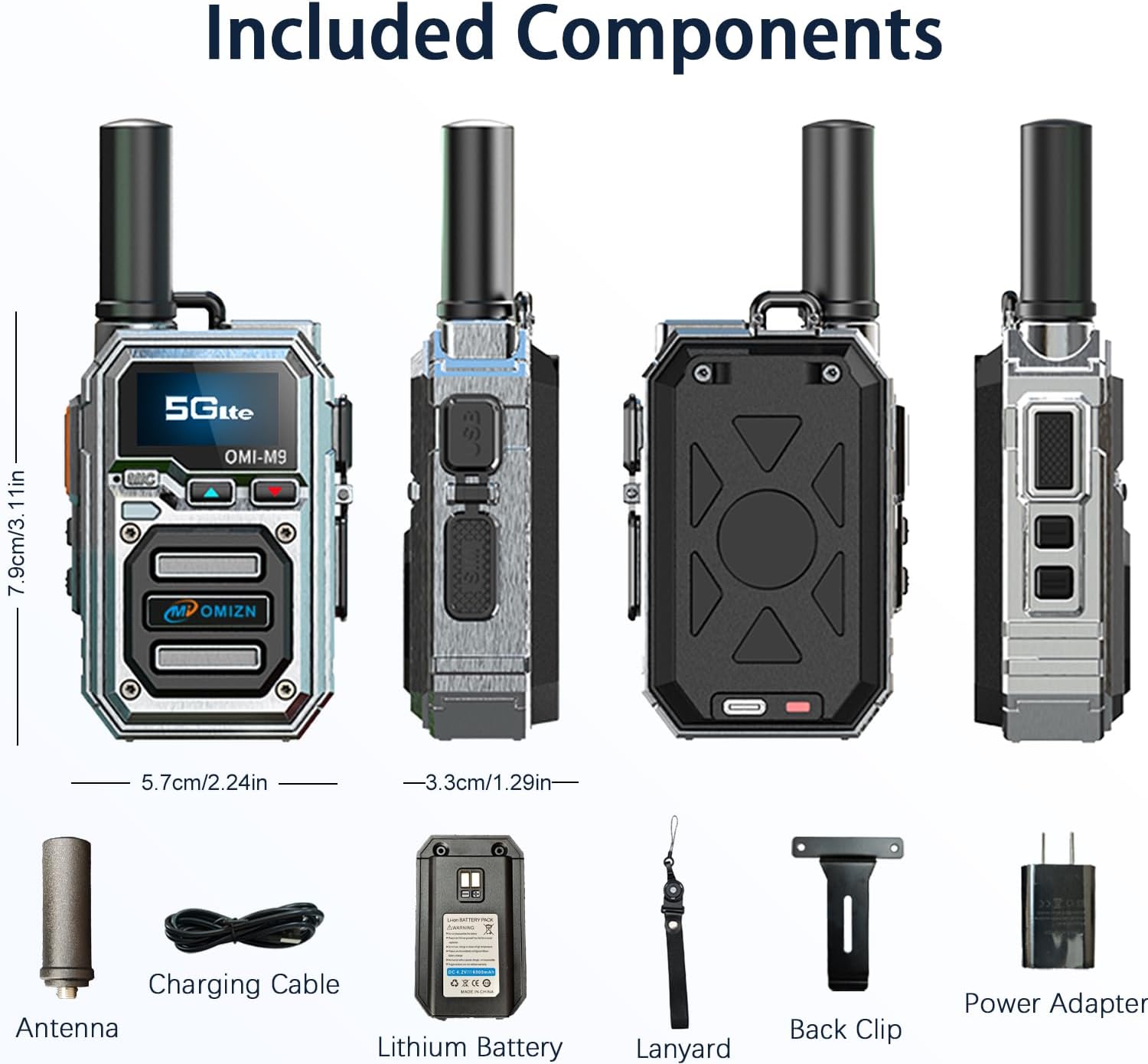
Figure 1: Included Components. This image displays the OMIZN M9 walkie talkie along with its standard accessories: antenna, USB-C charging cable, 6800mAh lithium battery, lanyard, back clip, and power adapter.
Your OMIZN M9 package should contain the following items:
- OMIZN M9 Walkie Talkie Unit
- యాంటెన్నా
- 6800mAh లిథియం బ్యాటరీ
- టైప్-సి ఛార్జింగ్ కేబుల్
- పవర్ అడాప్టర్
- వెనుక క్లిప్
- లాన్యార్డ్
- వినియోగదారు మాన్యువల్ (ఈ పత్రం)
2.2 పరికర లేఅవుట్

Figure 2: Device Layout. This diagram illustrates the various parts of the OMIZN M9 walkie talkie, including the antenna, flashlight, OLED display, headset/hand mic jack, volume/menu buttons, SIM card slot, power button, menu button, and Push-to-Talk (PTT) button.
- యాంటెన్నా: For signal transmission and reception.
- ఫ్లాష్లైట్: ఇంటిగ్రేటెడ్ లైట్ సోర్స్.
- OLED డిస్ప్లే: Shows status, menu, and communication information.
- Headset Hand Mic Jack: Port for external audio accessories.
- Volume Up / Menu Up: Adjusts volume or navigates menu upwards.
- Volume Down / Menu Down: Adjusts volume or navigates menu downwards.
- SIM కార్డ్ స్లాట్: For inserting the pre-installed SIM card.
- ఆన్ / ఆఫ్ బటన్: పరికరాన్ని ఆన్ లేదా ఆఫ్ చేస్తుంది.
- మెనూ బటన్: పరికర సెట్టింగ్లు మరియు ఎంపికలను యాక్సెస్ చేస్తుంది.
- మాట్లాడటానికి పుష్ (PTT) బటన్: Activates voice transmission.
2.3 ముఖ్య లక్షణాలు
- Global 4G/5G VoIP Coverage: Communicate nationwide and beyond using cellular networks (4G/5G) and VoIP technology, eliminating traditional radio frequency range limits. Operates in over 100 countries with 4G/5G signal.
- Pre-Installed SIM Card: Ready for immediate use with a factory-installed SIM card. Includes free data and fees for the first year. Renewal service available for continued use.
- పొడిగించిన బ్యాటరీ జీవితం: Equipped with a 6800mAh rechargeable battery, providing up to 48 hours of continuous use or 168 hours of standby. Features USB-C fast charging and voice battery alerts.
- Secure and Private Communication: Utilizes military-grade AES256 encryption to ensure conversations remain private and protected from eavesdropping.
- Smart Noise Reduction: Features anti-magnetic speakers and advanced speech coding digital error correction technology for clear communication in noisy environments and areas with marginal signal reception.
- మన్నికైన నిర్మాణం: Built with a zinc alloy body for shock resistance and crush-proofing. IP54 rated for dust and water resistance, ensuring reliable operation in challenging conditions.
- Unlimited Custom Groups: Supports instant creation of 1-on-1, team, or named group chats.
3. సెటప్
3.1 ప్రారంభ ఛార్జింగ్

Figure 3: Battery and Charging. This image shows the 6800mAh lithium battery and the Type-C charging cable, highlighting the device's long battery life and convenient charging method.
Before first use, fully charge the OMIZN M9 battery. Connect the provided Type-C charging cable to the device and a power adapter. The OLED display will indicate charging status. A full charge typically takes several hours.
3.2 SIM Card Installation (Pre-installed)
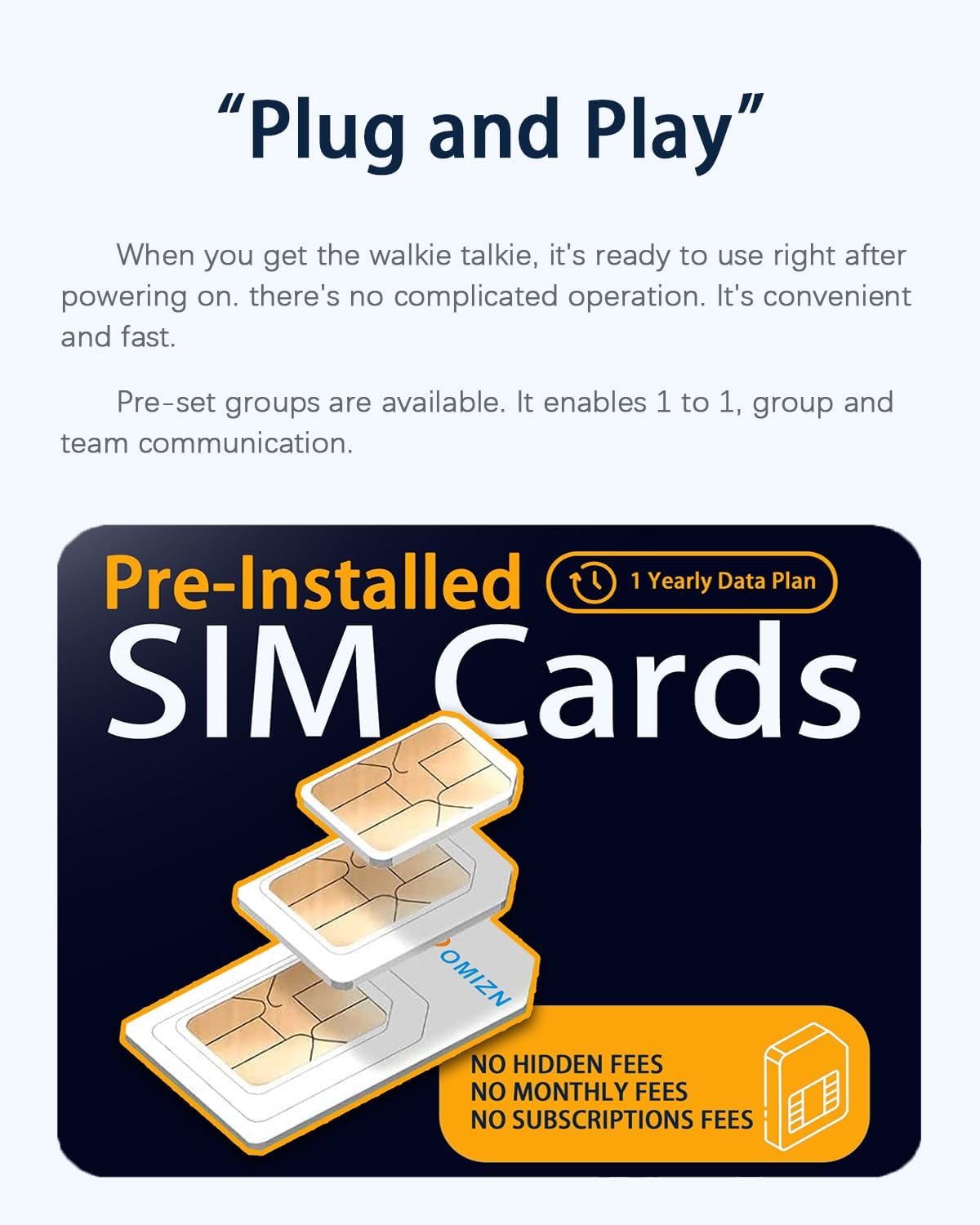
Figure 4: Pre-Installed SIM Cards. This image illustrates that the OMIZN M9 comes with pre-installed SIM cards, offering a yearly data plan with no hidden fees for the first year.
The OMIZN M9 comes with a SIM card pre-installed at the factory. No manual installation is required for initial use. The first year's SIM card fees and data fees are covered. For continued service after the first year, a renewal service is available.
3.3 పవర్ చేయడం ఆన్/ఆఫ్
- పవర్ ఆన్ చేయడానికి: నొక్కండి మరియు పట్టుకోండి ఆన్ / ఆఫ్ button (refer to Figure 2) until the OLED display illuminates.
- పవర్ ఆఫ్ చేయడానికి: నొక్కండి మరియు పట్టుకోండి ఆన్ / ఆఫ్ డిస్ప్లే ఆఫ్ అయ్యే వరకు బటన్.
4. ఆపరేటింగ్ సూచనలు
4.1 Basic Communication (Push to Talk)
To transmit your voice, press and hold the పుష్ టు టాక్ (PTT) button located on the side of the device. Speak clearly into the microphone. Release the PTT button to listen for incoming transmissions. The OLED display will show transmission status.
4.2 వాల్యూమ్ సర్దుబాటు
ఉపయోగించండి Volume Up / Menu Up మరియు Volume Down / Menu Down buttons (refer to Figure 2) to adjust the listening volume. The current volume level will be displayed on the OLED screen.
4.3 Group Communication
The OMIZN M9 supports various communication modes:
- 1-on-1 Chat: Direct communication with a single contact.
- Team Chat: Communication within a pre-defined team group.
- Named Group Chats: Create and join custom groups for specific events or purposes.
To manage groups, navigate through the device's menu using the మెనూ button and the volume/menu navigation buttons.
4.4 ఫ్లాష్లైట్ని ఉపయోగించడం
The OMIZN M9 includes an integrated flashlight. Consult the device's menu or a quick-press combination (if available) for activation and deactivation. Refer to Figure 2 for the flashlight's location.
4.5 Headset/Hand Mic Use
For hands-free operation or improved audio quality, connect a compatible headset or hand microphone to the Headset Hand Mic Jack (మూర్తి 2 చూడండి).

Figure 5: HD Sound Quality. This image highlights the OMIZN M9's audio features, including noise reduction, voice announcement capabilities, a Type-C headset jack, and 3D stereo sound, all powered by a 36mm speaker.
5. నిర్వహణ
5.1 శుభ్రపరచడం
పరికరాన్ని శుభ్రం చేయడానికి, మృదువైన, డిamp cloth. Do not use harsh chemicals, solvents, or abrasive cleaners. Ensure all ports are dry before charging or connecting accessories.
5.2 బ్యాటరీ సంరక్షణ
బ్యాటరీ జీవితాన్ని పొడిగించడానికి:
- బ్యాటరీని తరచుగా పూర్తిగా డిశ్చార్జ్ చేయడాన్ని నివారించండి.
- పరికరాన్ని క్రమం తప్పకుండా ఛార్జ్ చేయండి, ప్రత్యేకించి అది ఎక్కువ కాలం నిల్వ చేయబడితే.
- ఉపయోగంలో లేనప్పుడు పరికరాన్ని చల్లని, పొడి ప్రదేశంలో నిల్వ చేయండి.
5.3 Durability and Environmental Protection

Figure 6: Shock-Resistant Casing. This image demonstrates the OMIZN M9's robust zinc alloy body, designed to be shockproof and crush-proof, ensuring functionality even under extreme impact conditions.
The OMIZN M9 features a zinc alloy body, making it shock-resistant and crush-proof. It is also rated IP54, meaning it is protected against dust ingress and splashing water from any direction. While durable, avoid intentional submersion or exposure to high-pressure water jets.
6. ట్రబుల్షూటింగ్
6.1 Intermittent Signals or Static Noise
If you experience intermittent signals or static noise during use, follow these steps:
- Go to the device's settings menu.
- Select "APN settings".
- Change the base station APN to "automatic".
- Restart the walkie talkie.
If the problem persists, ensure you are within an area with adequate 4G/5G cellular coverage. Obstructions or extreme distances from cellular towers can affect signal quality.
6.2 పరికరం ఆన్ కావడం లేదు
- బ్యాటరీ పూర్తిగా ఛార్జ్ అయ్యిందని నిర్ధారించుకోండి.
- బ్యాటరీ సరిగ్గా చొప్పించబడిందని ధృవీకరించండి.
- Try charging the device for at least 30 minutes before attempting to power it on again.
6.3 Unable to Transmit or Receive
- Check if the device is powered on and connected to the cellular network (indicated on the OLED display).
- Ensure you are in the correct group or have selected the correct contact for 1-on-1 communication.
- Verify that the PTT button is being pressed correctly during transmission.
- Check for network outagమీ ప్రాంతంలో ఉంది.
7. స్పెసిఫికేషన్లు
| ఫీచర్ | స్పెసిఫికేషన్ |
|---|---|
| బ్రాండ్ | OMIZN |
| మోడల్ సంఖ్య | OMIZN-M9-A1 |
| కనెక్టివిటీ ప్రోటోకాల్ | ఎల్టిఇ (4జి/5జి) |
| బ్యాటరీ కెపాసిటీ | 6800mAh |
| నిరంతర వినియోగ సమయం | 48 గంటల వరకు |
| స్టాండ్బై సమయం | 168 గంటల వరకు |
| ఛార్జింగ్ పోర్ట్ | టైప్-సి |
| ఎన్క్రిప్షన్ | AES256 |
| అంతర్జాతీయ రక్షణ రేటింగ్ | IP54 (Dust Proof, Splash Resistant) |
| మెటీరియల్ | Zinc Alloy Casing |
| ఉత్పత్తి కొలతలు (D x W x H) | 1.29" x 2.24" x 3.11" |
| ఆపరేటింగ్ ఉష్ణోగ్రత | -20℃ నుండి 55℃ |
| ఫ్రీక్వెన్సీ రేంజ్ | Compatible with major U.S. carriers AT&T LTE Bands 2/4/5/12/14/17/29/30/66, T-Mobile LTE Bands 2/4/5/12/66/71, Verizon LTE Bands 2/4/5/13/46/48/66 |

Figure 7: Worldwide Coverage. This image emphasizes the OMIZN M9's global communication capabilities, supporting use in over 170 countries with a communication range exceeding 10,000 miles.

Figure 8: AES256 Encryption. This image visually represents the AES256 encryption technology, ensuring secure and private communication by encrypting and decrypting data with a 256-bit key.
8. వారంటీ మరియు మద్దతు
OMIZN provides comprehensive pre-sales and after-sales service. If you encounter any product malfunctions, operational questions, or require technical guidance, please do not hesitate to contact us. Our team is committed to providing prompt assistance and ensuring your satisfaction.
For issues related to intermittent signals or static noise, please refer to the Troubleshooting section (6.1) for initial steps.
For information regarding the SIM card renewal service after the first year, please contact OMIZN customer support.
సంప్రదింపు సమాచారం: Please refer to the seller's contact details on your purchase platform or visit the official OMIZN webమద్దతు కోసం సైట్.