
ఈకిడ్స్ 115
eKids Dora Karaoke Microphone with Boombox Instruction Manual
Model: 115 | Brand: eKids
1. పరిచయం
Welcome to the eKids Dora Karaoke Microphone with Boombox. This device is designed to provide an interactive and engaging musical experience. It features a wired microphone, built-in music, and Bluetooth connectivity for streaming audio from compatible devices. This manual provides essential information for setup, operation, maintenance, and troubleshooting to ensure optimal performance and enjoyment.
2. ఉత్పత్తి ముగిసిందిview
The eKids Dora Karaoke Microphone with Boombox is a portable audio device shaped like Dora's backpack, designed for children aged 3 and up. It combines a speaker with a wired microphone, allowing users to sing along to pre-loaded songs or music streamed via Bluetooth.
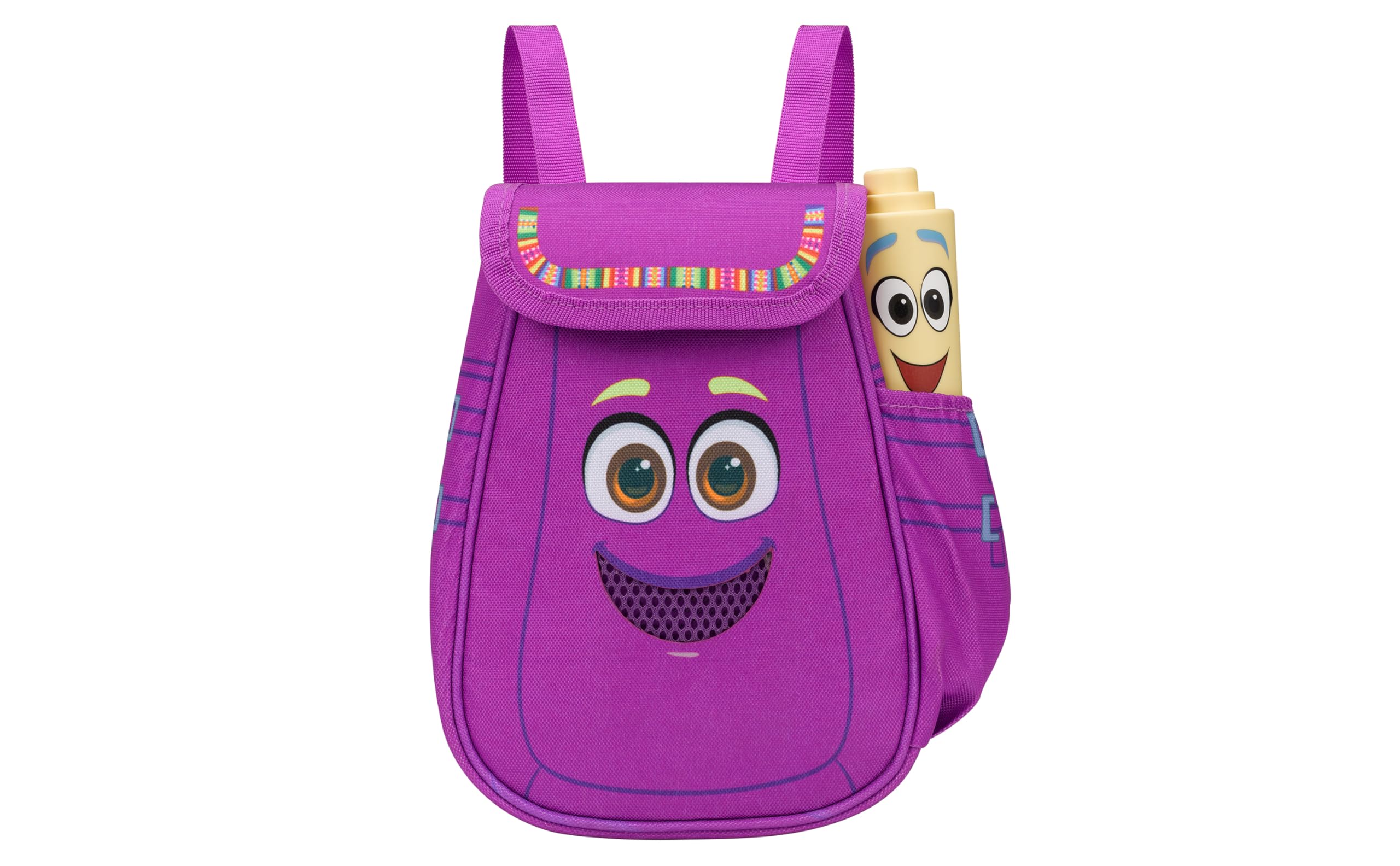
Figure 1: eKids Dora Karaoke Microphone with Boombox.
ముఖ్య లక్షణాలు:
- బ్లూటూత్ స్పీకర్: Connects to any music device via Bluetooth to stream popular karaoke playlists and more. Lightweight and portable, this karaoke boombox is designed for kids aged 3 and up.
- కరోకే మైక్రోఫోన్: Includes a wired microphone to amplify your voice for singing.
- Dora Backpack Design: Features cute and colorful graphics inspired by the popular Nickelodeon series.
- అంతర్నిర్మిత సంగీతం: Contains extended clips of the songs ‘Rainforest Ritmo’, ‘Cake’, and ‘Empanada’.
- పోర్టబిలిటీ: Lightweight design with a built-in handle for easy transport.
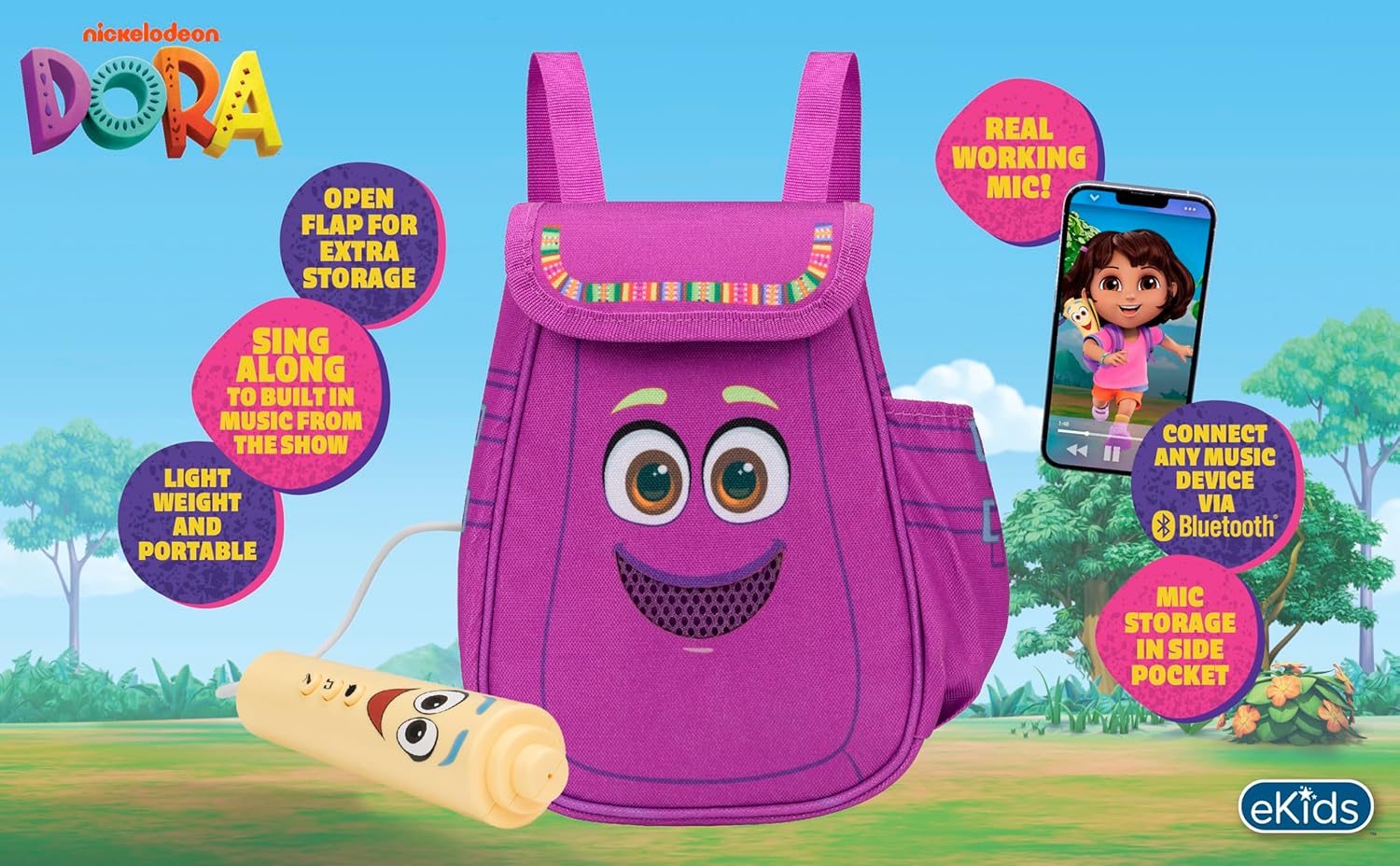
చిత్రం 2: విజువల్ ఓవర్view of the product's key features.
3. ప్యాకేజీ విషయాలు
అన్బాక్సింగ్ సమయంలో అన్ని వస్తువులు ఉన్నాయని నిర్ధారించుకోండి:
- Dora Karaoke Microphone with Boombox (main unit)
- వైర్డు మైక్రోఫోన్
- సూచనల మాన్యువల్ (ఈ పత్రం)
- 3 x 'AA' Batteries (included)

Figure 3: Product as packaged, showing the boombox and microphone.
4. సెటప్
4.1 బ్యాటరీ ఇన్స్టాలేషన్
- Locate the battery compartment on the back or bottom of the boombox unit.
- Using a Phillips head screwdriver (not included), open the battery compartment cover.
- Insert 3 'AA' batteries, ensuring correct polarity (+/-).
- బ్యాటరీ కంపార్ట్మెంట్ కవర్ను మార్చండి మరియు దానిని స్క్రూతో భద్రపరచండి.
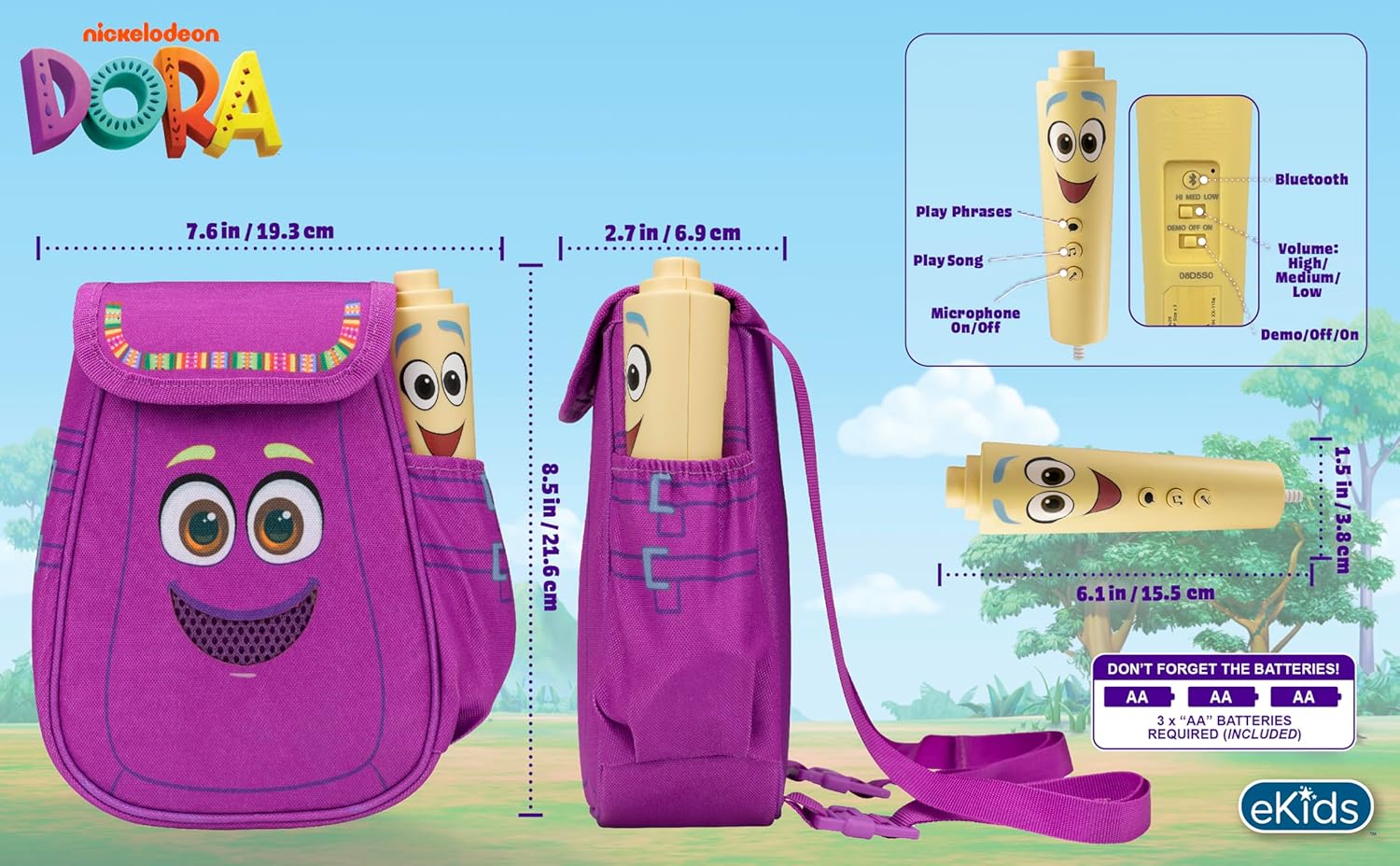
చిత్రం 4: వెనుక view of the boombox, indicating battery compartment and control buttons.
4.2 మైక్రోఫోన్ కనెక్షన్
The wired microphone is typically pre-connected or plugs into a dedicated port on the boombox. Ensure the microphone cable is securely plugged in.
5. ఆపరేటింగ్ సూచనలు
5.1 పవర్ ఆన్/ఆఫ్
Locate the Power switch (often labeled ON/OFF or with a power symbol) on the unit. Slide it to the 'ON' position to power on the device. Slide it to 'OFF' to power off.
5.2 Playing Built-in Music
Press the designated 'Play Song' button (refer to Figure 4 for button layout) to cycle through the pre-loaded songs. The unit includes extended clips of 'Rainforest Ritmo', 'Cake', and 'Empanada'.
5.3 మైక్రోఫోన్ ఉపయోగించడం
To use the microphone, ensure the 'Microphone On/Off' switch (refer to Figure 4) is in the 'On' position. Speak or sing into the microphone to ampబూమ్బాక్స్ స్పీకర్ ద్వారా మీ గొంతును తగ్గించుకోండి.
5.4 బ్లూటూత్ కనెక్టివిటీ
To stream music from an external device:
- బూమ్బాక్స్ ఆన్ చేయబడిందని నిర్ధారించుకోండి.
- Activate Bluetooth on your external music device (e.g., smartphone, tablet, computer).
- కోసం వెతకండి available Bluetooth devices and select "eKids Dora" or a similar name.
- జత చేసిన తర్వాత, మీరు మీ పరికరం నుండి బూమ్బాక్స్కు ఆడియోను ప్రసారం చేయవచ్చు.

Figure 5: Bluetooth connectivity allows streaming from various compatible devices.
5.5 వాల్యూమ్ నియంత్రణ
Adjust the volume using the 'Volume: High/Medium/Low' switch on the unit (refer to Figure 4).
5.6 డెమో మోడ్
The unit may include a 'Demo/Off/On' switch (refer to Figure 4). Set it to 'Demo' for a brief demonstration of features, or 'On' for full functionality.
6. నిర్వహణ
- శుభ్రపరచడం: మెత్తటి, పొడి గుడ్డతో యూనిట్ను తుడవండి. రాపిడి క్లీనర్లను ఉపయోగించవద్దు లేదా యూనిట్ను నీటిలో ముంచవద్దు.
- బ్యాటరీ సంరక్షణ: లీకేజీని నివారించడానికి యూనిట్ ఎక్కువ కాలం ఉపయోగించబడకపోతే బ్యాటరీలను తీసివేయండి.
- నిల్వ: ప్రత్యక్ష సూర్యకాంతి మరియు తీవ్రమైన ఉష్ణోగ్రతలకు దూరంగా చల్లని, పొడి ప్రదేశంలో యూనిట్ను నిల్వ చేయండి.
7. ట్రబుల్షూటింగ్
| సమస్య | పరిష్కారం |
|---|---|
| శక్తి లేదు | Check battery installation and ensure batteries are fresh. Confirm the power switch is in the 'ON' position. |
| స్పీకర్ నుండి శబ్దం లేదు | Increase the volume. Ensure the microphone is switched 'ON' if using it. If using Bluetooth, check device volume and connection. |
| మైక్రోఫోన్ పని చేయడం లేదు | Ensure the microphone is securely plugged in and its 'On/Off' switch is in the 'On' position. |
| బ్లూటూత్ కనెక్ట్ కావడం లేదు | Ensure the boombox is in Bluetooth pairing mode (if applicable, check manual for specific instructions). Turn off and on Bluetooth on your external device. Move devices closer together. |
8. స్పెసిఫికేషన్లు
- బ్రాండ్: eKidలు
- మోడల్ పేరు: 115
- రంగు: డోరా
- శక్తి మూలం: Battery Powered (3 x 'AA' batteries)
- స్పీకర్ కౌంట్: 1
- కనెక్టివిటీ టెక్నాలజీ: Bluetooth, 3.5mm audio jack (for wired microphone)
- వస్తువు బరువు: 0.52 కిలోలు
- అంశం కొలతలు (D x W x H): 10.63"డి x 2.24"వా x 8.17"హ
- UPC: 092298961934
- తయారీదారు: కిడ్డిజైన్స్
9. వారంటీ మరియు మద్దతు
ఈ ఉత్పత్తి a తో వస్తుంది 1-సంవత్సరం పరిమిత వారంటీ from the manufacturer, KIDdesigns. For warranty claims or technical support, please refer to the contact information provided with your purchase documentation or visit the eKids official webసైట్.
For additional product information or to explore other eKids products, visit the ఈకిడ్స్ బ్రాండ్ స్టోర్.
Ask a question about this manual
Ask about setup, troubleshooting, compatibility, parts, safety, or missing instructions. Manuals+ will review the question and use this page’s manual context to help answer it.