
1. పరిచయం
The LEOBOG HI75C Pro is a versatile gaming keyboard designed for optimal performance and user experience. Featuring a durable aluminum alloy construction, multi-mode connectivity, vibrant RGB backlighting, and hot-swappable switches, it caters to both gaming enthusiasts and professional users. This manual provides detailed instructions for setup, operation, and maintenance to ensure you get the most out of your keyboard.
అధికారిక ఉత్పత్తి వీడియో ప్రదర్శనasing the LEOBOG HI75C Pro Aluminum Alloy Mechanical Gaming Keyboard.
2. ప్యాకేజీ విషయాలు
- LEOBOG HI75C Pro Gaming Keyboard
- USB-C to USB-A Cable (Coiled, braided)
- కీకాప్ పుల్లర్
- వినియోగదారు మాన్యువల్ (ఈ పత్రం)
3. ఉత్పత్తి ముగిసిందిview
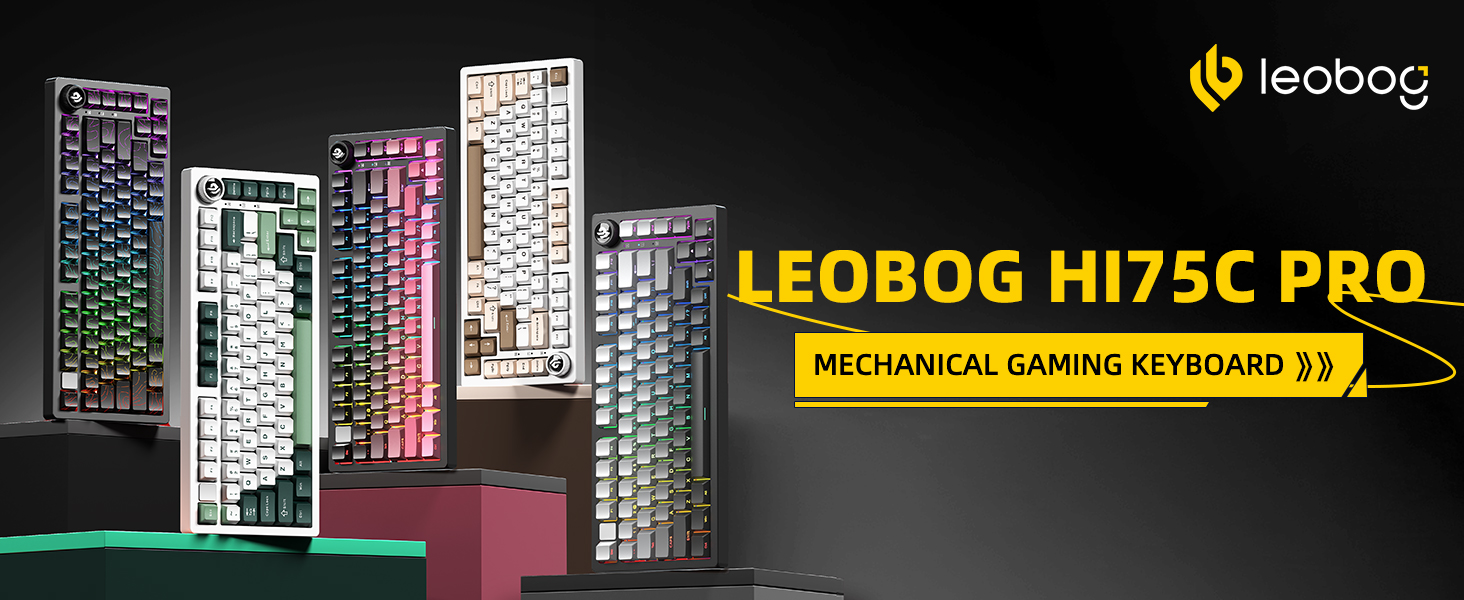
The LEOBOG HI75C Pro features a compact 75% layout, combining essential keys with a space-saving design. Its robust aluminum alloy casing ensures durability and a premium feel.

ముందు view of the LEOBOG HI75C Pro Gaming Keyboard, highlighting its 75% layout and keycap colors.

Diagram illustrating key features: BT5.0/2.4G/Wired connectivity, hot-swappable switches, RGB backlighting, 75% layout, gasket structure, and 4000mAh battery.
4 కీ ఫీచర్లు
- అల్యూమినియం మిశ్రమం నిర్మాణం: Provides superior heat dissipation, robustness, and durability. Features an exquisite powder coating process to prevent fingerprints.
- రబ్బరు పట్టీ నిర్మాణం: Incorporates multi-layered sound-silencer cotton to significantly reduce cavity noise and enhance typing sound for a softer, more pleasant experience.
- 3-మోడ్ కనెక్టివిటీ: Supports Bluetooth 5.0, 2.4GHz wireless, and USB wired connections. Connect up to five devices and switch easily via shortcut keys or the side button.
- 75% Layout (81 Keys): Offers a balance between a concise design and full functionality, optimizing desktop space.
- RGB బ్యాక్లైటింగ్: Features 16.8 million colors with 17 lighting effects. Includes 10 music rhythm lighting modes via the driver. Lighting can be turned off using the knob to extend battery life (approx. one month without lights).
- Dual-Mode Knob: A multi-functional knob for precision control, allowing seamless switching between work and gaming modes, and adjusting volume or lighting brightness.
- High-Speed Response: Equipped with an advanced gaming keyboard chip, achieving a response speed of up to 2.8ms.
- హాట్-స్వాప్ చేయగల స్విచ్లు: Supports 3-pin and 5-pin switches, allowing for easy customization and a HIFI typing sound. Comes with LEOBOG Ice Vein Switches (38gf initial, 42gf conductive, 55gf bottom pressure, 60M+ clicks mechanical life, 2mm trigger, 4mm total stroke).
- ఎర్గోనామిక్ డిజైన్: Scientific step-by-step keycap height design promotes relaxed wrist and finger positioning.
- వేరు చేయగలిగిన USB-C కేబుల్: Includes an extendable spring-loaded data cable (1.8 to 2 meters) for instant wired connection.

Detailed diagram of the keyboard's gasket structure, showing layers for sound dampening and typing comfort.

Illustration demonstrating the ergonomic keycap height design, promoting comfortable typing posture.
5. సెటప్
The LEOBOG HI75C Pro offers multiple connectivity options to suit your needs.

Visual representation of the keyboard's three connection modes: Type-C wired, 2.4G wireless, and Bluetooth.
5.1 వైర్డు కనెక్షన్
- కీబోర్డ్లో USB-C పోర్ట్ను గుర్తించండి.
- అందించిన USB-C కేబుల్ను కీబోర్డ్కు మరియు USB-A ఎండ్ను మీ కంప్యూటర్కు కనెక్ట్ చేయండి.
- కీబోర్డ్ స్వయంచాలకంగా గుర్తించబడుతుంది మరియు ఉపయోగం కోసం సిద్ధంగా ఉంటుంది.
5.2 2.4GHz వైర్లెస్ కనెక్షన్
- సాధారణంగా కీబోర్డ్లోని కంపార్ట్మెంట్లో నిల్వ చేయబడిన 2.4GHz USB డాంగిల్ను గుర్తించండి.
- మీ కంప్యూటర్లో అందుబాటులో ఉన్న USB పోర్ట్లో డాంగిల్ను ప్లగ్ చేయండి.
- Switch the keyboard's mode selector to 2.4G. The keyboard will connect automatically.
5.3 బ్లూటూత్ కనెక్షన్
- Switch the keyboard's mode selector to BT (Bluetooth).
- On your device (PC, Mac, Smartphone, Tablet), open Bluetooth settings.
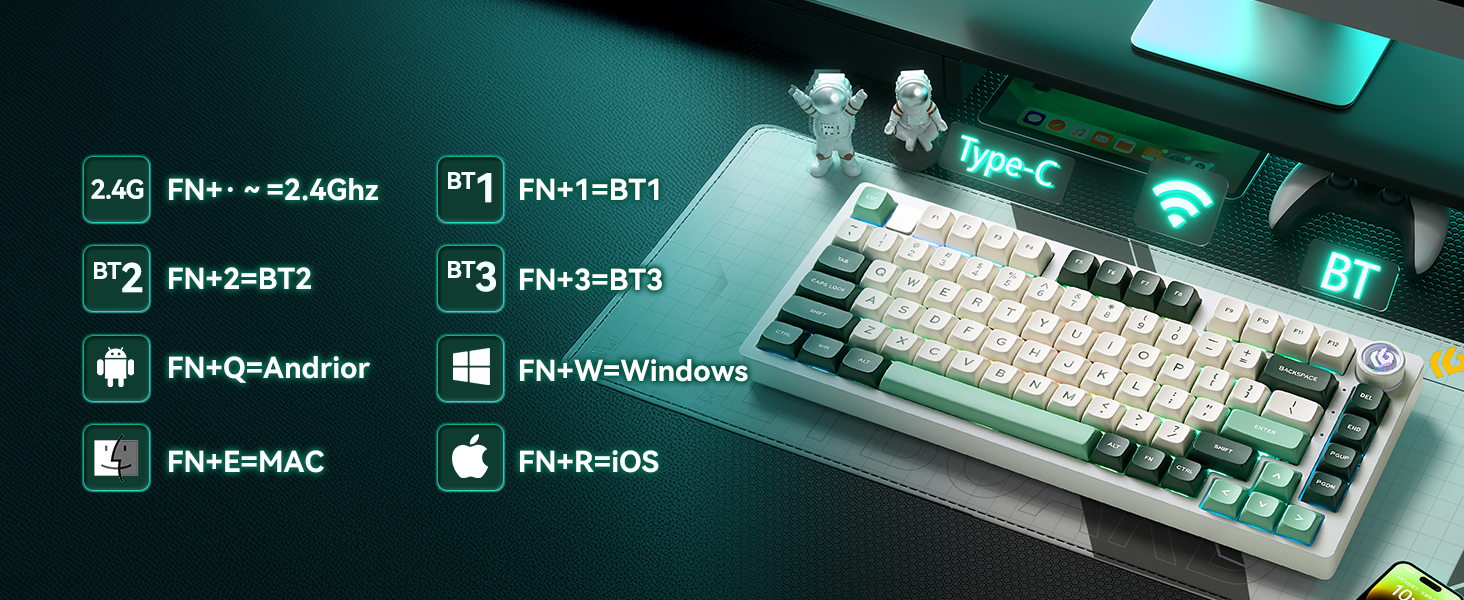
- The keyboard supports up to three Bluetooth devices (BT1, BT2, BT3). Use FN+1, FN+2, or FN+3 to select a channel.
- Press and hold FN+1 (or FN+2/FN+3) for 3-5 seconds until the indicator light flashes, indicating pairing mode.
- Select "LEOBOG HI75C Pro" from your device's Bluetooth list to pair.
- కనెక్ట్ చేసిన తర్వాత, సూచిక లైట్ మెరుస్తూ ఆగిపోతుంది.
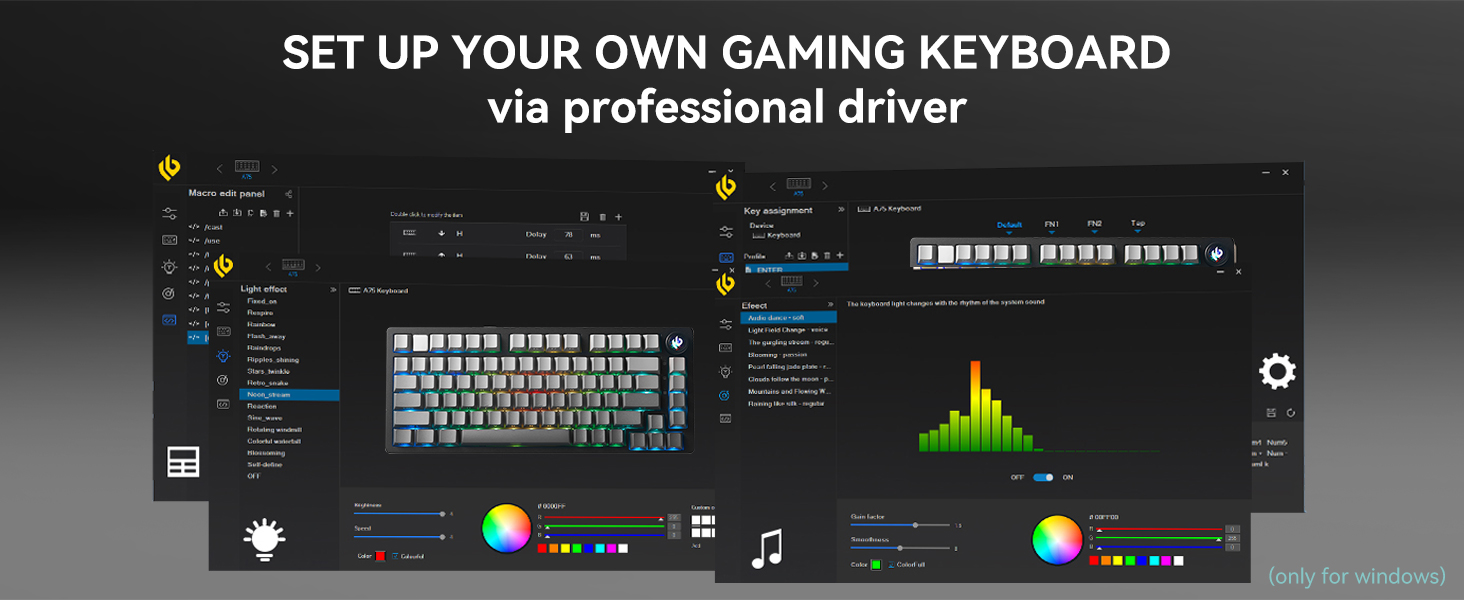
Diagram showing connectivity options (2.4G, BT1, BT2, BT3) and operating system hotkeys (FN+Q for Android, FN+W for Windows, FN+E for Mac, FN+R for iOS).
5.4 ఛార్జింగ్
The keyboard is equipped with a 4000mAh battery. Connect the USB-C cable to the keyboard and a power source to charge. The FN key will illuminate red to indicate charging status and turn off when fully charged.
Image indicating the 4000mAh battery capacity of the keyboard.
6. ఆపరేటింగ్ సూచనలు
6.1 Dual-Mode Knob Control
The multi-functional knob allows you to switch between two primary modes:
- ఆఫీస్ మోడ్: When the knob indicator light is on continuously, rotate the knob to adjust system volume.
- గేమ్ మోడ్: When the knob indicator light is breathing, rotate the knob to adjust RGB lighting brightness.
Press and hold the knob to toggle between Office Mode and Game Mode.

Diagram explaining the multimedia knob's function, including switching between game and office modes.
6.2 RGB బ్యాక్లైటింగ్ నియంత్రణ
The keyboard features 16.8 million RGB lighting colors and various effects. Use the knob in Game Mode to adjust brightness. Specific lighting effects can be cycled through using FN key combinations or the dedicated driver software.
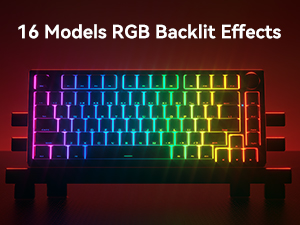
Image displaying various RGB backlit effects available on the keyboard.
6.3 Multimedia Control
Use the Function (FN) key in combination with other keys for multimedia control. Refer to the key layout diagram for specific combinations (e.g., FN+F1-F12 for media functions).
6.4 హాట్-స్వాపబుల్ స్విచ్లు
The LEOBOG HI75C Pro supports 3-pin and 5-pin mechanical switches, allowing you to customize your typing experience without soldering. Use the provided keycap puller and switch puller (not included in package contents, but implied by hot-swappable feature) to replace switches.

Image demonstrating hot-swappable keycaps and switches, highlighting the Ice Vein Switch specifications.
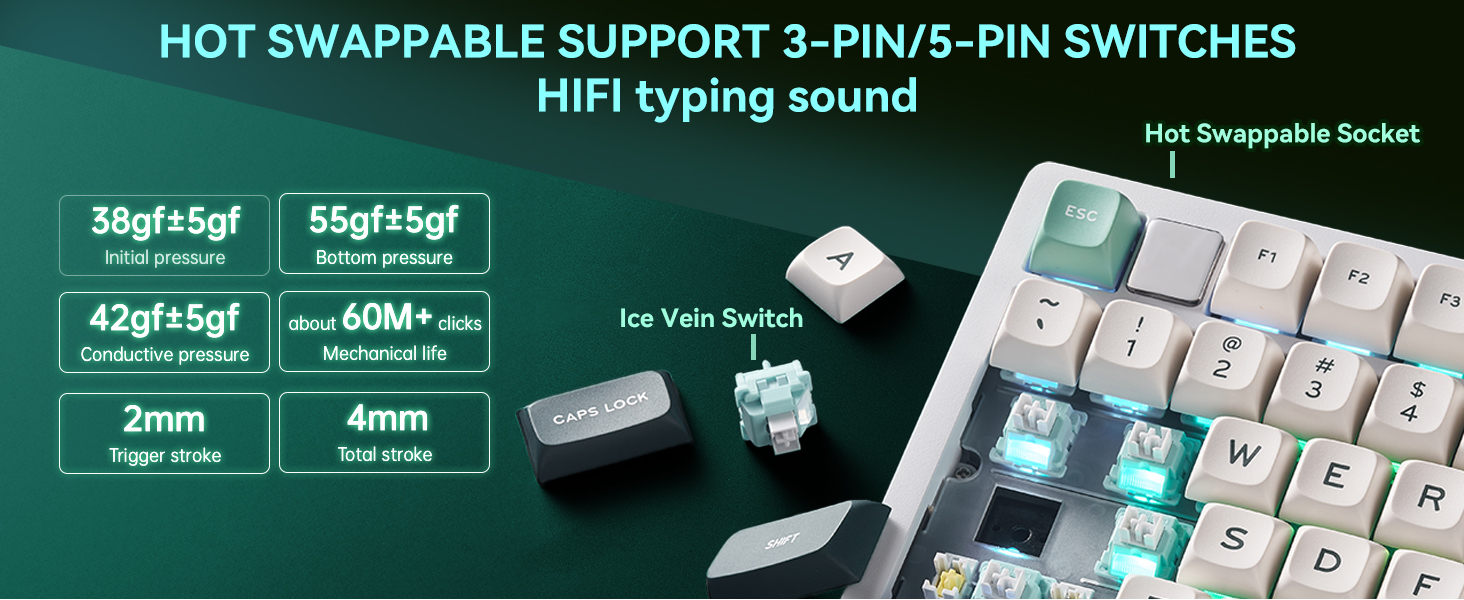
Visual confirming hot-swappable support for both 3-pin and 5-pin switches, emphasizing HIFI typing sound.
6.5 Driver Software
For advanced customization of key assignments, macro settings, and RGB lighting effects, download and install the professional driver software from the official LEOBOG website. The software is typically Windows-compatible.
Screenshot of the professional driver software interface, showing options for macro editing, key assignment, and light effects.
7. స్పెసిఫికేషన్లు
| ఫీచర్ | వివరాలు |
|---|---|
| మోడల్ | HI75C PRO |
| బ్రాండ్ | LEOBOG |
| లేఅవుట్ | 75% (81 కీలు) |
| కనెక్టివిటీ | బ్లూటూత్ 5.0, 2.4GHz వైర్లెస్, USB-C వైర్డ్ |
| స్విచ్లు | LEOBOG Ice Vein Switch (Hot-swappable 3-pin/5-pin) |
| బ్యాక్లైటింగ్ | RGB (16.8 million colors, multiple effects) |
| బ్యాటరీ కెపాసిటీ | 4000mAh |
| ప్రతిస్పందన వేగం | 2.8ms (wired) |
| కీక్యాప్ మెటీరియల్ | PBT (Side Engraved) |
| నిర్మాణం | Aluminum Alloy Case, Gasket Mount |
| ఉత్పత్తి కొలతలు | 16.38 x 7.08 x 1.74 అంగుళాలు |
| వస్తువు బరువు | 3.69 పౌండ్లు |
| అనుకూల OS | PC, Mac, Windows, Android, iOS |
8. నిర్వహణ
- కీక్యాప్లను శుభ్రపరచడం: ఒక మృదువైన ఉపయోగించండి, డిamp cloth to wipe keycaps. For deeper cleaning, remove keycaps with the provided puller and wash with mild soap and water. Ensure they are completely dry before reattaching.
- క్లీనింగ్ స్విచ్లు: Use compressed air to remove dust and debris from around the switches. Avoid spraying liquids directly into the switches.
- కేస్ క్లీనింగ్: Wipe the aluminum alloy case with a soft, dry cloth. Avoid abrasive cleaners that may damage the finish.
- నిల్వ: When not in use, store the keyboard in a dry, dust-free environment. The included plastic cover can help protect it.
9. ట్రబుల్షూటింగ్
- కీబోర్డ్ స్పందించడం లేదు: Ensure the keyboard is charged or connected via USB-C. Check the mode selector switch (Wired, 2.4G, BT). For wireless modes, ensure the dongle is properly inserted or Bluetooth is paired.
- నమోదు కాని కీలు: If specific keys are not working, try removing and re-inserting the switch using a switch puller. Ensure the switch pins are not bent.
- RGB లైట్లు పనిచేయడం లేదు: Check if the keyboard is in Game Mode and the knob is used to adjust brightness. Ensure the driver software is installed and configured correctly.
- కనెక్టివిటీ సమస్యలు: For 2.4GHz, try a different USB port for the dongle. For Bluetooth, unpair and re-pair the device. Ensure no other wireless devices are causing interference.
- బ్యాటరీ ఛార్జింగ్ కాదు: Verify the USB-C cable is securely connected to both the keyboard and the power source. Try a different cable or power adapter.
10. వారంటీ మరియు మద్దతు
LEOBOG products are manufactured to high-quality standards. For warranty information, technical support, or service inquiries, please refer to the official LEOBOG website or contact customer support directly. Please retain your proof of purchase for warranty claims.

Icons representing various customer support contact methods.


