
1. పరిచయం
The Acer OHR121 True Wireless Bluetooth Earbuds are designed to provide a high-quality audio experience with convenience and comfort. Featuring Bluetooth 5.0 connectivity, 13mm speaker drivers, and IPX4 water resistance, these earbuds are suitable for various activities, from listening to music to making calls on the go.
2. ప్యాకేజీ విషయాలు
దయచేసి ఈ క్రింది అంశాల కోసం ప్యాకేజీని తనిఖీ చేయండి:
- Acer OHR121 True Wireless Earbuds
- వైర్లెస్ ఛార్జింగ్ కేస్
- వినియోగదారు మాన్యువల్
- చెవి చిట్కాలు (వివిధ పరిమాణాలు)
- USB Type-C Charging Cable (not explicitly listed but standard for Type-C charging)
3. ఉత్పత్తి ముగిసిందిview
The Acer OHR121 earbuds offer a sleek, in-ear design for a secure and comfortable fit. The compact charging case provides portability and extends battery life.
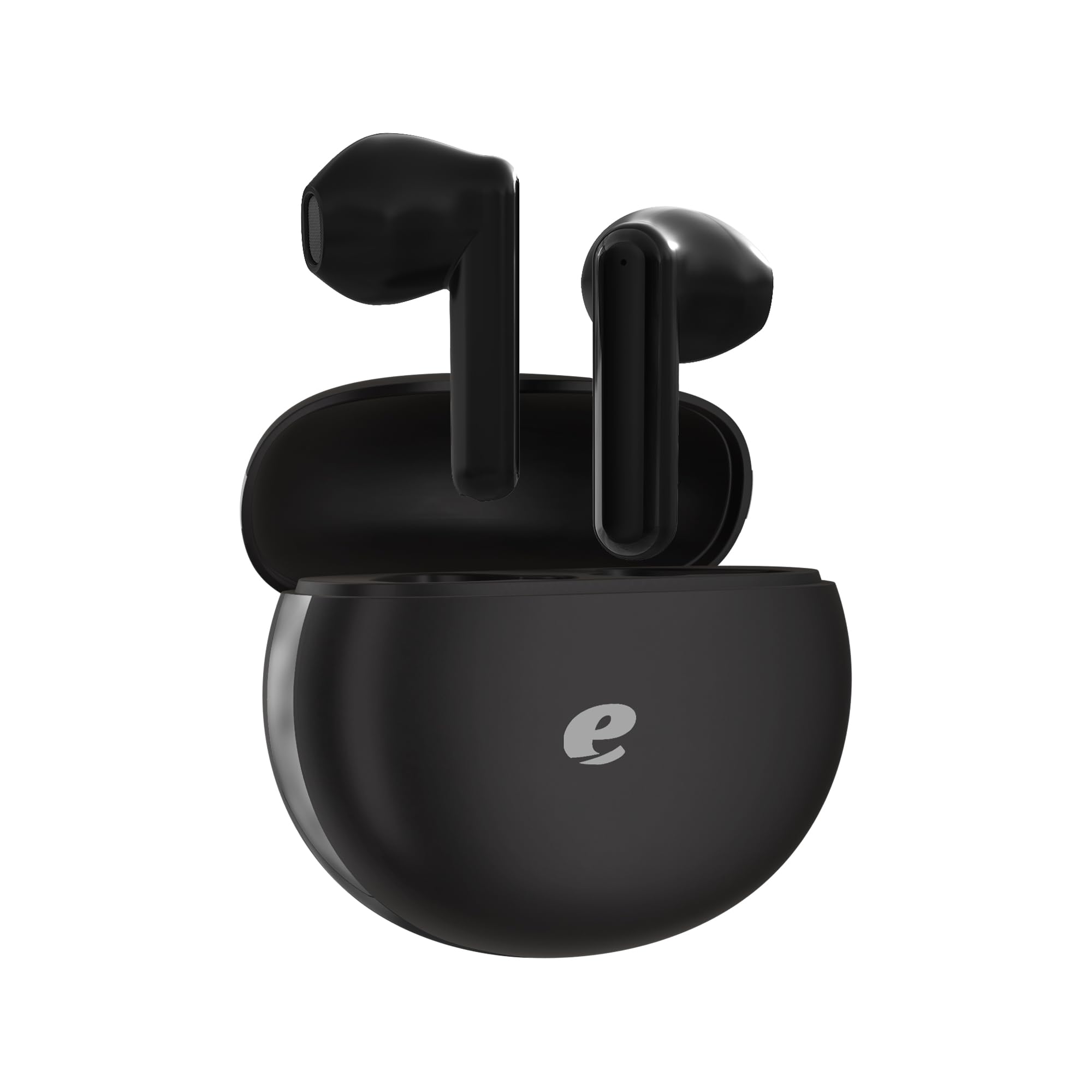
Image: Acer OHR121 True Wireless Earbuds and Charging Case. This image shows the black earbuds placed inside their matching black charging case, illustrating their compact design.
4. సెటప్
4.1 ఇయర్బడ్లు మరియు కేస్ను ఛార్జ్ చేయడం
- ఇయర్బడ్లను ఛార్జింగ్ కేసులో ఉంచండి, అవి సరిగ్గా అమర్చబడి ఉన్నాయని నిర్ధారించుకోండి.
- Connect the USB Type-C charging cable to the charging port on the case and plug the other end into a compatible USB power source.
- కేస్లోని ఇండికేటర్ లైట్లు ఛార్జింగ్ స్థితిని చూపుతాయి. పూర్తిగా ఛార్జ్ అయిన తర్వాత, లైట్లు పూర్తయినట్లు సూచిస్తాయి లేదా ఆపివేయబడతాయి.
It is recommended to fully charge the earbuds and case before first use.
4.2 బ్లూటూత్ పరికరంతో జత చేయడం
- ఛార్జింగ్ కేస్ను తెరవండి. ఇయర్బడ్లు ఆటోమేటిక్గా జత చేసే మోడ్లోకి ప్రవేశిస్తాయి, ఇయర్బడ్లపై మెరుస్తున్న LED లైట్ ద్వారా ఇది సూచించబడుతుంది.
- మీ పరికరంలో (స్మార్ట్ఫోన్, టాబ్లెట్, ల్యాప్టాప్), బ్లూటూత్ను ప్రారంభించండి.
- కోసం వెతకండి అందుబాటులో ఉన్న బ్లూటూత్ పరికరాలను ఎంచుకుని, జాబితా నుండి "Acer OHR121"ని ఎంచుకోండి.
- Once connected, the earbud indicator lights will stop flashing or change to a solid color, and you will hear an audible confirmation.
- పరికరంలో బ్లూటూత్ ప్రారంభించబడితే, ఇయర్బడ్లను కేస్ నుండి బయటకు తీసినప్పుడు అవి చివరిగా జత చేసిన పరికరానికి స్వయంచాలకంగా తిరిగి కనెక్ట్ అవుతాయి.
5. ఆపరేటింగ్ సూచనలు
The Acer OHR121 earbuds feature touch controls for easy management of audio and calls.
5.1 సంగీత నియంత్రణ
- ప్లే/పాజ్: ఇయర్బడ్పై ఒక్కసారి నొక్కండి.
- తదుపరి ట్రాక్: కుడి ఇయర్బడ్పై రెండుసార్లు నొక్కండి.
- మునుపటి ట్రాక్: ఎడమ ఇయర్బడ్పై రెండుసార్లు నొక్కండి.
- ధ్వని పెంచు: కుడి ఇయర్బడ్పై మూడుసార్లు నొక్కండి.
- వాల్యూమ్ డౌన్: ఎడమ ఇయర్బడ్పై మూడుసార్లు నొక్కండి.
5.2 కాల్ నిర్వహణ
- సమాధానం/ముగింపు కాల్: ఇయర్బడ్పై ఒక్కసారి నొక్కండి.
- కాల్ని తిరస్కరించండి: ఇయర్బడ్ని 2 సెకన్ల పాటు నొక్కి, పట్టుకోండి.
5.3 వాయిస్ అసిస్టెంట్
- వాయిస్ అసిస్టెంట్ను సక్రియం చేయండి: ఇయర్బడ్ని 3 సెకన్ల పాటు నొక్కి, పట్టుకోండి.
6. నిర్వహణ
మీ Acer OHR121 ఇయర్బడ్ల దీర్ఘాయువు మరియు సరైన పనితీరును నిర్ధారించడానికి, ఈ నిర్వహణ మార్గదర్శకాలను అనుసరించండి:
- శుభ్రపరచడం: ఇయర్బడ్లు మరియు ఛార్జింగ్ కేసును మృదువైన, పొడి, మెత్తటి బట్టతో క్రమం తప్పకుండా శుభ్రం చేయండి. కఠినమైన రసాయనాలు లేదా రాపిడి పదార్థాలను ఉపయోగించకుండా ఉండండి.
- నీటి నిరోధకత: The earbuds are IPX4 water-resistant, meaning they can withstand splashes and sweat. Do not submerge them in water or expose them to heavy rain. Ensure they are dry before placing them back in the charging case.
- నిల్వ: Store the earbuds in their charging case when not in use to protect them from dust and damage. Keep them in a cool, dry place away from extreme temperatures.
- ఛార్జింగ్: Use the provided USB Type-C cable for charging. Avoid using damaged cables or chargers.
7. ట్రబుల్షూటింగ్
If you encounter issues with your Acer OHR121 earbuds, try the following solutions:
| సమస్య | పరిష్కారం |
|---|---|
| ఇయర్బడ్లు ఆన్ కావు. | Ensure the earbuds and charging case are fully charged. Place earbuds in the case and close it, then open again. |
| ఇయర్బడ్లు పరికరంతో జత కావు. | Make sure Bluetooth is enabled on your device. Turn off and on your device's Bluetooth. Forget "Acer OHR121" from your device's Bluetooth list and try pairing again. Ensure earbuds are in pairing mode (flashing LED). |
| ఒక ఇయర్బడ్ మాత్రమే పని చేస్తోంది. | Place both earbuds back into the charging case, close the lid, wait a few seconds, then open the lid again. This often resets the connection between the two earbuds. Ensure both earbuds are charged. |
| Low sound quality or no sound. | Check the volume level on both your device and the earbuds. Ensure the earbuds are clean and free of debris. Try different ear tip sizes for a better seal. |
| ఛార్జింగ్ సమస్యలు. | Ensure the charging cable is securely connected. Try a different USB port or power adapter. Clean the charging contacts on the earbuds and inside the case. |
8. స్పెసిఫికేషన్లు
| ఫీచర్ | స్పెసిఫికేషన్ |
|---|---|
| మోడల్ పేరు | OHR121 |
| బ్రాండ్ | ఏసర్ |
| రంగు | నలుపు |
| ఫారమ్ ఫ్యాక్టర్ | చెవిలో |
| కనెక్టివిటీ టెక్నాలజీ | వైర్లెస్ (బ్లూటూత్) |
| బ్లూటూత్ వెర్షన్ | 5.0 |
| బ్లూటూత్ రేంజ్ | 10 మీటర్లు |
| డ్రైవర్ రకం | డైనమిక్ డ్రైవర్ |
| డ్రైవర్ పరిమాణం | 13 మి.మీ |
| ఫ్రీక్వెన్సీ రెస్పాన్స్ | 20 హెర్ట్జ్ - 20,000 హెర్ట్జ్ |
| ఇంపెడెన్స్ | 32 ఓం |
| సున్నితత్వం | 3 డిబి |
| నాయిస్ కంట్రోల్ | నిష్క్రియ శబ్దం రద్దు |
| నీటి నిరోధకత రేటింగ్ | IPX4 (వాటర్ రెసిస్టెంట్) |
| నియంత్రణ రకం | టచ్ కంట్రోల్ |
| అనుకూల పరికరాలు | స్మార్ట్ఫోన్లు, టాబ్లెట్లు, ల్యాప్టాప్లు, బ్లూటూత్-ఎనేబుల్డ్ పరికరాలు |
| మెటీరియల్ | ప్లాస్టిక్ |
9. వారంటీ మరియు మద్దతు
9.1 వారంటీ సమాచారం
The Acer OHR121 True Wireless Bluetooth Earbuds come with a ఒక సంవత్సరం వారంటీ కొనుగోలు చేసిన తేదీ నుండి. ఈ వారంటీ సాధారణ ఉపయోగంలో తయారీ లోపాలు మరియు లోపాలను కవర్ చేస్తుంది. వారంటీ క్లెయిమ్ల కోసం దయచేసి మీ కొనుగోలు రుజువును ఉంచుకోండి.
దుర్వినియోగం, ప్రమాదాలు, అనధికార మార్పులు లేదా ఈ మాన్యువల్లోని సూచనలను పాటించకపోవడం వల్ల కలిగే నష్టాన్ని వారంటీ కవర్ చేయదు.
9.2 కస్టమర్ మద్దతు
For technical assistance, warranty claims, or further inquiries, please contact Acer customer support through their official webసైట్ లేదా మీ ఉత్పత్తి ప్యాకేజింగ్తో అందించబడిన సంప్రదింపు సమాచారం.


