
1. పరిచయం
This instruction manual provides essential information for the proper setup, operation, and maintenance of your YUEHISY 4G 5G WiFi Hotspot Mobile Router. Please read this manual thoroughly before using the device to ensure optimal performance and to prevent damage.
The YUEHISY 4G 5G WiFi Hotspot is a portable device designed to provide high-speed internet access on the go. By simply inserting a 4G/5G SIM card, you can create a personal WiFi network for multiple devices.
2. ప్యాకేజీ విషయాలు
దయచేసి ఈ క్రింది అంశాల కోసం ప్యాకేజీని తనిఖీ చేయండి:
- 1 x YUEHISY 4G 5G WiFi Hotspot Mobile Router
- 1 x USB-C పవర్ కేబుల్
- 1 x వినియోగదారు మాన్యువల్
3. ఉత్పత్తి ముగిసిందిview
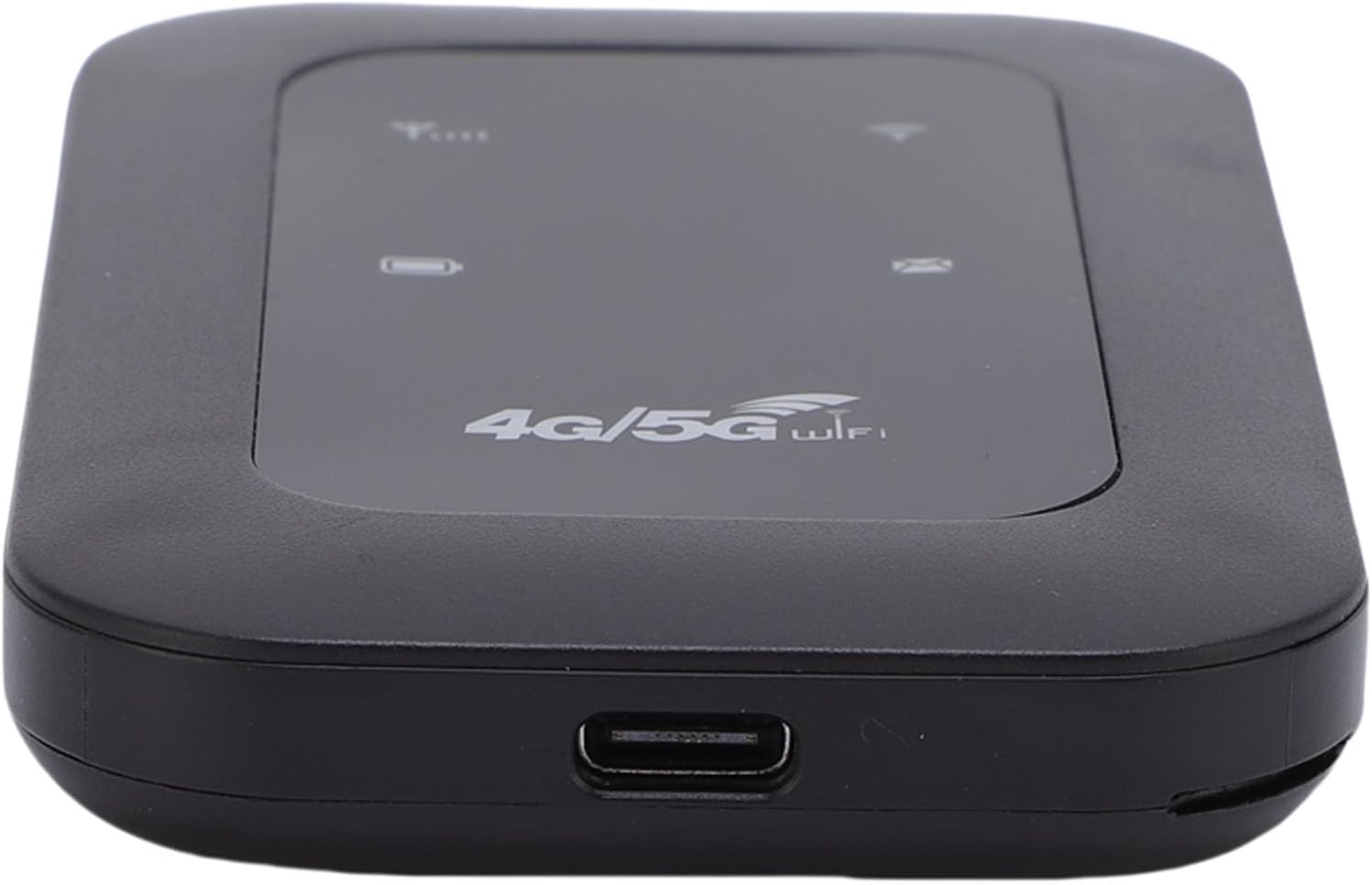
The YUEHISY 4G 5G WiFi Hotspot is a compact and portable device featuring a Type-C interface for charging, support for 4G/5G high-speed internet, and a 2100mAh battery for extended use.

This device is designed for high performance, offering efficient and low power consumption. Its 2100mAh battery allows for over 10 hours of continuous operation, providing stable and fast internet access whether you are at home or traveling.

The hotspot supports connecting up to 10 devices simultaneously, including smartphones, tablets, and laptops, ensuring a stable connection without significant performance degradation.
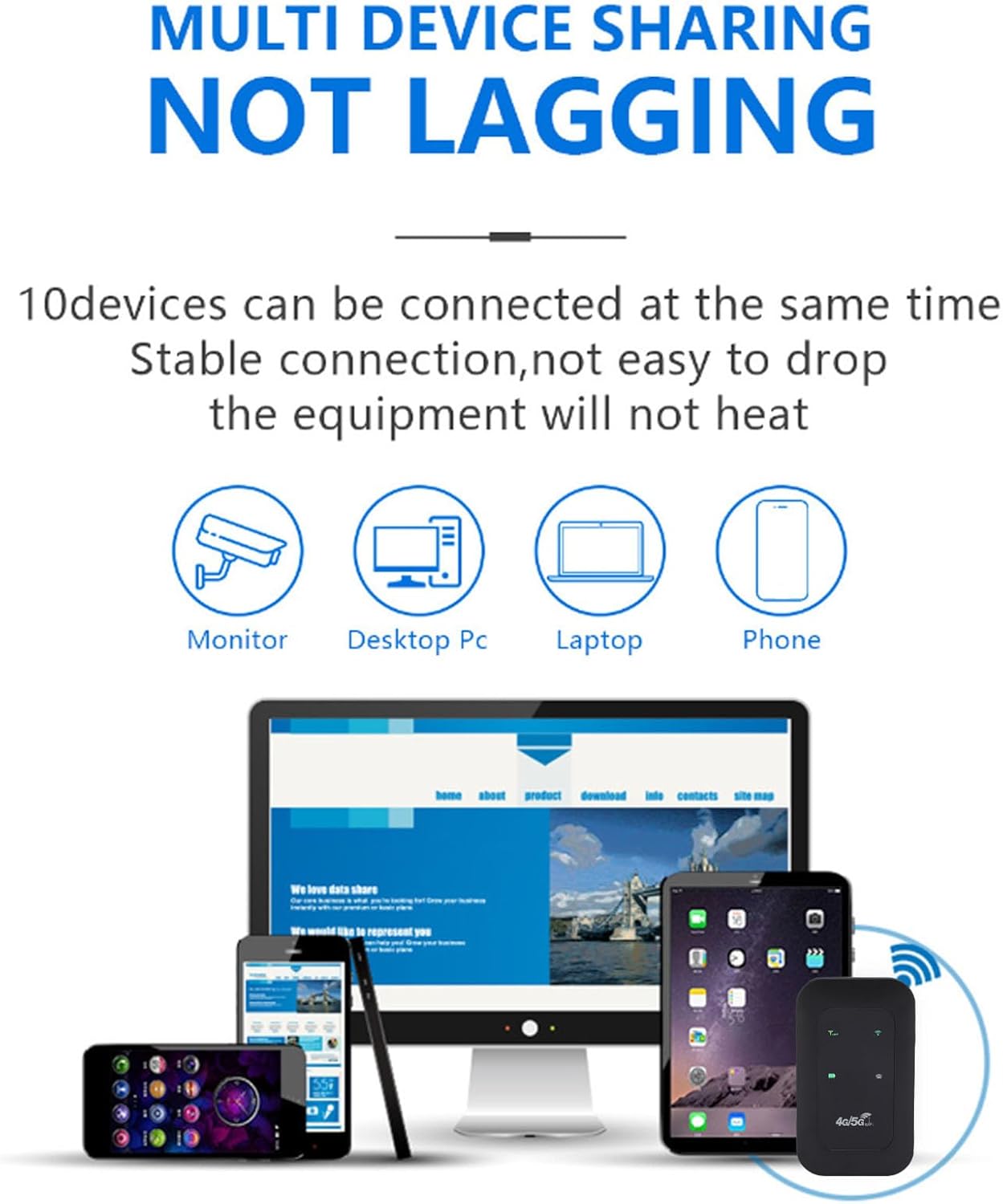
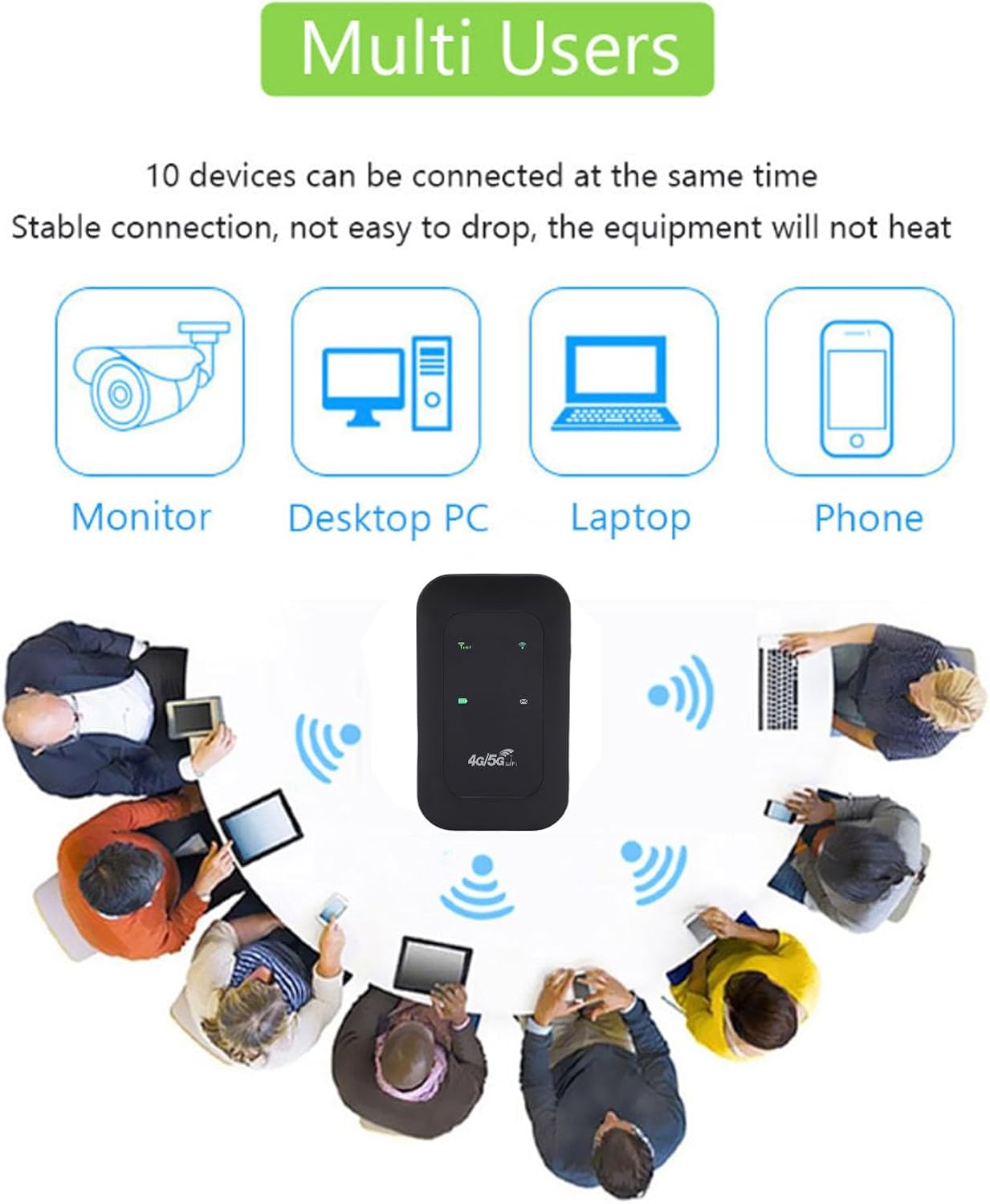
It features accurate reception of high-frequency signals, contributing to smooth network speed.

4. సెటప్
4.1 సిమ్ కార్డును చొప్పించడం
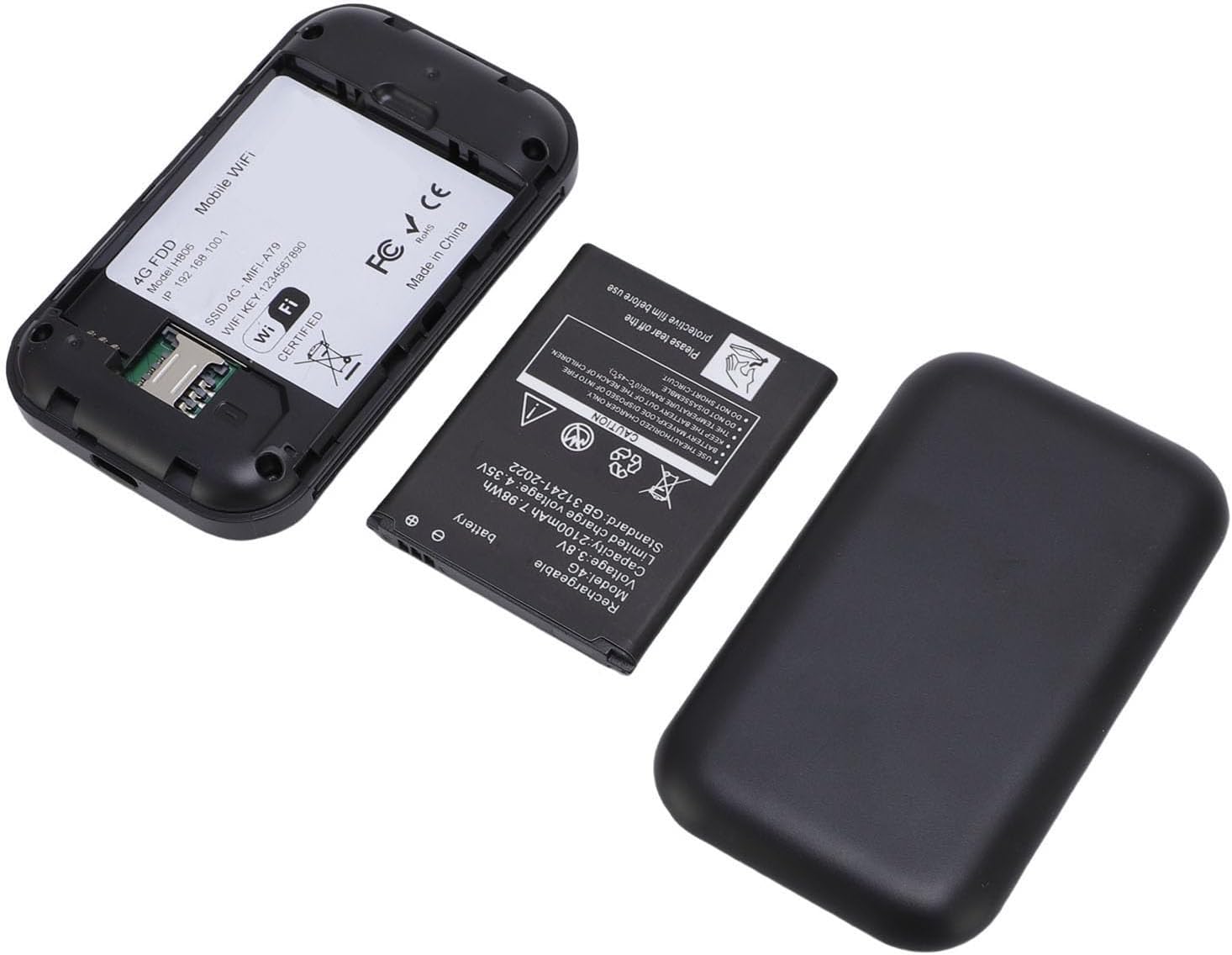
- Remove the back cover of the hotspot device.
- SIM కార్డ్ స్లాట్ను గుర్తించండి.
- Insert your 4G/5G SIM card into the designated slot, ensuring proper orientation.
- వెనుక కవర్ను భర్తీ చేయండి.
4.2 పరికరాన్ని ఛార్జ్ చేస్తోంది
Connect the provided USB-C power cable to the device's USB-C port and plug the other end into a compatible USB power adapter or computer. The LED display will indicate the charging status.

4.3 పవర్ చేయడం ఆన్/ఆఫ్
To power on the device, press and hold the power button for a few seconds until the LED display illuminates. To power off, press and hold the power button again until the device shuts down.
5. ఆపరేటింగ్ సూచనలు
5.1 Connecting to the WiFi Network
- Ensure the hotspot is powered on and has a working SIM card inserted.
- On your device (smartphone, tablet, laptop), search for available WiFi networks.
- Select the network name (SSID) displayed on the hotspot's LED screen or on the device's label.
- Enter the password (WiFi Key) provided on the hotspot's LED screen or label.
- మీ పరికరం ఇప్పుడు ఇంటర్నెట్కు కనెక్ట్ అయి ఉండాలి.
5.2 LED సూచికలు
The colorful LED screen provides information about the device's status:
- సిగ్నల్ సూచిక: Shows the strength of the 4G/5G network signal.
- బ్యాటరీ సూచిక: ప్రస్తుత బ్యాటరీ స్థాయిని ప్రదర్శిస్తుంది.
- WiFi సూచిక: Shows if the WiFi network is active.
- సందేశ సూచిక: May indicate new SMS messages (if supported by SIM card).
5.3 బహుళ పరికరాలను కనెక్ట్ చేయడం
The hotspot supports connecting up to 10 devices simultaneously. Follow the steps in section 5.1 for each device you wish to connect.
6. నిర్వహణ
6.1 శుభ్రపరచడం
Wipe the device with a soft, dry cloth. Do not use liquid cleaners or abrasive materials, as they may damage the device.
6.2 బ్యాటరీ సంరక్షణ
- విపరీతమైన ఉష్ణోగ్రతలకు బ్యాటరీని బహిర్గతం చేయకుండా ఉండండి.
- పరికరాన్ని క్రమం తప్పకుండా ఛార్జ్ చేయండి, కానీ ఎక్కువసేపు ఓవర్ ఛార్జింగ్ చేయకుండా ఉండండి.
- If the device will not be used for a long time, charge it to about 50% before storing.
6.3 నిల్వ
ప్రత్యక్ష సూర్యకాంతి మరియు తేమ నుండి దూరంగా చల్లని, పొడి ప్రదేశంలో పరికరాన్ని నిల్వ చేయండి.
7. ట్రబుల్షూటింగ్
7.1 ఇంటర్నెట్ కనెక్షన్ లేదు
- SIM కార్డ్ని తనిఖీ చేయండి: SIM కార్డ్ సరిగ్గా చొప్పించబడిందని మరియు డేటా ప్లాన్తో యాక్టివ్గా ఉందని నిర్ధారించుకోండి.
- నెట్వర్క్ సిగ్నల్: Verify that the device has a strong 4G/5G network signal (check the LED indicator). Move to an area with better reception if needed.
- పరికరాన్ని పునఃప్రారంభించండి: Power off the hotspot, wait a few seconds, then power it back on.
- APN సెట్టింగ్లు: In some cases, you may need to manually configure the APN settings. Refer to your SIM card provider's instructions for the correct APN.
7.2 Slow Network Speed or Frequent Disconnections
- సిగ్నల్ బలం: A weak signal can lead to slow speeds. Try moving the hotspot to a location with better signal.
- కనెక్ట్ చేయబడిన పరికరాల సంఖ్య: Too many devices connected simultaneously can reduce speed. Disconnect some devices to see if performance improves.
- డేటా క్యాప్: Check if you have exceeded your data plan's high-speed allowance.
- జోక్యం: Keep the hotspot away from other electronic devices that might cause interference.
7.3 Cannot Connect to WiFi (WLAN Login Not Possible)
- తప్పు పాస్వర్డ్: Double-check the WiFi password (WiFi Key). Ensure you are entering it correctly, paying attention to case sensitivity.
- పరికర పరిధి: Ensure your connecting device is within the WiFi range of the hotspot.
- Restart Hotspot and Device: Restart both the hotspot and the device you are trying to connect.
8. స్పెసిఫికేషన్లు
| ఫీచర్ | స్పెసిఫికేషన్ |
|---|---|
| ఉత్పత్తి రకం | Portable 4G 5G WiFi Hotspot |
| Network Bands (LTE) | B1 / B3 / B5 / B40 |
| Network Bands (WCDMA) | B1 |
| WiFi ప్రమాణం | 802.11 బి / గ్రా / ఎన్ |
| గరిష్ట వేగం | Up to 300 Mbps (LTE Cat4) |
| బ్యాటరీ కెపాసిటీ | 2100 ఎంఏహెచ్ లిథియం-అయాన్ |
| గరిష్టంగా కనెక్ట్ చేయబడిన పరికరాలు | 10 |
| పవర్ ఇన్పుట్ | USB-C |
| తయారీదారు | YUEHISY |
| మూలం దేశం | చైనా |
9. వారంటీ సమాచారం
ఈ ఉత్పత్తి a తో వస్తుంది 2-సంవత్సరం తయారీదారు వారంటీ. Please retain your proof of purchase for warranty claims. The warranty covers defects in materials and workmanship under normal use. It does not cover damage caused by misuse, accidents, unauthorized modifications, or natural disasters.
10. మద్దతు
If you encounter any issues not covered in this manual or require further assistance, please contact YUEHISY customer support through the retailer where you purchased the product. Please have your product model number (B0FBWNXKQF) and purchase details ready when contacting support.