
పరిచయం
Welcome to the iClever Auraa BTH24 Active Noise Cancelling Kids Headphones user manual. These headphones are designed to provide a safe, comfortable, and immersive audio experience for children. Featuring Active Noise Cancellation (ANC) up to 35dB, a safe volume limit of 80dBA, Bluetooth 6.0 connectivity, and long-lasting battery life, the Auraa BTH24 ensures clear sound while protecting young ears. This manual will guide you through the setup, operation, and maintenance of your new headphones.
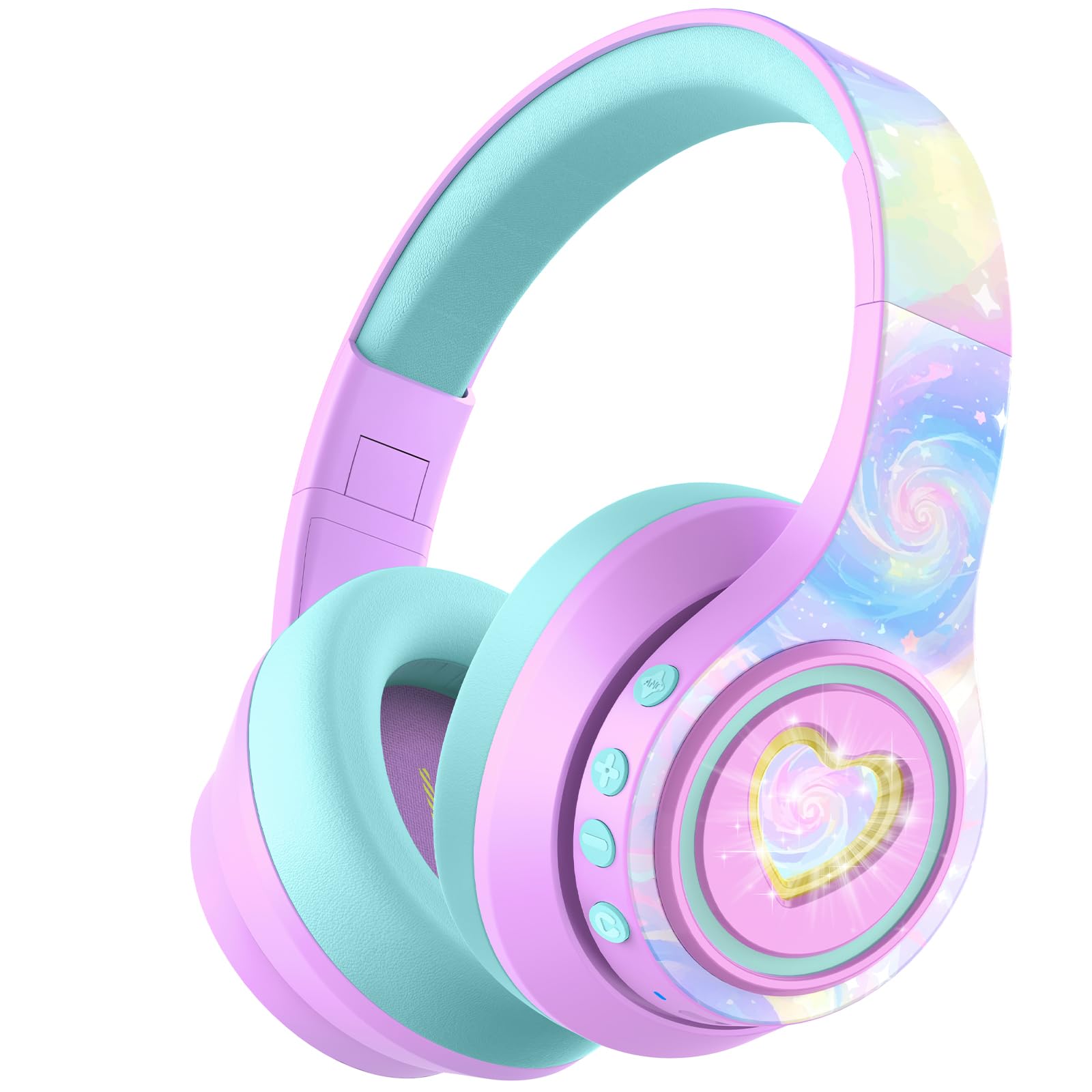
Image: iClever Auraa BTH24 Active Noise Cancelling Kids Headphones in Light Purple.
పెట్టెలో ఏముంది
అన్ని అంశాలు ఉన్నాయని నిర్ధారించుకోవడానికి దయచేసి ప్యాకేజీలోని విషయాలను తనిఖీ చేయండి:
- iClever Auraa ANC Kids Headphones
- USB-C ఛార్జింగ్ కేబుల్
- వేరు చేయగలిగిన 3.5mm ఆడియో కేబుల్
- Spunlace Non-woven Storage Bag
- వినియోగదారు మాన్యువల్ (ఈ పత్రం)

Image: The iClever Auraa BTH24 headphones and included accessories.
ఉత్పత్తి ముగిసిందిview
Familiarize yourself with the headphone components and controls:
- పవర్ బటన్: Turns the headphones on/off.
- వాల్యూమ్ పెంచు/తదుపరి ట్రాక్ బటన్: చిన్న ప్రెస్తో వాల్యూమ్ను పెంచుతుంది, ఎక్కువసేపు ప్రెస్తో తదుపరి ట్రాక్కి వెళుతుంది.
- వాల్యూమ్ డౌన్/మునుపటి ట్రాక్ బటన్: షార్ట్ ప్రెస్ తో వాల్యూమ్ తగ్గిస్తుంది, లాంగ్ ప్రెస్ తో మునుపటి ట్రాక్ కి వెళుతుంది.
- ANC బటన్: యాక్టివ్ నాయిస్ క్యాన్సిలేషన్ను యాక్టివేట్ చేస్తుంది లేదా డీయాక్టివేట్ చేస్తుంది.
- LED లైట్ బటన్: LED లైట్ ప్రభావాలను నియంత్రిస్తుంది.
- USB-C ఛార్జింగ్ పోర్ట్: హెడ్ఫోన్లను ఛార్జ్ చేయడానికి.
- 3.5mm ఆడియో జాక్: వైర్డు కనెక్షన్ కోసం.
- మైక్రోఫోన్: హ్యాండ్స్-ఫ్రీ కాల్స్ కోసం.

చిత్రం: వివరణాత్మకం view of the headphone controls and ports on the earcup.
సెటప్
1. హెడ్ఫోన్లను ఛార్జ్ చేయడం
Before first use, fully charge the headphones. Use the provided USB-C charging cable to connect the headphones to a USB power source (e.g., computer, wall adapter). The LED indicator will show charging status. A 10-minute charge provides approximately 8 hours of playtime (with ANC off and lights off).
2. బ్లూటూత్ పెయిరింగ్
- హెడ్ఫోన్లు ఆఫ్ చేయబడి ఉన్నాయని నిర్ధారించుకోండి.
- జత చేసే మోడ్ను సూచిస్తూ, LED సూచిక నీలం మరియు ఎరుపు రంగుల్లో మెరిసే వరకు పవర్ బటన్ను నొక్కి పట్టుకోండి.
- మీ పరికరంలో (స్మార్ట్ఫోన్, టాబ్లెట్, కంప్యూటర్), బ్లూటూత్ను ప్రారంభించి, అందుబాటులో ఉన్న పరికరాల కోసం శోధించండి.
- Select "iClever Auraa BTH24" from the list.
- కనెక్ట్ చేసిన తర్వాత, LED సూచిక ఘన నీలం రంగులోకి మారుతుంది.
3. వైర్డు కనెక్షన్
For a wired connection, use the provided 3.5mm audio cable. Plug one end into the headphone's 3.5mm audio jack and the other end into your audio device's headphone port. In wired mode, Active Noise Cancellation can still be used independently.
ఆపరేటింగ్ సూచనలు
పవర్ ఆన్/ఆఫ్
- పవర్ ఆన్: పవర్ బటన్ను 2-3 సెకన్ల పాటు నొక్కి పట్టుకోండి.
- పవర్ ఆఫ్: పవర్ బటన్ను 3-4 సెకన్ల పాటు నొక్కి పట్టుకోండి.
వాల్యూమ్ నియంత్రణ
The headphones feature an 80dBA safe volume limit to protect children's hearing, adhering to WHO safety standards. Use the Volume Up and Volume Down buttons on the earcup to adjust the audio level within this safe range.
యాక్టివ్ నాయిస్ క్యాన్సిలేషన్ (ANC)
The iClever Auraa BTH24 headphones offer up to 35dB of noise reduction. Press the dedicated ANC button to toggle the Active Noise Cancellation feature on or off. This feature works in both wireless and wired modes, providing a calmer listening environment.
Video: This video demonstrates how the iClever Auraa BTH24 headphones provide quiet moments with less background noise, highlighting the Active Noise Cancellation feature.
LED లైట్లు
The headphones feature dreamy LED lights. Press the LED Light Button to cycle through different lighting modes or turn them off.

Image: A child enjoying music with the LED lights of the iClever Auraa BTH24 headphones activated.
కాల్ విధులు
When connected via Bluetooth, you can use the built-in microphone for hands-free calls:
- సమాధానం/ముగింపు కాల్: పవర్ బటన్ను షార్ట్ ప్రెస్ చేయండి.
- కాల్ని తిరస్కరించండి: పవర్ బటన్ను ఎక్కువసేపు నొక్కండి.
మ్యూజిక్ ప్లేబ్యాక్
- ప్లే/పాజ్: పవర్ బటన్ను షార్ట్ ప్రెస్ చేయండి.
- తదుపరి ట్రాక్: వాల్యూమ్ అప్ బటన్ను ఎక్కువసేపు నొక్కండి.
- మునుపటి ట్రాక్: వాల్యూమ్ డౌన్ బటన్ను ఎక్కువసేపు నొక్కండి.
నిర్వహణ
క్లీనింగ్
Wipe the headphones with a soft, dry cloth. Do not use harsh chemicals or abrasive materials. Ensure no liquid enters the ports.
నిల్వ
The headphones feature a foldable design for easy storage. Fold them compactly and store them in the provided spunlace non-woven storage bag to protect them from dust and damage when not in use.

Image: The iClever Auraa BTH24 headphones in their folded position, ready for storage or travel.
ట్రబుల్షూటింగ్
- శక్తి లేదు: హెడ్ఫోన్లు పూర్తిగా ఛార్జ్ అయ్యాయని నిర్ధారించుకోండి.
- ధ్వని లేదు: Check volume levels on both the headphones and your connected device. Ensure the headphones are properly paired (Bluetooth) or the audio cable is securely connected (wired).
- జత చేయడం సమస్యలు: Turn off Bluetooth on your device and the headphones, then restart both and try pairing again. Ensure the headphones are in pairing mode (flashing blue/red LED).
- ANC పనిచేయదు: Press the ANC button to ensure it is activated.
స్పెసిఫికేషన్లు
| బ్రాండ్ | iClever |
| మోడల్ సంఖ్య | BTH24 |
| మోడల్ పేరు | Auraa |
| రంగు | లేత ఊదా రంగు |
| కనెక్టివిటీ టెక్నాలజీ | వైర్డు, వైర్లెస్ (బ్లూటూత్) |
| బ్లూటూత్ వెర్షన్ | 6.0 |
| బ్లూటూత్ రేంజ్ | 10 మీటర్లు |
| నాయిస్ కంట్రోల్ | యాక్టివ్ నాయిస్ క్యాన్సిలేషన్ (35dB వరకు) |
| Safe Volume Limit | 80 dBA (WHO safety standards) |
| బ్యాటరీ సగటు జీవితం | 47 Hours (ANC on, lights off) |
| బ్యాటరీ ఛార్జ్ సమయం | 10 minutes for 8 hours play (ANC, lights off) |
| ఆడియో డ్రైవర్ పరిమాణం | 40 మిల్లీమీటర్లు |
| ఫ్రీక్వెన్సీ రేంజ్ | 20Hz - 20,000Hz |
| హెడ్ఫోన్ జాక్ | 3.5 మి.మీ జాక్ |
| మెటీరియల్ | Acrylonitrile Butadiene Styrene (ABS), Leather |
| వయస్సు పరిధి వివరణ | Kid, Teen, Adults |
వారంటీ & మద్దతు
The iClever Auraa BTH24 headphones come with a 12-month warranty. For any product inquiries, technical support, or warranty claims, please contact iClever customer service through their official webఉత్పత్తిని కొనుగోలు చేసిన సైట్ లేదా రిటైలర్. వారంటీ ధ్రువీకరణ కోసం దయచేసి మీ కొనుగోలు రుజువును ఉంచుకోండి.