
4DRC M5
4DRC M5 RC Helicopter User Manual
Model: M5 | Brand: 4DRC
పరిచయం
Welcome to the user manual for your 4DRC M5 RC Helicopter. This guide provides essential information for safe operation, setup, flight, and maintenance of your new remote control helicopter. Designed for kids aged 8 and up and beginners, the M5 features easy controls, durable construction, and stable flight capabilities.
భద్రతా జాగ్రత్తలు
- Always operate the helicopter in open spaces, away from people, animals, and obstacles.
- Do not fly near high-voltage lines, trees, or water.
- Adult supervision is recommended for children.
- Ensure batteries are charged correctly and handled safely.
- తిరిగే బ్లేడ్లను తాకవద్దు.
- Turn off the helicopter and remote control when not in use.
పెట్టెలో ఏముంది
- 4DRC M5 RC Helicopter (with one shell installed)
- రిమోట్ కంట్రోల్
- 2 x మాడ్యులర్ బ్యాటరీలు
- USB ఛార్జింగ్ కేబుల్
- Spare Helicopter Shell (e.g., blue)
- స్పేర్ ప్రొపెల్లర్ బ్లేడ్లు
- స్క్రూడ్రైవర్
- వినియోగదారు మాన్యువల్ (ఈ పత్రం)

The 4DRC M5 RC Helicopter package includes the helicopter, remote control, two modular batteries, a USB charging cable, and an additional helicopter shell for customization.
సెటప్
1. బ్యాటరీలను ఛార్జ్ చేయడం
The 4DRC M5 helicopter comes with two modular batteries.
- USB ఛార్జింగ్ కేబుల్ను బ్యాటరీకి కనెక్ట్ చేయండి.
- Plug the USB end into a 5V/1A USB power adapter (not included) or a computer USB port.
- The indicator light on the charging cable will illuminate during charging and turn off when fully charged.
- Charging time is approximately 60-90 minutes per battery. Each fully charged battery provides about 10-15 minutes of flight time.
2. హెలికాప్టర్ బ్యాటరీని ఇన్స్టాల్ చేయడం
Insert a fully charged modular battery into the battery compartment on the underside of the helicopter. Ensure it clicks securely into place.
3. రిమోట్ కంట్రోల్ బ్యాటరీలను ఇన్స్టాల్ చేయడం
The remote control requires 3 x AAA batteries (not included).
- రిమోట్ కంట్రోల్ వెనుక బ్యాటరీ కంపార్ట్మెంట్ను తెరవండి.
- సరైన ధ్రువణతను (+/-) గమనిస్తూ బ్యాటరీలను చొప్పించండి.
- బ్యాటరీ కంపార్ట్మెంట్ను మూసివేయండి.
4. పవర్ ఆన్ మరియు పెయిరింగ్
- హెలికాప్టర్ను చదునైన, సమతల ఉపరితలంపై ఉంచండి.
- Turn on the helicopter's power switch (usually located on the underside or side). The helicopter's indicator lights will flash.
- రిమోట్ కంట్రోల్ పవర్ స్విచ్ ఆన్ చేయండి. రిమోట్ కంట్రోల్ ఇండికేటర్ లైట్ వెలుగుతుంది.
- To pair, push the left joystick (throttle) all the way up, then pull it all the way down. The helicopter's lights will stop flashing and remain solid, indicating successful pairing.
ముఖ్యమైన:
Always pair the helicopter and remote control on a flat surface to ensure proper gyroscope calibration.
Operating Your Helicopter
ప్రాథమిక నియంత్రణలు
| నియంత్రణ | చర్య | ఫంక్షన్ |
|---|---|---|
| Left Joystick (Throttle) | పైకి/క్రిందికి పుష్ చేయండి | ఆరోహణ/అవరోహణ |
| Left Joystick (Throttle) | ఎడమ/కుడి పుష్ | ఎడమ/కుడి (యా) తిప్పండి |
| కుడి జాయ్ స్టిక్ | పైకి/క్రిందికి పుష్ చేయండి | Fly Forward/Backward (Pitch) |
| కుడి జాయ్ స్టిక్ | ఎడమ/కుడి పుష్ | Fly Left/Right (Roll) |
| One Key Take-Off/Landing Button | నొక్కండి | Automatic Take-Off/Landing |
| స్పీడ్ మోడ్ బటన్ | నొక్కండి | Switch between Low/High Speed |
| ట్రిమ్ బటన్లు | నొక్కండి | Adjust for drifting (forward/backward/left/right) |

The remote control features intuitive joysticks and dedicated buttons for easy operation, including one-key functions and speed adjustments.
ఒక కీ టేకాఫ్/ల్యాండింగ్
After successful pairing, press the One Key Take-Off/Landing button. The helicopter will automatically ascend to a stable hovering height. Press it again to initiate an automatic gentle landing.

The One Key Take-Off/Landing feature simplifies flight initiation and termination, allowing the helicopter to automatically ascend or descend with a single button press.
ఆల్టిట్యూడ్ హోల్డ్ ఫంక్షన్
The M5 helicopter is equipped with advanced barometric pressure technology, allowing it to maintain a stable altitude automatically once it reaches a certain height. This feature makes it easier for beginners to control.

The Altitude Hold function enables the helicopter to maintain a consistent height, providing stable flight and easier control for new pilots.
స్పీడ్ మోడ్లు
The helicopter offers two speed modes: Low and High. Press the Speed Mode button on the remote control to switch between them. Low speed is recommended for beginners and indoor flight, while High speed provides more agility for experienced pilots or outdoor use.
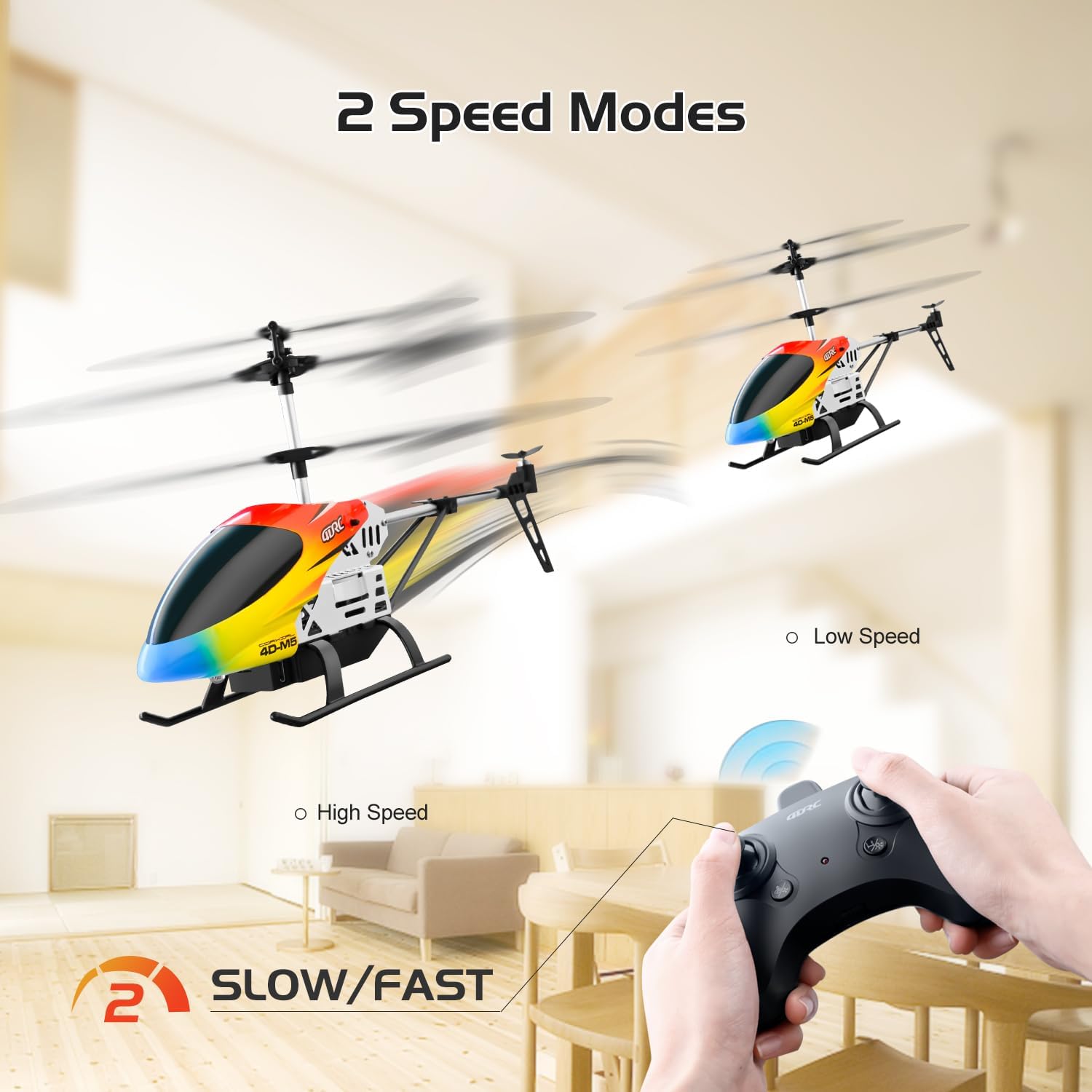
Switch between Low and High speed modes to match your skill level and flying environment, offering versatility for both beginners and more experienced users.
ట్రిమ్ సర్దుబాటు
If the helicopter drifts in any direction without input, use the trim buttons on the remote control to correct its flight path. For example, if it drifts forward, press the backward trim button until it hovers steadily.
LED లైట్లు
The helicopter features bright LED lights, allowing for visibility and flight even in low-light conditions.
నిర్వహణ
- శుభ్రపరచడం: Wipe the helicopter with a clean, dry cloth. Do not use water or chemical cleaners.
- బ్యాటరీ సంరక్షణ:
- Always remove batteries from the helicopter and remote control when not in use.
- చల్లని, పొడి ప్రదేశంలో బ్యాటరీలను నిల్వ చేయండి.
- బ్యాటరీలను ఓవర్ఛార్జ్ చేయవద్దు లేదా ఎక్కువ డిశ్చార్జ్ చేయవద్దు.
- If the helicopter will not be used for an extended period, charge the batteries to about 50% before storage.
- బ్లేడ్ ప్రత్యామ్నాయం: In case of damage, replace propeller blades with genuine 4DRC M5 spare parts. Refer to the diagram for correct installation.

The helicopter's durable construction includes easily replaceable parts like propeller blades, ensuring longevity and ease of maintenance.
- Shell Replacement: The helicopter comes with two interchangeable shells. To change the shell, carefully detach the current one and snap the new one into place.

Customize your helicopter's appearance by easily swapping between the two included body shells.
ట్రబుల్షూటింగ్
| సమస్య | సాధ్యమైన కారణం | పరిష్కారం |
|---|---|---|
| హెలికాప్టర్ స్పందించలేదు | Not paired; Low battery (helicopter/remote); Power switch off | Re-pair; Charge/replace batteries; Turn on power |
| Helicopter drifts | Not trimmed; Uneven surface during pairing | Use trim buttons; Re-pair on flat surface |
| Weak flight/Short flight time | Low battery; Damaged blades | Fully charge batteries; Replace damaged blades |
| బ్లేడ్లు తిప్పడం లేదు | Obstruction; Motor issue | Check for obstructions; Contact support |
| రిమోట్ కంట్రోల్ పనిచేయడం లేదు | Low battery; Not paired | Replace batteries; Re-pair |
స్పెసిఫికేషన్లు
- మోడల్: M5
- బ్రాండ్: 4 డిఆర్సి
- కొలతలు: 6.2 x 3.5 x 12 అంగుళాలు
- బరువు: 10.5 ఔన్సులు
- నియంత్రణ ఫ్రీక్వెన్సీ: 2.4GHz
- నియంత్రణ దూరం: సుమారు 80 మీటర్లు
- విమాన సమయం: 10-15 minutes per battery (2 batteries included)
- బ్యాటరీ రకం: Modular (included)
- రిమోట్ కంట్రోల్ బ్యాటరీలు: 3 x AAA (చేర్చబడలేదు)
- సిఫార్సు చేసిన వయస్సు: 8 సంవత్సరాలు మరియు అంతకంటే ఎక్కువ
- ఫీచర్లు: Altitude Hold, One Key Take-Off/Landing, 2 Speed Modes, LED Lights, Durable Alloy Body, Interchangeable Shells.
వారంటీ మరియు మద్దతు
For warranty information, technical support, or replacement parts, please contact 4DRC customer service. Refer to the product packaging or the official 4DRC webసంప్రదింపు వివరాల కోసం సైట్.
Ask a question about this manual
Ask about setup, troubleshooting, compatibility, parts, safety, or missing instructions. Manuals+ will review the question and use this page’s manual context to help answer it.