
1. పరిచయం
This manual provides detailed instructions for the installation, operation, and maintenance of your Bewinner Solar Powered 4G LTE WiFi 6 Outdoor Router. This device is designed to provide reliable internet connectivity in outdoor and remote environments, utilizing solar power and a 4G LTE connection. Please read this manual thoroughly before using the product to ensure proper function and safety.
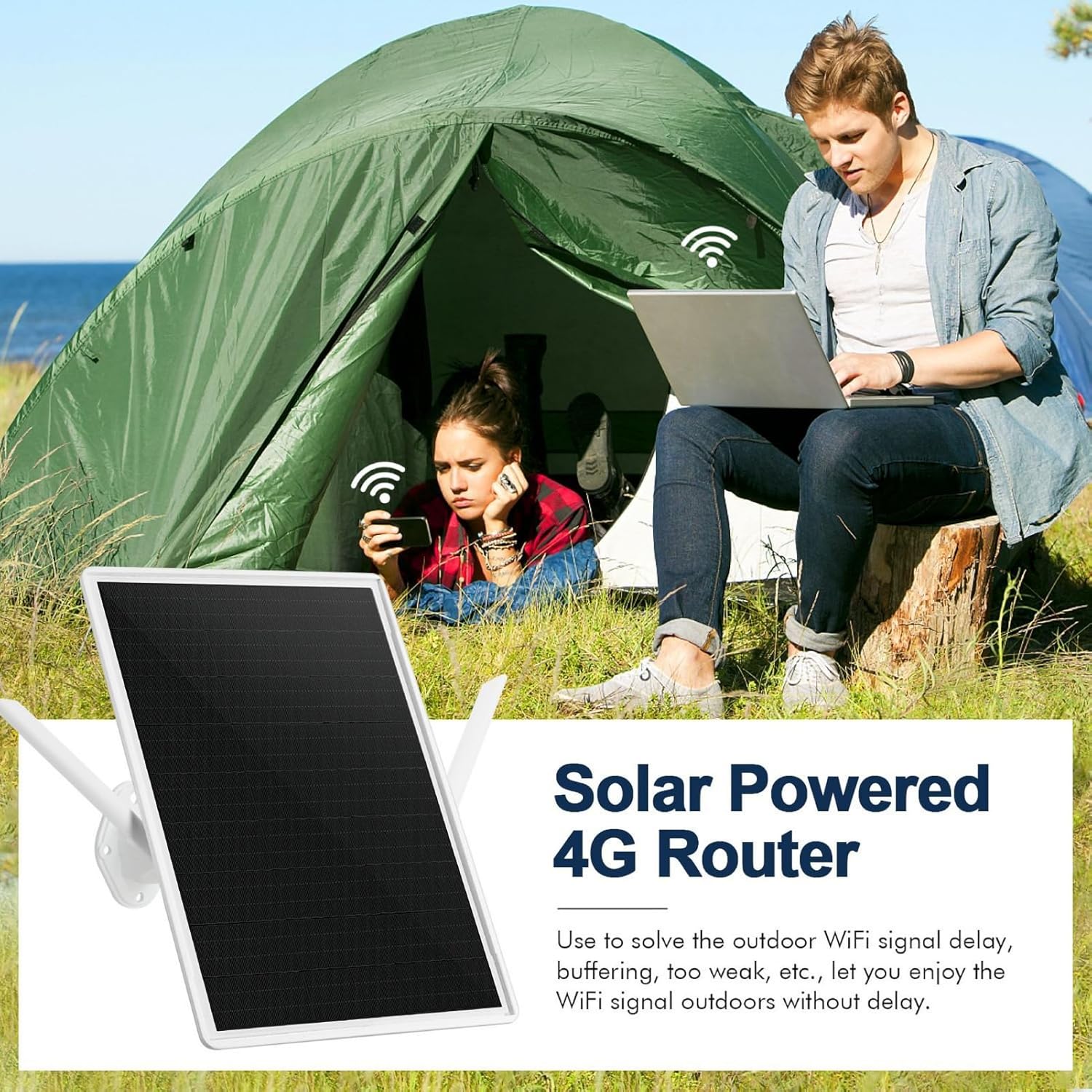
Image 1: The Bewinner Solar Powered 4G Router providing internet access to individuals in an outdoor camping సెట్టింగ్.
2. ఉత్పత్తి ముగిసిందిview
ముఖ్య లక్షణాలు:
- సోలార్ ఛార్జింగ్: Integrated 15W solar panel for continuous power without external cabling.
- నమ్మదగిన శక్తి: Built-in 20000mAh battery provides up to 7 days of operation, even during rainy weather.
- విస్తరించిన కవరేజ్: WiFi 6 technology extends coverage up to 50 meters (164 feet) with 300 Mbps speed and 2.4G WiFi compatibility.
- వాతావరణ నిరోధక డిజైన్: IP66-rated enclosure withstands humidity (10% to 90% non-condensing) and extreme temperatures (-40°C to +80°C).
- Outdoor Suitability: సికి అనువైనదిamping, RV travel, hiking, fishing, and other remote outdoor activities.
పెట్టెలో ఏముంది:
- Bewinner Solar Powered 4G LTE WiFi 6 Outdoor Router Unit
- మౌంటు బ్రాకెట్ మరియు హార్డ్వేర్
- వినియోగదారు మాన్యువల్
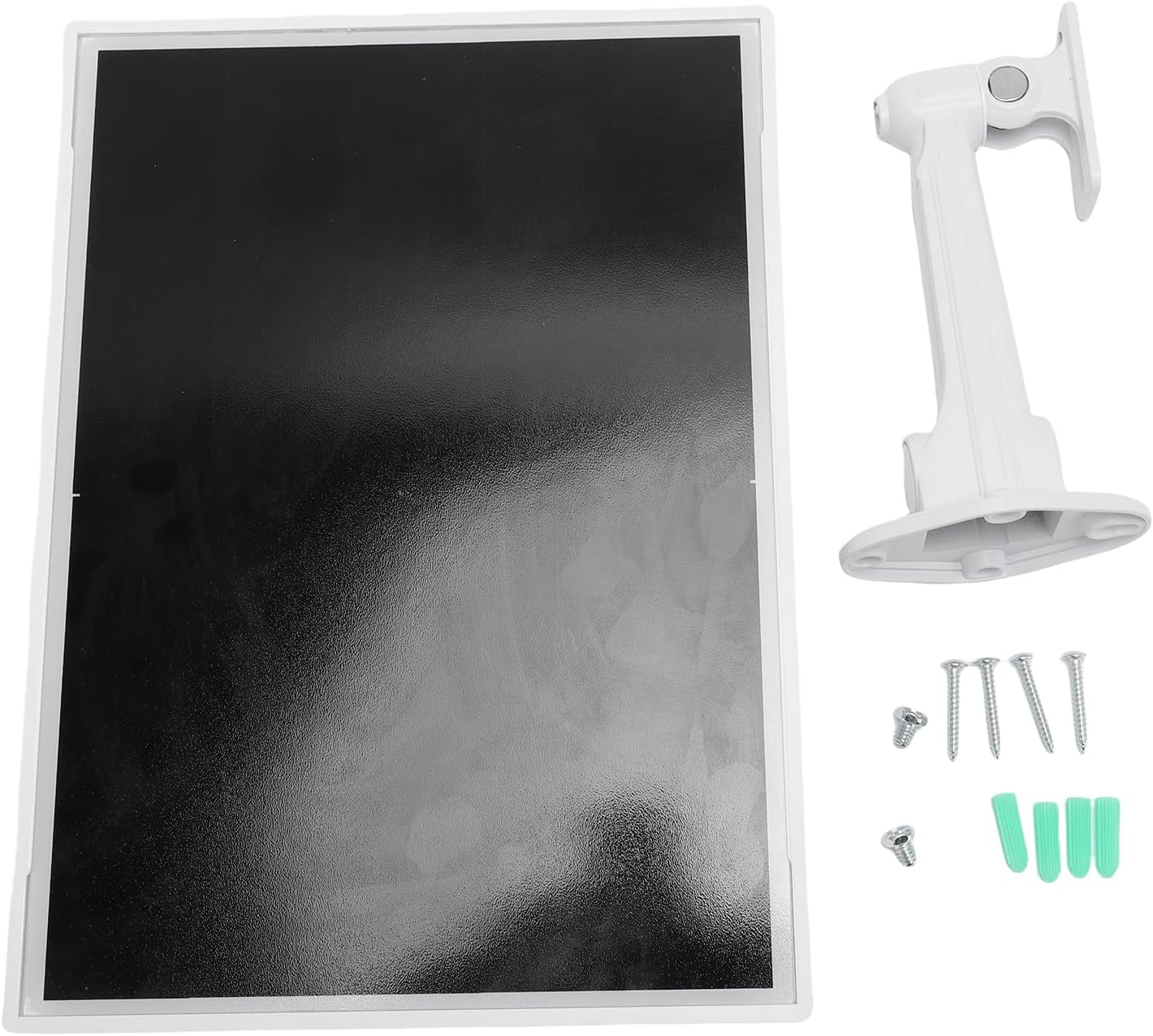
Image 2: The main components included with the router: the solar panel unit and its mounting bracket with screws.

చిత్రం 3: వెనుక view of the router unit, highlighting the external antennas for WiFi and cellular connectivity.
3. సెటప్ సూచనలు
3.1 SIM కార్డ్ ఇన్స్టాలేషన్
- Locate the SIM card slot on the router unit. It is usually protected by a rubber cover.
- Carefully open the rubber cover.
- బంగారు కాంటాక్ట్లు క్రిందికి ఎదురుగా ఉండేలా మరియు నాచ్డ్ మూలను సరిగ్గా అమర్చే విధంగా స్లాట్లోకి ప్రామాణిక 4G LTE సిమ్ కార్డ్ను చొప్పించండి.
- SIM కార్డ్ సరిగ్గా అమర్చబడే వరకు దాన్ని సున్నితంగా నెట్టండి.
- Close the rubber cover securely to maintain the IP66 waterproof rating.
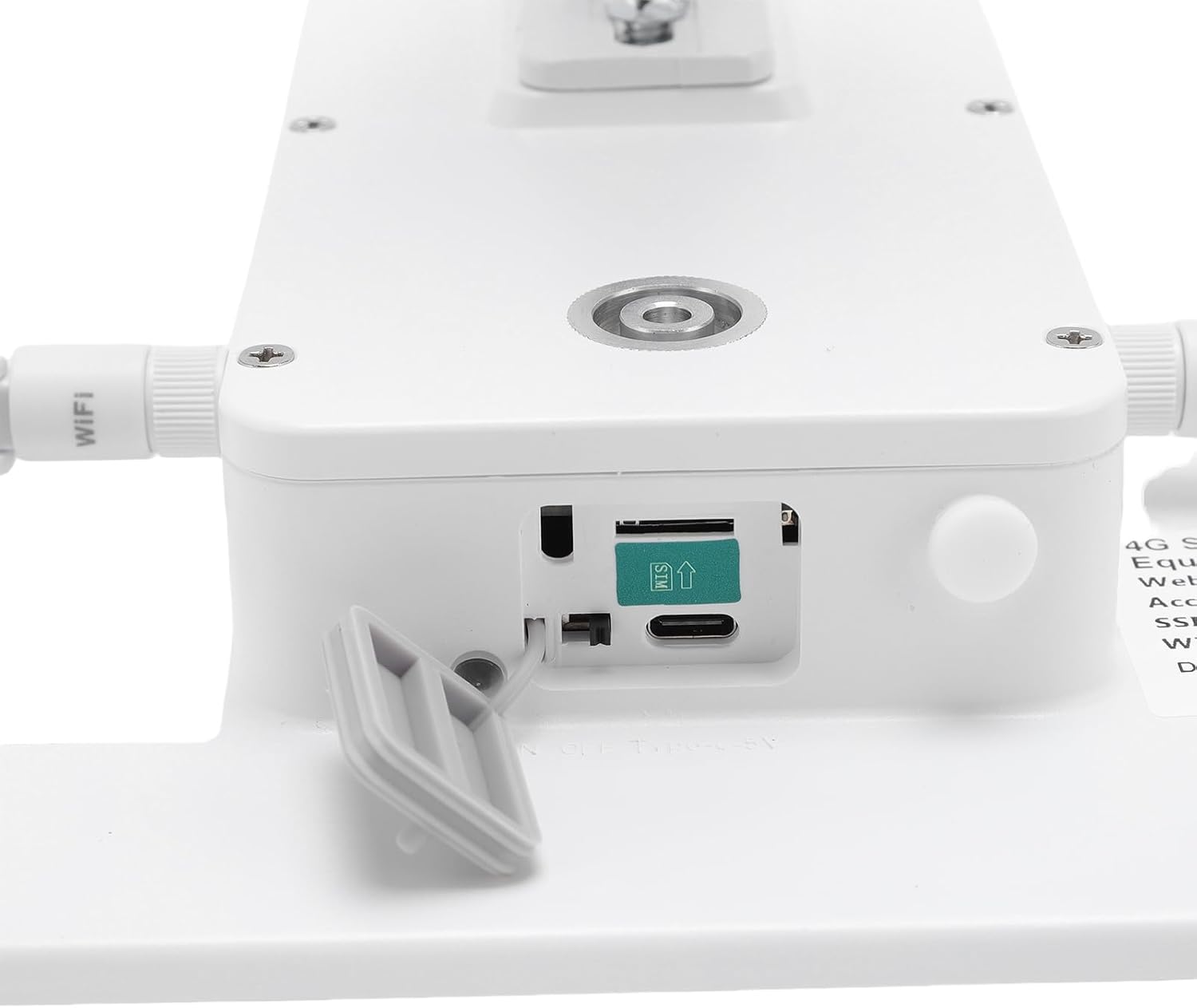
చిత్రం 4: వివరణాత్మకమైనది view of the SIM card slot, showing the correct orientation for insertion.
3.2 రూటర్ను మౌంట్ చేయడం
The router is designed for outdoor installation. Choose a location that receives ample direct sunlight for optimal solar charging and has a clear line of sight for WiFi coverage.
- Attach the mounting bracket to the back of the router unit using the provided screws.
- Secure the bracket to a sturdy surface (e.g., wall, pole, tree) using appropriate mounting hardware. Ensure the solar panel faces the sun.
- Adjust the angle of the solar panel for maximum sun exposure throughout the day.

Image 5: The router unit installed on the exterior of a building, demonstrating a typical outdoor mounting scenario.
3.3 పవర్ ఆన్ మరియు ప్రారంభ కనెక్షన్
- Once the SIM card is installed and the unit is mounted, the router will automatically begin charging via its solar panel.
- The device should power on automatically. Look for indicator lights (if present) to confirm operation.
- On your device (smartphone, laptop), search for available WiFi networks.
- Connect to the network name (SSID) provided on the router's label or in the quick start guide.
- Enter the default WiFi password (if any) found on the router's label.
4. ఆపరేటింగ్ సూచనలు
4.1 ప్రాథమిక ఆపరేషన్
After successful setup, the router will provide a WiFi signal for your devices. Ensure your devices are within the 50-meter coverage range for optimal performance.

Image 6: Illustrates the 50-meter WiFi coverage area, allowing users to stay connected even in open outdoor spaces.
4.2 Optimizing WiFi Performance
- ప్లేస్మెంట్: Position the router in a central location within your desired coverage area, free from obstructions like thick walls or large metal objects.
- దృష్టి రేఖను: For best results, ensure a clear line of sight between the router and your connected devices.
- యాంటెన్నా ఓరియంటేషన్: If adjustable, orient the external antennas for optimal signal reception.

Image 7: The router ensures a stable WiFi connection for multiple devices, including a laptop and a surveillance camera, in an outdoor home setting.
5. నిర్వహణ
5.1 శుభ్రపరచడం
Periodically clean the solar panel surface to ensure maximum charging efficiency. Use a soft, damp cloth to wipe away dust, dirt, or debris. Avoid abrasive cleaners or harsh chemicals.
5.2 పర్యావరణ పరిగణనలు
The router is designed to be IP66 weatherproof, protecting it from dust and strong jets of water. It can operate in temperatures ranging from -40°C to +80°C and humidity from 10% to 90% (non-condensing). While robust, avoid submerging the device in water or exposing it to extreme physical impact.

Image 8: The router's robust design allows it to withstand diverse outdoor weather conditions, including sun, rain, snow, and wind.
6. ట్రబుల్షూటింగ్
సాధారణ సమస్యలు మరియు పరిష్కారాలు:
- శక్తి లేదు:
- సోలార్ ప్యానెల్ నేరుగా సూర్యరశ్మిని అందుకుంటోందని నిర్ధారించుకోండి.
- Check if the battery is fully depleted. Allow time for solar charging.
- No 4G Signal:
- Verify the SIM card is correctly inserted and activated with a data plan.
- Check your location for 4G network coverage. Move to an area with better signal if possible.
- Ensure the cellular antennas are securely attached and oriented correctly.
- No WiFi Signal / Cannot Connect:
- Confirm the router is powered on.
- Ensure your device is within the 50-meter WiFi range.
- వైఫై నెట్వర్క్ పేరు (SSID) మరియు పాస్వర్డ్ను ఒకటికి రెండుసార్లు తనిఖీ చేయండి.
- Restart the router by temporarily covering the solar panel and then exposing it again, or if there's a power button, use it.
- తక్కువ ఇంటర్నెట్ వేగం:
- Check your 4G signal strength. Weak cellular signal will result in slow internet.
- కనెక్ట్ చేయబడిన పరికరాల సంఖ్యను లేదా బ్యాండ్విడ్త్-ఇంటెన్సివ్ కార్యకలాపాలను తగ్గించండి.
- Ensure there are no obstructions between your device and the router.
7. స్పెసిఫికేషన్లు
| బ్రాండ్ | బివిన్నర్ |
| మోడల్ | Solar Powered 4G LTE WiFi 6 Outdoor Router |
| కనెక్టివిటీ | 4G LTE, WiFi 6 (2.4G) |
| వైఫై వేగం | 300 Mbps వరకు |
| వైఫై పరిధి | 50 మీటర్లు (164 అడుగులు) వరకు |
| సౌర ఫలక శక్తి | 15W |
| బ్యాటరీ కెపాసిటీ | 20000mAh |
| Battery Life (Rainy Days) | 7 రోజుల వరకు |
| జలనిరోధిత రేటింగ్ | IP66 |
| ఆపరేటింగ్ ఉష్ణోగ్రత | -40°C నుండి +80°C |
| ఆపరేటింగ్ తేమ | 10% నుండి 90% (కన్డెన్సింగ్) |
8. వారంటీ మరియు మద్దతు
వారంటీ సమాచారం:
This Bewinner product comes with a manufacturer's warranty of కొనుగోలు చేసిన తేదీ నుండి 90 రోజులు. ఈ వారంటీ సాధారణ ఉపయోగంలో పదార్థాలు మరియు పనితనంలో లోపాలను కవర్ చేస్తుంది. దుర్వినియోగం, ప్రమాదాలు, అనధికార మార్పులు లేదా సరికాని సంస్థాపన వల్ల కలిగే నష్టాన్ని ఇది కవర్ చేయదు.
కస్టమర్ మద్దతు:
For technical assistance, troubleshooting, or warranty claims, please contact Bewinner customer support through your retailer or the official Bewinner webసైట్. మద్దతును సంప్రదించేటప్పుడు దయచేసి మీ కొనుగోలు రసీదు మరియు ఉత్పత్తి మోడల్ సమాచారాన్ని సిద్ధంగా ఉంచుకోండి.