
GOBOULT B0FCSBLK42
GOBOULT క్రౌన్ స్మార్ట్ వాచ్ యూజర్ మాన్యువల్
Model: B0FCSBLK42
1. పరిచయం
Thank you for choosing the GOBOULT Crown Smart Watch. This manual provides essential information for setting up, operating, and maintaining your device. The GOBOULT Crown Smart Watch features a 1.95-inch HD display, Bluetooth calling, a functional rotating crown, and comprehensive health monitoring capabilities.
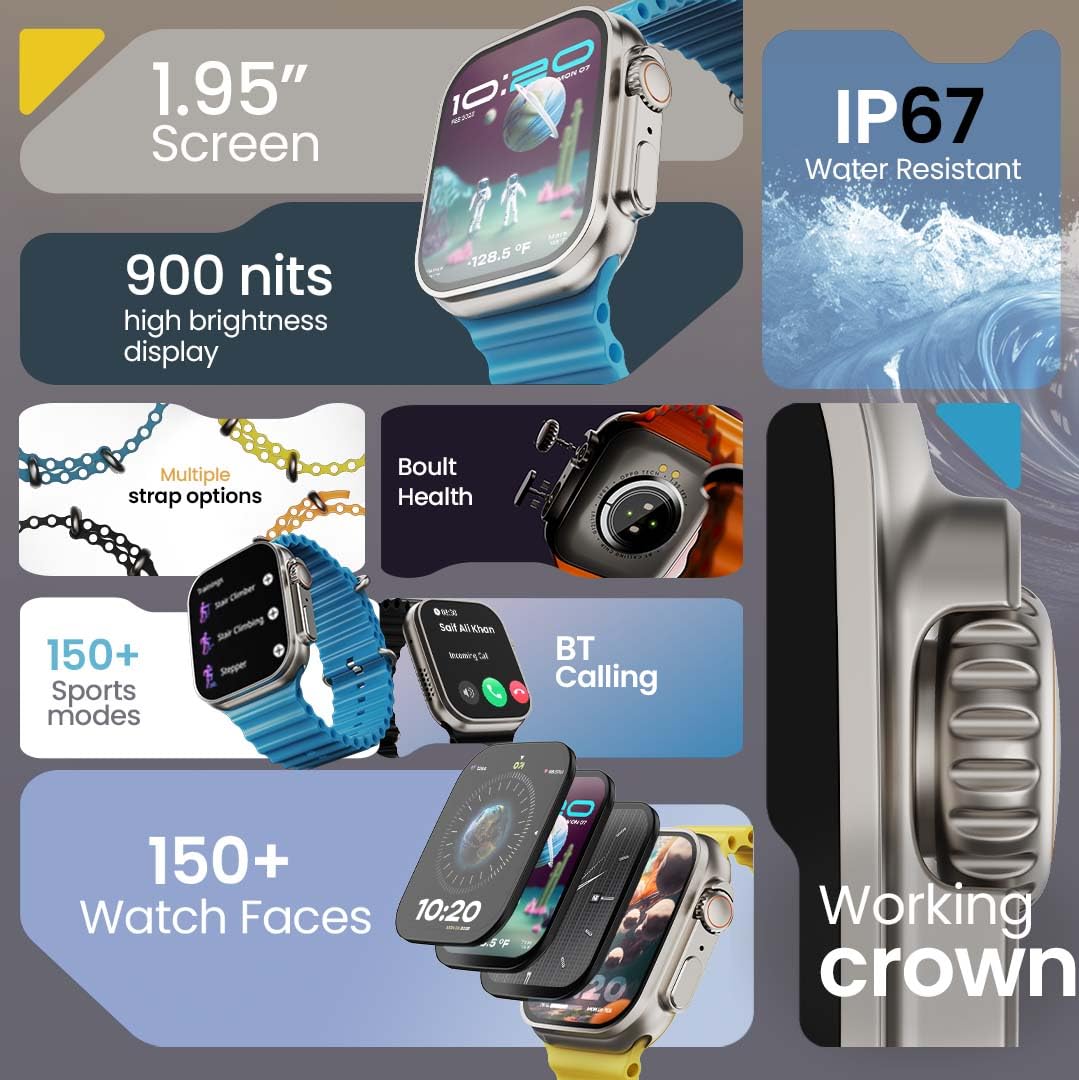
చిత్రం 1.1: ముగిసిందిview of the GOBOULT Crown Smart Watch highlighting its 1.95-inch screen, 900 nits brightness, IP67 rating, multiple strap options, Boult Health features, Bluetooth calling, 150+ sports modes, 150+ watch faces, and working crown.
2. పెట్టెలో ఏముంది
మీ ఉత్పత్తి ప్యాకేజింగ్లో ఈ క్రింది అన్ని అంశాలు ఉన్నాయని నిర్ధారించుకోండి:
- గోబౌల్ట్ క్రౌన్ స్మార్ట్ వాచ్
- ఛార్జింగ్ కేబుల్
- వినియోగదారు మాన్యువల్
- వారంటీ కార్డ్
3. ఉత్పత్తి ముగిసిందిview
The GOBOULT Crown Smart Watch is designed with a premium zinc alloy frame and a vibrant 1.95-inch HD display. It features a functional rotating crown for intuitive navigation and a dedicated button for sports modes.
3.1 కీలక భాగాలు
- 1.95-అంగుళాల HD డిస్ప్లే: Offers clear visuals with up to 900 nits brightness for excellent outdoor visibility.
- పని చేసే భ్రమణ కిరీటం: Used for scrolling, zooming, and navigating menus.
- సైడ్ బటన్: Often dedicated for quick access to sports modes or other functions.
- Zinc Alloy Frame: Provides durability and a premium feel.
- సెన్సార్లు: Located on the back for heart rate, SpO2, and other health monitoring.
- మైక్రోఫోన్ & స్పీకర్: Integrated for Bluetooth calling and voice assistant functions.
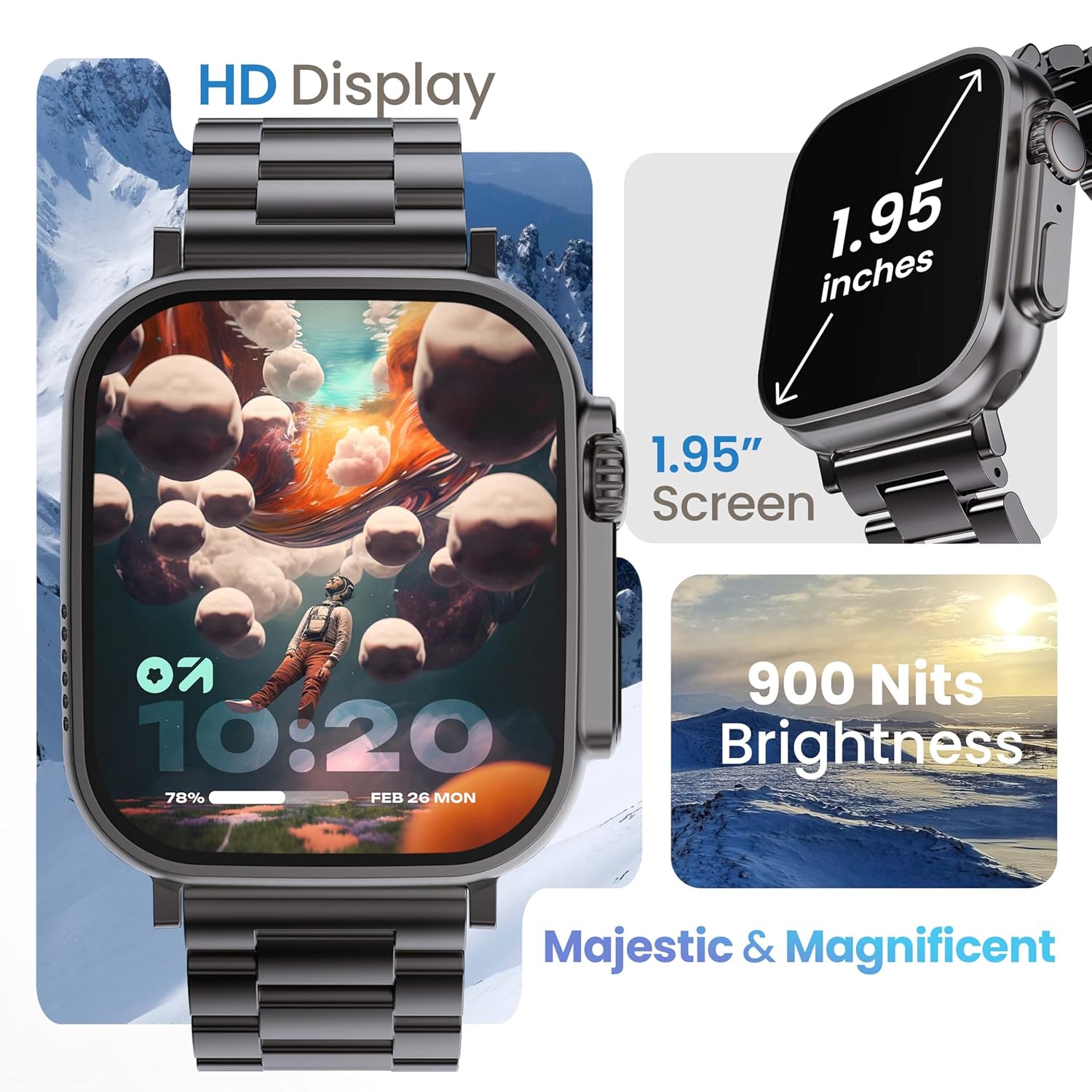
Image 3.1: The 1.95-inch HD display of the GOBOULT Crown Smart Watch, emphasizing its size and 900 Nits brightness for clear visibility.
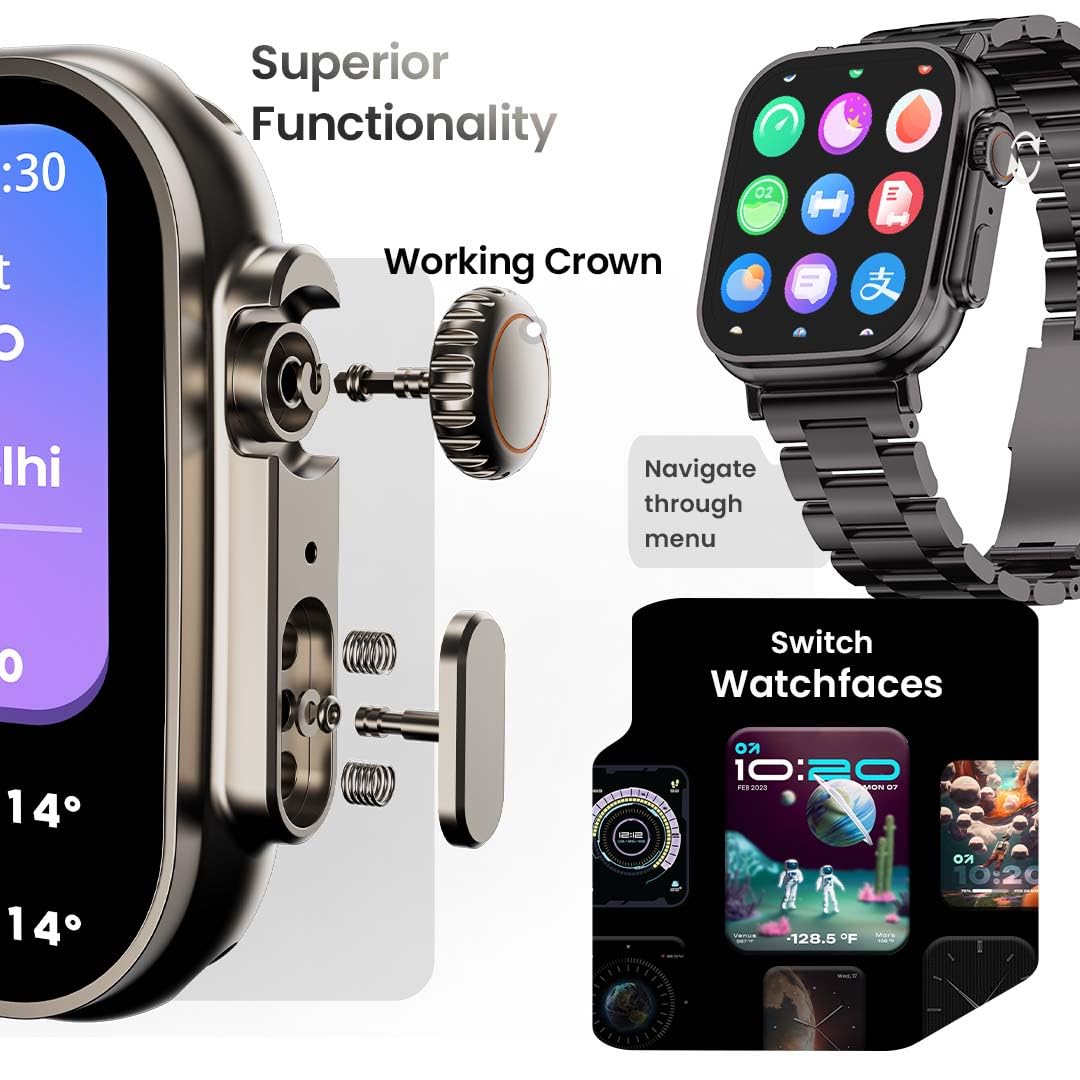
చిత్రం 3.2: వివరణాత్మకమైనది view of the working crown on the GOBOULT Crown Smart Watch, illustrating its use for navigating menus and switching watch faces.
4. సెటప్
4.1 స్మార్ట్ వాచ్ను ఛార్జ్ చేయడం
- Connect the magnetic charging cable to the charging pins on the back of the watch.
- కేబుల్ యొక్క USB చివరను ప్రామాణిక USB పవర్ అడాప్టర్ (చేర్చబడలేదు) లేదా కంప్యూటర్ యొక్క USB పోర్ట్లోకి ప్లగ్ చేయండి.
- The watch display will indicate charging status. A full charge takes approximately 150 minutes.
గమనిక: తుప్పు పట్టకుండా ఉండటానికి ఛార్జింగ్ చేసే ముందు ఛార్జింగ్ పిన్లు శుభ్రంగా మరియు పొడిగా ఉన్నాయని నిర్ధారించుకోండి.
4.2 మీ స్మార్ట్ఫోన్తో జత చేయడం
To unlock all features, pair your GOBOULT Crown Smart Watch with the companion app on your smartphone.
- Download the official GOBOULT companion app from your smartphone's app store (compatible with iOS and Android devices).
- మీ స్మార్ట్ఫోన్లో బ్లూటూత్ ప్రారంభించబడిందని నిర్ధారించుకోండి.
- Open the GOBOULT app and follow the on-screen instructions to create an account or log in.
- యాప్లో 'పరికరాన్ని జోడించు' లేదా 'కొత్త పరికరాన్ని జత చేయి' ఎంచుకోండి.
- The app will search for available devices. Select 'GOBOULT Crown' from the list.
- మీ వాచ్ మరియు స్మార్ట్ఫోన్ రెండింటిలోనూ జత చేసే అభ్యర్థనను నిర్ధారించండి.
Once paired, the watch will synchronize data with your phone, and you can customize settings through the app.
5. ఆపరేటింగ్ సూచనలు
5.1 ప్రాథమిక నావిగేషన్
- టచ్స్క్రీన్: మెనూలు మరియు నోటిఫికేషన్ల ద్వారా నావిగేట్ చేయడానికి ఎడమ, కుడి, పైకి లేదా క్రిందికి స్వైప్ చేయండి. అంశాలను ఎంచుకోవడానికి నొక్కండి.
- పని కిరీటం: Rotate the crown to scroll through lists, zoom in/out, or switch watch faces. Press the crown to return to the home screen or access the app menu.
- సైడ్ బటన్: Press to quickly access the sports mode menu.
5.2 బ్లూటూత్ కాలింగ్
The GOBOULT Crown Smart Watch supports Bluetooth calling (BT 5.2) with a built-in speaker and microphone.
- Ensure your watch is paired with your smartphone via Bluetooth.
- To make a call, access the dial pad on your watch or select a contact from your synchronized phonebook.
- To answer an incoming call, tap the green icon on the watch screen. To reject, tap the red icon.
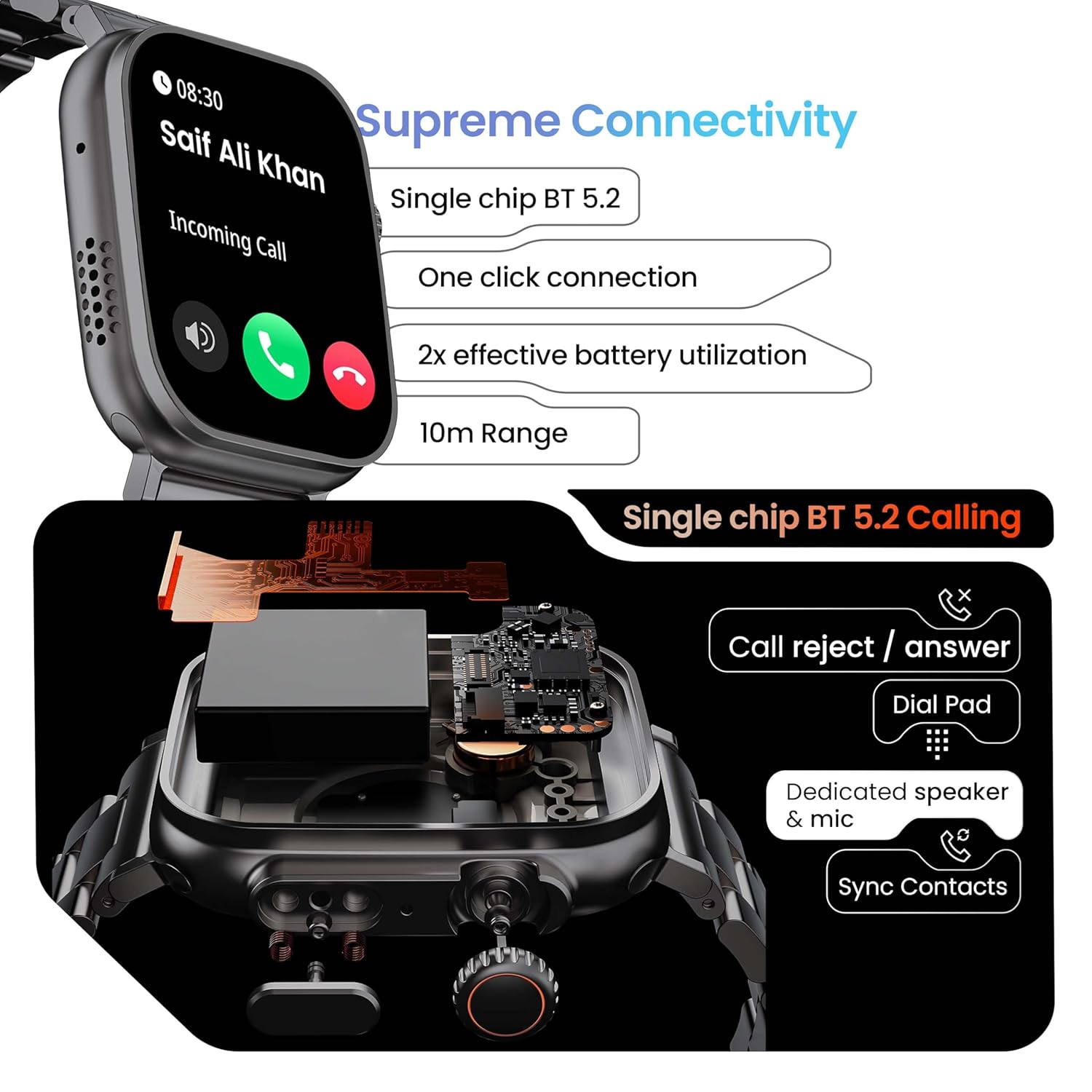
Image 5.1: Illustration of the Bluetooth 5.2 calling functionality on the GOBOULT Crown Smart Watch, including call reject/answer, dial pad, dedicated speaker & mic, and contact synchronization.
5.3 స్పోర్ట్స్ మోడ్లు
The watch offers over 120 sports modes to track various physical activities.
- Press the dedicated side button or navigate through the app menu to access 'Sports Modes'.
- Select your desired activity (e.g., Running, Cycling, Yoga, HIIT).
- The watch will begin tracking metrics such as duration, heart rate, calories burned, and steps.
- End the workout by following the on-screen prompts. Data will be synchronized with the app.

Image 5.2: The GOBOULT Crown Smart Watch actively tracking a workout, showing real-time data for heart rate, calories, and steps, with a dedicated button for sports modes.
5.4 ఆరోగ్య పర్యవేక్షణ
The watch provides continuous health tracking features.
- హృదయ స్పందన పర్యవేక్షణ: మీ హృదయ స్పందన రేటును 24/7 ట్రాక్ చేస్తుంది.
- SpO2 పర్యవేక్షణ: రక్త ఆక్సిజన్ సంతృప్త స్థాయిలను కొలుస్తుంది.
- నిద్ర విశ్లేషణ: నిద్ర విధానాలు మరియు నాణ్యతను పర్యవేక్షిస్తుంది.
- కార్యాచరణ ట్రాకర్: Records steps, distance, and calories burned throughout the day.
- Sedentary Alerts: నిష్క్రియాత్మక కాలాల తర్వాత కదలమని మీకు గుర్తు చేస్తుంది.
- స్త్రీ ఋతు చక్రం ట్రాకింగ్: Available through the companion app.
- శ్వాస శిక్షణ: విశ్రాంతి కోసం గైడెడ్ శ్వాస వ్యాయామాలు.
Access detailed health data and trends in the GOBOULT companion app.
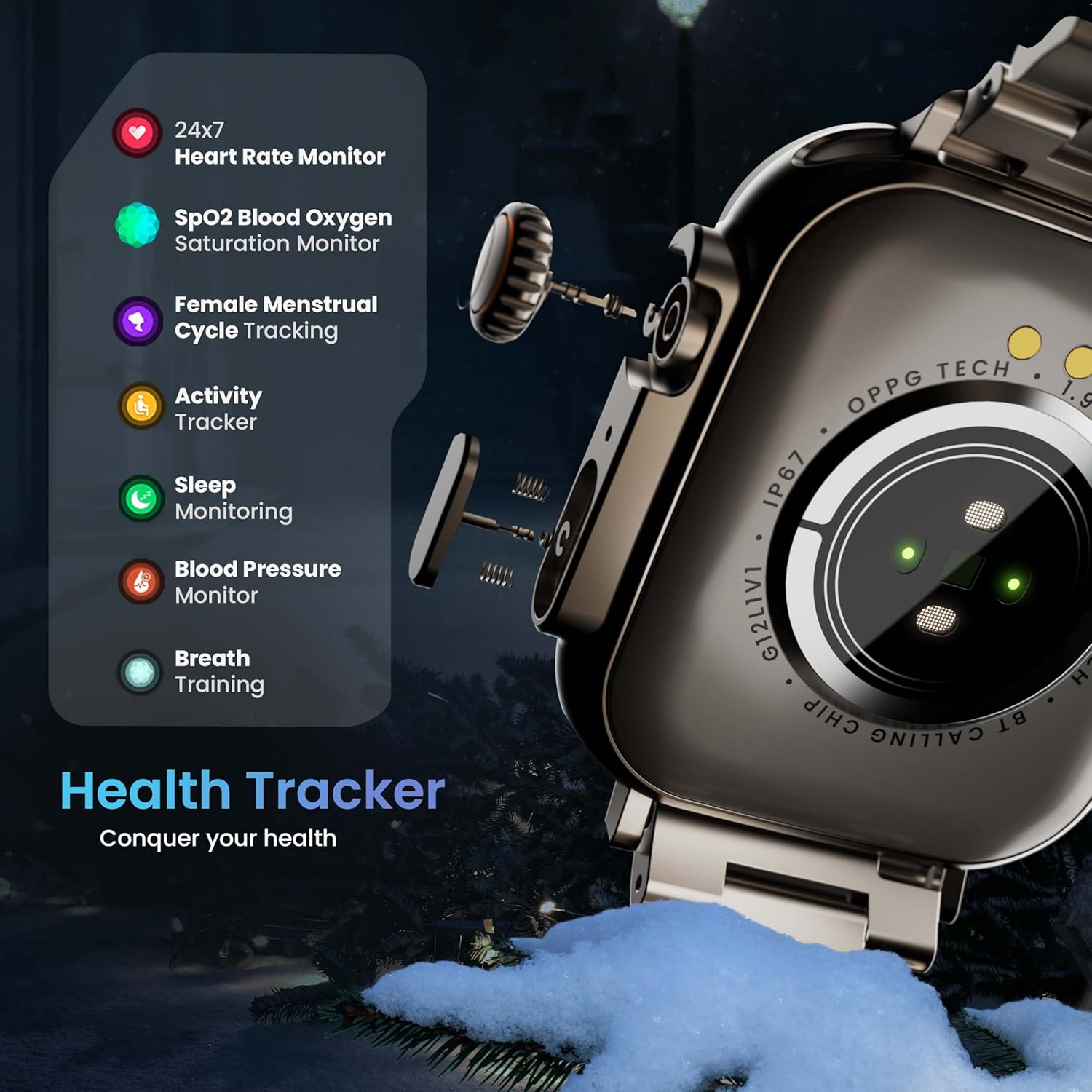
Image 5.3: The GOBOULT Crown Smart Watch highlighting its comprehensive health tracker capabilities, including 24x7 Heart Rate Monitor, SpO2 Blood Oxygen Saturation Monitor, Female Menstrual Cycle Tracking, Activity Tracker, Sleep Monitoring, Blood Pressure Monitor, and Breath Training.
5.5 AI వాయిస్ అసిస్టెంట్
Interact with your watch using voice commands for quick tasks.
- Activate the AI Voice Assistant by a specific gesture or button press (refer to in-app settings for configuration).
- Speak your command clearly, such as "Hey Siri" or "Ok Google" (if connected to a compatible phone).
- The watch will process your request, allowing you to set reminders, check weather, or control smart home devices.
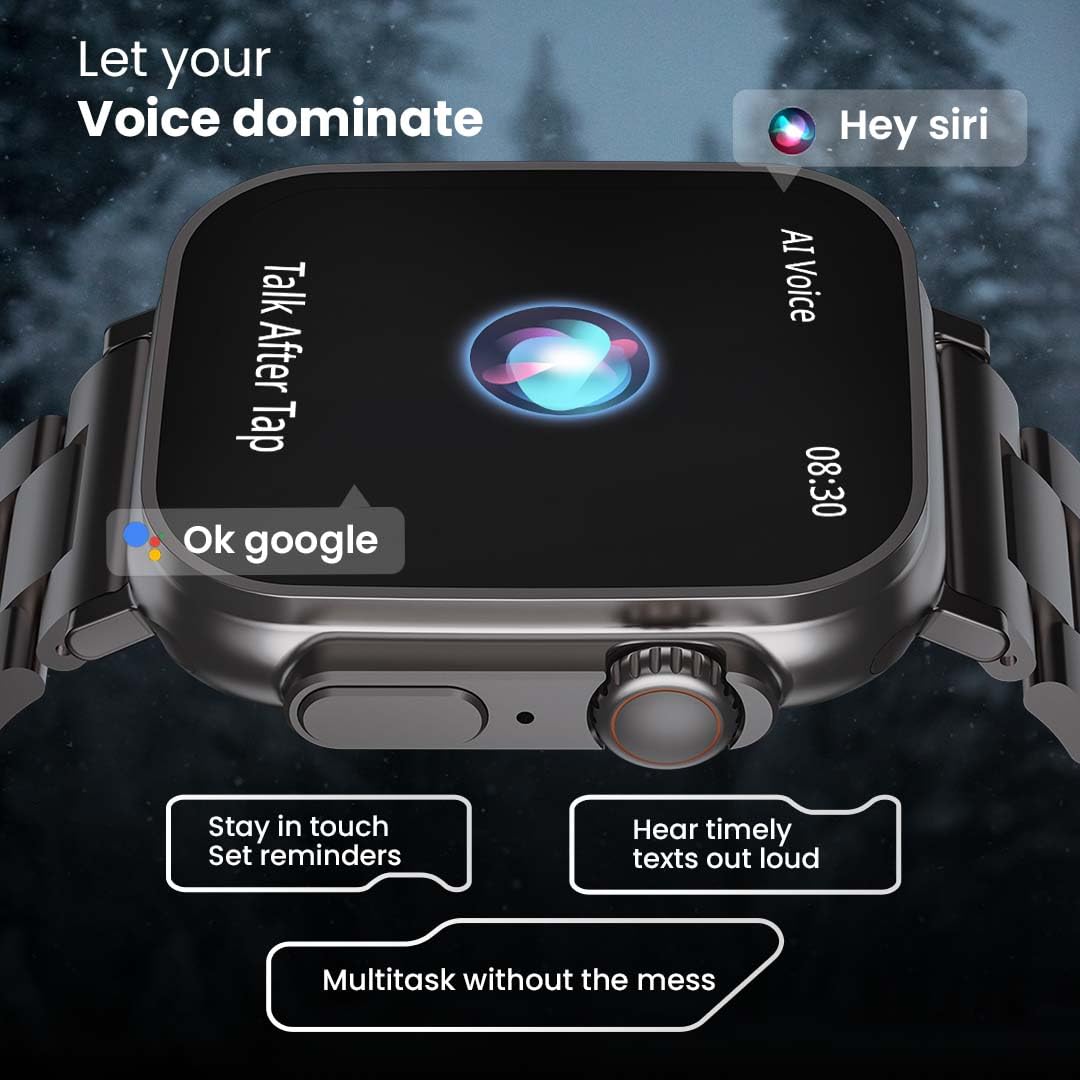
Image 5.4: The GOBOULT Crown Smart Watch interacting with AI Voice Assistants like Hey Siri and Ok Google, enabling users to stay in touch, set reminders, and hear timely texts aloud.
5.6 వాచ్ ఫేస్లు & అనుకూలీకరణ
Personalize your watch with over 100 cloud-based watch faces.
- Long-press the watch face on the home screen to quickly switch between pre-loaded faces.
- For more options, open the GOBOULT app and browse the 'Watch Faces' library.
- Download and apply new watch faces directly from the app.
5.7 Mini Games
The watch includes several mini-games for entertainment.
- Navigate to the 'Games' section in the app menu.
- Select a game (e.g., Young Bird, Hamster, Battleships, 2048) and follow the on-screen instructions to play.
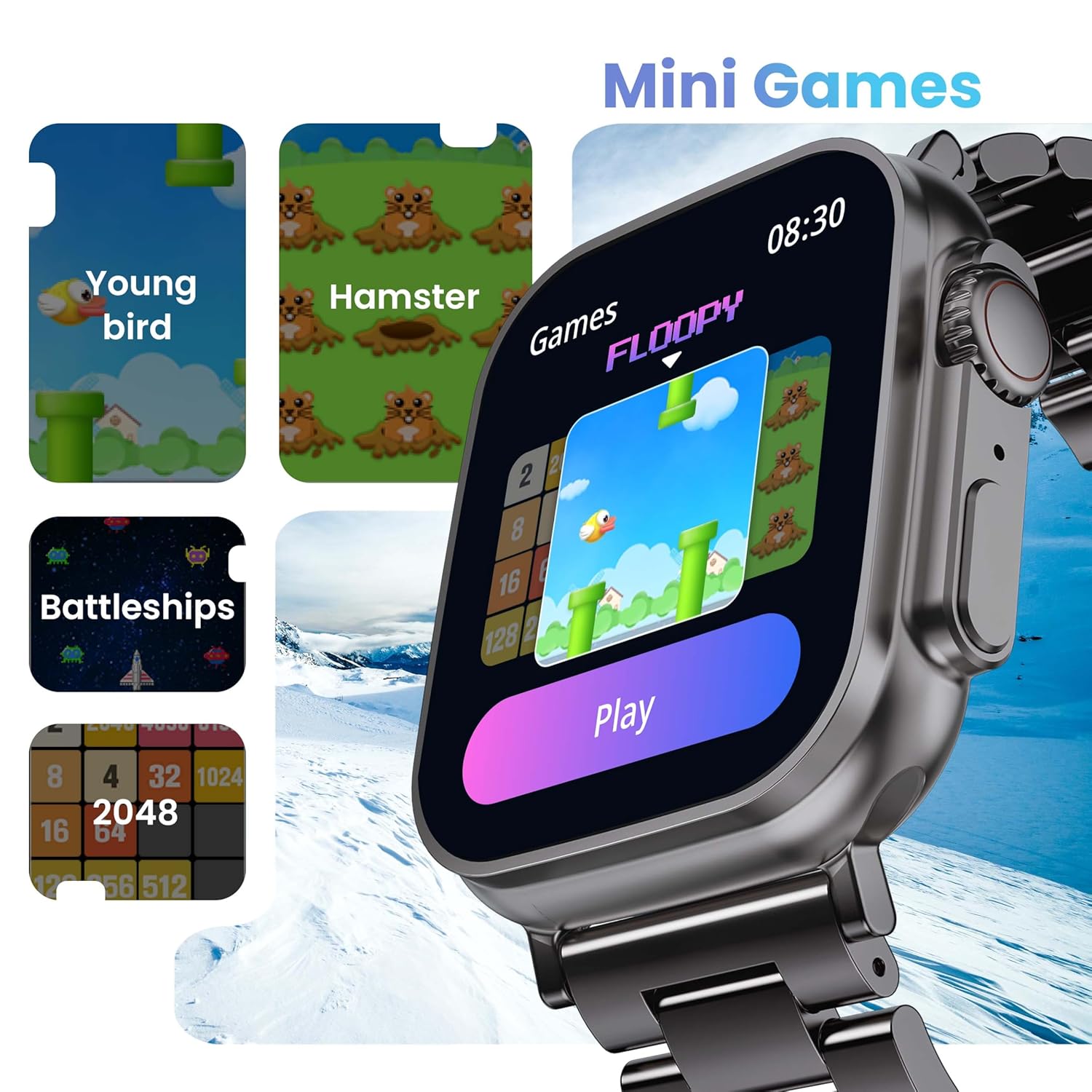
Image 5.5: The GOBOULT Crown Smart Watch showcasing its mini-games feature, including 'Young bird', 'Hamster', 'Battleships', and '2048'.
5.8 నా ఫోన్ను కనుగొనండి
Locate your paired smartphone using the watch.
- Go to the watch menu.
- Select the "Find Phone" option.
- The connected phone will ring or vibrate, helping you locate it.
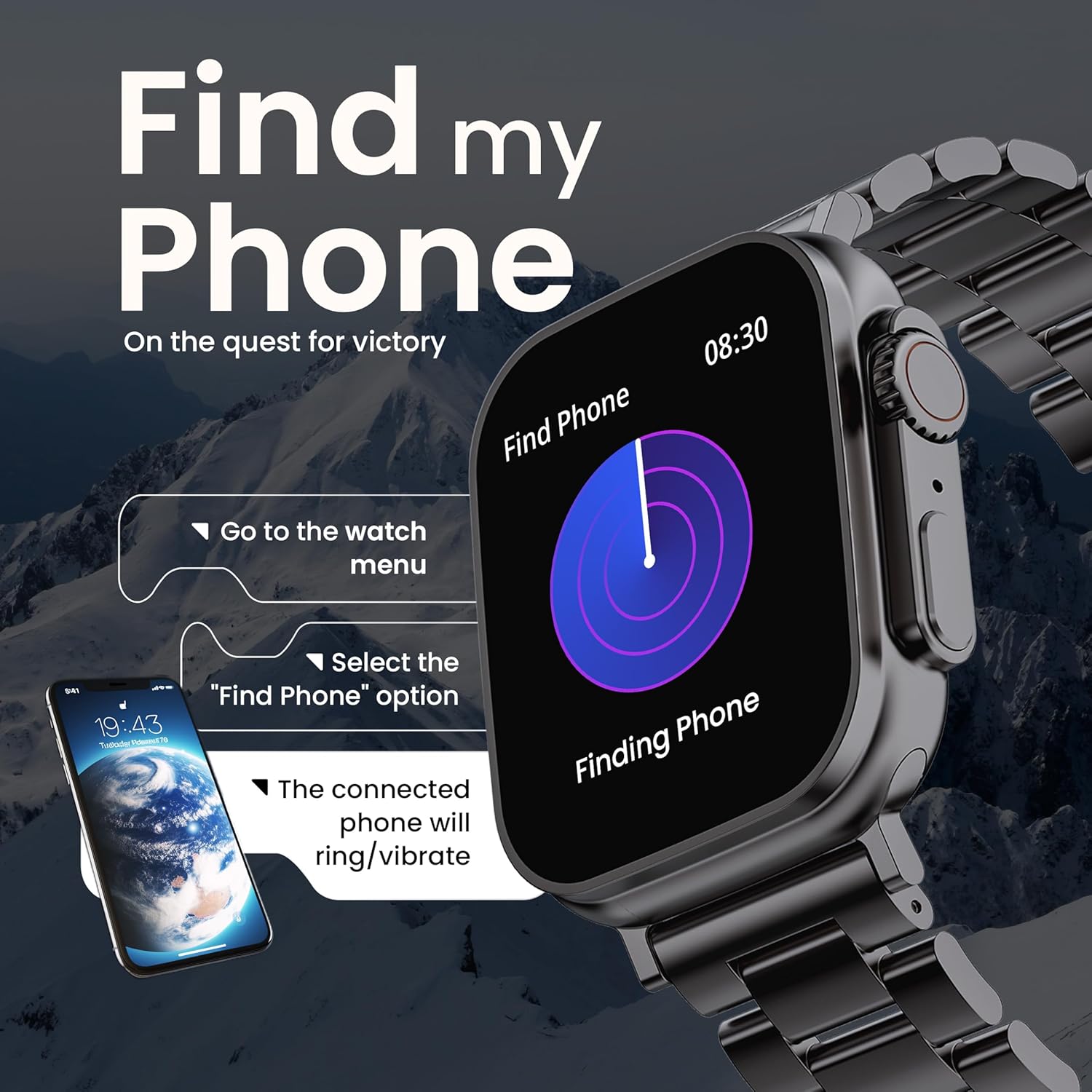
Image 5.6: The GOBOULT Crown Smart Watch illustrating the 'Find my Phone' feature, showing the steps to activate it and how the connected phone will respond.
6. నిర్వహణ
6.1 మీ స్మార్ట్ వాచ్ను శుభ్రపరచడం
- మృదువైన, మెత్తటి బట్టతో వాచ్ స్క్రీన్ మరియు బాడీని తుడవండి.
- మొండి మరకలకు, డిampకఠినమైన రసాయనాలు లేదా రాపిడి పదార్థాలను ఉపయోగించకుండా ఉండండి.
- Clean the charging pins regularly to ensure proper connection.
- If your watch has a stainless steel band, use the provided strap adjustment tool for any modifications.
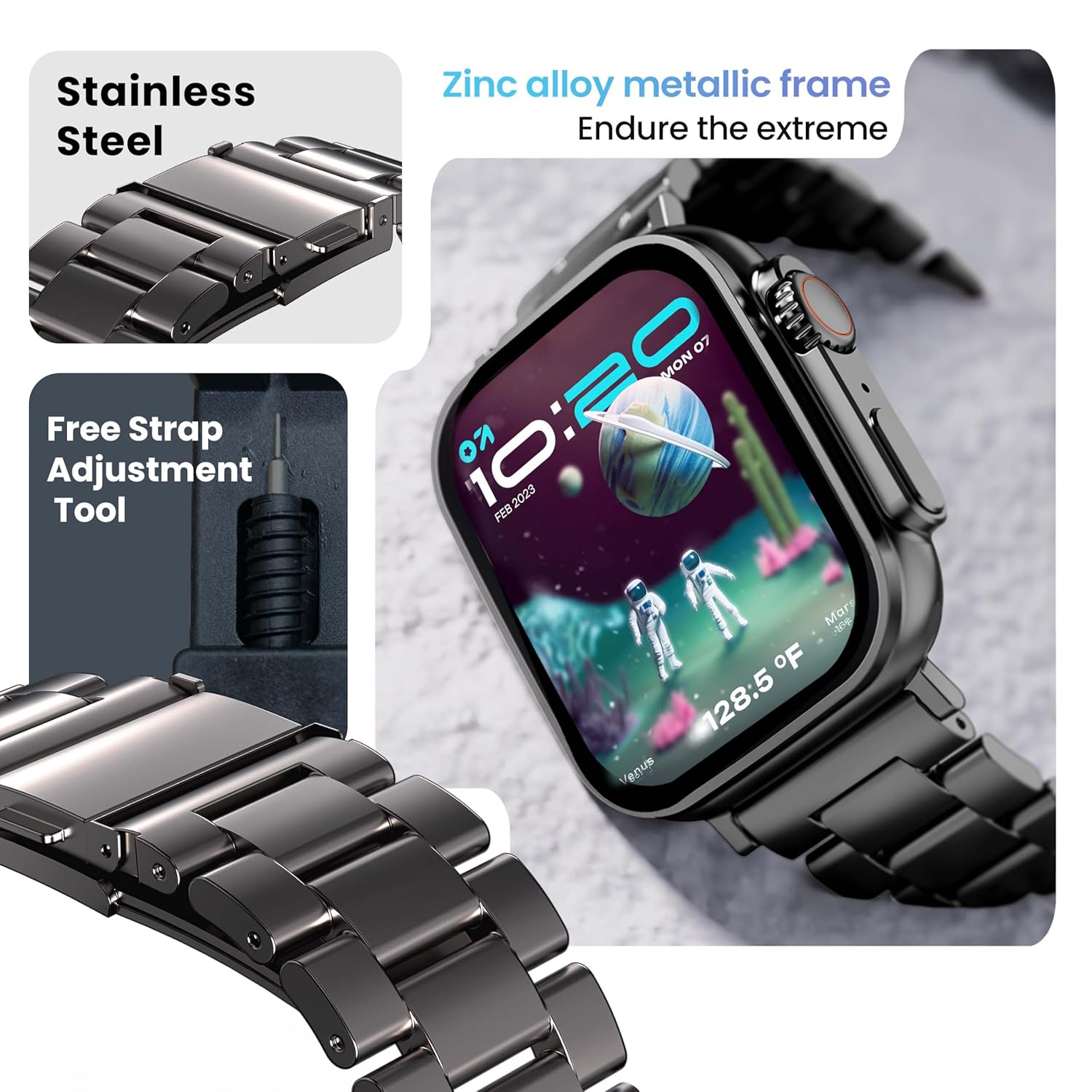
Image 6.1: The GOBOULT Crown Smart Watch featuring its stainless steel band and the included free strap adjustment tool for maintenance.
6.2 నీటి నిరోధకత
The GOBOULT Crown Smart Watch has an IP67 waterproof rating.
- IP67 రేటింగ్: This means the watch is dust-proof and can withstand submersion in water up to 1.5 meters for 30 minutes.
- It is suitable for daily use, such as washing hands or light rain.
- Avoid using the watch during swimming, diving, or in hot water (e.g., showers, saunas) as steam and high pressure can compromise the seal.
- నీటి అడుగున బటన్లను నొక్కవద్దు.
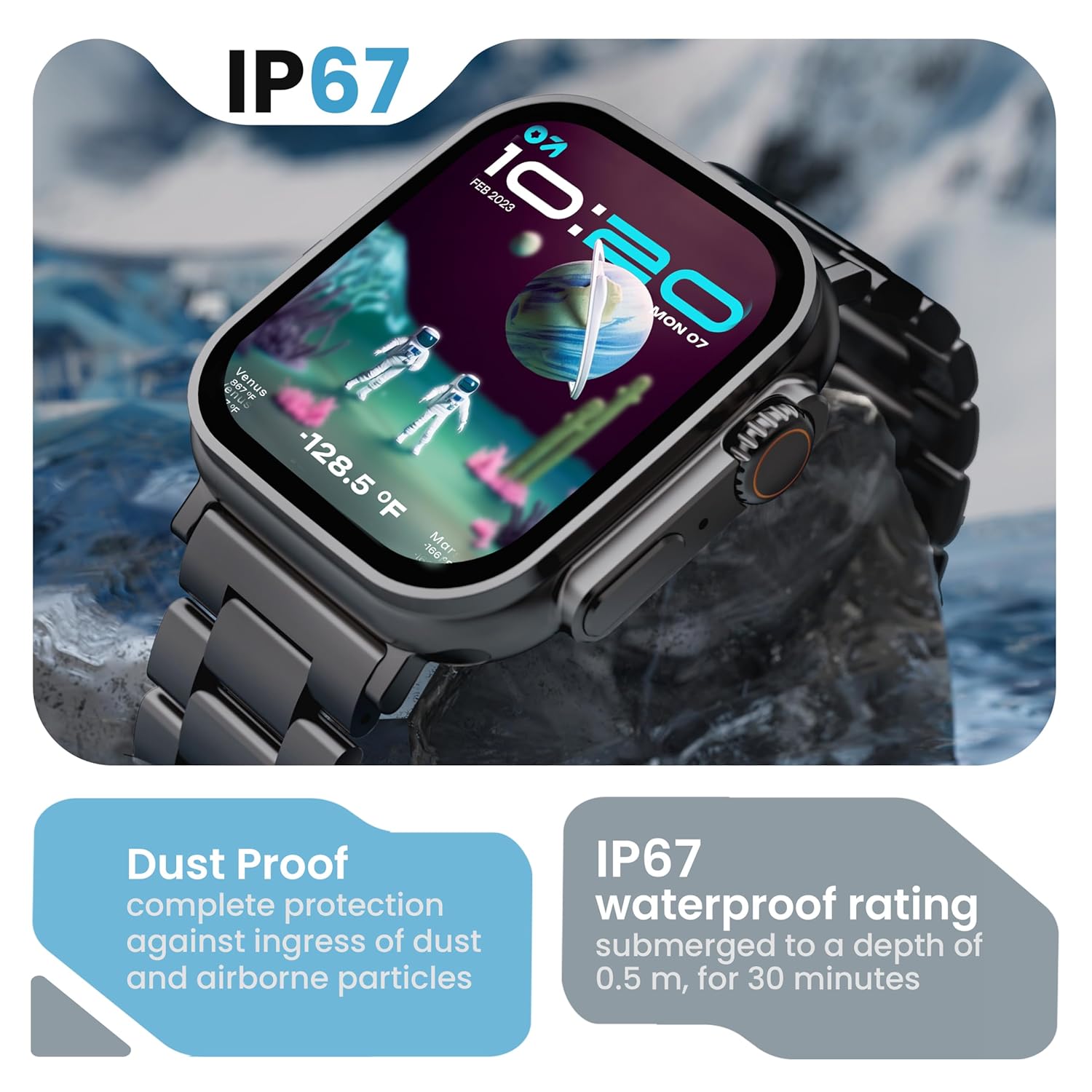
Image 6.2: The GOBOULT Crown Smart Watch emphasizing its IP67 rating, indicating complete protection against dust ingress and water submersion up to 0.5 meters for 30 minutes.
7. ట్రబుల్షూటింగ్
If you encounter issues with your GOBOULT Crown Smart Watch, refer to the following common solutions:
| సమస్య | సాధ్యమైన పరిష్కారం |
|---|---|
| వాచ్ ఆన్ అవ్వడం లేదు | వాచ్ పూర్తిగా ఛార్జ్ అయ్యిందని నిర్ధారించుకోండి. కనీసం 30 నిమిషాలు దానిని ఛార్జర్కి కనెక్ట్ చేయండి. |
| స్మార్ట్ఫోన్తో జత చేయలేము | Ensure Bluetooth is enabled on your phone. Restart both the watch and phone. Make sure the watch is within Bluetooth range. Check the app for pairing instructions. |
| సరికాని ఆరోగ్య డేటా | Ensure the watch is worn snugly on your wrist, not too tight or too loose. Clean the sensor area on the back of the watch. |
| Bluetooth calling issues | Verify the watch is connected for both data and call audio in your phone's Bluetooth settings. Ensure microphone and speaker are not obstructed. |
| స్క్రీన్ స్పందించడం లేదు | వాచ్ను రీస్టార్ట్ చేయండి. సమస్య కొనసాగితే, స్క్రీన్ శుభ్రంగా మరియు పొడిగా ఉందని నిర్ధారించుకోండి. |
| తక్కువ బ్యాటరీ జీవితం | స్క్రీన్ ప్రకాశాన్ని తగ్గించండి, అనవసరమైన నోటిఫికేషన్లను నిలిపివేయండి మరియు అవసరం లేకపోతే నిరంతర హృదయ స్పందన రేటు పర్యవేక్షణను పరిమితం చేయండి. |
ఈ పరిష్కారాలను ప్రయత్నించిన తర్వాత కూడా సమస్య కొనసాగితే, దయచేసి కస్టమర్ మద్దతును సంప్రదించండి.
8. స్పెసిఫికేషన్లు
Below are the technical specifications for the GOBOULT Crown Smart Watch (Model: B0FCSBLK42):
| ఫీచర్ | వివరాలు |
|---|---|
| మోడల్ సంఖ్య | B0FCSBLK42 |
| ప్రదర్శన పరిమాణం | 1.95 అంగుళాలు |
| ప్రదర్శన రకం | TFT |
| Maximum Display Brightness | 900 నిట్స్ |
| కనెక్టివిటీ టెక్నాలజీ | బ్లూటూత్ 5.2 |
| ఆపరేటింగ్ సిస్టమ్ అనుకూలత | Android Wear 1.0, iOS |
| బ్యాటరీ కెపాసిటీ | 300 మిల్లీamp గంటలు (లిథియం పాలిమర్) |
| బ్యాటరీ సగటు జీవితం | 7 రోజుల వరకు |
| బ్యాటరీ ఛార్జ్ సమయం | 150 నిమిషాలు |
| నీటి నిరోధకత రేటింగ్ | IP67 (Water Resistant up to 1.5 meters depth) |
| బ్యాండ్ మెటీరియల్ రకం | స్టెయిన్లెస్ స్టీల్ |
| వస్తువు బరువు | 40 గ్రాములు |
| అంశం కొలతలు (D x W x H) | 40D x 38W x 6H మిల్లీమీటర్లు |
| కొలవబడిన కొలమానాలు | Blood Oxygen (SpO2), Distance, Heart Rate, Step Count |
| మద్దతు ఉన్న అప్లికేషన్లు | Voice Assistant, Communication, Notifications |
| కంట్రోలర్ రకం | గూగుల్ అసిస్టెంట్, సిరి |
9. వారంటీ మరియు మద్దతు
9.1 వారంటీ సమాచారం
The GOBOULT Crown Smart Watch comes with a 1 సంవత్సరాల తయారీదారు వారంటీ కొనుగోలు చేసిన తేదీ నుండి. ఈ వారంటీ తయారీ లోపాలను కవర్ చేస్తుంది. వారంటీ క్లెయిమ్ల కోసం దయచేసి మీ కొనుగోలు రసీదును ఉంచుకోండి.
9.2 కస్టమర్ మద్దతు
For technical assistance, warranty claims, or any other inquiries, please contact:
- తయారీదారు: బౌల్ట్ ఆడియో
- దిగుమతిదారు: Exotic Mile Pvt. Ltd.
- దిగుమతిదారు సంప్రదింపు సమాచారం: B67 వజీర్పూర్ ఇండస్ట్రియల్ ఏరియా, న్యూఢిల్లీ 110052
Please refer to the warranty card included in your box for specific terms and conditions.
Ask a question about this manual
Ask about setup, troubleshooting, compatibility, parts, safety, or missing instructions. Manuals+ will review the question and use this page’s manual context to help answer it.