
1. పరిచయం
This manual provides essential information for the safe and efficient use of your Doro Leva E20 4G Flip Phone. Designed with seniors in mind, this phone features a large 2.8-inch display, contrasting keys, loud and clear sound, HD voice, a camera, and a dedicated assistance button. Please read these instructions carefully before using your new phone.

Image 1: Doro Leva E20 highlighting key features such as 4G connectivity, large display, clear sound, and hearing aid compatibility.
2. సెటప్
2.1. సిమ్ కార్డ్ మరియు బ్యాటరీని చొప్పించడం
Before using your phone, you must insert a SIM card (provided by your mobile network operator) and the battery.
- Open the phone: Gently open the flip phone to access the battery compartment.
- బ్యాటరీ కవర్ తొలగించండి: Locate the notch on the back cover and carefully lift it off.
- SIM కార్డ్ని చొప్పించండి: Slide the SIM card into the designated slot with the gold contacts facing down and the cut corner aligned as shown in the diagram (refer to your quick start guide for a visual).
- బ్యాటరీని చొప్పించండి: Place the battery into its compartment, ensuring the contacts align with those in the phone.
- కవర్ భర్తీ: Snap the battery cover back into place until it clicks.
2.2. ఫోన్ ఛార్జింగ్
Your phone's battery may not be fully charged upon purchase. It is recommended to fully charge the battery before first use.
- ఛార్జర్ను కనెక్ట్ చేయండి: Plug the USB Type-C cable into the charging port on the phone.
- శక్తికి కనెక్ట్ చేయండి: ఛార్జర్ యొక్క మరొక చివరను గోడ అవుట్లెట్లోకి ప్లగ్ చేయండి.
- ఛార్జింగ్ సూచిక: The charging indicator on the screen will show the charging status. The phone is fully charged when the indicator shows a full battery icon.
2.3. పవర్ చేయడం ఆన్/ఆఫ్
- శక్తికి: ఎరుపు రంగును నొక్కి పట్టుకోండి కాల్/పవర్ ముగించు button until the Doro logo appears.
- పవర్ ఆఫ్ చేయడానికి: ఎరుపు రంగును నొక్కి పట్టుకోండి కాల్/పవర్ ముగించు బటన్ను నొక్కి, ఆపై స్క్రీన్పై ఉన్న ఎంపికల నుండి 'పవర్ ఆఫ్' ఎంచుకోండి.
3. ఆపరేటింగ్ సూచనలు
3.1. ప్రాథమిక విధులు
- కాల్ చేయడం:
- కీప్యాడ్ ఉపయోగించి ఫోన్ నంబర్ను నమోదు చేయండి.
- ఆకుపచ్చని నొక్కండి కాల్ చేయండి కాల్ ప్రారంభించడానికి బటన్.
- కాల్కు సమాధానం ఇవ్వడం: Simply open the flip phone to answer an incoming call. Alternatively, press the green కాల్ చేయండి బటన్.
- కాల్ని ముగించడం: Close the flip phone or press the red కాల్ ముగించు బటన్.
- వాల్యూమ్ సర్దుబాటు: Use the volume buttons located on the side of the phone during a call or when playing media.
3.2. Sending and Receiving Messages (SMS)
- ప్రధాన మెనూ నుండి, దీనికి నావిగేట్ చేయండి సందేశాలు.
- ఎంచుకోండి కొత్త సందేశం.
- గ్రహీత ఫోన్ నంబర్ను నమోదు చేయండి లేదా మీ పరిచయాల నుండి ఎంచుకోండి.
- కీప్యాడ్ ఉపయోగించి మీ సందేశాన్ని టైప్ చేయండి.
- నొక్కండి పంపండి.
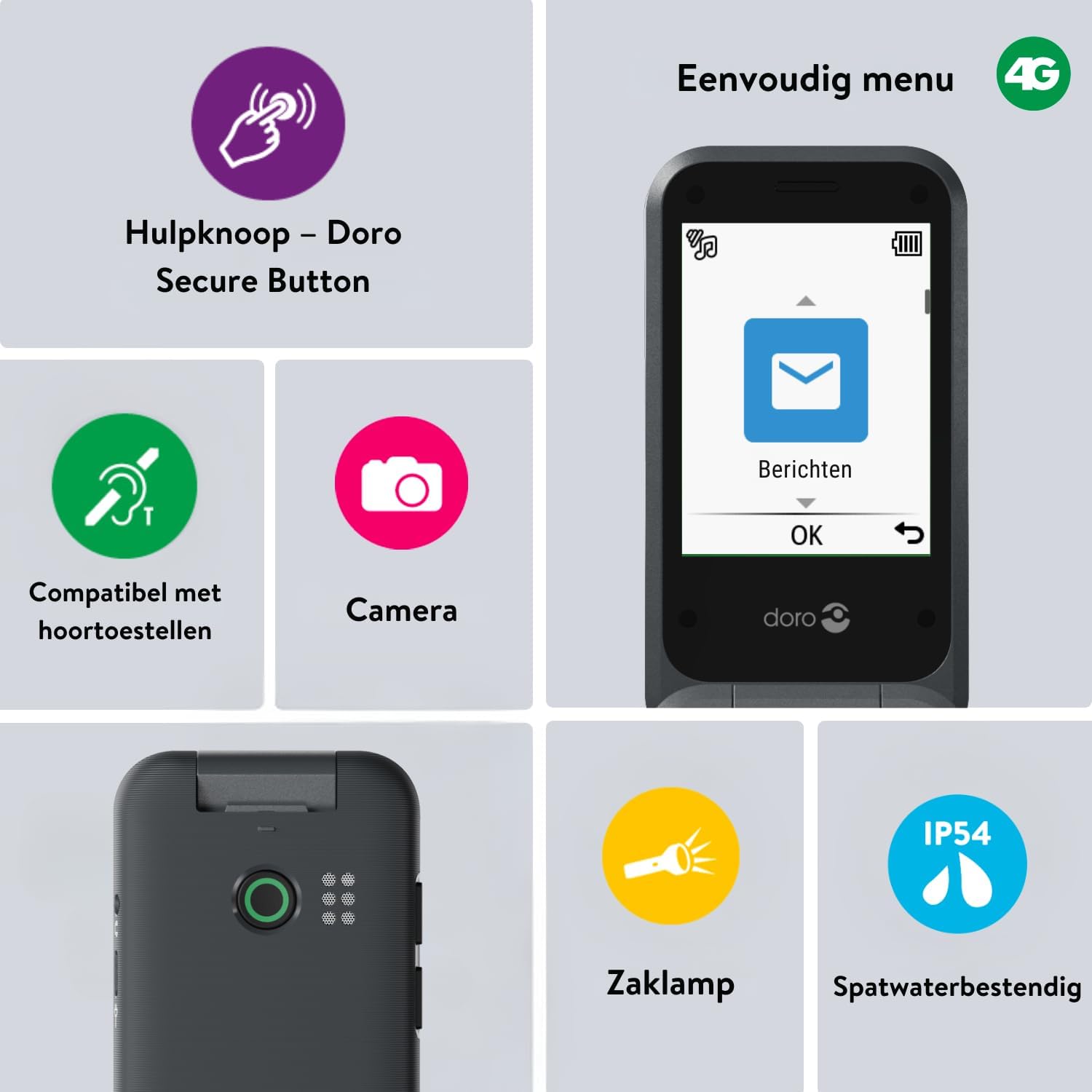
Image 2: The Doro Leva E20's simple menu interface, showing the 'Messages' icon, along with other features like the assistance button, camera, flashlight, and IP54 splash resistance.
3.3. కెమెరా
The Doro Leva E20 includes a basic camera for capturing photos.
- ప్రధాన మెను నుండి, ఎంచుకోండి కెమెరా.
- స్క్రీన్ను ఉపయోగించి మీ షాట్ను ఫ్రేమ్ చేయండి a viewఫైండర్.
- నొక్కండి OK చిత్రాన్ని తీయడానికి బటన్.
3.4. Assistance Button (Doro Secure Button)
The dedicated assistance button is a key safety feature, allowing you to quickly contact pre-set emergency numbers.
- ఏర్పాటు: Refer to the phone's settings menu under 'Assistance' to program emergency contacts.
- సక్రియం చేస్తోంది: Press and hold the assistance button (located on the back of the phone) for a few seconds. The phone will automatically call and send an SMS to your pre-programmed emergency contacts.

Image 3: The Doro Leva E20's Doro Secure Button, designed for quick access to emergency contacts.
3.5. ఫ్లాష్లైట్
To activate the built-in flashlight:
- Locate the flashlight icon or dedicated button (if available) on the phone or in the quick settings menu.
- Press the corresponding key or navigate to the option to turn the flashlight on/off.
3.6. త్వరిత యాక్సెస్ బటన్లు
The Doro Leva E20 features quick access buttons for frequently used functions.
- ఇష్టమైన పరిచయాలు: Assign frequently called numbers to speed dial keys.
- కెమెరా: A dedicated button or menu option for quick camera access.
- సందేశాలు: A dedicated button or menu option for quick message access.

Image 4: The Doro Leva E20 in hand, showcasing the keypad with quick access buttons for favorite contacts, camera, and messages.
4. నిర్వహణ
4.1. పరికరాన్ని శుభ్రపరచడం
మీ ఫోన్ను సరైన స్థితిలో ఉంచడానికి:
- Use a soft, dry, lint-free cloth to clean the screen and body of the phone.
- కఠినమైన రసాయనాలు, శుభ్రపరిచే ద్రావకాలు లేదా బలమైన డిటర్జెంట్లు ఉపయోగించడం మానుకోండి.
- ఫోన్ను అధిక తేమకు గురిచేయవద్దు.
4.2. బ్యాటరీ సంరక్షణ
The Doro Leva E20 is powered by a rechargeable battery. To maximize battery life and performance:
- Charge the phone regularly. Avoid letting the battery drain completely before recharging.
- బ్యాటరీని తీవ్రమైన ఉష్ణోగ్రతలకు బహిర్గతం చేయవద్దు.
- If the phone will not be used for an extended period, charge it to about 50% before storing.
4.3. నీటి నిరోధకత
The Doro Leva E20 has an IP54 rating, meaning it is protected against dust ingress and splashing water from any direction. It is not designed to be submerged in water.
5. ట్రబుల్షూటింగ్
మీ Doro Leva E20 తో మీకు సమస్యలు ఎదురైతే, ఈ క్రింది పరిష్కారాలను ప్రయత్నించండి:
| సమస్య | సాధ్యమైన పరిష్కారం |
|---|---|
| ఫోన్ ఆన్ చేయలేదు | Ensure the battery is charged. Connect the charger and try again. Check if the battery is correctly inserted. |
| కాల్స్ చేయలేరు లేదా స్వీకరించలేరు | Check if the SIM card is correctly inserted. Ensure you have network coverage. Contact your service provider if the issue persists. |
| పేలవమైన ధ్వని నాణ్యత | Adjust the volume. Ensure the speaker/microphone is not blocked. If using a hearing aid, ensure compatibility settings are correct. |
| బ్యాటరీ త్వరగా అయిపోతుంది | Reduce screen brightness. Close unused applications. Limit background data usage. Ensure the phone is not in an area with poor network signal, which can increase battery consumption. |
If these steps do not resolve the issue, please contact Doro customer support.
6. స్పెసిఫికేషన్లు
- మోడల్ పేరు: Leva E20
- ఆపరేటింగ్ సిస్టమ్: Mocor OS
- CPU మోడల్: కార్టెక్స్ A7
- స్క్రీన్ పరిమాణం: 2.8 అంగుళాలు
- రిజల్యూషన్: 320 x 240
- సెల్యులార్ టెక్నాలజీ: 4G
- కనెక్టివిటీ: USB టైప్ C
- మెమరీ స్టోరేజ్ కెపాసిటీ: 17 GB
- రంగు: నలుపు
- నీటి నిరోధకత: IP54 (స్ప్లాష్-రెసిస్టెంట్)
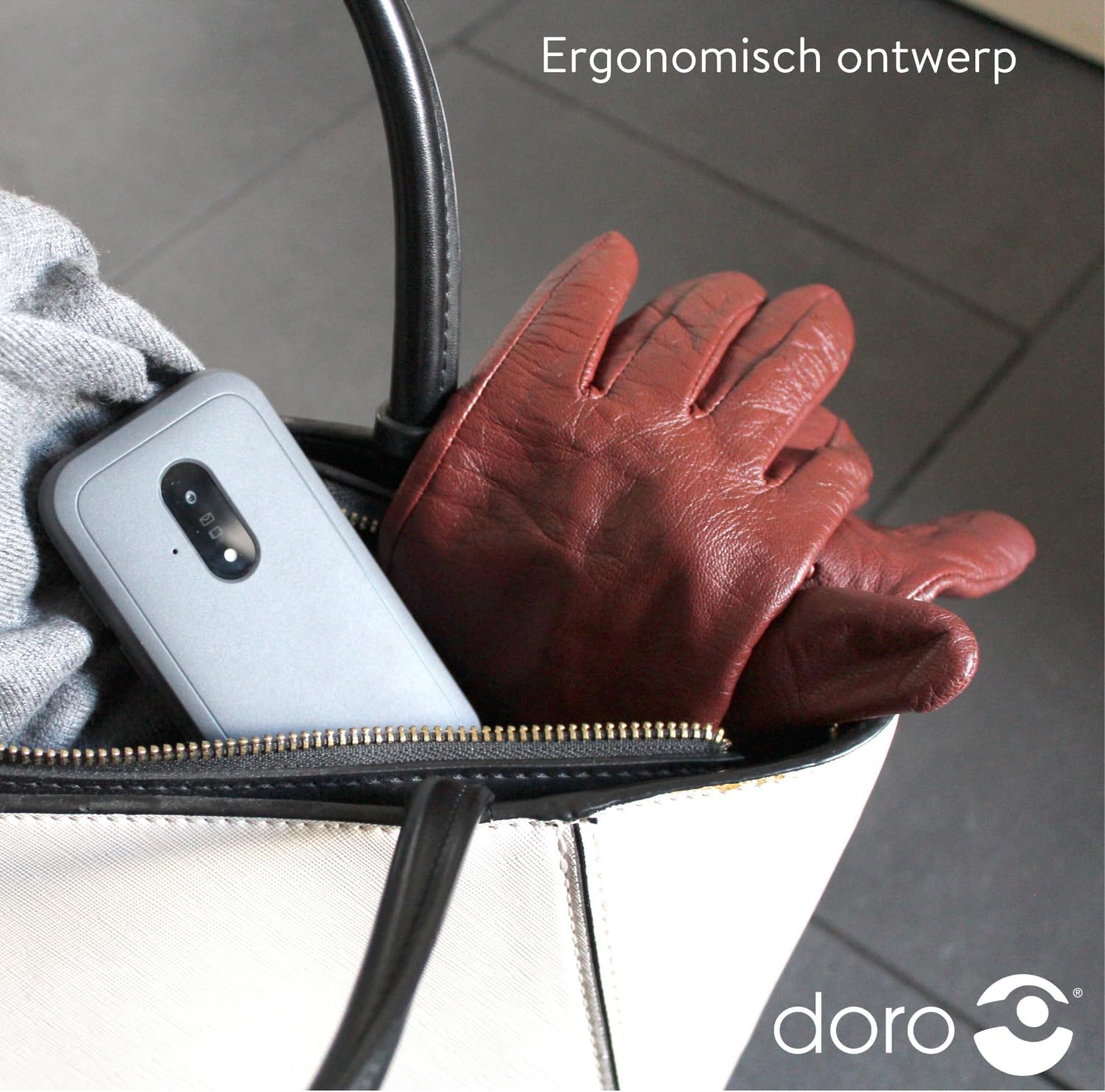
Image 5: The Doro Leva E20's ergonomic design allows for easy portability, fitting comfortably in a bag.
7. వారంటీ మరియు మద్దతు
Your Doro Leva E20 is manufactured by Doro. For specific warranty information, including terms and conditions, please refer to the warranty card included with your product or visit the official Doro website. For technical support, troubleshooting assistance beyond this manual, or service inquiries, please contact Doro customer support directly.
తయారీదారు: డోరో
Webసైట్: www.doro.com (Please check your regional Doro website for local support contact details.)