
పరిచయం
Welcome to your new NINGMEI Desktop PC Computer. This manual provides essential information for setting up, operating, maintaining, and troubleshooting your system. Please read it thoroughly to ensure optimal performance and longevity of your computer.
1. సెటప్ గైడ్
1.1 అన్ప్యాకింగ్
Carefully remove the computer and all accessories from the packaging. Inspect for any visible damage. Retain original packaging for future transport or service.

Image: The NINGMEI Desktop PC Computer, showcasing its internal components and overall design.
1.2 కనెక్ట్ పెరిఫెరల్స్
- మానిటర్: Connect your monitor to the appropriate video output port (HDMI, DisplayPort) on the back of the PC.
- కీబోర్డ్ మరియు మౌస్: మీ కీబోర్డ్ మరియు మౌస్ను అందుబాటులో ఉన్న USB పోర్ట్లకు కనెక్ట్ చేయండి.
- శక్తి: Connect the power cable to the power supply unit (PSU) on the back of the PC and then to a wall outlet.
- నెట్వర్క్: For wired internet, connect an Ethernet cable to the LAN port. For wireless, ensure antennas are connected (if applicable) or connect via Wi-Fi settings in Windows.

చిత్రం: వివరణాత్మకం view of the front panel ports, including USB 3.0, standard USB, microphone, headset, reboot, and power button.
1.3 ప్రారంభ పవర్ ఆన్
Press the power button on the front of the PC. The system will boot into Windows 11 Home. Follow the on-screen instructions for initial setup, including region, language, and user account creation.
2. ఆపరేటింగ్ సూచనలు
2.1 విండోస్ 11 హోమ్
Your NINGMEI PC comes pre-installed with Windows 11 Home 64-bit. Familiarize yourself with the operating system's interface and features.
2.2 Gaming and Multitasking
The AMD Ryzen 7 5700G processor with integrated AMD Radeon Vega Graphics, 16GB DDR4 RAM, and 1TB NVME SSD provides robust performance for gaming and demanding applications. Ensure your graphics drivers are up to date for the best experience.

Image: The NINGMEI Desktop PC in a typical desktop setup, ready for use.
3. నిర్వహణ
3.1 దుమ్ము నిర్వహణ
The NINGMEI Soul Series Case features a removable magnetic dust screen on the top. Regularly clean this screen to prevent dust buildup and maintain optimal airflow. Gently remove the screen and clean it with a soft brush or cloth.

Image: The magnetic dust filter on the top of the PC case, designed for easy removal and cleaning.
3.2 అంతర్గత శుభ్రపరచడం
Periodically, with the PC powered off and unplugged, use compressed air to clean dust from internal components, especially fans and heatsinks, to ensure efficient cooling.

Image: A visual representation of the excellent air duct design within the NINGMEI PC case, illustrating efficient airflow.
3.3 సాఫ్ట్వేర్ నవీకరణలు
Keep your Windows operating system and drivers updated to ensure system stability and security.
4. ట్రబుల్షూటింగ్
4.1 శక్తి లేదు
- Check if the power cable is securely connected to both the PC and the wall outlet.
- Ensure the power switch on the PSU (if present) is in the 'On' position.
- మరొక పరికరంతో గోడ అవుట్లెట్ను పరీక్షించండి.
4.2 డిస్ప్లే లేదు
- Verify that the monitor is powered on and correctly connected to the PC's video output.
- మీ మానిటర్లో సరైన ఇన్పుట్ సోర్స్ ఎంచుకోబడిందని నిర్ధారించుకోండి.
4.3 సిస్టమ్ నెమ్మదించడం
- Check for excessive background applications.
- Ensure sufficient free space on your NVME SSD.
- మాల్వేర్ లేదా వైరస్ల కోసం సిస్టమ్ స్కాన్ చేయండి.
5. సాంకేతిక లక్షణాలు
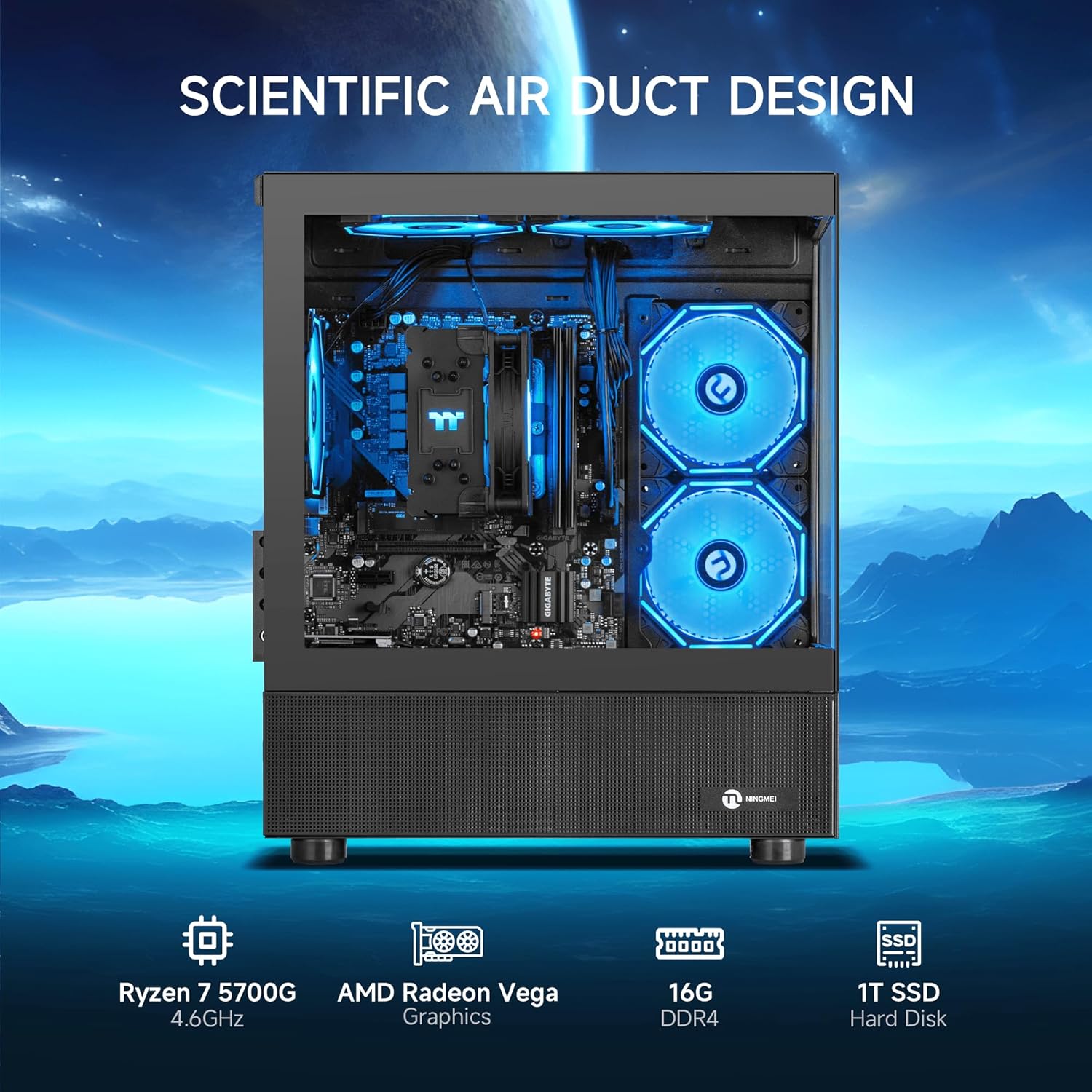
Image: The NINGMEI PC highlighting its core specifications and scientific air duct design.
| ఫీచర్ | స్పెసిఫికేషన్ |
|---|---|
| ప్రాసెసర్ | AMD Ryzen 7 5700G (3.8 GHz, up to 4.6 GHz Max Boost) |
| RAM | 16GB DDR4 3200MHz |
| నిల్వ | 1TB NVME SSD |
| గ్రాఫిక్స్ | AMD Radeon Vega Graphics (Integrated) |
| ఆపరేటింగ్ సిస్టమ్ | Windows 11 హోమ్ 64-బిట్ |
| విద్యుత్ సరఫరా | 550W PSU |
| కేసు రకం | Tower (NINGMEI Soul Series Case) |
| కొలతలు (LxWxH) | 15.74 x 8.26 x 16.65 అంగుళాలు |
| బరువు | 22.3 పౌండ్లు |
| USB 2.0 పోర్ట్లు | 3 |
| USB 3.0 పోర్ట్లు | 3 |
| మెమరీ వేగం | 3200 MHz |
| హార్డ్ డ్రైవ్ ఇంటర్ఫేస్ | PCIE x 4 |
6. వారంటీ మరియు మద్దతు
Your NINGMEI Desktop PC comes with a free one-year warranty. Additionally, free lifetime technical support is provided for any assistance you may require. For support, please refer to the contact information provided with your purchase or visit the official NINGMEI webసైట్.