
పరిచయం
This manual provides essential information for the safe and effective operation of your 4DRC V32 Foam RC Airplane. Please read it thoroughly before first use to ensure proper handling and to maximize your flying experience.
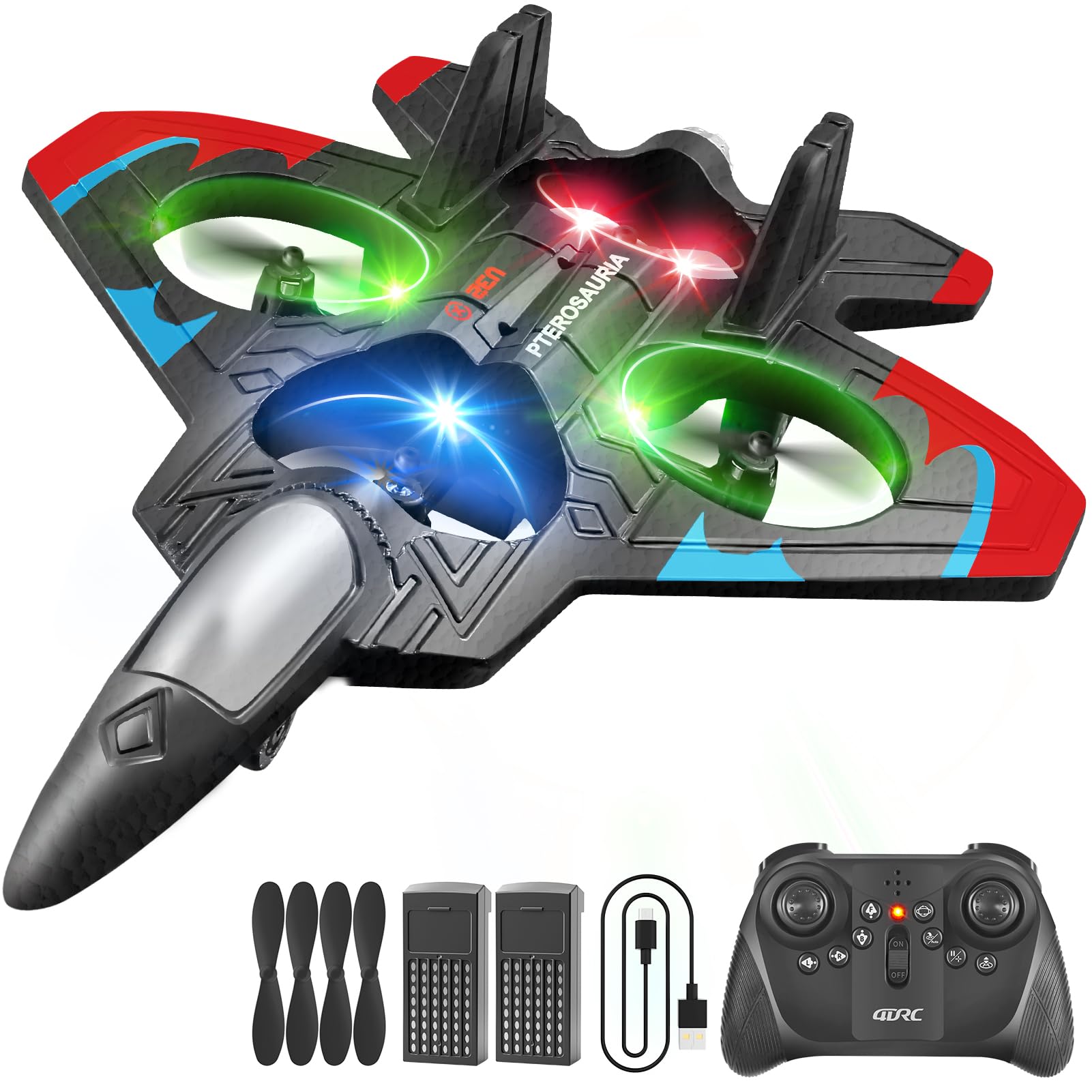
The 4DRC V32 Foam RC Airplane, featuring vibrant LED lights.
కీ ఫీచర్లు
- 360° Flip & Aerial Stunts: Capable of aerobatic rolls, 360-degree circling, and fast take-offs. Includes headless mode, one-key takeoff/landing, altitude hold, and three speed options.
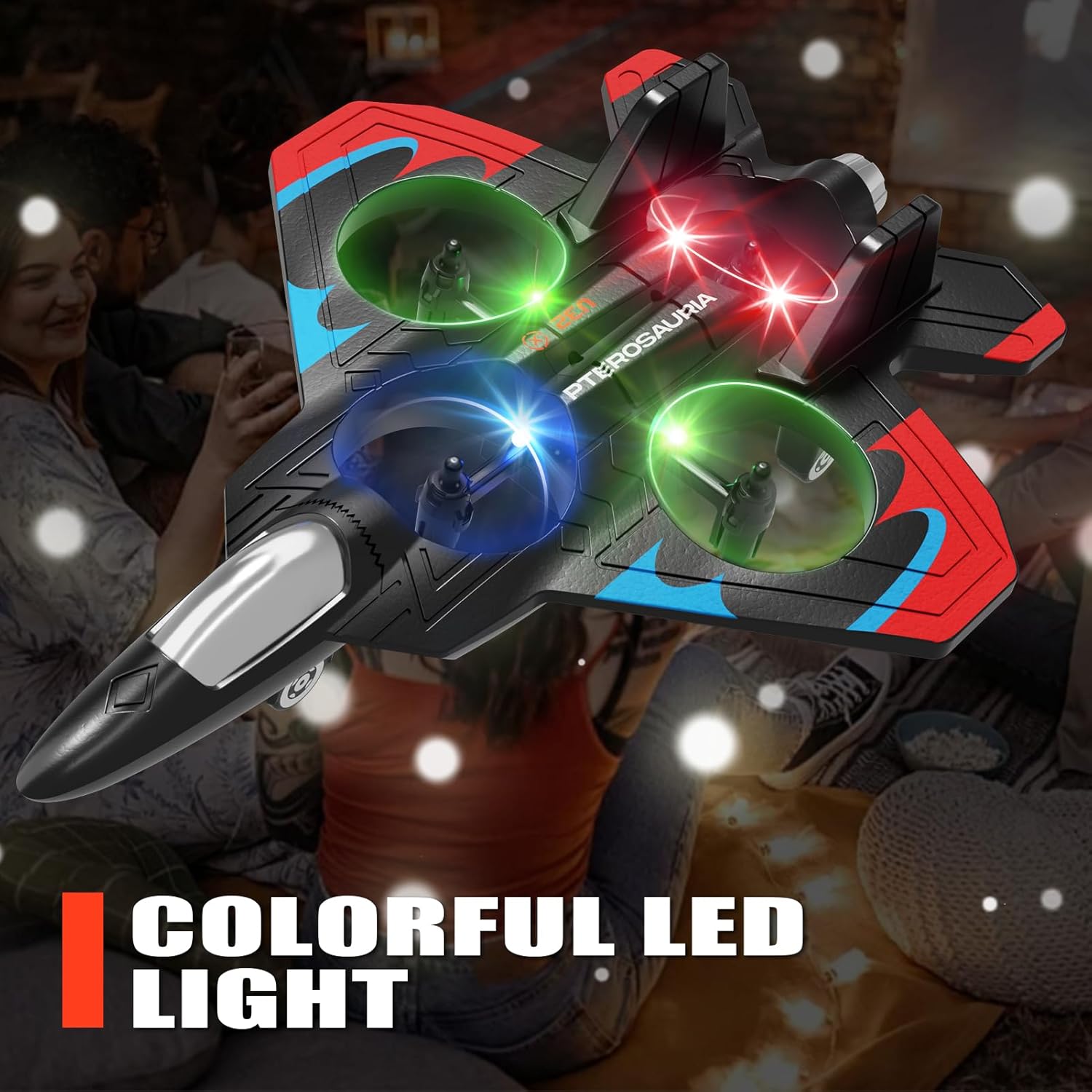
- LED లైటింగ్: Equipped with bright LED lights for enhanced visibility and an engaging visual experience, especially during low-light conditions.
- సులభమైన ఆపరేషన్: No assembly required. Features intuitive controls for one-key takeoff and landing, making it suitable for beginners.
- మన్నికైన నిర్మాణం: Made from soft yet sturdy EPP material with four built-in propellers and a protective structure for enhanced safety and resilience against impacts.
1. సెటప్
1.1 అన్బాక్సింగ్ మరియు కాంపోనెంట్ చెక్
Carefully remove all components from the packaging. Verify that all parts listed in the product packaging are present. The package typically includes the aircraft, remote control, modular batteries, spare propellers, and a USB charger.
The 4DRC V32 RC Airplane and its accessories.
1.2 బ్యాటరీ ఇన్స్టాలేషన్
The 4DRC V32 remote control requires 2 C batteries (included). The aircraft uses a modular battery (included).
- రిమోట్ కంట్రోల్లో బ్యాటరీ కంపార్ట్మెంట్ను తెరవండి.
- Insert the 2 C batteries, ensuring correct polarity.
- బ్యాటరీ కంపార్ట్మెంట్ను మూసివేయండి.
- Insert the modular battery into the aircraft's designated slot until it clicks into place.
1.3 ఎయిర్క్రాఫ్ట్ బ్యాటరీని ఛార్జ్ చేయడం
Use the provided USB charger to charge the aircraft's modular battery. A full charge typically takes approximately 30 minutes and provides about 7 minutes of flight time. Do not overcharge the battery.
1.4 Pairing the Remote Control with the Aircraft
- విమానాన్ని చదునైన, సమతల ఉపరితలంపై ఉంచండి.
- Turn on the aircraft. The LED lights will flash.
- రిమోట్ కంట్రోల్ ఆన్ చేయండి.
- Push the left joystick up and then pull it down. The remote control will beep, and the aircraft's LED lights will become solid, indicating successful pairing.
2. ఆపరేటింగ్ సూచనలు
2.1 ప్రాథమిక విమాన నియంత్రణలు
విమాన ప్రయాణానికి ప్రయత్నించే ముందు రిమోట్ కంట్రోల్ లేఅవుట్ మరియు ఫంక్షన్లతో మిమ్మల్ని మీరు పరిచయం చేసుకోండి.

The 2.4GHz remote control for the 4DRC V32 RC Airplane.
2.2 టేకాఫ్ మరియు ల్యాండింగ్
The aircraft features one-key take-off and one-touch landing for ease of use.
- One-Click Take-off: Press the designated take-off button on the remote control. The aircraft will automatically ascend to a stable hovering height.
- వన్-టచ్ ల్యాండింగ్: Press the designated landing button. The aircraft will slowly descend and land automatically.
This video demonstrates one-click take-off, barometric height setting, powerful four-rotor motor, jettisoning mode, one-click rotation, 360° stunt roll, keyboard spin, and one-touch landing.
2.3 Flight Modes and Stunts
The 4DRC V32 offers various flight modes and stunt capabilities:
- ఎత్తు హోల్డ్: Maintains a stable altitude, making it easier to control.
- హెడ్లెస్ మోడ్: The aircraft's orientation is relative to the pilot, simplifying control regardless of the aircraft's front direction.
- 360° స్టంట్ రోల్: Execute impressive aerial flips by pressing the stunt button and moving the right joystick in the desired direction.
- Keyboard Spin: Perform rapid rotations using the designated button.
- Multi-Gear Speed Switch: Adjust flight speed between low, medium, and high settings to match your skill level and environment.

This image illustrates the aircraft's capabilities including headless mode, stable hovering, and altitude hold.
2.4 తక్కువ బ్యాటరీ హెచ్చరిక
The remote control will emit a beeping sound when the aircraft's battery is low or if it goes out of range, indicating it's time to land and recharge.

This image shows the low battery alert system in action, with the remote control indicating a low battery.
3. నిర్వహణ
3.1 శుభ్రపరచడం
Use a soft, dry cloth to clean the aircraft and remote control. Avoid using water or chemical cleaners, as these can damage electronic components.
3.2 నిల్వ
Store the aircraft and remote control in a cool, dry place away from direct sunlight and extreme temperatures. Remove batteries from the remote control if storing for extended periods to prevent leakage.
3.3 ప్రొపెల్లర్ కేర్
Regularly check propellers for any signs of damage, such as bends or cracks. Replace any damaged propellers immediately to ensure optimal flight performance and safety.
4. ట్రబుల్షూటింగ్
| సమస్య | పరిష్కారం |
|---|---|
| Aircraft does not respond to remote control | Ensure both aircraft and remote control are powered on and successfully paired. Check remote control batteries. |
| చిన్న విమాన సమయం | Ensure the aircraft battery is fully charged. Battery performance may decrease over time; consider replacing if significantly degraded. |
| అస్థిర విమాన ప్రయాణం / కూరుకుపోవడం | Perform a calibration of the aircraft on a flat surface as per the pairing instructions. Check for any damaged propellers or obstructions. |
| ఎల్ఈడీ లైట్లు పనిచేయడం లేదు | Check battery connections. If the problem persists, contact customer support. |
| Remote control beeps continuously | This indicates a low aircraft battery or an out-of-range signal. Land the aircraft and recharge the battery or bring it closer to the remote control. |
5. స్పెసిఫికేషన్లు
- ఉత్పత్తి కొలతలు: 10 x 2 x 8 అంగుళాలు
- వస్తువు బరువు: 9.6 ఔన్సులు
- తయారీదారు సిఫార్సు చేసిన వయస్సు: 8 సంవత్సరాలు మరియు అంతకంటే ఎక్కువ
- రిమోట్ కంట్రోల్ బ్యాటరీలు: 2 C batteries (included)
- తయారీదారు: 4 డిఆర్సి
6. వారంటీ మరియు మద్దతు
For warranty information or technical support, please refer to the contact details provided in your product packaging or visit the official 4DRC website. Keep your purchase receipt for any warranty claims. Do not attempt to repair the product yourself, as this may void the warranty.