1. Getting Started: Unboxing and Components
This section details the contents of your TABWEE T80 package and provides an overview of the tablet's physical features.
1.1 ప్యాకేజీ విషయాలు
క్రింద జాబితా చేయబడిన అన్ని అంశాలు మీ ప్యాకేజీలో ఉన్నాయని నిర్ధారించుకోండి:
- TABWEE T80 Android Tablet
- బ్లూటూత్ కీబోర్డ్
- వైర్లెస్ మౌస్
- స్టైలస్ పెన్
- రక్షణ కేసు
- స్క్రీన్ ప్రొటెక్టర్ (ముందే వర్తింపజేయబడింది లేదా విడిగా)
- టాబ్లెట్ స్టాండ్
- Charger and USB-C Cable

1.2 ఉత్పత్తి ముగిసిందిview
Familiarize yourself with the tablet's buttons, ports, and camera locations.
- ముందు కెమెరా: Located at the top center when held in landscape orientation. (2MP)
- వెనుక కెమెరా: Located on the back panel, typically in the upper left corner. (5MP)
- పవర్ బటన్: Used to turn the tablet on/off or wake/sleep the screen.
- వాల్యూమ్ బటన్లు: Adjust the audio output level.
- USB-C పోర్ట్: ఛార్జింగ్ మరియు డేటా బదిలీ కోసం.
- మైక్రో SD కార్డ్ స్లాట్: For expanding storage up to 2TB.
- స్పీకర్లు: Dual speakers for audio output.
2. సెటప్ సూచనలు
Follow these steps to set up your TABWEE T80 tablet for first-time use.
2.1 ప్రారంభ పవర్ ఆన్ మరియు ప్రాథమిక కాన్ఫిగరేషన్
- టాబ్లెట్ను ఛార్జ్ చేయండి: Connect the provided USB-C cable and charger to the tablet and a power outlet. Allow the tablet to charge for at least 30 minutes before first use.
- పవర్ ఆన్: Press and hold the Power button until the TABWEE logo appears on the screen.
- Language and Region: మీకు నచ్చిన భాష మరియు ప్రాంతాన్ని ఎంచుకోవడానికి స్క్రీన్పై కనిపించే ప్రాంప్ట్లను అనుసరించండి.
- Wi-Fiకి కనెక్ట్ చేయండి: Select your Wi-Fi network from the list and enter the password. A stable internet connection is required for initial setup and updates.
- Google ఖాతా: మీ Google ఖాతాతో సైన్ ఇన్ చేయండి లేదా కొత్తదాన్ని సృష్టించండి. Google Play Store నుండి యాప్లను డౌన్లోడ్ చేసుకోవడానికి ఇది అవసరం.
- తేదీ మరియు సమయం: Confirm the date and time settings.
- భద్రత: భద్రత కోసం స్క్రీన్ లాక్ (పిన్, నమూనా లేదా పాస్వర్డ్)ను సెటప్ చేయండి.
2.2 కనెక్టింగ్ యాక్సెసరీలు
The TABWEE T80 comes with several accessories to enhance its functionality.
- Bluetooth Keyboard and Mouse:
- కీబోర్డ్ మరియు మౌస్ ఛార్జ్ చేయబడి, ఆన్ చేయబడ్డాయని నిర్ధారించుకోండి.
- మీ టాబ్లెట్లో, ఇక్కడికి వెళ్లండి సెట్టింగ్లు > కనెక్ట్ చేయబడిన పరికరాలు > బ్లూటూత్.
- Enable Bluetooth and scan for new devices.
- Select the keyboard and mouse from the list to pair them. Follow any on-screen prompts.
- స్టైలస్ పెన్: The stylus pen can be used directly on the screen for navigation, drawing, or writing. No pairing is typically required for basic capacitive styluses.
- Protective Case and Stand: Attach the protective case to the tablet. The case often includes a foldable stand for hands-free viewing.
3. ఆపరేటింగ్ సూచనలు
This section covers the daily operation of your TABWEE T80 tablet.
3.1 Basic Navigation and Android 15 Features
- హోమ్ స్క్రీన్: Swipe left or right to access different home screens. Tap and hold an empty space to customize widgets, wallpaper, and settings.
- నోటిఫికేషన్లు మరియు త్వరిత సెట్టింగ్లు: స్క్రీన్ పై నుండి క్రిందికి స్వైప్ చేయండి view నోటిఫికేషన్లు మరియు Wi-Fi, బ్లూటూత్ మరియు ప్రకాశం వంటి త్వరిత సెట్టింగ్లను యాక్సెస్ చేయండి.
- యాప్ డ్రాయర్: ఇన్స్టాల్ చేయబడిన అన్ని అప్లికేషన్లను యాక్సెస్ చేయడానికి స్క్రీన్ దిగువ నుండి పైకి స్వైప్ చేయండి.
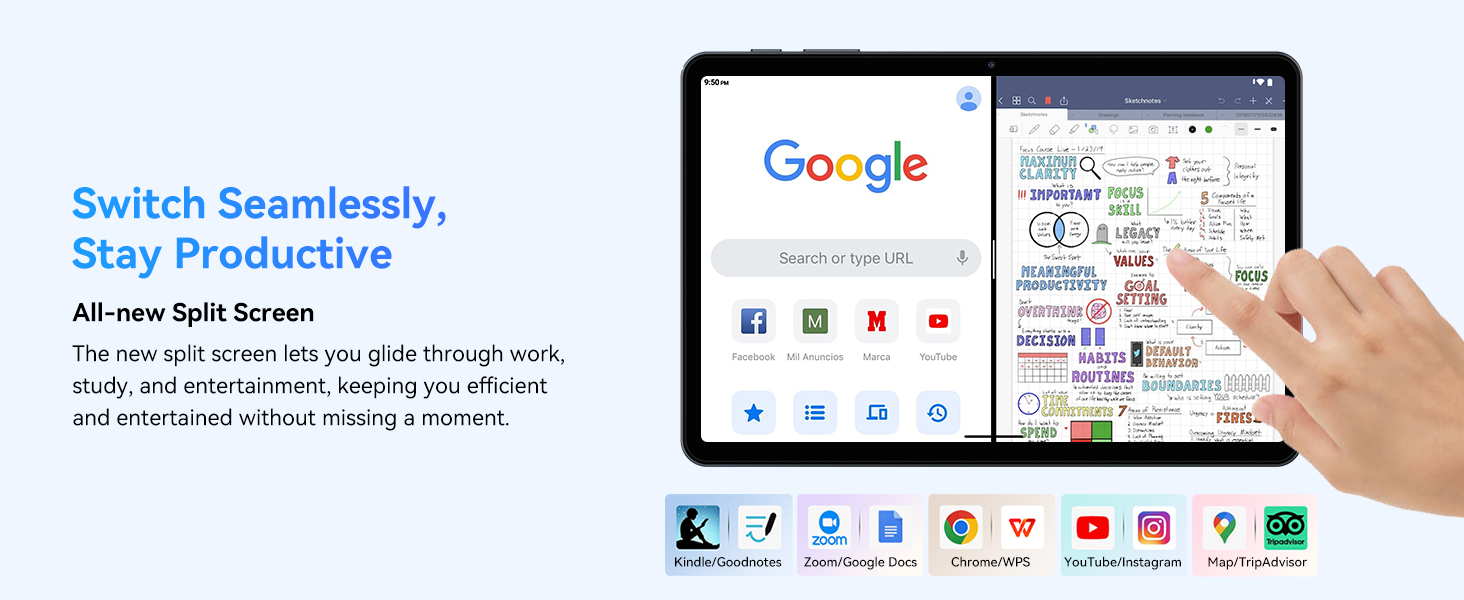
- Multitasking (Split Screen): Android 15 supports enhanced split-screen functionality. To use, open an app, then swipe up from the bottom, hold, and drag another app icon to either side of the screen.
- Gemini AI 2.0: Your tablet integrates Gemini AI 2.0 for enhanced task management, smart chats, text-to-image generation, voice-enabled Q&A, and real-time conversations. Access AI features through compatible apps or dedicated AI interfaces.
- గోప్యత మరియు భద్రత: Android 15 offers improved privacy controls. Review and adjust app permissions in సెట్టింగ్లు > గోప్యత.
3.2 కనెక్టివిటీ
- Wi-Fi: Supports 802.11a/b/g/n/ac for fast 5G Wi-Fi connectivity. Manage Wi-Fi connections in సెట్టింగ్లు > నెట్వర్క్ & ఇంటర్నెట్ > Wi-Fi.
- బ్లూటూత్ 5.0: For connecting wireless headphones, speakers, keyboards, and mice. Manage Bluetooth devices in సెట్టింగ్లు > కనెక్ట్ చేయబడిన పరికరాలు > బ్లూటూత్.
- GPS: The tablet includes GPS functionality for location services and navigation apps.
- OTG (On-The-Go): Supports OTG, allowing you to connect USB devices like flash drives or external hard drives using an appropriate adapter.
3.3 కెమెరా వినియోగం
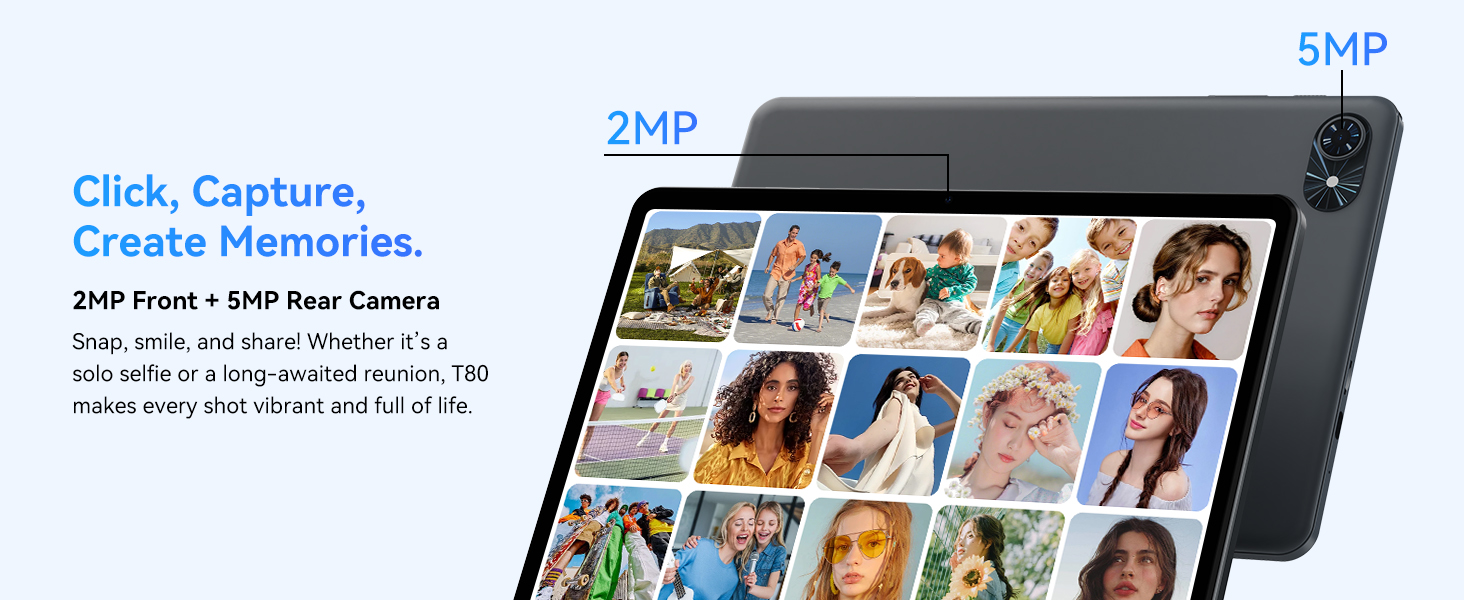
The TABWEE T80 features a 2MP front camera and a 5MP rear camera.
- మీ హోమ్ స్క్రీన్ లేదా యాప్ డ్రాయర్ నుండి కెమెరా యాప్ను తెరవండి.
- ఫోటోలు తీయడానికి షట్టర్ బటన్ను నొక్కండి.
- కెమెరా టోగుల్ చిహ్నాన్ని ఉపయోగించి ముందు మరియు వెనుక కెమెరాల మధ్య మారండి.
- Explore different modes such as video recording or panorama if available.

3.4 నిల్వ మరియు పనితీరు
- RAM: The tablet comes with 6GB of physical RAM, expandable virtually to 18GB for smooth multitasking. Adjust RAM settings in సెట్టింగ్లు అవసరమైతే.
- అంతర్గత నిల్వ: 128GB ROM is provided for apps and files.
- విస్తరించదగిన నిల్వ: A MicroSD card slot allows for storage expansion up to 2TB. Insert a compatible MicroSD card into the designated slot.
- ప్రాసెసర్: Powered by a Quad-Core Unisoc T310 processor (1x A75 2.0GHz, 3x A55 1.8GHz) and GE8300 GPU for efficient performance.
3.5 బ్యాటరీ మరియు ఛార్జింగ్
- బ్యాటరీ కెపాసిటీ: Equipped with a 6000mAh battery, providing over 10 hours of typical usage.
- ఛార్జింగ్: Use the provided 10W fast charger and USB-C cable. Connect the cable to the tablet's USB-C port and the charger to a power outlet.
- బ్యాటరీ ఆప్టిమైజేషన్: Android 15 includes AI Super Power Saving Algorithms to extend battery life. Monitor battery usage in సెట్టింగ్లు > బ్యాటరీ.

3.6 Display and Entertainment
- ప్రదర్శన: 10-inch IPS display with a resolution of 1280 x 800 pixels.
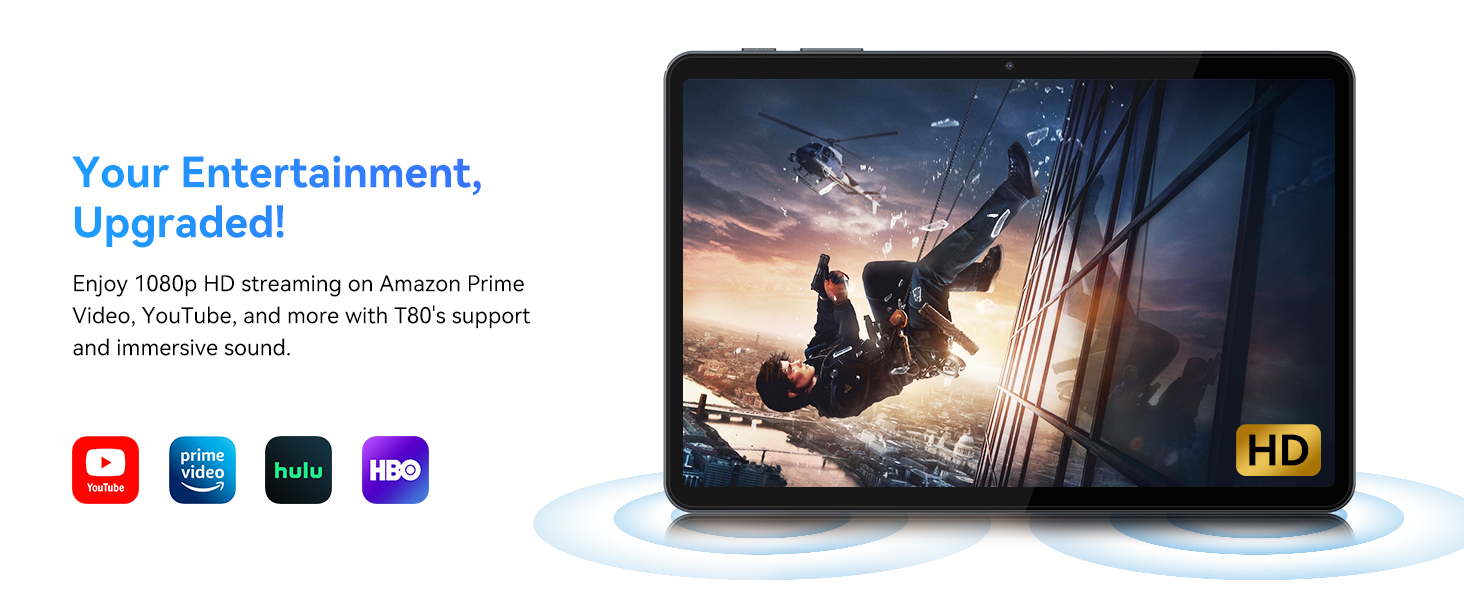
- వీడియో ప్లేబ్యాక్: Supports 1080P video playback for streaming services like Amazon Prime Video, YouTube, Hulu, and HBO.
- ఆడియో: Dual speakers provide clear audio for media consumption.
4. నిర్వహణ
సరైన నిర్వహణ మీ టాబ్లెట్ యొక్క దీర్ఘాయువు మరియు సరైన పనితీరును నిర్ధారిస్తుంది.
4.1 బ్యాటరీ సంరక్షణ
- అధిక ఉష్ణోగ్రతలను నివారించండి, ఎందుకంటే అవి బ్యాటరీ జీవితకాలాన్ని క్షీణింపజేస్తాయి.
- Do not let the battery completely drain frequently. Charge it before it reaches 0%.
- నష్టాన్ని నివారించడానికి అందించిన ఛార్జర్ మరియు కేబుల్ను మాత్రమే ఉపయోగించండి.
4.2 శుభ్రపరచడం
- టాబ్లెట్ స్క్రీన్ మరియు బాడీని శుభ్రం చేయడానికి మృదువైన, మెత్తటి బట్టను ఉపయోగించండి.
- మొండి మచ్చల కోసం, కొద్దిగా dampనీటితో లేదా స్క్రీన్-క్లీనింగ్ ద్రావణంతో వస్త్రాన్ని తుడవండి. కఠినమైన రసాయనాలను నివారించండి.
- అన్ని పోర్టులు దుమ్ము మరియు శిధిలాలు లేకుండా ఉన్నాయని నిర్ధారించుకోండి.
4.3 సాఫ్ట్వేర్ నవీకరణలు
- Regularly check for and install system updates. These updates often include performance improvements, security patches, and new features.
- వెళ్ళండి సెట్టింగ్లు > సిస్టమ్ > సిస్టమ్ అప్డేట్ అందుబాటులో ఉన్న నవీకరణల కోసం తనిఖీ చేయడానికి.
5. ట్రబుల్షూటింగ్
This section addresses common issues you might encounter with your TABWEE T80 tablet.
5.1 టాబ్లెట్ ఆన్ కావడం లేదు
- టాబ్లెట్ తగినంత ఛార్జ్ చేయబడిందని నిర్ధారించుకోండి. దానిని ఛార్జర్కు కనెక్ట్ చేసి, మళ్ళీ ఆన్ చేయడానికి ప్రయత్నించే ముందు కొన్ని నిమిషాలు వేచి ఉండండి.
- Try holding the Power button for 10-15 seconds to force a restart.
5.2 Wi-Fi కనెక్టివిటీ సమస్యలు
- త్వరిత సెట్టింగ్లలో Wi-Fiని ఆఫ్ మరియు ఆన్కి టోగుల్ చేయండి.
- మీ Wi-Fi రూటర్ను పునఃప్రారంభించండి.
- Forget the network in సెట్టింగ్లు > నెట్వర్క్ & ఇంటర్నెట్ > Wi-Fi మరియు మళ్లీ కనెక్ట్ చేయండి.
5.3 నెమ్మది పనితీరు
- అనవసరమైన నేపథ్య అనువర్తనాలను మూసివేయండి.
- Clear cache for frequently used apps in సెట్టింగ్లు > యాప్లు > [యాప్ పేరు] > నిల్వ & కాష్ > కాష్ను క్లియర్ చేయండి.
- Ensure you have sufficient free storage space. Delete old files or move them to expandable storage.
- టాబ్లెట్ను క్రమానుగతంగా పునఃప్రారంభించండి.
5.4 Accessories Not Connecting
- For Bluetooth accessories, ensure they are charged, powered on, and in pairing mode.
- Verify Bluetooth is enabled on the tablet and try re-pairing the device.
- Check the battery level of the accessories.
6. స్పెసిఫికేషన్లు
Detailed technical specifications for the TABWEE T80 Android 15 Tablet.
| ఫీచర్ | స్పెసిఫికేషన్ |
|---|---|
| మోడల్ పేరు | T80(6+128) |
| ఆపరేటింగ్ సిస్టమ్ | ఆండ్రాయిడ్ 15 |
| స్క్రీన్ పరిమాణం | 10 అంగుళాలు |
| గరిష్ట స్క్రీన్ రిజల్యూషన్ | 1280 x 800 పిక్సెల్లు |
| ప్రాసెసర్ | Unisoc T310 Quad-Core (1x A75 2.0GHz, 3x A55 1.8GHz) |
| RAM | 18GB (6GB భౌతిక + 12GB వర్చువల్) |
| ఫ్లాష్ మెమరీ పరిమాణం (ROM) | 128 GB |
| విస్తరించదగిన నిల్వ | మైక్రో SD కార్డ్ ద్వారా 2TB వరకు |
| వైర్లెస్ రకం | 802.11a, 802.11ac, 802.11b, 802.11g, 802.11n (5G WiFi) |
| బ్లూటూత్ | బ్లూటూత్ 5.0 |
| బ్యాటరీ కెపాసిటీ | 6000mAh |
| సగటు బ్యాటరీ జీవితం | 480 Hours (Standby) / 10+ Hours (Usage) |
| ఫ్రంట్ కెమెరా | 2MP |
| వెనుక కెమెరా | 5MP |
| వస్తువు బరువు | 1.1 పౌండ్లు |
| ఉత్పత్తి కొలతలు | 9.5 x 6.3 x 0.3 అంగుళాలు |
| రంగు | సిల్వర్ గ్రే |
7. వారంటీ మరియు మద్దతు
Information regarding your product warranty and how to obtain customer support.
7.1 ఉత్పత్తి వారంటీ
The TABWEE T80 tablet comes with a 2 సంవత్సరాల వారంటీ, covering manufacturing defects and ensuring product reliability. This warranty provides peace of mind and support for your device.
7.2 కస్టమర్ మద్దతు
For any technical assistance, inquiries, or warranty claims, please contact TABWEE customer support:
- ఇమెయిల్: serviceplus.linda@gmail.com
- ఫోన్ (US): +1 (717) 896-6060
- ఫోన్ (UK): +44 7700 156388
- Phone (CA): +1 (587) 841-0500
- ఫోన్ (DE): +49 157 3598 0115
TABWEE offers 24/7 customer support and lifetime technical assistance to ensure you have the best experience with your product.