
1. పరిచయం
The SecuFirst CWL401S.32G is a comprehensive outdoor surveillance camera kit designed for reliable security monitoring. It features a 2K outdoor camera and a 7-inch indoor touchscreen monitor, offering a standalone surveillance solution that operates without requiring an internet connection or smartphone for basic functions. The system includes 32GB of local storage, expandable up to 2TB, and supports remote access via an optional smartphone application when connected to the internet.
2. ప్యాకేజీ విషయాలు
క్రింద జాబితా చేయబడిన అన్ని వస్తువులు మీ ప్యాకేజీలో చేర్చబడ్డాయని దయచేసి ధృవీకరించండి:
- 1 x Outdoor Camera
- 1 x 7-inch Touchscreen Monitor
- 2 x AC Power Adapters (1.8m cable)
- 1 x Power Extension Cable (1.8m)
- 1 x 32GB SD Card (pre-installed in monitor)
- 1 x ఈథర్నెట్ కేబుల్

చిత్రం: పైగాview of the SecuFirst surveillance camera kit components, including the camera, monitor, and accessories.
3. ఉత్పత్తి ముగిసిందిview
3.1. 7-inch Touchscreen Monitor
The monitor serves as the central control unit for your surveillance system. It features a responsive touchscreen for easy navigation and viewing of live and recorded footage.

Image: Detailed diagram of the 7-inch touchscreen monitor, highlighting its various ports and indicators such as the recording indicator, power indicator, monitor microphone, power button, antenna connector, USB jack, speaker, monitor stand, Ethernet port, and SD card slot.
- Monitor Touchscreen: For interactive control and viewing.
- రికార్డింగ్ సూచిక: రికార్డింగ్ యాక్టివ్గా ఉన్నప్పుడు వెలుగుతుంది.
- శక్తి సూచిక: శక్తి స్థితిని చూపుతుంది.
- Monitor Microphone: రెండు-మార్గాల ఆడియో కమ్యూనికేషన్ కోసం.
- పవర్ బటన్: పవర్ ఆన్/ఆఫ్ చేయడానికి 3 సెకన్ల పాటు నొక్కి పట్టుకోండి.
- యాంటెన్నా కనెక్టర్: వైర్లెస్ సిగ్నల్ రిసెప్షన్ కోసం.
- USB జాక్: For external storage or accessories.
- స్పీకర్: ఆడియో అవుట్పుట్ కోసం.
- మానిటర్ స్టాండ్: Integrated for desktop placement.
- Ethernet Connection (Network Jack): For optional internet connectivity.
- SD కార్డ్ స్లాట్: For inserting the 32GB SD card (included) or an expandable card.
3.2. Outdoor Surveillance Camera
The 2K outdoor camera is designed for robust performance in various weather conditions, featuring an IP66 weatherproof metal casing.

Image: Detailed diagram of the outdoor surveillance camera, showing its components such as the power status LED, light sensor, IR LEDs, passive infrared motion sensor, audio speaker, microphone, adjustable camera stand, antenna, and power connections.
- పవర్ స్థితి LED: Indicates camera operational status.
- లైట్ సెన్సార్: ఆటోమేటిక్ డే/నైట్ మోడ్ స్విచింగ్ కోసం యాంబియంట్ లైట్ను గుర్తిస్తుంది.
- IR LED లు: రాత్రి దృష్టి కోసం ఇన్ఫ్రారెడ్ LED లు.
- Passive Infrared Motion Sensor: Detects thermal motion for accurate alerts.
- ఆడియో స్పీకర్: For two-way audio output.
- మైక్రోఫోన్: రెండు-మార్గం ఆడియో ఇన్పుట్ కోసం.
- Adjustable Camera Stand: Allows for flexible mounting and angle adjustment.
- యాంటెన్నా: For wireless signal transmission to the monitor.
- AC పవర్ కేబుల్: పవర్ అడాప్టర్కు కనెక్ట్ చేస్తుంది.
4. సెటప్
4.1. Initial Setup (No Wi-Fi Required)
The SecuFirst system is designed for easy plug-and-play installation. The camera and monitor are pre-paired at the factory, allowing for immediate use without complex network configuration.
- Connect the provided AC power adapters to the camera and the monitor.
- Plug both adapters into power outlets.
- The camera and monitor will automatically connect within seconds. Live video will appear on the monitor.

Image: Illustration showing the SecuFirst system operating without the need for internet or a smartphone, emphasizing its direct wireless connection.
The wireless range in open spaces is approximately 200 meters. This range may be reduced by walls, windows, and other obstructions. Avoid installing the outdoor camera near large metal objects, as this can interfere with the wireless signal.
4.2. కెమెరా సంస్థాపన
The camera is designed for wall mounting with screw-in installation.
- కావలసిన వాతావరణాన్ని అందించే తగిన బహిరంగ ప్రదేశాన్ని ఎంచుకోండి. viewing angle and is within range of the monitor.
- Use the provided screws and anchors to securely mount the camera to a wall or ceiling.
- Adjust the camera stand to achieve the optimal viewing కోణం.
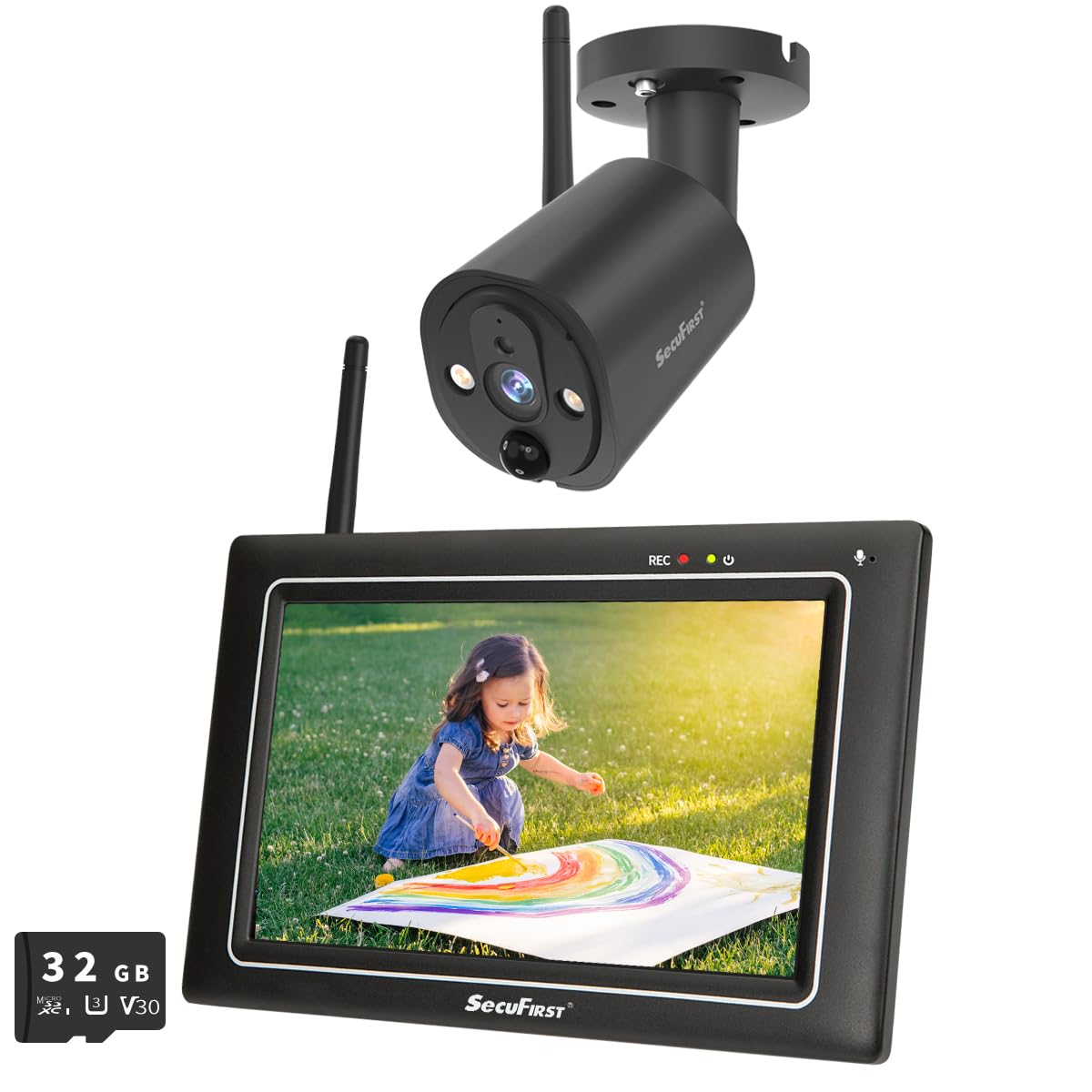
Image: The SecuFirst outdoor camera mounted securely under an eave, demonstrating a typical installation scenario.
4.3. ప్లేస్మెంట్ను పర్యవేక్షించండి
Place the 7-inch touchscreen monitor in a convenient indoor location where you can easily view and interact with it. The integrated stand allows for stable placement on a desk or table.

Image: The SecuFirst monitor placed on a wooden surface indoors, displaying a live feed of a child playing, with a smartphone showing the companion app in the foreground.
5. ఆపరేటింగ్ సూచనలు
5.1. లైవ్ View మరియు రికార్డింగ్
Once powered on, the monitor will automatically display the live feed from the camera. You can navigate through different views if multiple cameras are connected.
- ప్రత్యక్షం View: The 7-inch touchscreen allows you to view live video directly.
- రికార్డింగ్: The system automatically records based on motion detection. Recordings are stored on the included 32GB local memory within the monitor.
- ప్లేబ్యాక్: రికార్డ్ చేసిన fooని యాక్సెస్ చేయండిtage directly from the monitor. The system overwrites the oldest recordings when the memory is full.
- నిల్వ విస్తరణ: The local memory can be expanded with a 128GB SD card or up to 2TB using an external hard drive or USB stick (not included).

Image: The SecuFirst monitor displaying a list of recorded events, with playback controls visible, and an illustration of inserting an SD card for storage expansion.
5.2. టూ-వే ఆడియో
The system supports two-way audio, allowing you to speak through the monitor and hear audio from the camera's location.
- To speak, press and hold the microphone button on the monitor's touchscreen.
- వినడానికి బటన్ను విడుదల చేయండి.

Image: The SecuFirst monitor displaying a live feed with two-way audio controls, alongside a smartphone showing the app interface with similar audio functions.
5.3. Motion Detection and Privacy Masking
The camera features an AI + PIR thermal motion detector for precise event triggering. You can customize detection settings directly from the monitor.
- మోషన్ డిటెక్షన్ జోన్లు: కెమెరాలోని నిర్దిష్ట ప్రాంతాలను నిర్వచించండి view మోషన్ డిటెక్షన్ యాక్టివ్గా ఉండాల్సిన చోట.
- గోప్యతా మాస్కింగ్: Mask out areas of the camera's view to protect privacy. These masked areas will not be recorded or displayed.
- అలారం నోటిఫికేషన్లు: Configure alarm volume on the monitor and push notifications to the app (if connected to internet).

Image: The SecuFirst monitor displaying a live view with a highlighted 'Zone' area, indicating a configured motion detection zone.

Image: The SecuFirst monitor displaying a live view with a 'Privacy' box overlaying a section of the image, demonstrating the privacy masking feature.
5.4. నైట్ విజన్
The camera is equipped with IR LEDs to provide clear night vision, ensuring continuous surveillance even in low-light conditions.

Image: A split image demonstrating the camera's capability, showing a scene in clear color during the day and in black and white with night vision at night.
5.5. Smartphone App (Optional)
For remote access and advanced features, you can connect the monitor to the internet and use the dedicated smartphone application.
- Connect the monitor to your internet router via the Ethernet cable or Wi-Fi.
- Download the "Observer HD+" application from your smartphone's app store.
- Follow the in-app instructions to pair your monitor with the application.
- కనెక్ట్ అయిన తర్వాత, మీరు చేయవచ్చు view live video, listen, talk, and play back recordings from your smartphone or tablet anywhere.

Image: A smartphone displaying the "Observer HD+" app interface, showing options for live view, recorded video playback, and two-way audio, with a live feed of a child playing.
5.6. విస్తరణ సామర్థ్యం
The SecuFirst system is expandable and can support up to four cameras simultaneously, providing comprehensive coverage for your property.

Image: Visual representation of the SecuFirst system's expandability, showing configurations with one, two, and four cameras connected to a single monitor.
6. నిర్వహణ
Regular maintenance ensures optimal performance and longevity of your SecuFirst surveillance system.
- కెమెరా లెన్స్: కెమెరా లెన్స్ను క్రమానుగతంగా మృదువైన, డి-ప్యాక్తో శుభ్రం చేయండి.amp దుమ్ము మరియు ధూళిని తొలగించడానికి వస్త్రం. రాపిడి క్లీనర్లను నివారించండి.
- మానిటర్ స్క్రీన్: Wipe the touchscreen monitor with a microfiber cloth to keep it clean and clear.
- విద్యుత్ కనెక్షన్లు: Ensure all power adapters and cables are securely connected and free from damage.
- నిల్వ: Regularly check the available storage space on the SD card or external drive. Back up important recordings as needed.
7. ట్రబుల్షూటింగ్
If you encounter issues with your SecuFirst system, refer to the following common problems and solutions:
| సమస్య | సాధ్యమైన పరిష్కారం |
|---|---|
| No video on monitor | Ensure both the camera and monitor are powered on. Check power connections. Verify the camera and monitor are within wireless range and are paired. |
| Poor wireless range or signal interference | Reduce obstacles (walls, metal objects) between the camera and monitor. Relocate the camera or monitor to improve line of sight. |
| Smartphone app not connecting | Ensure the monitor is connected to the internet via Ethernet or Wi-Fi. Check your home network connection. Verify correct app pairing steps. |
| Recordings not saving or full storage | Check the 32GB SD card is properly inserted. Verify motion detection settings are configured correctly. Consider expanding storage with a larger SD card or external HDD/USB. |
| రెండు-మార్గం ఆడియో పని చేయడం లేదు | Ensure the microphone and speaker on both the camera and monitor are not obstructed. Check volume settings on the monitor. |
8. స్పెసిఫికేషన్లు
| ఫీచర్ | వివరాలు |
|---|---|
| బ్రాండ్ | SecuFirst |
| మోడల్ సంఖ్య | CWL401S.32G |
| రంగు | నలుపు |
| వీడియో రికార్డింగ్ రిజల్యూషన్ | 2K |
| స్క్రీన్ పరిమాణాన్ని పర్యవేక్షించండి | 7 inches (Touchscreen) |
| స్థానిక నిల్వ | 32GB SD కార్డ్ (చేర్చబడింది) |
| విస్తరించదగిన నిల్వ | Up to 128GB SD card or 2TB external HDD/USB |
| వైర్లెస్ టెక్నాలజీ | Wi-Fi (for camera-monitor connection and optional internet access) |
| Camera Weather Resistance | IP66 (Metal casing) |
| మోషన్ డిటెక్షన్ | AI + PIR Thermal Detector |
| రెండు-మార్గం ఆడియో | అవును |
| నైట్ విజన్ | అవును |
| Max. Cameras Supported | 4 |
| శక్తి మూలం | ఎలక్ట్రిక్ కేబుల్ |
| మౌంటు రకం | Wall Mount (Screw-in) |
| ఉత్పత్తి కొలతలు (L x W x H) | 20 x 14.2 x 7.8 సెం.మీ; 1.58 కిలోగ్రాములు |
9. వారంటీ మరియు మద్దతు
For warranty information, technical assistance, or any product-related inquiries, please contact SecuFirst customer service. Refer to your purchase documentation or the official SecuFirst webనిర్దిష్ట వారంటీ నిబంధనలు మరియు సంప్రదింపు వివరాల కోసం సైట్.
తయారీదారు: ALC ఎలక్ట్రానిక్స్ BV