
పరిచయం
Welcome to the user manual for your Dubstep Buzz X9 Wireless Earbuds. These earbuds are designed to provide a high-quality audio experience with advanced features for both music and gaming. Please read this manual carefully to ensure proper use and maintenance of your device.
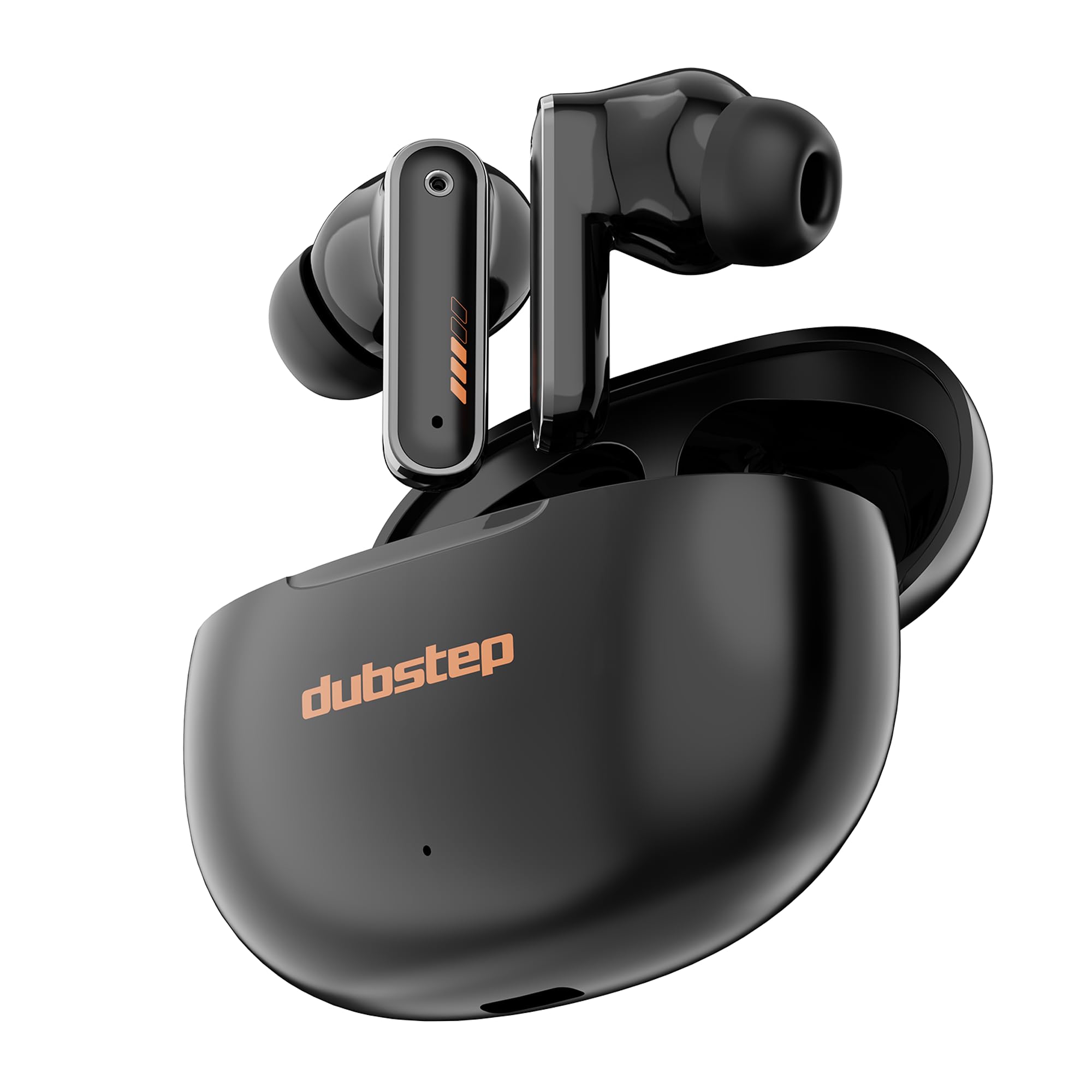
Image: Dubstep Buzz X9 Wireless Earbuds in their charging case, showcasing సొగసైన డిజైన్.
పెట్టెలో ఏముంది
Upon opening your Dubstep Buzz X9 package, you should find the following items:
- Dubstep Buzz X9 Wireless Earbuds
- వైర్లెస్ ఛార్జింగ్ కేస్
- చెవి కుషన్లు (వివిధ పరిమాణాలు)
- టైప్-సి ఛార్జింగ్ కేబుల్
- వినియోగదారు మాన్యువల్ (ఈ పత్రం)

Image: All items included in the Dubstep Buzz X9 retail box: earbuds, charging case, Type-C cable, and ear cushions.
సెటప్ మరియు మొదటి ఉపయోగం
ఇయర్బడ్స్ మరియు కేస్ ఛార్జ్ అవుతోంది
మొదటిసారి ఉపయోగించే ముందు, ఇయర్బడ్లు మరియు ఛార్జింగ్ కేసు రెండింటినీ పూర్తిగా ఛార్జ్ చేయండి.
- ఛార్జింగ్ కేస్లో ఇయర్బడ్లను ఉంచండి.
- టైప్-సి ఛార్జింగ్ కేబుల్ను కేస్లోని ఛార్జింగ్ పోర్ట్కు మరియు పవర్ సోర్స్కి కనెక్ట్ చేయండి.
- The indicator light on the case will show charging status. A full charge typically takes about 1 hour for the case.

Image: The Dubstep Buzz X9 charging case with a Type-C cable connected, illustrating the fast charging capability.
పరికరంతో జత చేయడం
The Buzz X9 earbuds utilize Bluetooth v5.4 for stable and lag-free connectivity.
- ఇయర్బడ్లు ఛార్జ్ అయ్యాయని మరియు ఛార్జింగ్ కేస్ లోపల ఉన్నాయని నిర్ధారించుకోండి.
- ఛార్జింగ్ కేస్ మూతను తెరవండి. ఇయర్బడ్లు ఆటోమేటిక్గా జత చేసే మోడ్లోకి ప్రవేశిస్తాయి.
- మీ పరికరంలో (స్మార్ట్ఫోన్, టాబ్లెట్, ల్యాప్టాప్), బ్లూటూత్ సెట్టింగ్లకు వెళ్లి బ్లూటూత్ను ఆన్ చేయండి.
- కోసం వెతకండి "Dubstep Buzz X9" in the list of available devices and select it to connect.
- కనెక్ట్ చేసిన తర్వాత, మీరు ఆడియో ప్రాంప్ట్ వింటారు మరియు ఇయర్బడ్ల ఇండికేటర్ లైట్లు మారుతాయి.

Image: Dubstep Buzz X9 earbuds demonstrating wireless connectivity with a smartphone, highlighting instant pairing.
ఆపరేటింగ్ సూచనలు
టచ్ కంట్రోల్స్
The Dubstep Buzz X9 earbuds feature intuitive touch controls for easy management of music, calls, and modes.
- Single Tap (R): వాల్యూమ్ అప్ (+)
- Single Tap (L): వాల్యూమ్ డౌన్ (-)
- Double Tap (L/R): సంగీతాన్ని ప్లే/పాజ్ చేయండి
- Triple Tap (R): తదుపరి పాట
- Triple Tap (L): మునుపటి పాట
- లాంగ్ ప్రెస్ (L/R): వాయిస్ అసిస్టెంట్ని యాక్టివేట్ చేయండి
- Four Tap (L/R): Switch between Music Mode / Game Mode
- Single Tap (during call): కాల్ స్వీకరించండి
- Single Tap (during call): కాల్ చేయండి
- Double Tap (during call): కాల్ని తిరస్కరించండి

Image: Detailed diagram illustrating the touch control functions on the Dubstep Buzz X9 earbuds.
Dual Mode Technology (Music/Game)
The Buzz X9 earbuds offer a dual-mode feature, allowing you to switch between optimized audio profiles for music listening and gaming.
- సంగీత మోడ్: Provides a balanced audio experience with rich bass and clear highs, ideal for everyday listening.
- గేమ్ మోడ్: Reduces audio latency to 40ms, ensuring synchronized sound effects and dialogue during gameplay for a competitive edge.
To switch modes, perform a ఫోర్ ట్యాప్ ఇయర్బడ్లో ఏదైనా ఒకటి.

Image: Visual representation of the dual mode feature, transitioning between music and game optimized audio.

Image: The earbuds displayed with a smartphone and game controller, emphasizing the 40ms ultra-low latency for gaming.
లక్షణాలు మరియు సాంకేతికత
ఆడియో నాణ్యత
The Dubstep Buzz X9 earbuds are equipped with 13mm Neodymium Dynamic Drivers మరియు XBass® Technology to deliver deep, resonant bass and crystal-clear audio across the frequency spectrum.

చిత్రం: పేలినది view of the earbud's internal components, highlighting the 13mm dynamic drivers responsible for audio output.
పర్యావరణ శబ్దం రద్దు (ENC)
Integrated ENC microphones enhance call clarity by reducing ambient noise, ensuring your voice is heard clearly during calls.
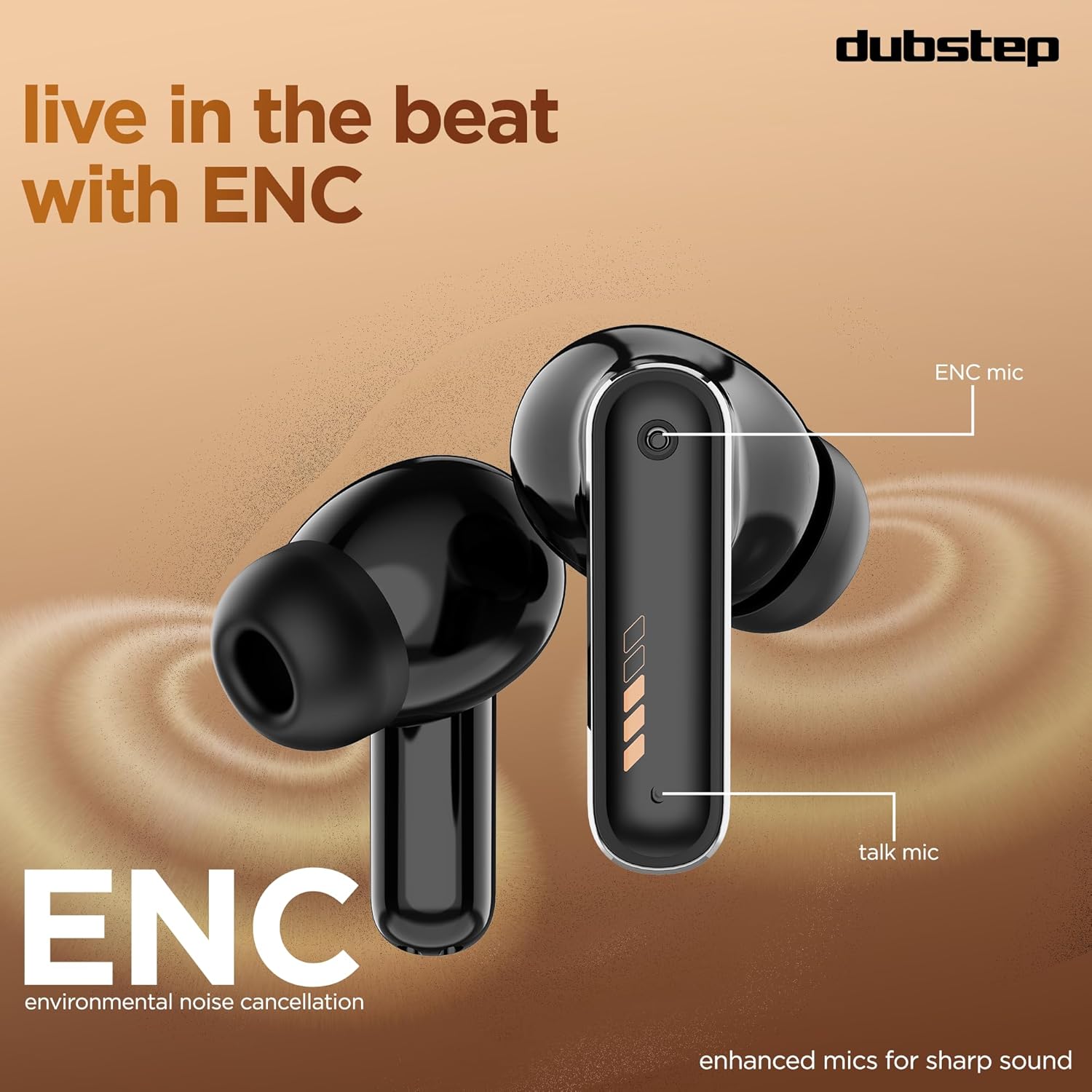
Image: Close-up of the earbud design, pointing out the locations of the ENC mic and talk mic for improved call quality.
పొడిగించిన బ్యాటరీ జీవితం
వరకు ఆనందించండి మొత్తం ఆట సమయం 60 గంటలు with the charging case, with 9 hours of continuous music playback on a single charge. The earbuds also offer an impressive 300 hours of standby time.

Image: The earbuds and case with a graphic indicating 60 hours of total playtime, 9 hours of music playtime, and 300 hours of standby time.
నిర్వహణ మరియు సంరక్షణ
To ensure the longevity and optimal performance of your Dubstep Buzz X9 earbuds, follow these care guidelines:
- శుభ్రపరచడం: ఇయర్బడ్లు మరియు ఛార్జింగ్ కేసును మృదువైన, పొడి వస్త్రంతో క్రమం తప్పకుండా శుభ్రం చేయండి. రాపిడి పదార్థాలు లేదా కఠినమైన రసాయనాలను ఉపయోగించకుండా ఉండండి.
- చెవి కుషన్లు: Remove and clean ear cushions periodically with mild soap and water, then dry thoroughly before reattaching.
- నీటి నిరోధకత: The earbuds feature splash and sweat resistance. However, they are not waterproof. Avoid submerging them in water or exposing them to heavy rain.
- నిల్వ: ఉపయోగంలో లేనప్పుడు, ఇయర్బడ్లను రక్షించడానికి మరియు వాటిని ఛార్జ్లో ఉంచడానికి వాటి ఛార్జింగ్ కేసులో నిల్వ చేయండి.
- ఉష్ణోగ్రత: ఇయర్బడ్లను తీవ్రమైన ఉష్ణోగ్రతలకు (వేడి లేదా చలి) లేదా ప్రత్యక్ష సూర్యకాంతికి ఎక్కువసేపు బహిర్గతం చేయకుండా ఉండండి.

Image: Earbuds with water droplets, illustrating their splash and sweat resistance feature.
ట్రబుల్షూటింగ్
If you encounter any issues with your Dubstep Buzz X9 earbuds, please refer to the following common solutions:
| సమస్య | పరిష్కారం |
|---|---|
| ఇయర్బడ్లు జత చేయడం లేదు | Ensure earbuds are charged. Place them in the case, close the lid, then open it again to re-enter pairing mode. Check your device's Bluetooth settings and try reconnecting. |
| ఒక ఇయర్బడ్ మాత్రమే పని చేస్తోంది | Place both earbuds back into the charging case, close the lid for 5 seconds, then open it. This should reset the connection between them. Re-pair with your device if necessary. |
| తక్కువ వాల్యూమ్ లేదా పేలవమైన ధ్వని నాణ్యత | Check the volume levels on both your device and the earbuds. Ensure ear cushions are properly fitted and clean. Try different sized ear cushions for a better seal. |
| ఛార్జింగ్ సమస్యలు | Verify the Type-C cable is securely connected to both the case and the power source. Ensure the charging port is clean and free of debris. Try a different charging cable or power adapter. |
| టచ్ నియంత్రణలు స్పందించడం లేదు | మీ వేళ్లు శుభ్రంగా మరియు పొడిగా ఉన్నాయని నిర్ధారించుకోండి. ఇయర్బడ్లను కేస్లో ఉంచి, మళ్ళీ బయటకు తీయడం ద్వారా వాటిని రీస్టార్ట్ చేయడానికి ప్రయత్నించండి. |
స్పెసిఫికేషన్లు
| ఫీచర్ | వివరాలు |
|---|---|
| మోడల్ పేరు | Buzz X9 |
| బ్రాండ్ | డబ్స్టెప్ |
| చెవి ప్లేస్మెంట్ | చెవిలో |
| ఫారమ్ ఫ్యాక్టర్ | నిజమైన వైర్లెస్ |
| ఆడియో డ్రైవర్ రకం | డైనమిక్ డ్రైవర్ |
| ఆడియో డ్రైవర్ పరిమాణం | 13 మిల్లీమీటర్లు |
| ఇంపెడెన్స్ | ౪౦ ఓం |
| నాయిస్ కంట్రోల్ | పర్యావరణ శబ్దం రద్దు (ENC) |
| బ్లూటూత్ వెర్షన్ | 5.4 |
| బ్లూటూత్ రేంజ్ | 10 మీటర్ల వరకు |
| ఆడియో లాటెన్సీ | 40 మిల్లీసెకన్లు (గేమ్ మోడ్) |
| బ్యాటరీ లైఫ్ (ఇయర్బడ్స్) | 9 గంటల వరకు (ఒకసారి ఛార్జ్ చేస్తే) |
| బ్యాటరీ లైఫ్ (కేస్ తో) | 60 గంటల వరకు |
| స్టాండ్బై సమయం | 300 గంటలు |
| ఛార్జింగ్ సమయం (కేస్) | సుమారు 1 గంట |
| ఛార్జింగ్ పోర్ట్ | టైప్-సి |
| నియంత్రణ రకం | టచ్ కంట్రోల్ |
| మెటీరియల్ | యాక్రిలోనిట్రైల్ బుటాడిన్ స్టైరీన్ (ABS) |
| అనుకూల పరికరాలు | సెల్ఫోన్లు, టాబ్లెట్లు, ల్యాప్టాప్లు |
| ఉత్పత్తి బరువు | 40 గ్రాములు |
| మూలం దేశం | చైనా |
వారంటీ మరియు మద్దతు
Your Dubstep Buzz X9 Wireless Earbuds come with a 6 నెలల వారంటీ.
To avail warranty or for any support inquiries, please contact the brand directly:
- ఫోన్ నంబర్: +918826257630
- ఇమెయిల్ ID: hello@Dubstepworld.com
- Online User Manuals: For additional resources, visit www.dubstepworld.com/pages/user-manuals
ఉత్పత్తి వీడియో ముగిసిందిview
Video: An official product highlight video for the Dubstep Buzz X9 Wireless Earbuds, showcasing key features like playtime, drivers, XBass technology, ENC mics, and Type-C fast charging.