
ఉత్పత్తి ముగిసిందిview
The NICGIGA GS0822P is a high-performance 12-port Gigabit Unmanaged PoE+ Switch designed for reliable network expansion. It features 8 Power over Ethernet Plus (PoE+) ports, 2 Gigabit uplink ports, and 2 SFP ports, providing flexible connectivity for various network devices.
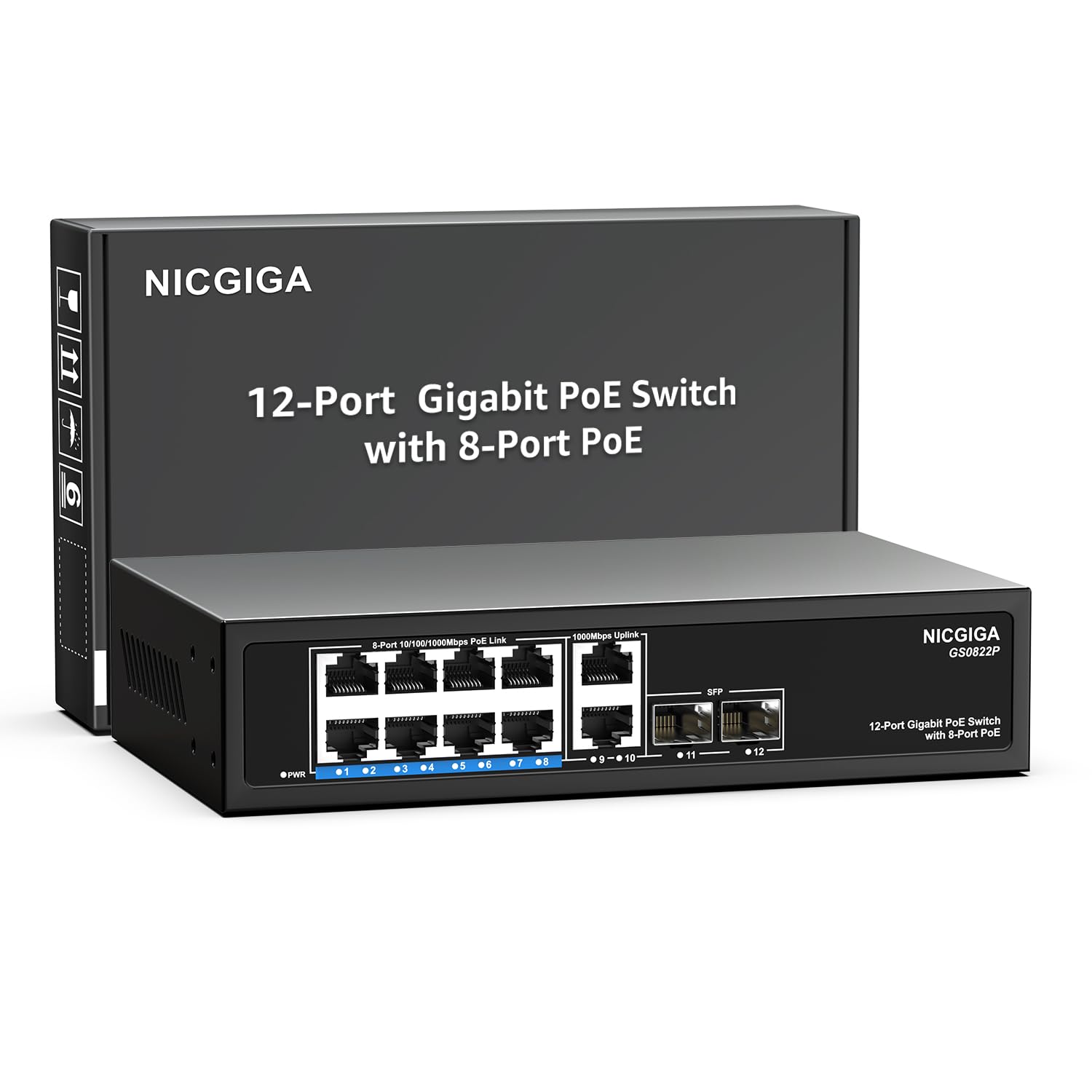
చిత్రం: ముందు మరియు వెనుక view of the NICGIGA GS0822P switch, highlighting the 8 PoE+ ports (1-8), 2 Gigabit uplink ports (9-10), and 2 SFP ports (11-12), along with the built-in 120W power supply.
This switch supports IEEE 802.3af/at standards, delivering up to 30W per PoE+ port with a total power budget of 120W, making it ideal for powering IP cameras, IP phones, and wireless access points. Its unmanaged plug-and-play design ensures easy installation without complex configuration.

Image: Visual representation of key features including fanless design for silent operation, 24Gbps switching capacity for high data throughput, 4KV lightning protection for enhanced durability, and plug-and-play functionality for easy setup.
ప్యాకేజీ విషయాలు
క్రింద జాబితా చేయబడిన అన్ని వస్తువులు మీ ప్యాకేజీలో చేర్చబడ్డాయని దయచేసి ధృవీకరించండి. ఏవైనా వస్తువులు తప్పిపోయినా లేదా దెబ్బతిన్నా, దయచేసి కస్టమర్ మద్దతును సంప్రదించండి.
- NICGIGA GS0822P PoE Switch
- పవర్ అడాప్టర్
- త్వరిత ప్రారంభ గైడ్
- Mounting Screws (for wall-mount option)

Image: The NICGIGA GS0822P switch, its power adapter, quick start guide, and a pack of screws, laid out next to the product packaging box.
సెటప్ సూచనలు
Follow these steps to set up your NICGIGA GS0822P PoE+ Switch:
- స్విచ్ను అన్ప్యాక్ చేయండి: ప్యాకేజింగ్ నుండి స్విచ్ మరియు అన్ని ఉపకరణాలను జాగ్రత్తగా తీసివేయండి.
- ప్లేస్మెంట్: Place the switch on a stable, flat surface (desktop) or mount it to a wall using the provided screws. Ensure adequate ventilation around the device.
- పవర్ కనెక్ట్ చేయండి: Connect the power adapter to the switch's power input port and then plug the adapter into a standard AC power outlet (100-240V). The power LED indicator on the switch should illuminate.
- Connect Uplink Devices: Connect your router, NVR, or other network backbone devices to the uplink ports (ports 9-10) using standard Ethernet cables. Alternatively, use SFP modules in ports 11-12 for fiber optic connections to compatible SFP devices.
- Connect PoE Devices: Connect your PoE-compatible devices (e.g., IP cameras, IP phones, wireless APs) to the PoE+ ports (ports 1-8) using Ethernet cables. The switch will automatically detect and power these devices.
- Connect Non-PoE Devices: For non-PoE network devices (e.g., computers, printers), connect them to any of the available PoE+ ports (1-8) or uplink ports (9-10). The switch will provide data connectivity without power.

చిత్రం: ఒక మాజీample setup showing the NICGIGA GS0822P switch connected to a laptop, an IP camera, and a wireless access point, demonstrating typical network integration.
ఆపరేటింగ్ సూచనలు
The NICGIGA GS0822P is an unmanaged switch, meaning it operates automatically without requiring any software configuration. Once connected, it will begin functioning immediately.
PoE+ Functionality
- The 8 PoE+ ports (1-8) automatically detect and supply power to IEEE 802.3af/at compliant Powered Devices (PDs).
- Each PoE+ port can deliver up to 30W of power. The total PoE power budget for the switch is 120W.
- ముఖ్యమైన: This switch supports 48V PoE. It does కాదు support 12V or 24V passive PoE. Connecting incompatible devices may cause damage.
Uplink and SFP Ports
- The 2 Gigabit uplink ports (9-10) are standard RJ45 ports for connecting to routers, other switches, or network backbone devices.
- The 2 SFP ports (11-12) allow for fiber optic connections, extending network reach and providing higher bandwidth. Use compatible SFP modules (not included) for these ports.
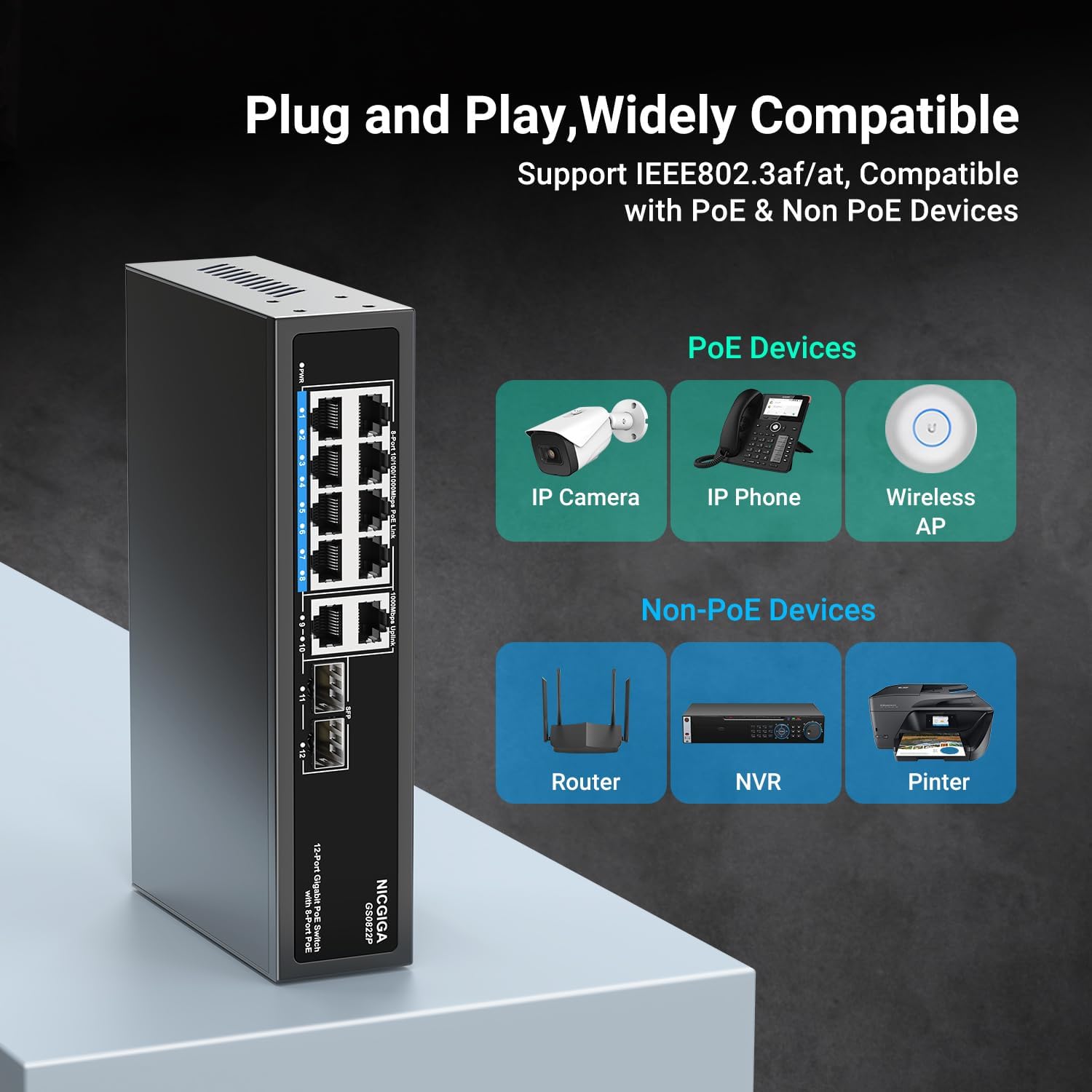
Image: Diagram illustrating the NICGIGA GS0822P switch's compatibility with various devices, categorizing them into PoE devices (IP Camera, IP Phone, Wireless AP) and Non-PoE devices (Router, NVR, Printer).
నిర్వహణ
To ensure optimal performance and longevity of your NICGIGA GS0822P switch, follow these maintenance guidelines:
- వెంటిలేషన్: Ensure the switch is placed in a well-ventilated area. Although it features a fanless design and metal casing for efficient heat dissipation, avoid obstructing the ventilation holes.
- శుభ్రపరచడం: స్విచ్ యొక్క బాహ్య భాగాన్ని మెత్తటి, పొడి గుడ్డతో కాలానుగుణంగా శుభ్రం చేయండి. ద్రవ లేదా ఏరోసోల్ క్లీనర్లను ఉపయోగించవద్దు.
- పవర్ సైకిల్: స్విచ్లో సమస్యలు ఎదురైతే, ఒక సాధారణ పవర్ సైకిల్ (పవర్ అడాప్టర్ను అన్ప్లగ్ చేయడం మరియు తిరిగి ప్లగ్ చేయడం) తరచుగా చిన్న సమస్యలను పరిష్కరించగలదు.
- కేబుల్ నిర్వహణ: సిగ్నల్ క్షీణతను నివారించడానికి నెట్వర్క్ కేబుల్లను క్రమబద్ధంగా ఉంచండి మరియు కింక్స్ లేదా అధిక వంపులు లేకుండా ఉంచండి.
- పర్యావరణ పరిస్థితులు: Operate the switch within its specified temperature and humidity ranges to prevent damage.
ట్రబుల్షూటింగ్
If you encounter issues with your NICGIGA GS0822P switch, refer to the following common troubleshooting steps:
- శక్తి లేదు:
- Check if the power adapter is securely connected to both the switch and the power outlet.
- పవర్ అవుట్లెట్ పని చేస్తుందో లేదో తనిఖీ చేయండి.
- నెట్వర్క్ కనెక్టివిటీ లేదు:
- Ensure all Ethernet cables are properly connected to both the switch and the devices.
- Check the link/activity LEDs on the switch ports; they should be lit or blinking for active connections.
- Test with different Ethernet cables to rule out cable faults.
- Verify that the connected devices (router, PC, etc.) are functioning correctly.
- PoE పరికరం శక్తిని అందుకోవడం లేదు:
- Confirm that the device is IEEE 802.3af/at compliant. This switch does not support 12V/24V PoE.
- నిర్దిష్ట పోర్ట్ కోసం PoE స్థితి LED ని తనిఖీ చేయండి.
- Ensure the total PoE power budget of 120W is not exceeded by all connected PoE devices.
- Try connecting the PoE device to a different PoE+ port.
- SFP Port Issues:
- Ensure the SFP module is correctly inserted and compatible with the switch.
- Verify the fiber optic cable is properly connected and undamaged.
- Check the link status on both ends of the SFP connection.
- నెమ్మదించిన నెట్వర్క్ వేగం:
- సరైన పనితీరు కోసం కనెక్ట్ చేయబడిన అన్ని పరికరాలు మరియు కేబుల్లు గిగాబిట్ ఈథర్నెట్కు మద్దతు ఇస్తున్నాయని నిర్ధారించుకోండి.
- అధిక నెట్వర్క్ ట్రాఫిక్ లేదా లూప్ల కోసం తనిఖీ చేయండి.
If problems persist after trying these steps, please contact NICGIGA technical support for further assistance.
స్పెసిఫికేషన్లు
| ఫీచర్ | వివరణ |
|---|---|
| మోడల్ సంఖ్య | GS0822P (12 Port Gigabit | 8x PoE+ 120W + 4x Uplink) |
| బ్రాండ్ | NICGIGA |
| పోర్టుల సంఖ్య | 12 (8x PoE+ RJ45, 2x Gigabit Uplink RJ45, 2x 1G SFP) |
| పోఇ ప్రమాణం | IEEE 802.3af/at (48V) |
| పోర్ట్కు PoE పవర్ | 30W వరకు |
| మొత్తం PoE పవర్ బడ్జెట్ | 120W |
| డేటా బదిలీ రేటు | 1 Gigabit per second (10/100/1000Mbps) |
| స్విచింగ్ కెపాసిటీ | 24 Gbps |
| ఇంటర్ఫేస్ రకం | RJ45, SFP |
| అనుకూల పరికరాలు | IP Camera, Computer, Wireless Access Point, IP Phone |
| మెరుపు రక్షణ | 4KV |
| డిజైన్ | Fanless, Metal Casing |
| సంస్థాపన | డెస్క్టాప్, వాల్-మౌంట్ |
| రంగు | నలుపు |
| వస్తువు బరువు | 1.02 కిలోలు |
| UPC | 790885828935 |
వారంటీ మరియు మద్దతు
NICGIGA stands behind the quality and performance of its products. The GS0822P PoE+ Switch comes with a ఒక సంవత్సరం వారంటీ కొనుగోలు చేసిన తేదీ నుండి.
Additionally, NICGIGA provides జీవితకాల సాంకేతిక మద్దతు for this product. If you encounter any issues, have questions about installation, or require assistance with troubleshooting, please do not hesitate to contact our support team.
For warranty claims or technical assistance, please visit the official NICGIGA webసైట్లో లేదా మీ త్వరిత ప్రారంభ మార్గదర్శినిలో అందించిన సంప్రదింపు సమాచారాన్ని చూడండి.