1. పరిచయం
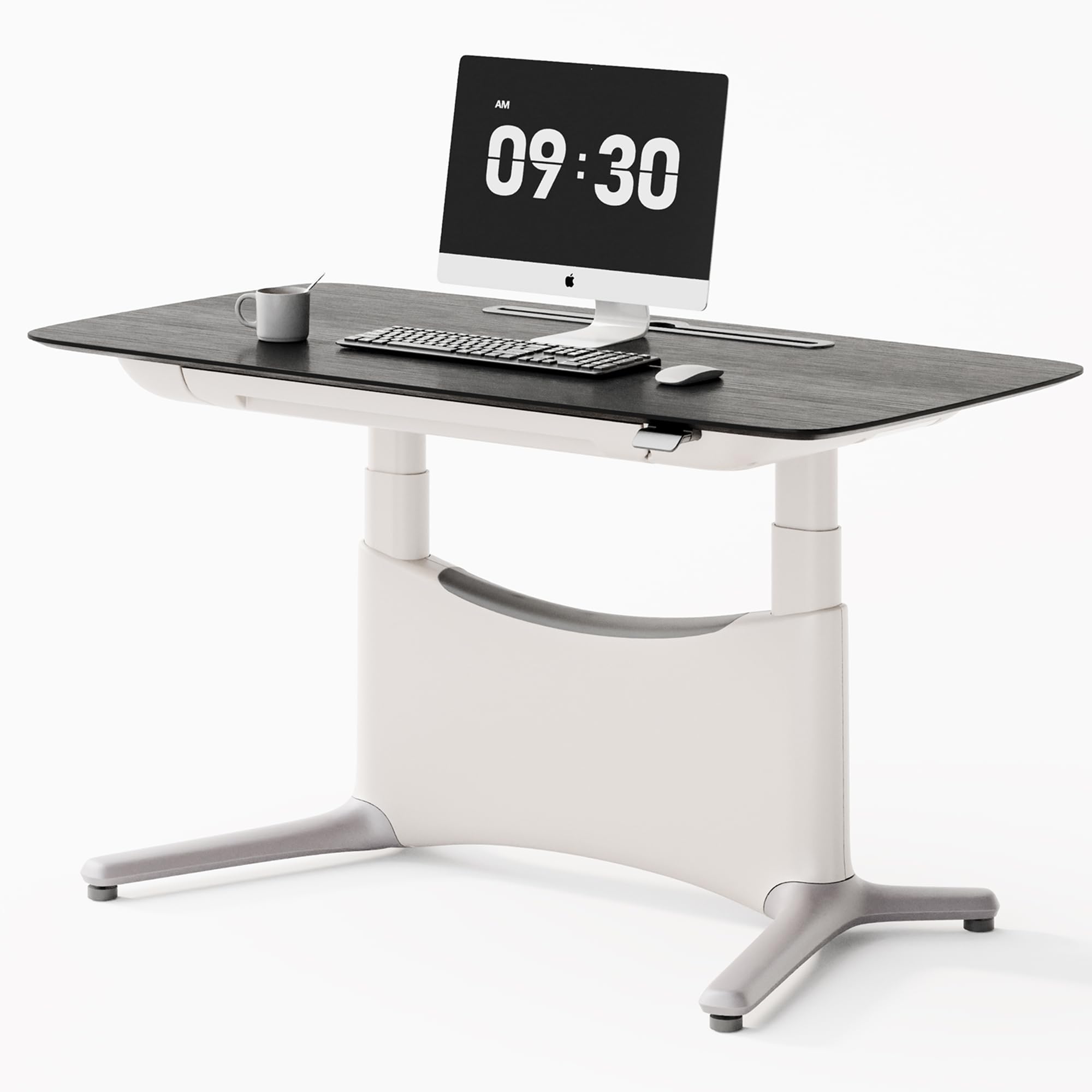
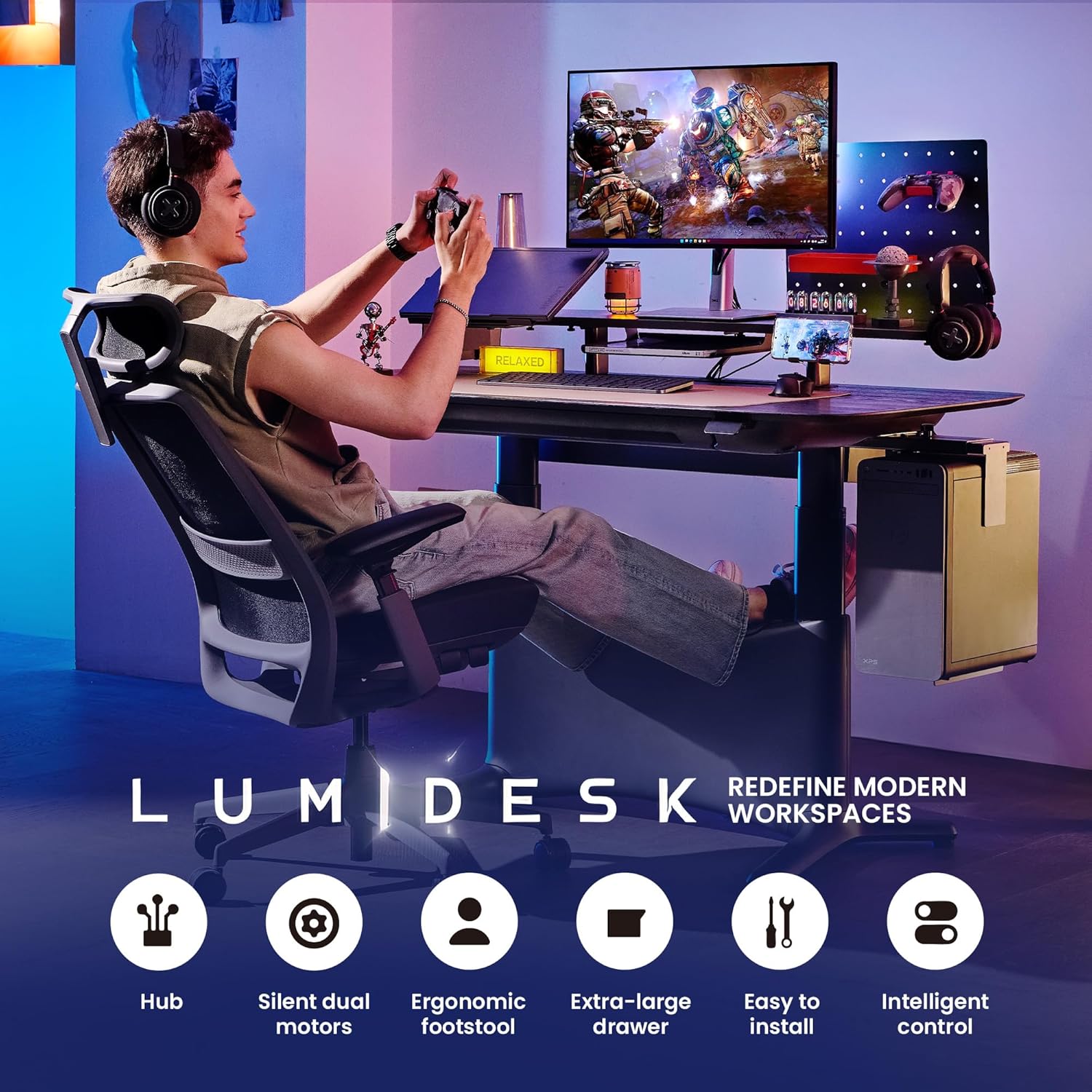
This manual provides detailed instructions for the assembly, operation, and maintenance of your COLAMY LumiDesk Electric Standing Desk. Please read this manual thoroughly before use to ensure proper function and safety. This desk is designed to enhance your workspace with its adjustable height, integrated features, and robust construction.
2. భద్రతా సమాచారం
సురక్షితమైన ఆపరేషన్ను నిర్ధారించడానికి మరియు నష్టాన్ని నివారించడానికి, దయచేసి ఈ క్రింది భద్రతా మార్గదర్శకాలను గమనించండి:
- Always ensure the desk is not overloaded. The maximum weight capacity is 175 lbs (80 kg).
- For assembly, it is recommended to have an extra pair of hands for safety due to the desk's weight and size.
- ప్రమాదాలను నివారించడానికి ఆపరేషన్ సమయంలో పిల్లలు మరియు పెంపుడు జంతువులను డెస్క్ నుండి దూరంగా ఉంచండి.
- Ensure no obstacles are in the path of the desk's movement (up or down) to prevent damage to the desk or surrounding objects, or personal injury.
- డెస్క్ మీద కూర్చోవద్దు లేదా నిలబడవద్దు.
- అందించిన పవర్ అడాప్టర్ను మాత్రమే ఉపయోగించండి మరియు అది గ్రౌండెడ్ అవుట్లెట్కి కనెక్ట్ చేయబడిందని నిర్ధారించుకోండి.
- కంట్రోల్ ప్యానెల్ లేదా ఎలక్ట్రికల్ భాగాలపై ద్రవాలు చిందకుండా ఉండండి.
3. ప్యాకేజీ విషయాలు
Your COLAMY LumiDesk Electric Standing Desk package includes the following components:
- Desktop (one-piece FSC MFC desktop with veneer finish)
- Industrial-grade carbon steel frame (122 lbs)
- Dual motor system
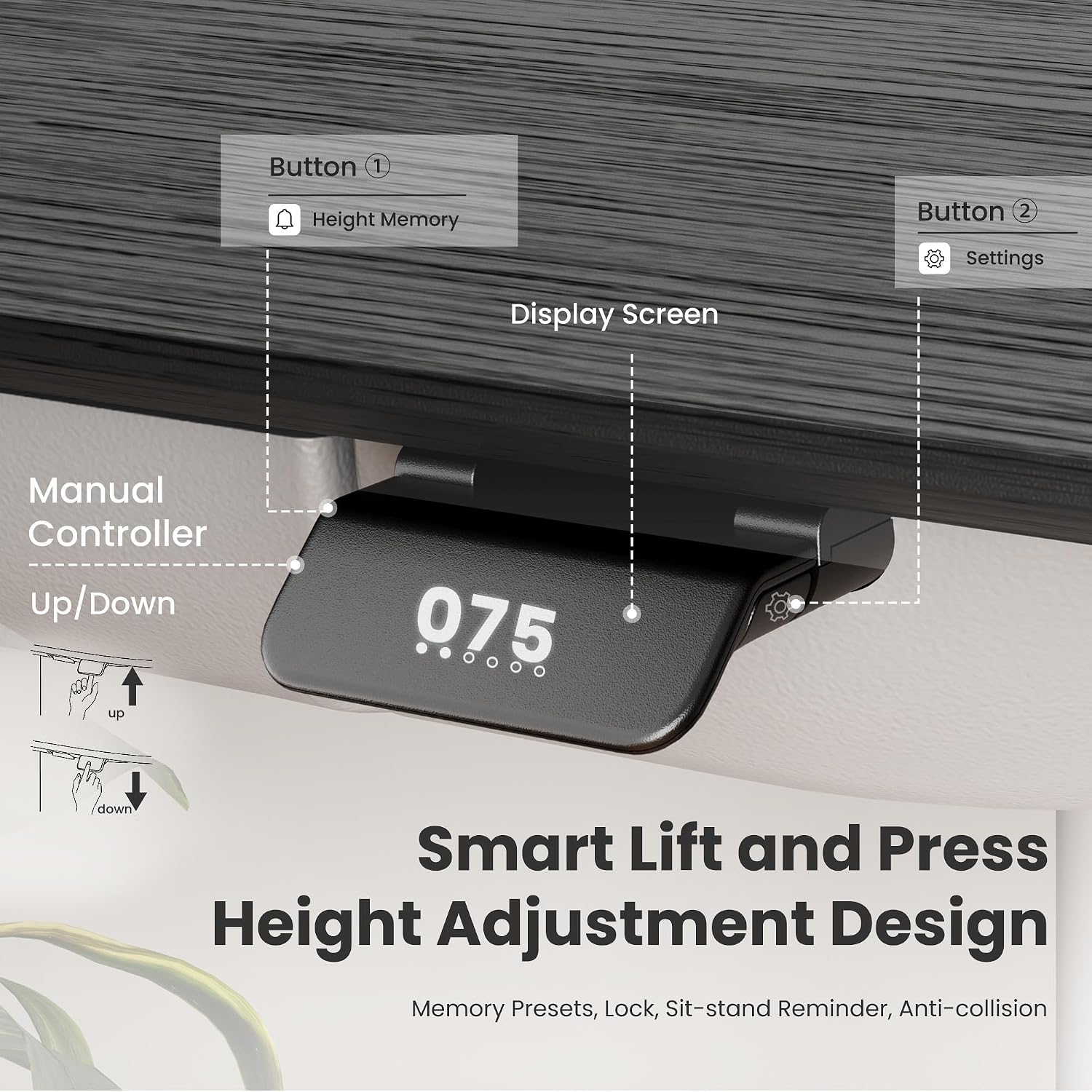
- Control panel with digital display and memory settings
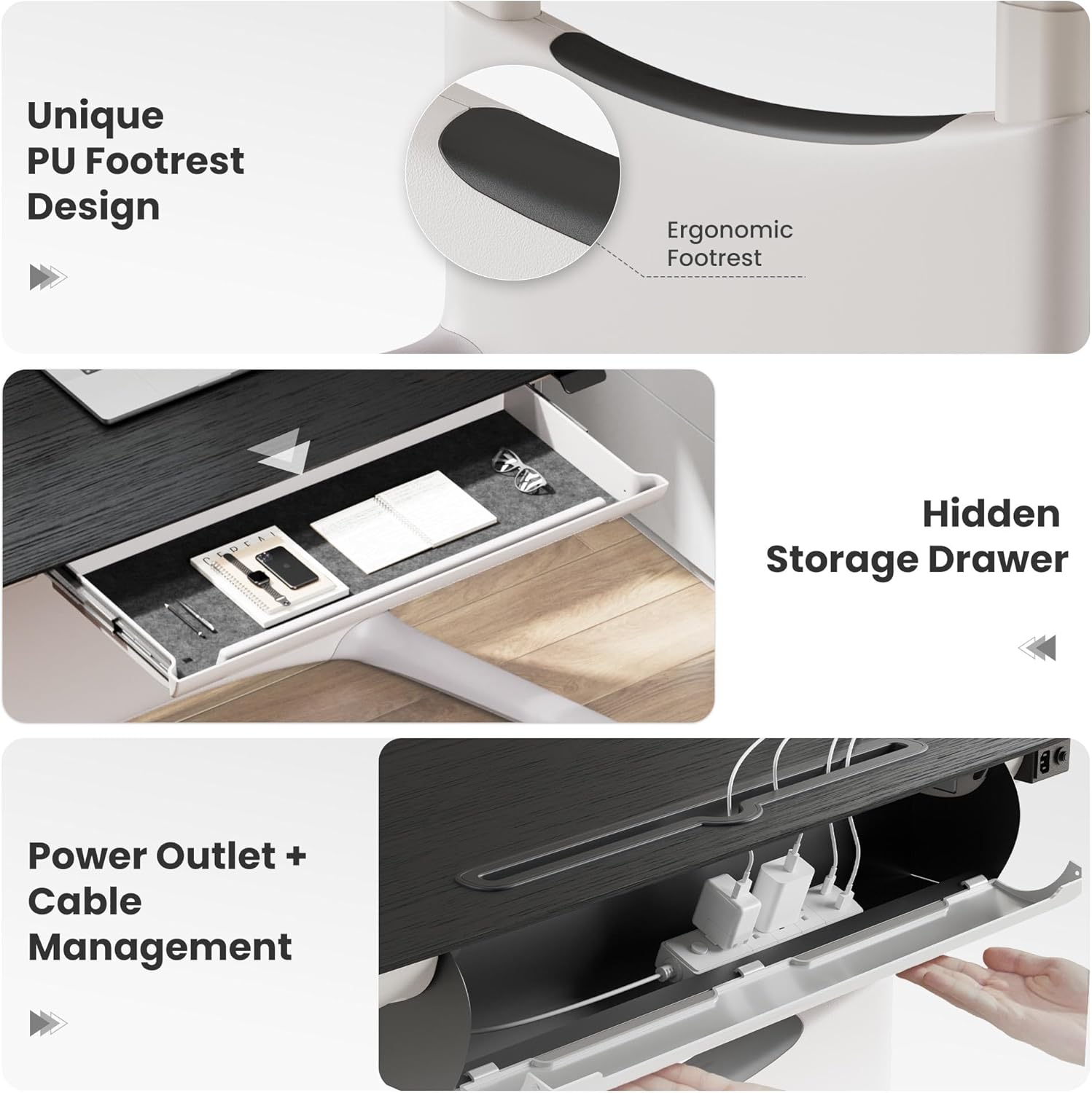
- Integrated pull-out drawer (25x15 inch)
- Built-in power strip with USB-C and USB ports
- Magnetic rear cable management tray
- Ergonomic footrest
- అసెంబ్లీ సాధనాలు
- ఇన్స్ట్రక్షన్ మాన్యువల్
Note: The desk ships in 2 boxes and may arrive separately.
4. సెటప్ మరియు అసెంబ్లీ
The COLAMY LumiDesk is designed for easy assembly, typically completed by a single person in under 10 minutes. All necessary tools are included.
దశల వారీ అసెంబ్లీ
- అన్ని భాగాలను అన్ప్యాక్ చేసి, ప్యాకేజీ విషయాల జాబితాతో సరిచూసుకోండి.
- అందించిన హార్డ్వేర్ని ఉపయోగించి డెస్క్ కాళ్లను డెస్క్టాప్కు అటాచ్ చేయండి.
- Connect the dual motor system and control panel.
- Install the integrated pull-out drawer.
- Secure the cable management tray and built-in power strip.
- Attach the ergonomic footrest.
- Plug the desk into a wall outlet.
Detailed assembly instructions with diagrams are provided in the included printed manual.
5. ఆపరేటింగ్ సూచనలు
ఎత్తు సర్దుబాటు
The desk features a silent and efficient dual motor lift system for smooth height adjustments.
- డెస్క్ను పైకి లేపండి: Press and hold the "Up" arrow button on the control panel.
- దిగువ డెస్క్: Press and hold the "Down" arrow button on the control panel.
- The desk transitions at a steady 1.7 in/s speed.
మెమరీ ప్రీసెట్లు
త్వరిత సర్దుబాట్ల కోసం కంట్రోల్ ప్యానెల్ మిమ్మల్ని మూడు ప్రాధాన్య ఎత్తు సెట్టింగ్లను సేవ్ చేయడానికి అనుమతిస్తుంది.
- ప్రీసెట్ను సేవ్ చేయడానికి: Adjust the desk to your desired height. Press the "S" button, then press one of the numbered preset buttons (1, 2, or 3) until the display confirms the setting.
- ప్రీసెట్ను ఉపయోగించడానికి: Simply press the corresponding numbered preset button (1, 2, or 3). The desk will automatically move to the saved height.
Anti-Collision Feature
For safety, the desk is equipped with an anti-collision system. If the desk encounters an obstacle during movement, it will automatically stop and reverse slightly to prevent damage or injury.

6 కీ ఫీచర్లు
Seamless One-Piece Desktop
The 55x28 inch desktop is constructed from a single piece of FSC MFC with a natural wood veneer finish, providing a smooth and spacious work surface without annoying gaps.

Integrated Storage and Power
The desk includes a 25x15 inch pull-out drawer for office supplies and a built-in power strip with USB-C and USB ports, along with a magnetic rear cable management tray to keep your workspace organized and clutter-free.
ఎర్గోనామిక్ ఫుట్రెస్ట్
A unique ergonomic footrest is integrated into the desk design, supporting dynamic postures whether sitting, standing, lounging, or cross-legged, enhancing comfort during long work sessions.
7. నిర్వహణ
Proper maintenance will ensure the longevity and optimal performance of your desk.
- శుభ్రపరచడం: డెస్క్టాప్ మరియు ఫ్రేమ్ను మృదువైన, d తో తుడవండి.amp గుడ్డ. ముగింపుకు హాని కలిగించే రాపిడి క్లీనర్లు లేదా కఠినమైన రసాయనాలను నివారించండి.
- తనిఖీ: Regularly check all screws and connections to ensure they are secure. Tighten any loose fasteners as needed.
- కేబుల్ నిర్వహణ: క్రమానుగతంగా రీview and adjust cables in the management tray to prevent tangles and ensure smooth desk operation.
8. ట్రబుల్షూటింగ్
మీ డెస్క్తో ఏవైనా సమస్యలు ఎదురైతే, దయచేసి ఈ క్రింది సాధారణ పరిష్కారాలను చూడండి:
- డెస్క్ కదలడం లేదు: Check if the power cord is securely plugged into both the desk and a functional wall outlet. Ensure no obstacles are blocking the desk's movement path.
- అసమాన కదలిక: If the desk moves unevenly, try resetting the system by unplugging it from the power source for 30 seconds, then plugging it back in. If the issue persists, contact customer support.
- ఎర్రర్ కోడ్లు: If the digital display shows an error code, please refer to the detailed troubleshooting section in the printed manual for specific error code interpretations and solutions.
9. స్పెసిఫికేషన్లు
| బ్రాండ్ | కోలామీ |
| మోడల్ సంఖ్య | TX-ED01-T-WD-BK-L-WH-SC |
| ఉత్పత్తి కొలతలు | 28"డి x 55"వా x 48"హ |
| బరువు సామర్థ్యం | 175 పౌండ్లు |
| వస్తువు బరువు | 65 పౌండ్లు |
| ఫ్రేమ్ మెటీరియల్ | Carbon steel, Aluminum |
| టాప్ మెటీరియల్ రకం | Wood (Veneer Desktop) |
| ప్రత్యేక లక్షణాలు | Adjustable, Adjustable Height, Ergonomic, Rust Resistant |
| మోటార్ రకం | డ్యూయల్ మోటార్ |
| శబ్దం స్థాయి | <50dB |
| లిఫ్ట్ స్పీడ్ | 1.7 in/s |
| డ్రాయర్ రకం | Single Pull-out Drawer (25x15 inch) |
| పవర్ అవుట్లెట్లు | Built-in power strip with USB-C and USB ports |
| అసెంబ్లీ అవసరం | అవును |
10. వారంటీ మరియు మద్దతు
వారంటీ సమాచారం
The COLAMY LumiDesk Electric Standing Desk comes with a Limited Warranty. Please refer to the warranty card included in your package for specific terms and conditions regarding coverage and duration.
కస్టమర్ మద్దతు
For any questions, technical assistance, or warranty claims, please contact COLAMY Home customer support. You can typically find contact information on the seller's Amazon store page or through your purchase history.
- విక్రేత: COLAMY Home (ID: A2XVMUT03J4I0H)
11. మీడియా గ్యాలరీ
ఉత్పత్తి చిత్రాలు